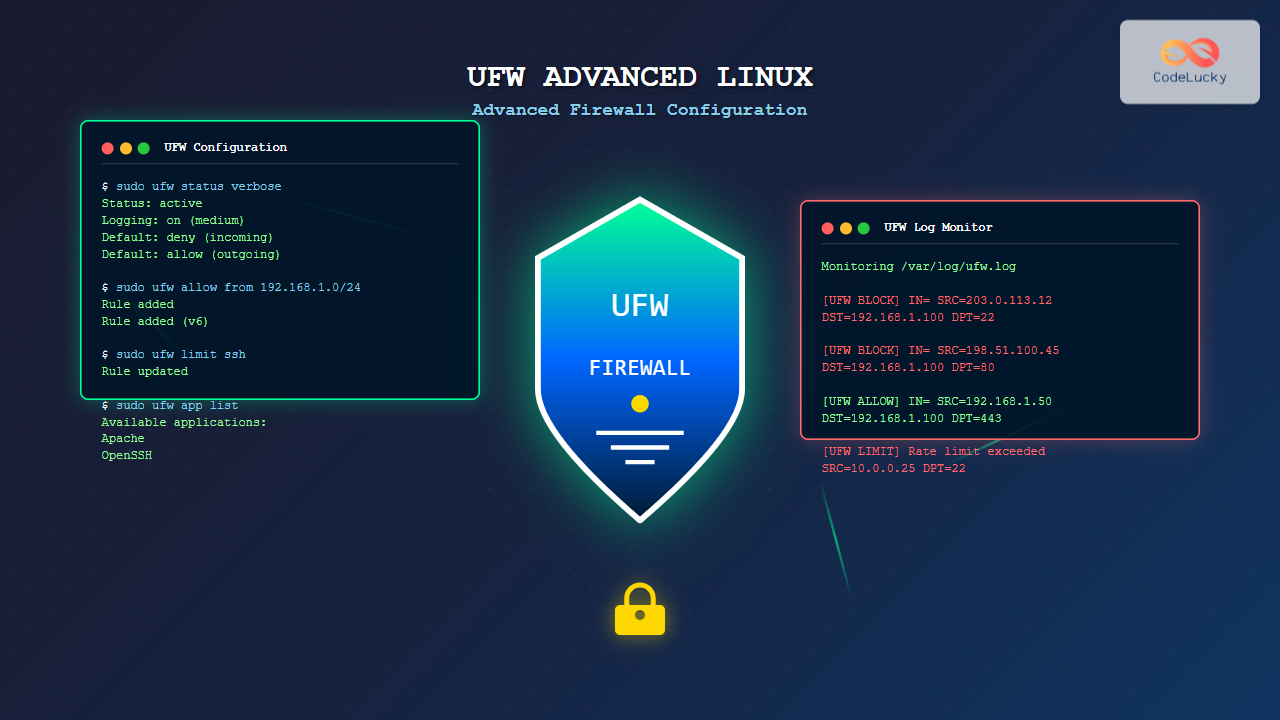
UFW (Uncomplicated Firewall) serves as Ubuntu’s default firewall configuration tool, providing a user-friendly interface to manage iptables rules. While UFW appears simple on the surface, it offers powerful advanced features for sophisticated firewall configurations that can secure enterprise-level Linux systems.
Understanding UFW Architecture and Core Components
UFW operates as a frontend to iptables, translating human-readable commands into complex netfilter rules. The architecture consists of several key components:
- Profile System: Pre-configured application rules
- Rule Chain Management: INPUT, OUTPUT, and FORWARD chain handling
- Logging Framework: Comprehensive traffic monitoring
- Rate Limiting: DDoS protection mechanisms
Installation and Initial Setup
Most Ubuntu systems include UFW by default. For other distributions:
# Ubuntu/Debian
sudo apt update && sudo apt install ufw

# CentOS/RHEL (requires EPEL)
sudo yum install epel-release
sudo yum install ufw

# Arch Linux
sudo pacman -S ufw
Verify installation and check status:
sudo ufw --version
sudo ufw status verbose
Advanced Rule Configuration Strategies
Complex Port Range Management
UFW supports sophisticated port range configurations for granular control:
# Allow specific port ranges
sudo ufw allow 8000:8010/tcp
sudo ufw allow 9000:9999/udp

# Allow ports with specific protocols and sources
sudo ufw allow from 192.168.1.0/24 to any port 3306 proto tcp

# Complex multi-port rules
sudo ufw allow in on eth0 to any port 80,443,8080 proto tcp
Expected Output:
Rule added
Rule added (v6)
Interface-Specific Rules
Advanced network configurations often require interface-specific rules:
# Allow SSH only on management interface
sudo ufw allow in on eth1 to any port 22

# Block all traffic on specific interface except established connections
sudo ufw deny in on eth2
sudo ufw allow in on eth2 from any to any port 53

# DMZ configuration
sudo ufw allow in on dmz0 to any port 80
sudo ufw allow out on dmz0 from any port 80
Application Profile Management
Creating Custom Application Profiles
UFW’s application profiles simplify complex service configurations. Create custom profiles in /etc/ufw/applications.d/:
# Create custom web application profile
sudo nano /etc/ufw/applications.d/myapp

[MyWebApp]
title=My Custom Web Application
description=Custom web application with multiple ports
ports=80,443,8080,8443/tcp

[MyDatabase]
title=Custom Database Service
description=Database cluster with replication
ports=3306,3307,4444,4567,4568/tcp
Update and use the profiles:
sudo ufw app update MyWebApp
sudo ufw allow MyWebApp
sudo ufw app list
Managing Existing Application Profiles
# List all available applications
sudo ufw app list

# Get detailed information about specific application
sudo ufw app info Apache

# Allow application with source restrictions
sudo ufw allow from 10.0.0.0/8 to any app Apache
Advanced Logging and Monitoring
Configuring Detailed Logging
UFW provides multiple logging levels for comprehensive monitoring:
# Enable different logging levels
sudo ufw logging on           # Basic logging
sudo ufw logging medium       # Moderate detail
sudo ufw logging high         # Maximum detail
sudo ufw logging full         # Complete packet information
Configure custom log rotation:
# Edit UFW log configuration
sudo nano /etc/logrotate.d/ufw

/var/log/ufw.log {
    daily
    missingok
    rotate 52
    compress
    delaycompress
    notifempty
    postrotate
        /usr/lib/rsyslog/rsyslog-rotate
    endscript
}
Log Analysis and Monitoring
Analyze UFW logs for security insights:
# Real-time log monitoring
sudo tail -f /var/log/ufw.log

# Filter blocked connections
sudo grep "BLOCK" /var/log/ufw.log | tail -20

# Analyze connection attempts by IP
sudo awk '/UFW BLOCK/ {print $12}' /var/log/ufw.log | sort | uniq -c | sort -nr

# Monitor specific ports
sudo grep "DPT=22" /var/log/ufw.log | grep "$(date +%Y-%m-%d)"
Rate Limiting and DDoS Protection
Implementing Rate Limiting Rules
UFW includes built-in rate limiting to prevent connection flooding:
# Basic rate limiting for SSH
sudo ufw limit ssh

# Custom rate limiting with specific parameters
sudo ufw limit in on eth0 to any port 80 proto tcp

# Advanced rate limiting with source restrictions
sudo ufw limit from 0.0.0.0/0 to any port 22 proto tcp
Rate limiting blocks connections exceeding 6 attempts in 30 seconds by default.
Advanced DDoS Protection Configuration
Implement sophisticated DDoS protection strategies:
# Limit connections per IP for web services
sudo ufw limit 80/tcp
sudo ufw limit 443/tcp

# Protect against SYN flood attacks
echo 'net.ipv4.tcp_syncookies = 1' | sudo tee -a /etc/sysctl.conf
echo 'net.ipv4.tcp_max_syn_backlog = 2048' | sudo tee -a /etc/sysctl.conf
echo 'net.ipv4.tcp_synack_retries = 2' | sudo tee -a /etc/sysctl.conf

# Apply sysctl changes
sudo sysctl -p
IPv6 Configuration and Dual-Stack Management
Enabling IPv6 Support
Configure UFW for complete IPv6 compatibility:
# Enable IPv6 in UFW configuration
sudo nano /etc/default/ufw
# Set IPV6=yes

# Restart UFW to apply IPv6 settings
sudo ufw --force reset
sudo ufw enable
IPv6-Specific Rules
# IPv6 address-specific rules
sudo ufw allow from 2001:db8::/32 to any port 80

# IPv6 interface rules
sudo ufw allow in on eth0 from 2001:db8::/64 to any port 443

# Mixed IPv4/IPv6 environment rules
sudo ufw allow from any to any port 53 proto udp
Enterprise-Level Security Configurations
Multi-Tier Architecture Rules
Configure UFW for complex enterprise environments:
# Web tier - allow HTTP/HTTPS from load balancer
sudo ufw allow from 10.1.1.0/24 to any port 80,443

# Application tier - restrict database access
sudo ufw allow from 10.1.2.0/24 to any port 8080
sudo ufw allow to 10.1.3.0/24 port 3306

# Database tier - allow only application servers
sudo ufw allow from 10.1.2.0/24 to any port 3306,5432

# Management network access
sudo ufw allow from 10.0.1.0/24 to any port 22
High Availability Cluster Configuration
Configure firewall rules for clustered services:
# Cluster communication ports
sudo ufw allow from 192.168.100.0/24 to any port 2379,2380  # etcd
sudo ufw allow from 192.168.100.0/24 to any port 6443       # Kubernetes API
sudo ufw allow from 192.168.100.0/24 to any port 10250      # kubelet

# Load balancer health checks
sudo ufw allow from 192.168.200.0/24 to any port 8080

# Database replication
sudo ufw allow from 192.168.100.0/24 to any port 4444,4567,4568  # Galera
Advanced UFW Commands and Shortcuts
Rule Management and Organization
Efficiently manage complex rule sets:
# List rules with numbers for easy management
sudo ufw status numbered

# Insert rules at specific positions
sudo ufw insert 1 allow from 192.168.1.100 to any port 22

# Delete rules by number or specification
sudo ufw delete 3
sudo ufw delete allow 80

# Replace existing rules
sudo ufw --force delete allow ssh
sudo ufw limit ssh
Backup and Restore Configurations
Implement configuration management practices:
# Backup UFW rules
sudo cp -r /etc/ufw /etc/ufw.backup.$(date +%Y%m%d)
sudo ufw status verbose > /etc/ufw-rules-backup.txt

# Export rules to script format
sudo ufw --dry-run enable > ufw-restore-script.sh

# Restore from backup
sudo ufw --force reset
sudo cp -r /etc/ufw.backup.20250826/* /etc/ufw/
sudo ufw enable
Troubleshooting and Performance Optimization
Common Configuration Issues
Diagnose and resolve UFW problems:
# Check UFW service status
sudo systemctl status ufw

# Verify iptables rules generation
sudo iptables -L -n -v
sudo ip6tables -L -n -v

# Test rule conflicts
sudo ufw --dry-run allow 80

# Debug rule processing
sudo ufw --verbose status
Performance Optimization Strategies
Optimize UFW for high-traffic environments:
# Optimize rule ordering (specific rules first)
sudo ufw insert 1 allow from 192.168.1.0/24 to any port 80
sudo ufw insert 2 allow from 10.0.0.0/8 to any port 80
sudo ufw allow 80

# Minimize logging overhead for high-traffic ports
sudo ufw allow out 53
sudo ufw allow out 80
sudo ufw allow out 443
Integration with Security Tools
Fail2Ban Integration
Combine UFW with Fail2Ban for automated threat response:
# Configure Fail2Ban to work with UFW
sudo nano /etc/fail2ban/jail.local

[DEFAULT]
banaction = ufw

[sshd]
enabled = true
port = ssh
filter = sshd
logpath = /var/log/auth.log
maxretry = 3
bantime = 3600
Monitoring and Alerting
Implement automated monitoring for UFW events:
# Create monitoring script
sudo nano /usr/local/bin/ufw-monitor.sh

#!/bin/bash
tail -f /var/log/ufw.log | while read line; do
    if echo "$line" | grep -q "BLOCK"; then
        echo "$(date): Blocked connection detected: $line" >> /var/log/ufw-alerts.log
        # Send alert email or notification
    fi
done

# Make executable and create systemd service
sudo chmod +x /usr/local/bin/ufw-monitor.sh
Best Practices and Security Considerations
Security Hardening Guidelines
- Principle of Least Privilege: Only allow necessary connections
- Regular Rule Auditing: Review and clean up unused rules
- Source IP Restrictions: Limit access to specific networks
- Port Minimization: Close unnecessary services and ports
Maintenance and Updates
# Regular maintenance tasks
sudo ufw status numbered > /var/log/ufw-$(date +%Y%m%d).status
sudo grep "BLOCK\|LIMIT" /var/log/ufw.log | tail -50

# Update application profiles
sudo ufw app update --all

# Verify configuration integrity
sudo ufw --dry-run enable
UFW’s advanced features provide enterprise-grade firewall capabilities while maintaining simplicity. Regular monitoring, proper rule organization, and security best practices ensure robust network protection for any Linux environment.
Related Posts
ufw Command Linux: Complete Guide to Uncomplicated Firewall Management
The Uncomplicated Firewall (ufw) is a user-friendly frontend for managing iptables firewall rules in Linux systems. Designed to simplify firewall...
iptables Advanced Linux: Complete Guide to Advanced Firewall Rules and Security Configuration
iptables is the most powerful and flexible firewall solution available for Linux systems, offering granular control over network traffic through...

iptables Command Linux: Complete Guide to Configure Firewall Rules
The iptables command is one of the most powerful and essential tools for managing firewall rules in Linux systems. As...
nftables Command Linux: Complete Guide to Next Generation Firewall Framework
nftables is a modern Linux kernel subsystem that provides packet classification and filtering capabilities, serving as the next-generation replacement for...
firewalld Linux: Complete Dynamic Firewall Management Guide
firewalld is a powerful, dynamic firewall management tool for Linux systems that provides a flexible and user-friendly interface for managing...
ip6tables Command Linux: Complete Guide to IPv6 Firewall Management and Security
The ip6tables command is the IPv6 counterpart to the popular iptables firewall utility in Linux. As IPv6 adoption continues to...

fail2ban Linux: Complete Intrusion Prevention and Security Framework Guide
fail2ban is a powerful intrusion prevention framework designed to protect Linux servers from brute force attacks, dictionary attacks, and other...
iptraf Command Linux: Complete Interactive Network Monitoring Guide
The iptraf command is a powerful console-based network monitoring utility for Linux systems that provides real-time IP LAN monitoring capabilities....
ip Command Linux: Complete Guide to Advanced Network Configuration and Management
The ip command is one of the most powerful and versatile networking tools in Linux, serving as the modern replacement...
tcpdump Command Linux: Complete Guide to Network Packet Capture and Analysis
The tcpdump command is one of the most powerful network analysis tools available in Linux systems. It allows system administrators...
nmap Command Linux: Complete Guide to Network Mapping and Port Scanning
The nmap (Network Mapper) command is one of the most powerful and versatile network discovery and security auditing tools available...
packetbeat Linux: Complete Network Packet Analysis Tool Guide
Network packet analysis is crucial for system administrators, security professionals, and developers who need to monitor, troubleshoot, and secure network...