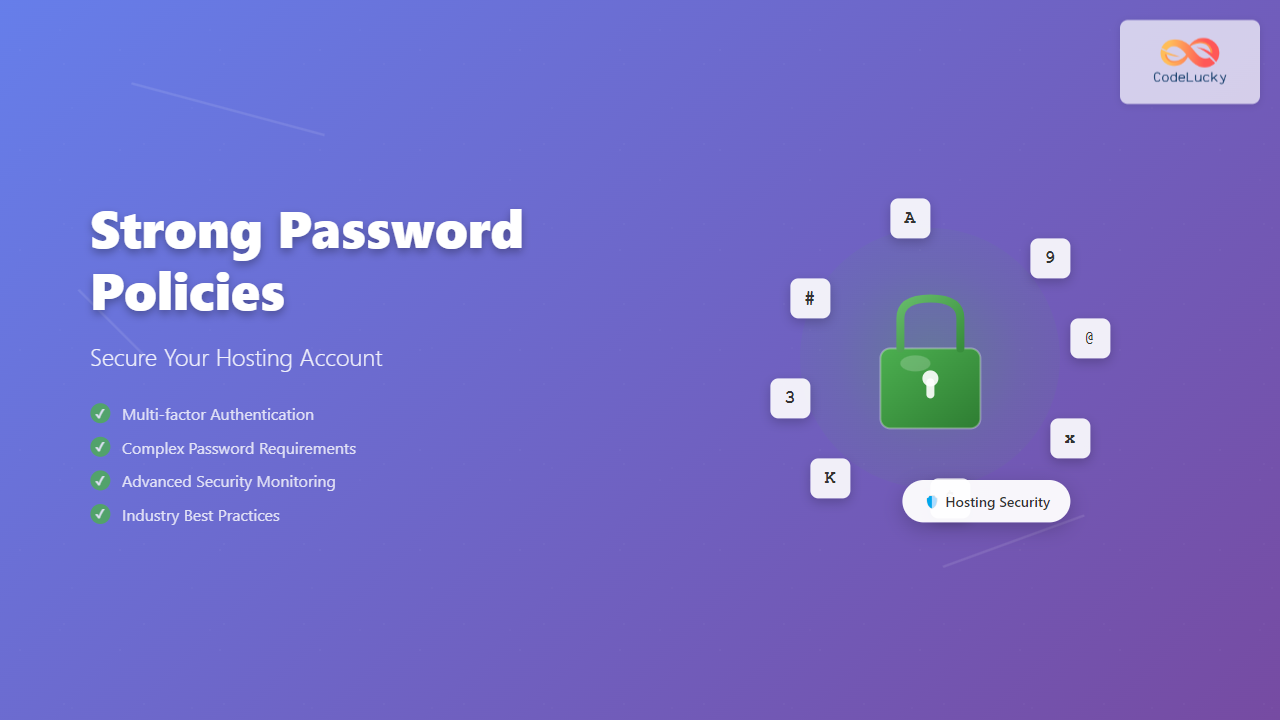
Your hosting account is the gateway to your entire online presence. A compromised hosting account can lead to data breaches, malware infections, and complete website takeover. Strong password policies serve as your first line of defense against unauthorized access and cyber attacks.
According to cybersecurity research, 81% of data breaches are caused by weak or compromised passwords. This comprehensive guide will equip you with the knowledge and tools to implement bulletproof password policies for your hosting infrastructure.
Understanding Password Security Fundamentals
Password security operates on three core principles: complexity, uniqueness, and unpredictability. Each element plays a crucial role in creating an impenetrable authentication barrier.

Password Complexity Requirements
A robust password policy should enforce the following complexity requirements:
- Minimum 12 characters (ideally 16+ for hosting accounts)
- Combination of uppercase and lowercase letters
- At least 2 numbers
- Special characters (!@#$%^&*)
- No dictionary words or common patterns
Examples of Strong vs. Weak Passwords
| Weak Password | Why It’s Weak | Strong Alternative |
|---|---|---|
| password123 | Common word + predictable numbers | K9$mX7#pL2vN8qR! |
| admin2024 | Predictable pattern with year | Zx4&bM9@nQ3wE7$h |
| myname_hosting | Personal information + predictable suffix | R8#nK5@pX2mF9$wL |
Implementing Multi-Layered Password Policies
Effective password policies require multiple security layers working in harmony. This approach ensures that even if one security measure fails, others remain intact.

Password Generation Strategies
Manual password creation often leads to predictable patterns. Here are three proven strategies for generating cryptographically secure passwords:
1. Passphrase Method
Create memorable yet secure passwords using unrelated words:
Original phrase: "Coffee Mountain Blue 47"
Secure transformation: C0ff33-M0unt@1n-Blu3-47!
2. Acronym Method
Use the first letter of each word in a memorable sentence:
Sentence: "My hosting account needs 16 characters and symbols!"
Password: Mhan16c@s!2024#$
3. Random Generation (Recommended)
Use cryptographically secure password generators that create truly random combinations:
Generated example: 7K$mN9@pX2vQ8#wR5L
Entropy: ~95 bits (excellent security level)
Advanced Authentication Mechanisms
Modern hosting security requires more than just strong passwords. Implementing additional authentication layers significantly enhances your account protection.
Two-Factor Authentication (2FA)
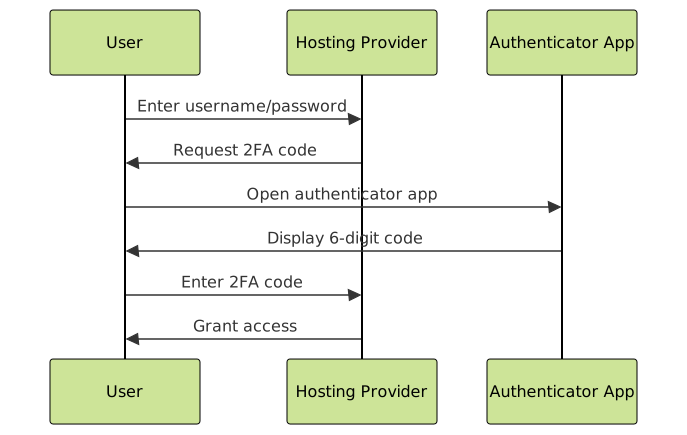
Two-factor authentication adds an extra security layer by requiring something you know (password) and something you have (phone/authenticator app).
Setting Up 2FA for Hosting Accounts
- Enable 2FA in your hosting control panel
- Download authenticator app (Google Authenticator, Authy, or Microsoft Authenticator)
- Scan QR code provided by your hosting provider
- Save backup codes in a secure location
- Test the setup by logging out and back in
IP Whitelisting and Access Controls
Restrict access to your hosting account from specific IP addresses or geographic locations:
# Example .htaccess IP whitelist
Order Deny,Allow
Deny from all
Allow from 192.168.1.100
Allow from 203.0.113.0/24
Password Management Best Practices
Proper password management extends beyond creation to include storage, rotation, and monitoring.
Secure Password Storage
Password managers are essential for maintaining unique, complex passwords across all your accounts:
| Password Manager | Key Features | Best For |
|---|---|---|
| Bitwarden | Open-source, cross-platform, affordable | Individual users and small teams |
| 1Password | Advanced security features, business tools | Professional and enterprise use |
| LastPass | User-friendly interface, good free tier | Personal use and basic business needs |
Password Rotation Strategy
Regular password updates prevent long-term exposure from potential breaches:
- Hosting accounts: Change every 90 days
- Admin credentials: Change every 60 days
- Database passwords: Change every 120 days
- Emergency access: Change immediately after use
Common Password Vulnerabilities and Mitigation
Understanding attack vectors helps you build more effective defenses against password-based threats.

Brute Force Attack Prevention
Implement multiple defenses against automated password guessing:
# Example fail2ban configuration for SSH
[sshd]
enabled = true
port = ssh
filter = sshd
logpath = /var/log/auth.log
maxretry = 3
bantime = 3600
findtime = 600
Social Engineering Awareness
Train your team to recognize and resist social engineering attempts:
- Verify identity through independent communication channels
- Never share passwords via email, phone, or chat
- Question urgent requests for credential information
- Report suspicious activity immediately to your security team
Monitoring and Incident Response
Proactive monitoring helps detect potential security breaches before they cause significant damage.
Login Activity Monitoring
Most hosting providers offer detailed login logs. Monitor these regularly for:
- Unusual login times outside business hours
- Geographic anomalies from unexpected locations
- Multiple failed attempts followed by successful login
- Concurrent sessions from different IP addresses
Automated Security Alerts
Configure notifications for security events:
# Example webhook configuration for security alerts
{
  "event": "login_success",
  "unusual_location": true,
  "ip_address": "203.0.113.45",
  "country": "Unknown",
  "alert_level": "medium"
}
Compliance and Industry Standards
Many industries require specific password security standards. Ensure your policies meet relevant compliance requirements:
Common Security Frameworks
| Framework | Password Requirements | Industry |
|---|---|---|
| PCI DSS | 7+ characters, complex, change every 90 days | Payment processing |
| HIPAA | Unique user identification, automatic logoff | Healthcare |
| SOX | Strong authentication, access controls | Financial reporting |
Implementation Checklist
Use this comprehensive checklist to implement strong password policies:
Technical Implementation
- ✅ Password complexity rules configured in hosting control panel
- ✅ Two-factor authentication enabled for all admin accounts
- ✅ Password manager deployed across your organization
- ✅ Login monitoring and alerting configured
- ✅ IP whitelisting implemented for admin access
- ✅ Regular security audits scheduled
Organizational Policies
- ✅ Written password policy documented and distributed
- ✅ Security training provided to all users
- ✅ Incident response plan created and tested
- ✅ Regular policy reviews scheduled
Future-Proofing Your Password Strategy
Password security continues to evolve. Stay ahead of emerging threats by:
- Adopting passwordless authentication where possible
- Implementing zero-trust architecture principles
- Regular security assessments and penetration testing
- Staying updated with latest security research and best practices
Strong password policies are not just a technical requirement—they’re a business necessity. By implementing the strategies outlined in this guide, you’ll significantly reduce your hosting account’s vulnerability to cyber attacks and protect your valuable digital assets.
Remember, security is an ongoing process, not a one-time setup. Regular reviews and updates of your password policies ensure continued protection against evolving threats.