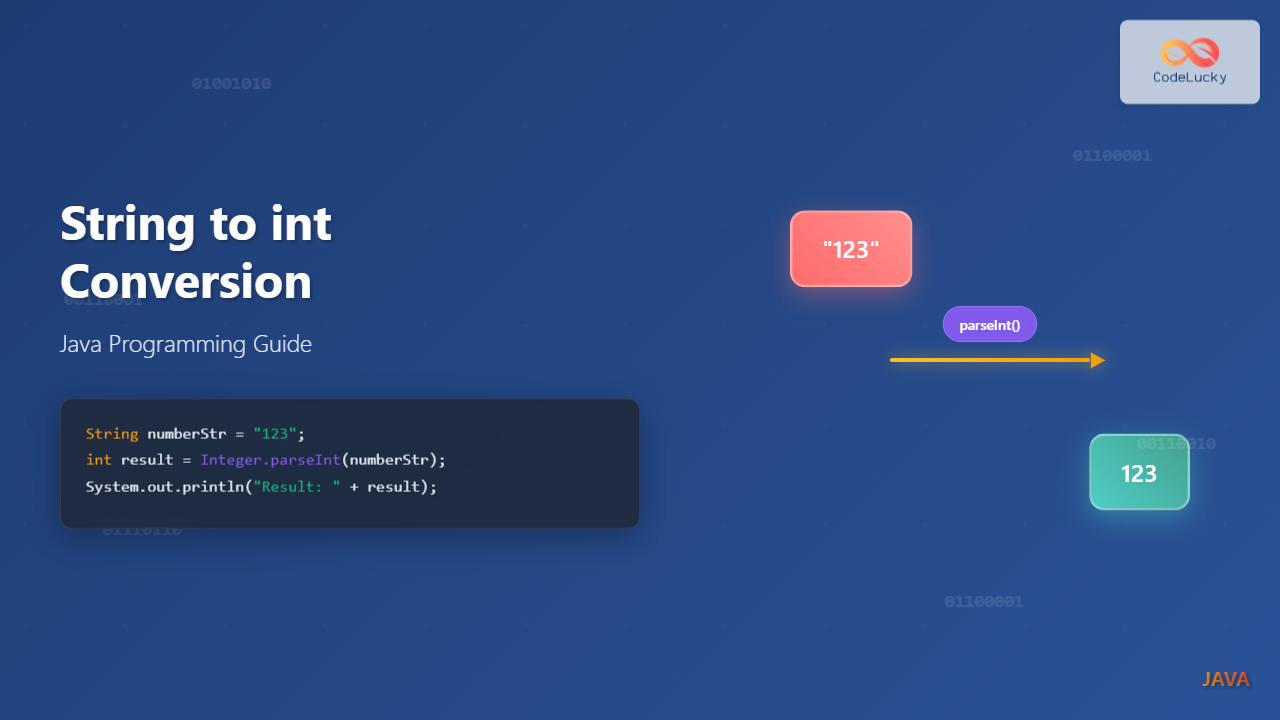
Converting a String to an int is one of the most common operations in Java programming. Whether you’re processing user input, reading data from files, or working with APIs, you’ll frequently need to transform string representations of numbers into actual integer values.
This comprehensive guide covers all the methods available in Java for string-to-integer conversion, complete with practical examples and best practices.
Why Convert String to int in Java?
String-to-integer conversion is essential in numerous scenarios:
- User Input Processing: Converting form data or console input
- File Processing: Reading numeric data from CSV files or configuration files
- API Integration: Parsing JSON responses containing numeric strings
- Database Operations: Converting string IDs to integers for queries
- Mathematical Operations: Performing calculations on string-based numbers
Method 1: Using Integer.parseInt()
The Integer.parseInt() method is the most commonly used approach for converting strings to integers. It returns a primitive int value.
Basic Syntax
public static int parseInt(String s) throws NumberFormatException
public static int parseInt(String s, int radix) throws NumberFormatException
Example: Basic parseInt() Usage
public class StringToIntExample {
    public static void main(String[] args) {
        // Basic string to int conversion
        String numberString = "123";
        int result = Integer.parseInt(numberString);

        System.out.println("Original String: " + numberString);
        System.out.println("Converted Integer: " + result);
        System.out.println("Data Type: " + ((Object)result).getClass().getSimpleName());

        // Mathematical operation to verify conversion
        int doubled = result * 2;
        System.out.println("Doubled Value: " + doubled);
    }
}
Output:
Original String: 123
Converted Integer: 123
Data Type: Integer
Doubled Value: 246
Example: parseInt() with Different Bases
public class ParseIntRadixExample {
    public static void main(String[] args) {
        // Binary string (base 2)
        String binaryString = "1010";
        int binaryResult = Integer.parseInt(binaryString, 2);

        // Octal string (base 8)
        String octalString = "77";
        int octalResult = Integer.parseInt(octalString, 8);

        // Hexadecimal string (base 16)
        String hexString = "FF";
        int hexResult = Integer.parseInt(hexString, 16);

        System.out.println("Binary '1010' = " + binaryResult);
        System.out.println("Octal '77' = " + octalResult);
        System.out.println("Hex 'FF' = " + hexResult);
    }
}
Output:
Binary '1010' = 10
Octal '77' = 63
Hex 'FF' = 255
Method 2: Using Integer.valueOf()
The Integer.valueOf() method converts a string to an Integer object (wrapper class) rather than a primitive int.
Example: valueOf() vs parseInt()
public class ValueOfExample {
    public static void main(String[] args) {
        String numberString = "456";

        // Using valueOf() - returns Integer object
        Integer integerObject = Integer.valueOf(numberString);

        // Using parseInt() - returns primitive int
        int primitiveInt = Integer.parseInt(numberString);

        System.out.println("valueOf() result: " + integerObject);
        System.out.println("valueOf() type: " + integerObject.getClass().getSimpleName());

        System.out.println("parseInt() result: " + primitiveInt);
        System.out.println("parseInt() type: " + ((Object)primitiveInt).getClass().getSimpleName());

        // Both can be used in mathematical operations due to auto-unboxing
        System.out.println("Sum: " + (integerObject + primitiveInt));
    }
}
Output:
valueOf() result: 456
valueOf() type: Integer
parseInt() result: 456
parseInt() type: Integer
Sum: 912
Method 3: Using Integer.decode()
The Integer.decode() method can handle strings with different number formats including decimal, hexadecimal (0x), and octal (0) prefixes.
Example: decode() with Various Formats
public class DecodeExample {
    public static void main(String[] args) {
        // Decimal number
        String decimal = "100";
        Integer decimalResult = Integer.decode(decimal);

        // Hexadecimal number with 0x prefix
        String hex = "0xFF";
        Integer hexResult = Integer.decode(hex);

        // Octal number with 0 prefix
        String octal = "0144";
        Integer octalResult = Integer.decode(octal);

        // Negative hexadecimal
        String negativeHex = "-0x10";
        Integer negativeHexResult = Integer.decode(negativeHex);

        System.out.println("Decimal '100': " + decimalResult);
        System.out.println("Hex '0xFF': " + hexResult);
        System.out.println("Octal '0144': " + octalResult);
        System.out.println("Negative Hex '-0x10': " + negativeHexResult);
    }
}
Output:
Decimal '100': 100
Hex '0xFF': 255
Octal '0144': 100
Negative Hex '-0x10': -16
Error Handling and Exception Management
All string-to-integer conversion methods can throw a NumberFormatException when the input string cannot be parsed as a valid integer.

Example: Comprehensive Error Handling
public class ErrorHandlingExample {
    public static void main(String[] args) {
        String[] testStrings = {
            "123",           // Valid
            "456.78",        // Invalid - decimal
            "abc",           // Invalid - letters
            "",              // Invalid - empty
            null,            // Invalid - null
            "2147483648",    // Invalid - too large for int
            "-2147483649"    // Invalid - too small for int
        };

        for (String testString : testStrings) {
            convertWithErrorHandling(testString);
        }
    }

    public static void convertWithErrorHandling(String input) {
        try {
            int result = Integer.parseInt(input);
            System.out.println("✓ Successfully converted '" + input + "' to: " + result);
        } catch (NumberFormatException e) {
            System.out.println("✗ Failed to convert '" + input + "': " + e.getMessage());
        } catch (NullPointerException e) {
            System.out.println("✗ Input is null");
        }
    }
}
Output:
✓ Successfully converted '123' to: 123
✗ Failed to convert '456.78': For input string: "456.78"
✗ Failed to convert 'abc': For input string: "abc"
✗ Failed to convert '': For input string: ""
✗ Input is null
✗ Failed to convert '2147483648': For input string: "2147483648"
✗ Failed to convert '-2147483649': For input string: "-2147483649"
Best Practices and Performance Considerations

Example: Robust Conversion Utility
public class StringToIntUtil {

    // Method with default value
    public static int parseIntWithDefault(String input, int defaultValue) {
        if (input == null || input.trim().isEmpty()) {
            return defaultValue;
        }

        try {
            return Integer.parseInt(input.trim());
        } catch (NumberFormatException e) {
            return defaultValue;
        }
    }

    // Method that returns Optional
    public static java.util.Optional parseIntSafely(String input) {
        if (input == null || input.trim().isEmpty()) {
            return java.util.Optional.empty();
        }

        try {
            return java.util.Optional.of(Integer.parseInt(input.trim()));
        } catch (NumberFormatException e) {
            return java.util.Optional.empty();
        }
    }

    // Method with validation
    public static int parseIntWithValidation(String input, int min, int max)
            throws IllegalArgumentException {
        if (input == null) {
            throw new IllegalArgumentException("Input cannot be null");
        }

        try {
            int result = Integer.parseInt(input.trim());
            if (result < min || result > max) {
                throw new IllegalArgumentException(
                    "Value " + result + " is outside valid range [" + min + ", " + max + "]"
                );
            }
            return result;
        } catch (NumberFormatException e) {
            throw new IllegalArgumentException("Invalid number format: " + input);
        }
    }

    public static void main(String[] args) {
        // Test with default value
        System.out.println("With default: " + parseIntWithDefault("abc", 0));
        System.out.println("With default: " + parseIntWithDefault("123", 0));

        // Test with Optional
        java.util.Optional result1 = parseIntSafely("456");
        java.util.Optional result2 = parseIntSafely("invalid");

        System.out.println("Optional result 1: " + result1.orElse(-1));
        System.out.println("Optional result 2: " + result2.orElse(-1));

        // Test with validation
        try {
            int validated = parseIntWithValidation("50", 1, 100);
            System.out.println("Validated: " + validated);
        } catch (IllegalArgumentException e) {
            System.out.println("Validation error: " + e.getMessage());
        }
    }
}
Output:
With default: 0
With default: 123
Optional result 1: 456
Optional result 2: -1
Validated: 50
Performance Comparison
Understanding the performance characteristics of different conversion methods helps in choosing the right approach:
Example: Performance Testing
public class PerformanceComparison {
    private static final int ITERATIONS = 1_000_000;
    private static final String TEST_STRING = "12345";

    public static void main(String[] args) {
        // Warm up JVM
        for (int i = 0; i < 10000; i++) {
            Integer.parseInt(TEST_STRING);
            Integer.valueOf(TEST_STRING);
        }

        // Test parseInt()
        long startTime = System.nanoTime();
        for (int i = 0; i < ITERATIONS; i++) {
            int result = Integer.parseInt(TEST_STRING);
        }
        long parseIntTime = System.nanoTime() - startTime;

        // Test valueOf()
        startTime = System.nanoTime();
        for (int i = 0; i < ITERATIONS; i++) {
            Integer result = Integer.valueOf(TEST_STRING);
        }
        long valueOfTime = System.nanoTime() - startTime;

        // Test decode()
        startTime = System.nanoTime();
        for (int i = 0; i < ITERATIONS; i++) {
            Integer result = Integer.decode(TEST_STRING);
        }
        long decodeTime = System.nanoTime() - startTime;

        System.out.println("Performance Results (" + ITERATIONS + " iterations):");
        System.out.println("parseInt(): " + parseIntTime / 1_000_000 + " ms");
        System.out.println("valueOf(): " + valueOfTime / 1_000_000 + " ms");
        System.out.println("decode(): " + decodeTime / 1_000_000 + " ms");

        System.out.println("\nRecommendations:");
        System.out.println("- Use parseInt() for primitive int values (fastest)");
        System.out.println("- Use valueOf() when you need Integer objects");
        System.out.println("- Use decode() only when handling multiple number formats");
    }
}
Common Pitfalls and How to Avoid Them
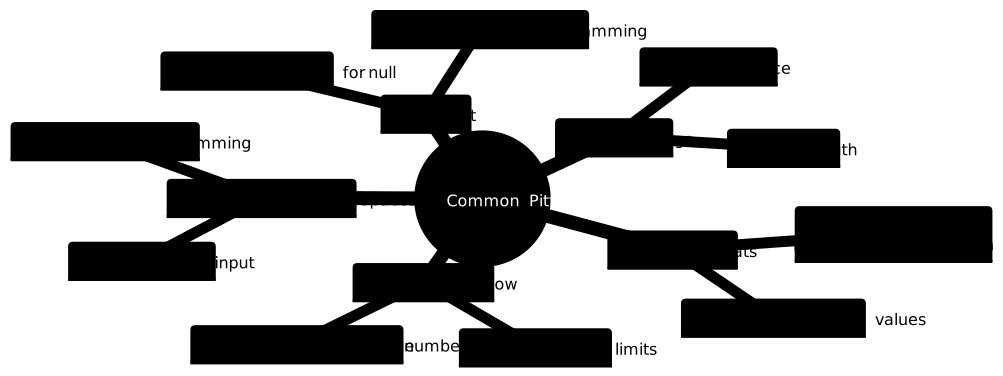
Example: Avoiding Common Mistakes
public class CommonPitfalls {
    public static void main(String[] args) {
        // Pitfall 1: Not handling null input
        System.out.println("=== Pitfall 1: Null Input ===");
        String nullString = null;

        // Wrong way - will throw NullPointerException
        try {
            int result = Integer.parseInt(nullString);
        } catch (Exception e) {
            System.out.println("Error: " + e.getClass().getSimpleName());
        }

        // Right way - check for null first
        if (nullString != null) {
            int result = Integer.parseInt(nullString);
        } else {
            System.out.println("Input is null, using default value: 0");
        }

        // Pitfall 2: Not trimming whitespace
        System.out.println("\n=== Pitfall 2: Whitespace ===");
        String stringWithSpaces = "  123  ";

        try {
            int result = Integer.parseInt(stringWithSpaces.trim());
            System.out.println("Successfully parsed: " + result);
        } catch (NumberFormatException e) {
            System.out.println("Failed to parse");
        }

        // Pitfall 3: Integer overflow
        System.out.println("\n=== Pitfall 3: Integer Overflow ===");
        String tooLarge = "999999999999999999";

        try {
            int result = Integer.parseInt(tooLarge);
        } catch (NumberFormatException e) {
            System.out.println("Number too large for int, consider using Long.parseLong()");
            try {
                long longResult = Long.parseLong(tooLarge);
                System.out.println("Successfully parsed as long: " + longResult);
            } catch (NumberFormatException e2) {
                System.out.println("Number too large even for long");
            }
        }

        // Pitfall 4: Assuming decimal parsing works
        System.out.println("\n=== Pitfall 4: Decimal Numbers ===");
        String decimal = "123.45";

        try {
            int result = Integer.parseInt(decimal);
        } catch (NumberFormatException e) {
            System.out.println("Cannot parse decimal directly");
            // Correct approach for decimals
            double doubleValue = Double.parseDouble(decimal);
            int intValue = (int) doubleValue;
            System.out.println("Converted decimal to int: " + intValue);
        }
    }
}
Real-World Applications
Example: Processing CSV Data
import java.util.*;

public class CSVProcessor {
    public static class Product {
        private String name;
        private int price;
        private int quantity;

        public Product(String name, int price, int quantity) {
            this.name = name;
            this.price = price;
            this.quantity = quantity;
        }

        @Override
        public String toString() {
            return String.format("Product{name='%s', price=%d, quantity=%d}",
                               name, price, quantity);
        }
    }

    public static void main(String[] args) {
        // Simulated CSV data
        String[] csvLines = {
            "Laptop,999,10",
            "Mouse,25,50",
            "Keyboard,75,30",
            "Monitor,300,15"
        };

        List products = new ArrayList<>();

        for (String line : csvLines) {
            String[] parts = line.split(",");

            if (parts.length == 3) {
                try {
                    String name = parts[0].trim();
                    int price = Integer.parseInt(parts[1].trim());
                    int quantity = Integer.parseInt(parts[2].trim());

                    products.add(new Product(name, price, quantity));
                } catch (NumberFormatException e) {
                    System.err.println("Invalid data in line: " + line);
                }
            }
        }

        // Display processed products
        System.out.println("Processed Products:");
        products.forEach(System.out::println);

        // Calculate total inventory value
        int totalValue = products.stream()
            .mapToInt(p -> p.price * p.quantity)
            .sum();

        System.out.println("\nTotal Inventory Value: $" + totalValue);
    }
}
Output:
Processed Products:
Product{name='Laptop', price=999, quantity=10}
Product{name='Mouse', price=25, quantity=50}
Product{name='Keyboard', price=75, quantity=30}
Product{name='Monitor', price=300, quantity=15}

Total Inventory Value: $16615
Summary
Converting strings to integers in Java is a fundamental skill that every developer needs to master. Here are the key takeaways:
- Integer.parseInt() is the fastest method for converting to primitive int values
- Integer.valueOf() returns Integer objects and benefits from caching for values -128 to 127
- Integer.decode() handles multiple number formats including hex and octal
- Always implement proper error handling with try-catch blocks
- Validate input by checking for null values and trimming whitespace
- Consider using utility methods for complex validation requirements
- Be aware of integer overflow limitations and use appropriate data types
By following these best practices and understanding the different conversion methods, you’ll be able to handle string-to-integer conversions efficiently and reliably in your Java applications.