

Storage management is one of the most critical components of an operating system, responsible for efficiently organizing, accessing, and maintaining data across different storage media. Understanding the storage hierarchy—from lightning-fast primary storage to massive-capacity tertiary storage—is essential for system administrators, developers, and anyone working with computer systems.
Understanding the Storage Hierarchy
Modern computer systems employ a **storage hierarchy** that balances speed, capacity, and cost. This hierarchy consists of multiple levels, each optimized for specific use cases and access patterns.

Primary Storage: The Foundation of System Performance
Primary storage, commonly known as **main memory** or **RAM** (Random Access Memory), serves as the operating system’s workspace for active programs and data. It provides direct access to the CPU and forms the cornerstone of system performance.
Characteristics of Primary Storage
- Volatile Nature: Data is lost when power is removed
- Direct CPU Access: No intermediate controllers required
- High Speed: Access times measured in nanoseconds
- Limited Capacity: Typically ranges from 4GB to 128GB in consumer systems
- High Cost per Byte: Most expensive storage tier
Types of Primary Storage
Dynamic RAM (DRAM)
The most common type of primary storage in modern systems. DRAM requires constant refreshing to maintain data integrity, typically every few milliseconds.
# Checking system RAM on Linux
free -h
              total        used        free      shared  buff/cache   available
Mem:           15Gi       8.2Gi       1.8Gi       486Mi       5.6Gi       6.4Gi
Swap:         2.0Gi          0B       2.0Gi
Static RAM (SRAM)
Used primarily in CPU cache due to its extremely fast access times. SRAM doesn’t require refreshing but consumes more power and costs significantly more than DRAM.
Memory Management Techniques
Operating systems employ various strategies to optimize primary storage usage:
Virtual Memory
Extends apparent memory size by using secondary storage as an extension of RAM through **paging** and **swapping** mechanisms.

Memory Allocation Strategies
- First Fit: Allocates the first available block large enough
- Best Fit: Finds the smallest block that satisfies the request
- Worst Fit: Allocates the largest available block
// Example of dynamic memory allocation in C
#include
#include

int main() {
    // Allocate memory for 10 integers
    int *ptr = (int*)malloc(10 * sizeof(int));

    if (ptr == NULL) {
        printf("Memory allocation failed\n");
        return 1;
    }

    // Use the allocated memory
    for (int i = 0; i < 10; i++) {
        ptr[i] = i * 2;
    }

    // Free the allocated memory
    free(ptr);
    return 0;
}
Secondary Storage: Persistent Data Repository
Secondary storage provides **non-volatile** storage for the operating system, applications, and user data. Unlike primary storage, secondary storage retains data even when the system is powered off.
Characteristics of Secondary Storage
- Non-volatile: Data persists without power
- Large Capacity: Ranges from hundreds of GB to multiple TB
- Slower Access: Access times measured in milliseconds
- Cost Effective: Much cheaper per byte than primary storage
- Block-based Access: Data accessed in blocks rather than individual bytes
Types of Secondary Storage
Hard Disk Drives (HDDs)
Traditional magnetic storage devices with **spinning platters** and **read/write heads**. HDDs offer high capacity at low cost but have slower access times due to mechanical components.
| Specification | Typical Values |
|---|---|
| Capacity | 1TB – 20TB |
| RPM | 5400, 7200, 10000 |
| Access Time | 8-15 milliseconds |
| Transfer Rate | 100-250 MB/s |
Solid State Drives (SSDs)
Flash-based storage devices with **no moving parts**. SSDs provide significantly faster access times and better reliability than HDDs.
| Specification | SATA SSD | NVMe SSD |
|---|---|---|
| Capacity | 120GB – 8TB | 250GB – 8TB |
| Access Time | 0.1 milliseconds | 0.1 milliseconds |
| Transfer Rate | 500-600 MB/s | 3,500+ MB/s |
File System Management
The operating system manages secondary storage through **file systems** that organize data into files and directories.

Common File Systems
- NTFS: Windows file system with advanced features like compression and encryption
- ext4: Fourth extended file system, standard for many Linux distributions
- APFS: Apple File System optimized for SSDs
- ZFS: Advanced file system with built-in RAID and snapshot capabilities
# Creating and mounting a file system on Linux
# Create a new partition
sudo fdisk /dev/sdb

# Format with ext4 file system
sudo mkfs.ext4 /dev/sdb1

# Create mount point and mount
sudo mkdir /mnt/newstorage
sudo mount /dev/sdb1 /mnt/newstorage

# Check file system information
df -h /mnt/newstorage
Storage Optimization Techniques
Disk Scheduling Algorithms
Operating systems use various algorithms to optimize disk access patterns:
- FCFS (First Come First Served): Processes requests in arrival order
- SCAN (Elevator Algorithm): Services requests in one direction, then reverses
- C-SCAN: Circular scan that always moves in one direction
- LOOK: Modified SCAN that doesn’t go to disk ends unnecessarily
Caching and Buffering
The OS maintains **buffer caches** in primary storage to reduce secondary storage access times.
# Viewing Linux buffer/cache usage
cat /proc/meminfo | grep -E "(Buffers|Cached)"
Buffers:         174380 kB
Cached:         5436684 kB
SwapCached:           0 kB
Tertiary Storage: Long-term Archival Solutions
Tertiary storage represents the **slowest but highest-capacity** tier in the storage hierarchy. It’s primarily used for backup, archival, and infrequently accessed data.
Characteristics of Tertiary Storage
- Massive Capacity: Can store petabytes of data
- Very Slow Access: Access times measured in seconds or minutes
- Lowest Cost per Byte: Most economical storage option
- Removable Media: Often uses removable cartridges or discs
- Sequential Access: Optimized for sequential rather than random access
Types of Tertiary Storage
Magnetic Tape Systems
**Linear Tape-Open (LTO)** technology remains the dominant tertiary storage solution for enterprise environments.
| LTO Generation | Capacity | Transfer Rate | Applications |
|---|---|---|---|
| LTO-8 | 12TB native | 360 MB/s | Enterprise backup |
| LTO-9 | 18TB native | 400 MB/s | Long-term archival |
Optical Storage
Includes **DVD**, **Blu-ray**, and specialized archival optical discs designed for long-term data preservation.
Cloud Storage Integration
Modern tertiary storage often integrates with **cloud storage services** for off-site backup and disaster recovery.

Hierarchical Storage Management (HSM)
HSM automatically moves data between storage tiers based on **access patterns** and **aging policies**.
# Example HSM policy configuration
# Move files older than 30 days to secondary tier
find /data -type f -mtime +30 -exec migrate_to_secondary {} \;

# Archive files older than 365 days to tertiary storage
find /data -type f -mtime +365 -exec archive_to_tertiary {} \;
Storage Management in Practice
Performance Monitoring
Effective storage management requires continuous monitoring of storage performance and utilization.
# Monitor disk I/O on Linux
iostat -x 1 5

# Check disk usage
du -sh /var/log/*

# Monitor real-time disk activity
iotop -o
Backup Strategies
A comprehensive backup strategy utilizes all three storage tiers:
- Primary Storage: Active data and frequently accessed files
- Secondary Storage: Recent backups and restore points
- Tertiary Storage: Long-term archival and disaster recovery

Storage Security Considerations
Each storage tier requires appropriate security measures:
Primary Storage Security
- **Memory encryption** to protect sensitive data in RAM
- **Access control** mechanisms to prevent unauthorized memory access
- **Buffer overflow protection** to maintain system integrity
Secondary Storage Security
- **Full disk encryption** using technologies like BitLocker or LUKS
- **File system permissions** and access control lists
- **Secure deletion** methods for sensitive data removal
Tertiary Storage Security
- **Physical security** for tape libraries and optical media
- **Encryption at rest** for archived data
- **Chain of custody** procedures for removable media
Future Trends in Storage Management
Storage technology continues to evolve with emerging technologies reshaping the storage landscape:
Emerging Technologies
- 3D XPoint Memory: Bridging the gap between RAM and SSD storage
- DNA Storage: Experimental ultra-high-density storage for long-term archival
- Quantum Storage: Potential for revolutionary increases in storage density
- Software-Defined Storage: Virtualizing storage resources across heterogeneous systems
Cloud-Native Storage
Modern applications increasingly rely on **cloud-native storage** solutions that abstract the complexity of the storage hierarchy:
- **Object Storage:** Amazon S3, Google Cloud Storage
- **Block Storage:** Amazon EBS, Azure Disk Storage
- **File Storage:** Amazon EFS, Azure Files
Best Practices for Storage Management
Implementing effective storage management requires following established best practices:
Capacity Planning
- **Monitor growth trends** and plan for future storage needs
- **Implement tiered storage** to optimize cost and performance
- **Regular capacity assessments** to avoid storage shortages
Performance Optimization
- **Balance I/O load** across multiple storage devices
- **Implement appropriate caching strategies** for frequently accessed data
- **Use SSDs for high-performance workloads** and HDDs for bulk storage
Data Protection
- **Implement comprehensive backup strategies** across all storage tiers
- **Regular testing of restore procedures** to ensure data recovery capabilities
- **Use RAID configurations** for fault tolerance in secondary storage
Understanding and properly implementing storage management across primary, secondary, and tertiary storage is crucial for maintaining efficient, secure, and reliable computer systems. As storage technologies continue to evolve, system administrators and developers must stay informed about emerging trends and best practices to optimize their storage infrastructure for current and future needs.
The storage hierarchy will continue to play a fundamental role in computer systems, with each tier serving specific purposes in the overall data management strategy. By leveraging the strengths of each storage type and implementing appropriate management techniques, organizations can build robust storage infrastructures that support their operational requirements while maintaining cost efficiency and data security.
Related Posts
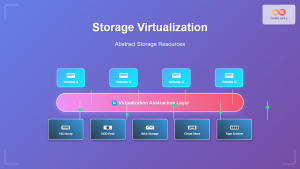
Storage Virtualization: Complete Guide to Abstract Storage Resources in Modern Computing
Storage virtualization represents one of the most critical technologies in modern computing infrastructure, enabling organizations to abstract physical storage resources...

File System in Operating System: Complete Guide to Structure and Organization
Introduction to File Systems A file system is a fundamental component of any operating system that provides a structured way...

Storage Virtualization: Complete Guide to Logical Volume Management in Linux
Storage virtualization through Logical Volume Management (LVM) represents one of the most powerful features in modern Linux systems, providing administrators...
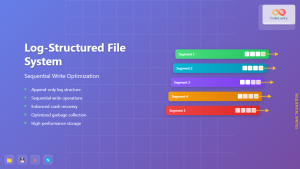
Log-structured File System: Sequential Write Optimization for High-Performance Storage
Log-structured File Systems (LFS) represent a revolutionary approach to data storage that fundamentally changes how operating systems handle file operations....
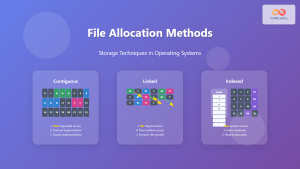
File Allocation Methods: Contiguous, Linked and Indexed Storage Techniques
Understanding File Allocation Methods in Operating Systems File allocation methods are fundamental techniques used by operating systems to organize and...
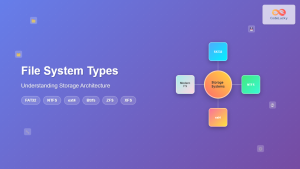
File System Types: FAT32, NTFS, ext4 and Modern Linux Filesystems Explained
Understanding File Systems: The Foundation of Data Storage A file system is the method and data structure that an operating...
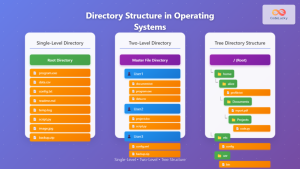
Directory Structure: Single-level, Two-level, and Tree Structure in Operating Systems
Understanding Directory Structures in Operating Systems Directory structures are fundamental components of file systems that organize and manage files in...

Device Scheduling: Complete Guide to I/O Request Scheduling Algorithms
Device scheduling is a critical component of operating system design that determines how I/O requests are ordered and executed to...
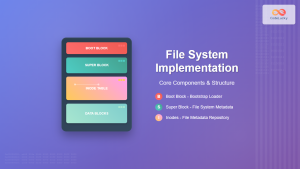
File System Implementation: Boot Block, Super Block and Inodes Explained
Understanding File System Implementation File system implementation is a critical component of operating systems that manages how data is stored,...

Distributed File System: Complete Guide to NFS, CIFS and Network Storage Solutions
A Distributed File System (DFS) allows multiple computers to access and share files over a network as if they were...
Redis Linux: Complete Guide to In-Memory Data Structure Store Installation and Commands
Redis (Remote Dictionary Server) is a powerful, open-source, in-memory data structure store that functions as a database, cache, and message...
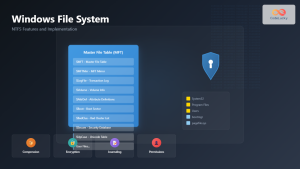
Windows File System: Complete NTFS Features and Implementation Guide
Introduction to NTFS File System NTFS (New Technology File System) is the default file system for modern Windows operating systems,...





