
Introduction
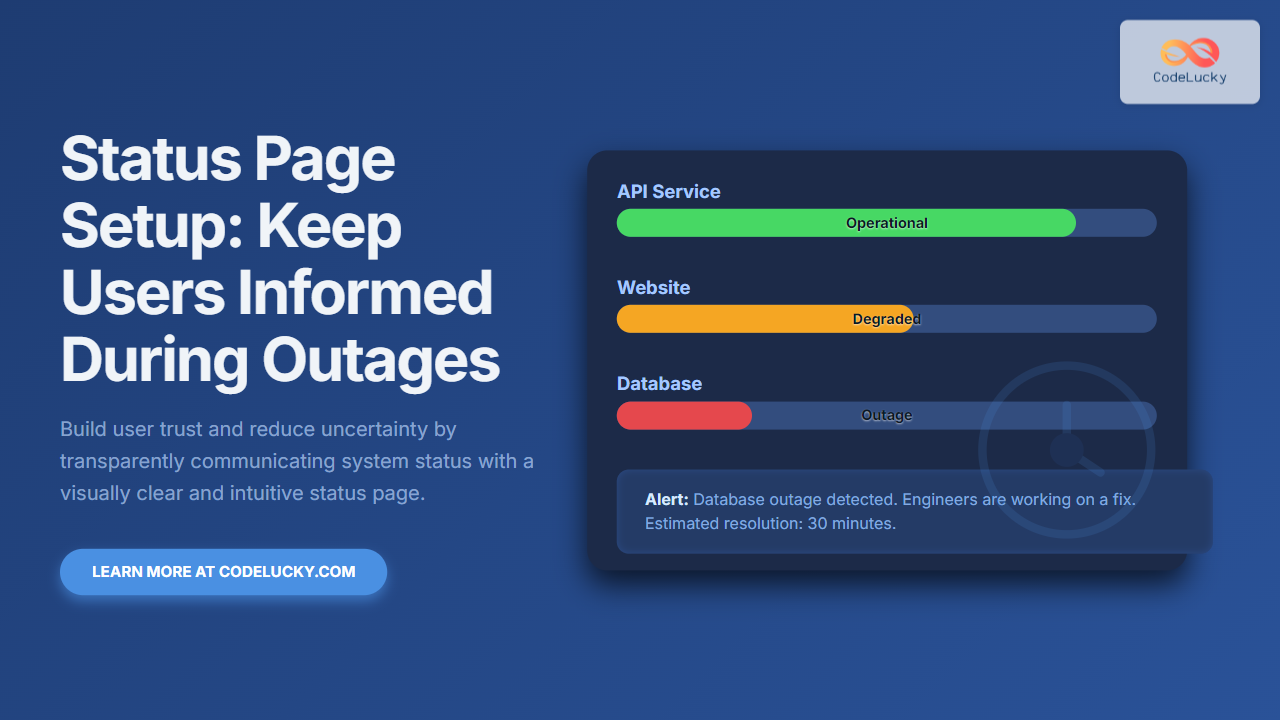
In today’s fast-paced digital world, service reliability is key to user satisfaction and retention. However, no system is immune to outages or performance degradation. To maintain user trust during such incidents, a status page is an essential communication tool that transparently updates users about system health, ongoing issues, and estimated resolutions.
This article covers how to set up a status page effectively, including best practices, technical implementations, and illustrative examples with visual diagrams. By the end, you will have everything needed to keep users informed during outages, reducing frustration and support load.
Why Use a Status Page?
- Transparency: Users appreciate upfront communication instead of silence during disruptions.
- Reduced Support Load: Proactively informing users lowers repeated queries.
- Brand Trust: Demonstrates professionalism and accountability.
- Incident Management: Helps internal teams coordinate response and update stakeholders.
Key Components of a Status Page
Before diving into implementation, understanding core components of a status page is crucial:
- Service Status Indicators: Clear signals of overall system health (e.g., operational, degraded, major outage).
- Incident Timeline: Updates on current issues, when detected, actions taken, and resolutions.
- Historical Status: Past incidents and uptime metrics to instill confidence.
- Subscription Option: Allow users to subscribe to notifications via email, SMS, or webhooks.
- Contact Links: Support channels for escalations.

How to Set Up a Status Page
There are various ways to create a status page, from third-party services to custom-built solutions. Here’s a step-by-step guide:
1. Choose a Platform
Depending on your team’s resources and requirements, choose one of the following approaches:
- Third-Party SaaS Providers: Companies like Statuspage.io, Freshstatus, or Status.io offer hosted solutions with built-in analytics and notification tools.
- Open Source Self-Hosted Solutions: Platforms like Cachet or Statping let you deploy and customize on your infrastructure.
- Custom Built: Build a status page as part of your website or an isolated app using frameworks like React, Vue, or static site generators.
2. Define Your Services and Metrics
Identify the key systems or services to track (e.g., API, website, database). Collect reliable metrics or health checks from monitoring tools or your infrastructure.
3. Implement Health Checks and Monitoring
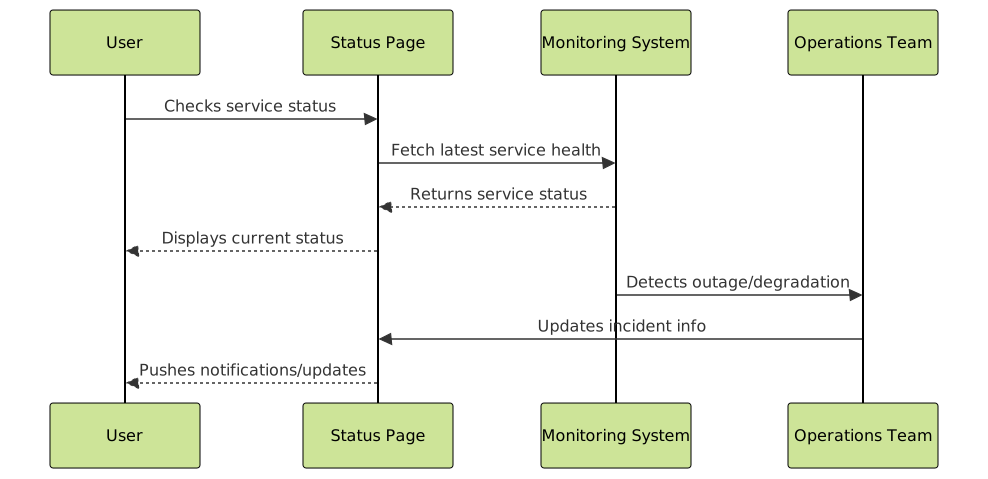
Use software or scripts to regularly probe service endpoints, checking uptime and performance. Integration with alerting systems will help update incident status in real time.
4. Automate Status Updates
Automate the flow from incident detection to status page update. Most third-party solutions provide APIs or webhooks to change status programmatically. For custom pages, use backend logic (Node.js, Python, etc.) to update a status JSON file or database powering the frontend.
5. Enable User Notifications
Allow visitors to subscribe to updates on status changes. Methods include email, SMS, mobile push notifications, or webhook callbacks for developers.
Example: Simple Status Page Implementation with React
Below is a simplified example of a status page React component displaying different service states dynamically.
import React, { useEffect, useState } from 'react';

const services = [
  { id: 'api', name: 'API Service' },
  { id: 'web', name: 'Website' },
  { id: 'db', name: 'Database' }
];

function fetchStatus() {
  // Emulate API status response
  return Promise.resolve({
    api: 'operational',
    web: 'degraded',
    db: 'outage'
  });
}

export default function StatusPage() {
  const [status, setStatus] = useState({});

  useEffect(() => {
    fetchStatus().then(setStatus);
  }, []);

  const getColor = (state) => {
    switch(state) {
      case 'operational': return 'green';
      case 'degraded': return 'orange';
      case 'outage': return 'red';
      default: return 'gray';
    }
  }

  return (
    <div>
      <h2>System Status</h2>
      <ul>
        {services.map(s => (
          <li key={s.id} style={{color: getColor(status[s.id])}}>
            {s.name}: {status[s.id] || 'unknown'}
          </li>
        ))}
      </ul>
    </div>
  );
}
This component mimics fetching service statuses asynchronously and updates the UI with color-coded text for immediate user recognition.
Interactive Status Status Update Flow Diagram
Best Practices for Effective Status Pages
- Keep it Simple and Clear: Use plain language, avoid jargon.
- Update Frequently: Provide timely and regular status updates.
- Be Honest and Transparent: Admit issues and give realistic timelines.
- Mobile-friendly Design: Ensure status page is accessible on all devices.
- Historical Data: Show uptime statistics and past incidents for context.
- Integrate with Support: Link to FAQs, help desk, and escalation paths.
Advanced Features to Consider
Once the basics are in place, consider adding these features for a richer user experience:
- Multiple Status Levels: Differentiate between minor issues, partial outages, and major incidents.
- Incident Root Cause Analysis: Postmortems explaining problems and fixes.
- API Access: Allow developers to programmatically check service status.
- Localization: Support multiple languages for global users.

Conclusion
A well-designed status page is a critical communication channel that protects your brand’s reputation, reduces support inquiries, and builds trust through transparency. Whether choosing a third-party service or building your own, implementing clear and automated status updates with user notifications ensures that users stay informed and reassured during downtime.
Start by identifying your core services, set up health checks, automate status updates, and integrate user notifications. Over time, enhance your page with richer data and incident insights. A status page is not just a technical tool — it is a bridge of trust between your team and your users.





