
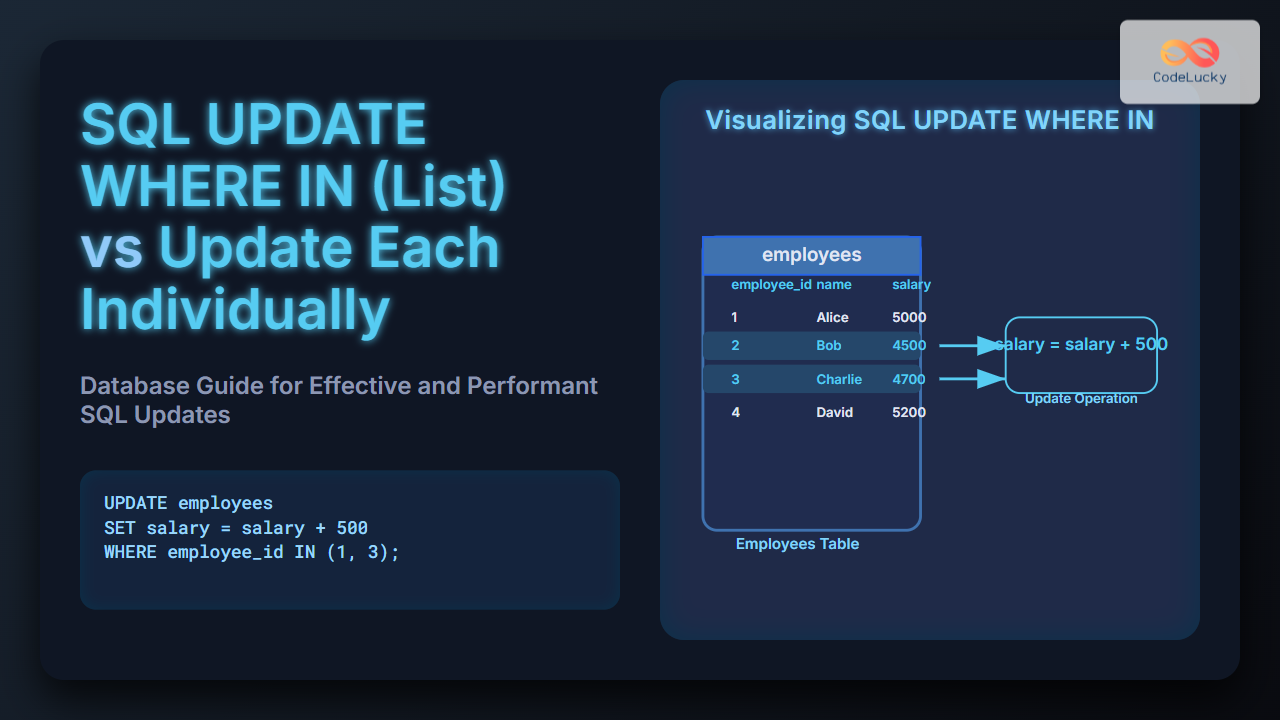
When working with SQL databases, updating records efficiently and correctly is a core task. Two common approaches for updating multiple records are using UPDATE with a WHERE IN (list) clause, or performing individual updates one by one. Understanding the pros, cons, and best use cases of each can greatly impact the performance and maintainability of your database operations.
Understanding SQL UPDATE WHERE IN (List)
The UPDATE ... WHERE IN (list) statement allows you to update multiple rows in a single query by specifying a list of values to match against a column. This is a concise way to modify multiple specific rows simultaneously.
Basic Syntax:
UPDATE table_name
SET column_name = new_value
WHERE id_column IN (value1, value2, value3, ...);
Example
Consider a table employees:
| employee_id | name | department | salary |
|---|---|---|---|
| 1 | Alice | Marketing | 5000 |
| 2 | Bob | Sales | 4500 |
| 3 | Charlie | Sales | 4700 |
| 4 | David | IT | 5200 |
Suppose you want to increase the salary of employees with employee_id 2 and 3 by 10%:
UPDATE employees
SET salary = salary * 1.10
WHERE employee_id IN (2, 3);
Effect:
| employee_id | name | department | salary (after update) |
|---|---|---|---|
| 1 | Alice | Marketing | 5000 |
| 2 | Bob | Sales | 4950 |
| 3 | Charlie | Sales | 5170 |
| 4 | David | IT | 5200 |
Updating Each Record Individually
This approach entails running separate UPDATE statements for each record. It can be implemented via application logic, stored procedures, or batch scripts.
Example:
UPDATE employees SET salary = 4950 WHERE employee_id = 2;
UPDATE employees SET salary = 5170 WHERE employee_id = 3;
This technique updates rows individually, often in a loop within application code.
When to Use UPDATE WHERE IN (List) vs Individual Updates
| Criteria | UPDATE WHERE IN (List) | Individual UPDATE per record |
|---|---|---|
| Query Simplicity | Simple, one query for multiple rows | More complex if multiple queries |
| Performance | Generally faster, single query execution | Slower due to multiple database round-trips |
| Business Logic Complexity | Less suitable for different update values per row | Better for row-specific updates |
| Transaction Control | Atomic update for all rows | Partial updates possible if update fails mid-way |
| SQL Injection Risk | Lower if parameterized properly | Depends on how queries are built in code |
Examples with Varying Update Needs
Case 1: Same Value for All Rows
Increase salary by 1000 for employees with IDs 1, 2, and 3:
UPDATE employees
SET salary = salary + 1000
WHERE employee_id IN (1, 2, 3);
Case 2: Different Values for Each Row
If each employee needs a distinct salary update, individual updates are clearer:
UPDATE employees SET salary = 5500 WHERE employee_id = 1;
UPDATE employees SET salary = 5700 WHERE employee_id = 2;
UPDATE employees SET salary = 5800 WHERE employee_id = 3;
Alternative: Using CASE Statement for Complex Updates
You can also update multiple rows with different values in a single query using CASE:
UPDATE employees
SET salary = CASE employee_id
  WHEN 1 THEN 5500
  WHEN 2 THEN 5700
  WHEN 3 THEN 5800
  ELSE salary
END
WHERE employee_id IN (1, 2, 3);
Visualizing the UPDATE WHERE IN Process

Performance Considerations
- Single Query Efficiency: Using
WHERE INreduces network overhead and locks rows once per query rather than multiple times. - Index Usage: Ensuring the column in the
WHERE INclause is indexed improves lookup speed. - Transaction Control: Single updates are atomic and easier to rollback on failure.
Common Pitfalls and Best Practices
- Large lists in
WHERE INcan degrade performance or exceed query size limits. Consider batching if the list is very long. - Be cautious of SQL injection risks by using parameterized queries.
- When updating many rows with distinct values, prefer
CASEstatements over multiple separate queries for better performance.
Interactive Snippet (SQL Example)
Try this SQL snippet in your environment to see how UPDATE WHERE IN works:
-- Setup sample data
CREATE TABLE employees (
  employee_id INT PRIMARY KEY,
  name VARCHAR(50),
  salary DECIMAL(10, 2)
);

INSERT INTO employees VALUES
(1, 'Alice', 5000),
(2, 'Bob', 4500),
(3, 'Charlie', 4700);

-- Update salaries for employees 1 and 3
UPDATE employees
SET salary = salary + 500
WHERE employee_id IN (1, 3);

-- View changes
SELECT * FROM employees;
Summary
Choosing between UPDATE WHERE IN (list) and individual update statements depends on the update pattern and performance needs.
- Use
WHERE INfor batch updating multiple rows with the same change efficiently. - Use individual updates or
CASEfor distinct updates per row. - Benchmark and test performance on your specific database and use parameters to protect against injections.
This guide provides a detailed overview to help make informed decisions in SQL bulk updating strategies.





