
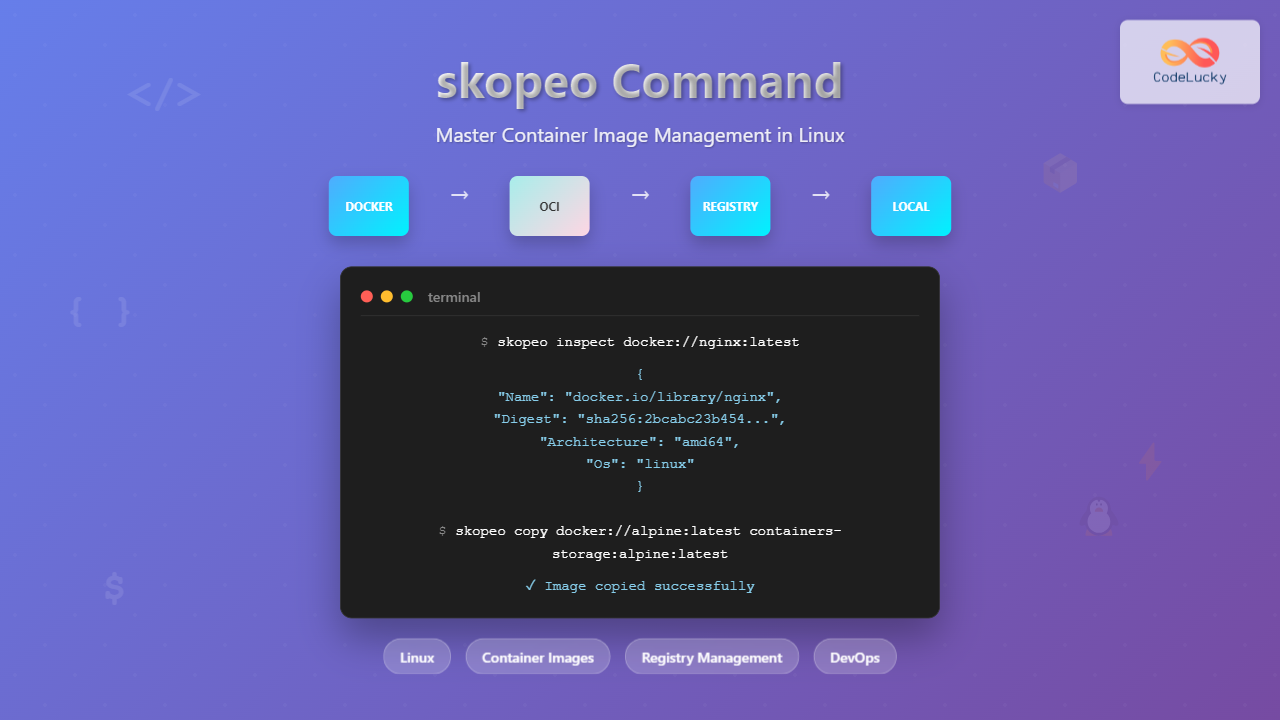
The skopeo command is a powerful Linux utility designed for working with container images and registries. Unlike Docker or Podman, skopeo operates on container images without requiring a daemon, making it perfect for CI/CD pipelines, image inspection, and registry management tasks.
What is skopeo?
skopeo is a command-line utility that performs various operations on container images and image repositories. It can work with multiple image formats including Docker v2, OCI, and supports various transport protocols like Docker Registry API v2, local directories, and tar archives.
Key Features of skopeo
- Daemonless operation – Works without Docker or container runtime
- Multi-format support – Handles Docker, OCI, and other image formats
- Registry operations – Copy, inspect, and sync images between registries
- Security scanning – Inspect images for vulnerabilities
- Signature verification – Verify image signatures and authenticity
Installing skopeo
Ubuntu/Debian Installation
# Update package lists
sudo apt update

# Install skopeo
sudo apt install skopeo

# Verify installation
skopeo --version
RHEL/CentOS/Fedora Installation
# For RHEL/CentOS 8+
sudo dnf install skopeo

# For older versions
sudo yum install skopeo

# Verify installation
skopeo --version
Installing from Source
# Install dependencies
sudo apt install golang-go git make

# Clone repository
git clone https://github.com/containers/skopeo
cd skopeo

# Build and install
make bin/skopeo
sudo cp bin/skopeo /usr/local/bin/
Basic skopeo Command Syntax
The general syntax for skopeo commands follows this pattern:
skopeo [global-options] command [command-options] argumentsCommon Global Options
--debug– Enable debug output--insecure-policy– Run without signature verification policy--policy– Path to signature verification policy file--registries-conf– Path to registries configuration file
Essential skopeo Commands
1. Inspecting Container Images
The inspect command retrieves detailed information about container images without downloading them:
# Inspect image from Docker Hub
skopeo inspect docker://nginx:latest

# Inspect with raw manifest
skopeo inspect --raw docker://alpine:3.18

# Inspect local image
skopeo inspect containers-storage:localhost/myapp:latest
Sample Output:
{
  "Name": "docker.io/library/nginx",
  "Digest": "sha256:2bcabc23b45489fb0885d69a06ba1d648aeda973fae7bb981bafbb884165e514",
  "RepoTags": [
    "1.25.2-alpine",
    "latest"
  ],
  "Created": "2023-08-15T10:20:30.123456789Z",
  "DockerVersion": "20.10.21",
  "Labels": {
    "maintainer": "NGINX Docker Maintainers"
  },
  "Architecture": "amd64",
  "Os": "linux",
  "Layers": [
    "sha256:c158987b0551"
  ]
}
2. Copying Container Images
The copy command transfers images between different storage backends:
# Copy from Docker Hub to local storage
skopeo copy docker://nginx:alpine containers-storage:nginx:alpine

# Copy from one registry to another
skopeo copy docker://alpine:latest docker://myregistry.com/alpine:latest

# Copy to local directory
skopeo copy docker://hello-world:latest dir:/tmp/hello-world-image

# Copy with authentication
skopeo copy --src-creds username:password docker://private-repo/image:tag \
            --dest-creds user:pass docker://target-registry/image:tag
3. Synchronizing Images
The sync command synchronizes images between registries or storage locations:
# Sync all tags of a repository
skopeo sync --src docker --dest docker docker.io/library/alpine myregistry.com/

# Sync specific images from YAML file
skopeo sync --src yaml --dest docker sync-config.yaml myregistry.com/
Example sync-config.yaml:
registry.redhat.io:
  images:
    ubi8:
      - 8.7
      - latest
  tls-verify: true

docker.io:
  images:
    library/nginx:
      - alpine
      - latest
4. Deleting Images from Registry
# Delete image from registry
skopeo delete docker://myregistry.com/myimage:tag

# Delete with authentication
skopeo delete --creds username:password docker://private-registry/image:tag
5. Listing Repository Tags
# List all tags for a repository
skopeo list-tags docker://nginx

# List tags with authentication
skopeo list-tags --creds user:pass docker://private-repo/image
Sample Output:
{
  "Repository": "nginx",
  "Tags": [
    "1.25.2",
    "1.25.2-alpine",
    "alpine",
    "latest",
    "mainline",
    "stable"
  ]
}
Working with Different Image Formats
Transport Types
skopeo supports various transport types for specifying image locations:
| Transport | Format | Description |
|---|---|---|
docker:// |
docker://registry/image:tag | Docker Registry API v2 |
containers-storage: |
containers-storage:image:tag | Local container storage |
dir: |
dir:/path/to/directory | Local directory |
oci: |
oci:/path/to/directory | OCI layout directory |
docker-archive: |
docker-archive:/path/file.tar | Docker tar archive |
oci-archive: |
oci-archive:/path/file.tar | OCI tar archive |
Examples with Different Transports
# Copy to OCI format
skopeo copy docker://alpine:latest oci:/tmp/alpine-oci

# Copy from tar archive
skopeo copy docker-archive:/tmp/image.tar docker://myregistry.com/image:latest

# Copy to directory format
skopeo copy docker://nginx:alpine dir:/tmp/nginx-dir
Authentication and Security
Registry Authentication
# Using credentials directly
skopeo copy --src-creds user:pass docker://private-registry/image:tag \
            containers-storage:image:tag

# Using authentication file
skopeo copy --authfile ~/.config/containers/auth.json \
            docker://registry/image:tag containers-storage:image:tag

# Interactive authentication
skopeo login registry.example.com
skopeo copy docker://registry.example.com/image:tag containers-storage:image:tag
TLS and Certificate Management
# Skip TLS verification (not recommended for production)
skopeo copy --src-tls-verify=false docker://insecure-registry/image:tag \
            containers-storage:image:tag

# Use custom certificate
skopeo copy --src-cert-dir /path/to/certs docker://registry/image:tag \
            containers-storage:image:tag
Advanced skopeo Usage
Image Signature Verification
# Copy with signature verification
skopeo copy --sign-by keyID docker://source/image:tag docker://dest/image:tag

# Inspect signatures
skopeo inspect --show-signatures docker://signed-image:tag
Multi-Architecture Image Support
# Inspect manifest list
skopeo inspect --raw docker://multiarch/image:latest

# Copy specific architecture
skopeo copy --override-arch arm64 docker://multiarch/image:latest \
            containers-storage:image:arm64
Working with Private Registries
# Set up authentication
skopeo login private-registry.com

# Copy from private registry
skopeo copy docker://private-registry.com/app:v1.0 \
            docker://another-registry.com/app:v1.0

# Inspect private registry image
skopeo inspect docker://private-registry.com/internal/app:latest
Practical Use Cases
1. CI/CD Pipeline Integration
#!/bin/bash
# CI/CD script for image promotion

SOURCE_REGISTRY="dev-registry.com"
PROD_REGISTRY="prod-registry.com"
IMAGE_NAME="myapp"
VERSION="v1.2.3"

# Inspect image in development registry
skopeo inspect docker://${SOURCE_REGISTRY}/${IMAGE_NAME}:${VERSION}

# Copy to production registry if tests pass
if [ $? -eq 0 ]; then
    skopeo copy docker://${SOURCE_REGISTRY}/${IMAGE_NAME}:${VERSION} \
               docker://${PROD_REGISTRY}/${IMAGE_NAME}:${VERSION}

    # Tag as latest
    skopeo copy docker://${PROD_REGISTRY}/${IMAGE_NAME}:${VERSION} \
               docker://${PROD_REGISTRY}/${IMAGE_NAME}:latest
fi
2. Registry Migration
# Migrate all images from old registry to new one
#!/bin/bash

OLD_REGISTRY="old-registry.com"
NEW_REGISTRY="new-registry.com"

# List all repositories (manual process or API call)
REPOS=("app1" "app2" "app3")

for repo in "${REPOS[@]}"; do
    echo "Migrating $repo..."

    # Get all tags for the repository
    tags=$(skopeo list-tags docker://${OLD_REGISTRY}/${repo} | jq -r '.Tags[]')

    for tag in $tags; do
        echo "Copying ${repo}:${tag}..."
        skopeo copy docker://${OLD_REGISTRY}/${repo}:${tag} \
                   docker://${NEW_REGISTRY}/${repo}:${tag}
    done
done
3. Security Scanning Integration
# Script to inspect image layers for security analysis
#!/bin/bash

IMAGE="docker://nginx:latest"

# Get detailed image information
skopeo inspect $IMAGE > image-info.json

# Extract layer information
layers=$(cat image-info.json | jq -r '.Layers[]')

echo "Image layers:"
for layer in $layers; do
    echo "Layer: $layer"
done

# Check image creation date
created=$(cat image-info.json | jq -r '.Created')
echo "Image created: $created"
Common skopeo Options and Flags
Copy Command Options
--src-creds– Source registry credentials--dest-creds– Destination registry credentials--src-tls-verify– Verify TLS certificates for source--dest-tls-verify– Verify TLS certificates for destination--override-arch– Override architecture selection--override-os– Override operating system selection--preserve-digests– Preserve original image digests
Inspect Command Options
--raw– Return raw manifest instead of formatted output--config– Return image configuration--creds– Registry credentials--tls-verify– Verify TLS certificates
Troubleshooting Common Issues
Authentication Problems
# Error: unauthorized access
# Solution: Ensure proper authentication
skopeo login registry.example.com

# Or use credentials directly
skopeo copy --src-creds username:password \
            docker://private-repo/image:tag \
            containers-storage:image:tag
TLS Certificate Issues
# Error: x509 certificate verification failed
# Solution: Skip verification (development only) or add certificates
skopeo copy --src-tls-verify=false docker://registry/image:tag \
            containers-storage:image:tag

# Better solution: Add certificate directory
skopeo copy --src-cert-dir /etc/ssl/certs docker://registry/image:tag \
            containers-storage:image:tag
Network Connectivity Issues
# Test connectivity
skopeo inspect docker://registry.example.com/test:latest

# Use proxy if needed
export HTTP_PROXY=http://proxy.company.com:8080
export HTTPS_PROXY=http://proxy.company.com:8080
Best Practices for Using skopeo
1. Security Considerations
- Always verify TLS certificates in production environments
- Use authentication files instead of command-line credentials
- Implement signature verification for critical images
- Regularly update skopeo to get security patches
2. Performance Optimization
- Use parallel operations when copying multiple images
- Implement retry logic for network operations
- Consider image layer caching for frequent operations
- Monitor registry bandwidth usage during large transfers
3. Operational Best Practices
- Log all operations for audit trails
- Validate image integrity after copy operations
- Implement proper error handling in scripts
- Use configuration files for complex sync operations
Comparison with Other Tools
| Feature | skopeo | Docker CLI | Podman |
|---|---|---|---|
| Daemon Required | No | Yes | No |
| Remote Inspection | Yes | No | Limited |
| Multi-Registry Copy | Yes | Manual | Limited |
| Format Support | Multiple | Docker only | Multiple |
| Signature Verification | Yes | Limited | Yes |
Configuration Files
Authentication Configuration
Create ~/.config/containers/auth.json:
{
  "auths": {
    "registry.example.com": {
      "auth": "dXNlcm5hbWU6cGFzc3dvcmQ="
    },
    "docker.io": {
      "auth": "ZG9ja2VydXNlcjpkb2NrZXJwYXNz"
    }
  }
}
Registry Configuration
Configure /etc/containers/registries.conf:
[[registry]]
location = "registry.example.com"
insecure = false

[[registry]]
location = "internal-registry.company.com"
insecure = true
Conclusion
The skopeo command is an essential tool for modern container workflows, offering powerful capabilities for image management without the overhead of container runtimes. Its daemonless architecture makes it perfect for CI/CD pipelines, automated deployments, and registry management tasks.
Key benefits of using skopeo include:
- Lightweight operation – No daemon requirements
- Versatile image handling – Multiple formats and transports
- Security features – Signature verification and secure transfers
- Automation-friendly – Perfect for scripting and CI/CD
Whether you’re managing container images across multiple registries, implementing security scanning, or building automated deployment pipelines, skopeo provides the tools needed for efficient container image operations. Start with basic inspect and copy operations, then gradually incorporate advanced features like synchronization and signature verification as your container management needs grow.
Related Posts

podman Command Linux: Complete Container Management Guide
Podman (Pod Manager) is a powerful, daemonless container engine that provides a Docker-compatible command-line interface for managing containers and pods...
Container Operating Systems: Complete Guide to Docker and Kubernetes Platforms
Container operating systems have revolutionized how we deploy, manage, and scale applications in modern computing environments. Unlike traditional operating systems...
docker Linux: Complete Container Platform Guide for Developers
Docker has revolutionized software development and deployment by introducing lightweight containerization technology. As a platform that enables developers to package...

OpenShift Linux: Complete Guide to Enterprise Kubernetes Platform Management
OpenShift represents Red Hat's enterprise-grade Kubernetes platform that revolutionizes how organizations deploy, manage, and scale containerized applications on Linux systems....
containerd Linux: Complete Guide to Industry-Standard Container Runtime
Containerd has emerged as the industry-standard container runtime, serving as the foundation for modern containerization platforms like Docker and Kubernetes....

machinectl Command Linux: Complete Guide to Managing systemd Containers and VMs
The machinectl command is a powerful utility in Linux systems that provides comprehensive management capabilities for systemd containers and virtual...
buildah Command Linux: Complete Guide to Container Image Building
The buildah command is a powerful tool for building Open Container Initiative (OCI) compliant container images in Linux environments. Unlike...

CRI-O Linux: Complete Guide to Lightweight Container Runtime for Kubernetes
CRI-O (Container Runtime Interface - Open Container Initiative) is a lightweight, OCI-compliant container runtime specifically designed for Kubernetes. Unlike Docker,...

PHP Docker: Containerizing PHP Applications
In today's fast-paced development world, containerization has become a game-changer. Docker, the leading containerization platform, has revolutionized how we develop,...
Packer Linux: Complete Guide to Machine Image Builder for DevOps Automation
Packer is a powerful open-source tool developed by HashiCorp that automates the creation of machine images for multiple platforms from...
Rancher Linux: Complete Container Management Platform for DevOps Teams
Rancher Linux revolutionizes container management by providing a comprehensive platform that simplifies Kubernetes orchestration, multi-cloud deployments, and enterprise-grade container operations....

Kubernetes Linux: Complete Guide to Container Orchestration Platform
Kubernetes has revolutionized how we deploy, manage, and scale containerized applications on Linux systems. As the leading container orchestration platform,...





