
When starting your first website, choosing the right hosting solution can feel overwhelming. Among all hosting options available, shared hosting stands out as the most popular choice for beginners and small websites. But what exactly is shared hosting, and is it the right fit for your website?
In this comprehensive guide, we’ll break down everything you need to know about shared hosting, from how it works to its advantages and limitations, helping you make an informed decision for your web presence.
What is Shared Hosting?
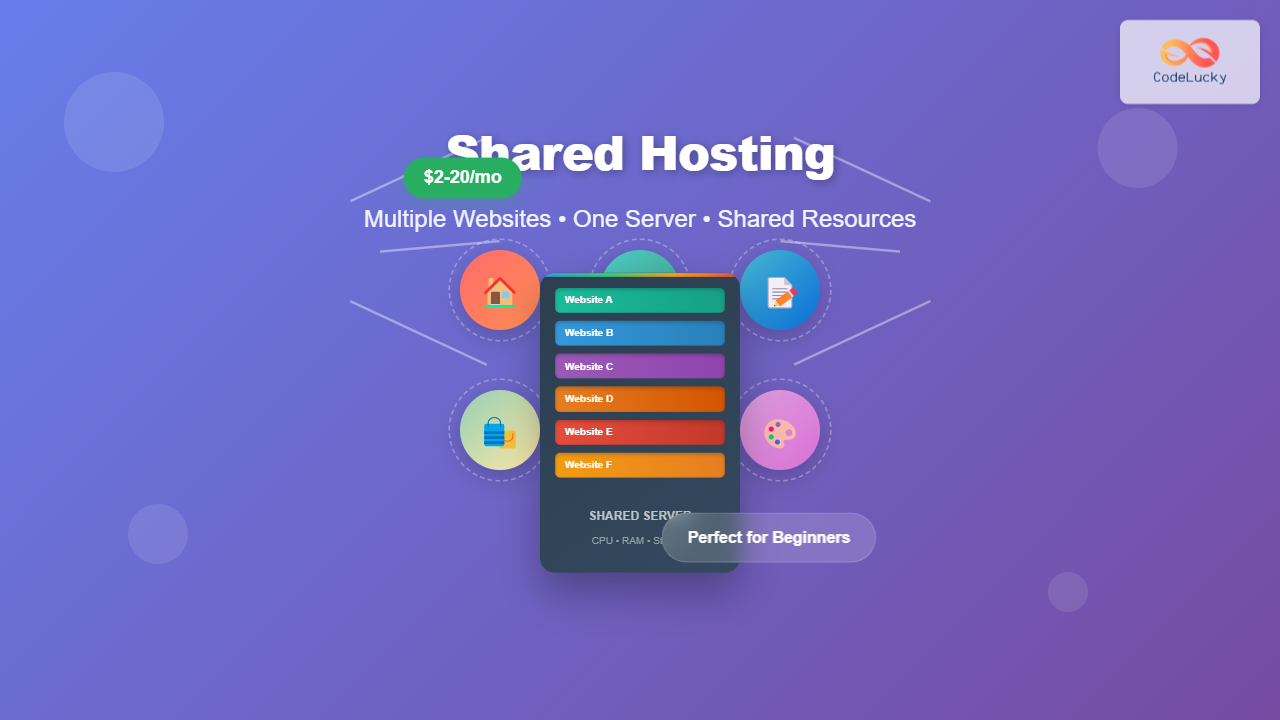
Shared hosting is a web hosting service where multiple websites share resources on a single physical server. Think of it like living in an apartment building – you share the same infrastructure (electricity, water, internet) with other tenants, but you have your own private space.

In shared hosting, the hosting provider manages the server maintenance, security updates, and technical configurations, while you focus on building and managing your website content.
How Does Shared Hosting Work?
Understanding the mechanics behind shared hosting helps you appreciate both its benefits and limitations. Here’s what happens behind the scenes:
Server Resource Allocation
When you sign up for shared hosting, you’re allocated a portion of the server’s resources:
- Storage Space: Usually ranging from 1GB to unlimited (with fair usage policies)
- Bandwidth: The amount of data transfer allowed per month
- CPU Usage: Processing power for running your website scripts
- RAM Memory: Temporary storage for active processes
- Database Resources: MySQL databases for content management systems

Control Panel Access
Most shared hosting providers offer user-friendly control panels like cPanel or custom interfaces that allow you to:
- Upload and manage website files
- Create email accounts
- Install applications (WordPress, Joomla, etc.)
- Monitor resource usage
- Manage databases and backups
Types of Shared Hosting Plans
Shared hosting isn’t a one-size-fits-all solution. Providers typically offer several tiers:
Basic Shared Hosting
- Price Range: $2-5 per month
- Suitable for: Personal blogs, small business sites
- Features: Single domain, basic storage, standard support
Advanced Shared Hosting
- Price Range: $5-12 per month
- Suitable for: Growing businesses, multiple websites
- Features: Multiple domains, enhanced resources, priority support
Premium Shared Hosting
- Price Range: $10-20 per month
- Suitable for: High-traffic sites, e-commerce stores
- Features: Maximum resources, advanced security, premium support
Advantages of Shared Hosting
Shared hosting offers several compelling benefits, especially for newcomers to web hosting:
1. Cost-Effective Solution
The most significant advantage is affordability. Since server costs are divided among multiple users, you pay only a fraction of what dedicated hosting would cost.
2. Beginner-Friendly
No technical expertise required. The hosting provider handles:
- Server maintenance and updates
- Security monitoring
- Backup management
- Technical support
3. Easy Setup and Management
Most shared hosting plans include:
- One-click application installers
- Intuitive control panels
- Pre-configured server environments
- Automated backups
4. Scalability Options
Many providers offer upgrade paths as your website grows, allowing smooth transitions to VPS or dedicated hosting.

Disadvantages and Limitations
While shared hosting is excellent for many use cases, it does have limitations you should consider:
1. Resource Limitations
Shared resources mean your website’s performance can be affected by other sites on the same server. During traffic spikes on neighboring sites, you might experience:
- Slower loading times
- Temporary unavailability
- Reduced processing power
2. Limited Customization
You cannot:
- Install custom server software
- Modify server configurations
- Access root-level permissions
- Install certain applications requiring special permissions
3. Security Considerations
While hosting providers implement security measures, sharing a server means:
- Potential vulnerability from other sites
- Limited control over security configurations
- Shared IP address implications
4. Performance Constraints
High-traffic websites may encounter:
- CPU usage limits
- Memory restrictions
- Bandwidth throttling
- Database connection limits
Is Shared Hosting Right for Your Website?
Determining if shared hosting fits your needs depends on several factors. Let’s examine different scenarios:
Perfect for Shared Hosting
Personal Blogs and Portfolios
- Traffic: Under 10,000 monthly visitors
- Content: Mostly static pages and blog posts
- Budget: Limited startup costs
- Technical Skills: Minimal to none
Small Business Websites
- Purpose: Information sharing, contact details
- Complexity: Basic functionality requirements
- Growth: Gradual expansion expected
Startup Projects
- Phase: Testing ideas and concepts
- Resources: Limited initial investment
- Timeline: Quick launch requirements
Consider Alternatives When
High-Traffic Websites
- Over 50,000 monthly visitors
- Consistent high resource usage
- Performance-critical applications
E-commerce Stores
- Processing sensitive customer data
- Requiring PCI compliance
- Needing guaranteed uptime
Custom Applications
- Special software requirements
- Custom server configurations
- Root access necessity

Choosing the Right Shared Hosting Provider
Not all shared hosting providers are created equal. Here’s what to evaluate:
Key Features to Look For
Performance Metrics
- Uptime Guarantee: Look for 99.9% or higher
- Server Response Time: Under 200ms for optimal performance
- SSD Storage: Faster than traditional HDD
- CDN Integration: Global content delivery networks
Technical Specifications
- PHP Versions: Support for latest versions
- Database Support: MySQL, PostgreSQL options
- SSL Certificates: Free SSL inclusion
- Backup Systems: Automated daily backups
User Experience
- Control Panel: User-friendly interface (cPanel, Plesk)
- One-Click Installs: WordPress, Joomla, Drupal support
- File Manager: Easy file upload and management
- Email Integration: Professional email accounts
Support and Reliability
Customer Support
- 24/7 Availability: Round-the-clock assistance
- Multiple Channels: Live chat, phone, email, tickets
- Response Time: Quick initial response (under 1 hour)
- Technical Expertise: Knowledgeable support staff
Service Level Agreement (SLA)
- Uptime Guarantees: Compensation for downtime
- Performance Standards: Defined service levels
- Migration Assistance: Help moving from other providers
Common Shared Hosting Myths Debunked
Myth 1: “Shared Hosting is Always Slow”
Reality: Modern shared hosting uses advanced technologies like SSD storage, caching systems, and optimized server configurations that can deliver excellent performance for appropriate use cases.
Myth 2: “Unlimited Resources Mean No Limits”
Reality: “Unlimited” plans have fair usage policies. Excessive resource consumption will trigger restrictions or upgrade requirements.
Myth 3: “Shared Hosting is Not Secure”
Reality: Reputable providers implement robust security measures including firewalls, malware scanning, and isolation technologies to protect all users.
Myth 4: “You Can’t Scale from Shared Hosting”
Reality: Most providers offer seamless upgrade paths to VPS, dedicated, or cloud hosting as your needs grow.
Best Practices for Shared Hosting Success
Maximize your shared hosting experience with these proven strategies:
Website Optimization
Performance Optimization
- Image Compression: Optimize images for web delivery
- Caching Plugins: Use caching to reduce server load
- Code Minification: Minimize CSS and JavaScript files
- Database Optimization: Regular database cleanup and optimization
Content Management
- Regular Updates: Keep CMS and plugins updated
- Plugin Management: Remove unused plugins and themes
- Content Delivery: Use CDNs for static content
- Mobile Optimization: Ensure responsive design
Security Best Practices
Account Security
- Strong Passwords: Use complex, unique passwords
- Two-Factor Authentication: Enable 2FA where available
- Regular Backups: Maintain your own backup copies
- SSL Certificates: Always use HTTPS encryption
Website Security
- Security Plugins: Install reputable security plugins
- File Permissions: Set appropriate file permissions
- Regular Monitoring: Monitor for suspicious activities
- Update Management: Keep all software updated
Migration and Upgrade Strategies
As your website grows, you might need to consider migration options:
When to Upgrade
Performance Indicators
- Consistently slow loading times (over 3 seconds)
- Frequent resource limit notifications
- Regular downtime or unavailability
- Increasing bounce rates due to performance
Growth Metrics
- Monthly traffic exceeding 50,000 visitors
- High concurrent user sessions
- Increased database queries and processing
- Growing storage and bandwidth needs
Upgrade Path Options
VPS Hosting
- Benefits: Dedicated resources, more control
- Cost: $20-100+ per month
- Best for: Growing businesses, moderate traffic
Dedicated Hosting
- Benefits: Full server control, maximum performance
- Cost: $100-500+ per month
- Best for: High-traffic sites, custom applications
Cloud Hosting
- Benefits: Scalable resources, high availability
- Cost: Variable based on usage
- Best for: Unpredictable traffic, global audiences

Cost Analysis and Budgeting
Understanding the true cost of shared hosting helps in making informed decisions:
Initial Costs
- Hosting Plan: $2-20 per month
- Domain Name: $10-15 per year
- SSL Certificate: Often included, or $10-100 per year
- Professional Email: Often included or $5-10 per month
Ongoing Expenses
- Monthly Hosting: Fixed recurring cost
- Domain Renewal: Annual expense
- Backup Services: Optional, $5-20 per month
- Premium Plugins: Variable, $50-200 per year
Hidden Costs to Consider
- Setup Fees: Some providers charge initial setup costs
- Migration Fees: Charges for moving existing sites
- Overage Charges: Costs for exceeding resource limits
- Premium Support: Enhanced support service fees
Future-Proofing Your Hosting Choice
Consider these factors to ensure your hosting solution remains viable:
Scalability Planning
- Growth Projections: Estimate future traffic and resource needs
- Upgrade Options: Ensure smooth transition paths are available
- Technology Evolution: Choose providers that stay current with technology
- Business Expansion: Consider international growth and multi-site needs
Technology Considerations
- Modern Standards: HTTP/2, PHP 8+, latest MySQL versions
- Security Updates: Regular security patches and updates
- Performance Innovations: SSD storage, advanced caching, CDN integration
- Developer Tools: Git integration, staging environments, CLI access
Conclusion
Shared hosting remains an excellent starting point for most new websites, offering the perfect balance of affordability, ease of use, and functionality. It’s particularly well-suited for personal blogs, small business websites, portfolios, and startup projects that don’t require extensive customization or handle massive traffic volumes.
The key to shared hosting success lies in choosing the right provider, implementing best practices for optimization and security, and understanding when it’s time to upgrade. While shared hosting has limitations, modern implementations with SSD storage, advanced caching, and robust security measures can deliver impressive performance for appropriate use cases.
As your website grows and evolves, shared hosting provides a solid foundation with clear upgrade paths to more powerful hosting solutions. Whether you’re launching your first blog or testing a business idea, shared hosting offers the lowest barrier to entry while maintaining professional capabilities.
Remember that hosting is not a permanent commitment – you can always upgrade or migrate as your needs change. Start with shared hosting if it meets your current requirements, optimize your setup for the best performance, and scale up when your success demands it.
The most important step is getting started. Choose a reputable shared hosting provider, launch your website, and focus on creating valuable content and growing your audience. Your hosting infrastructure can evolve alongside your success.





