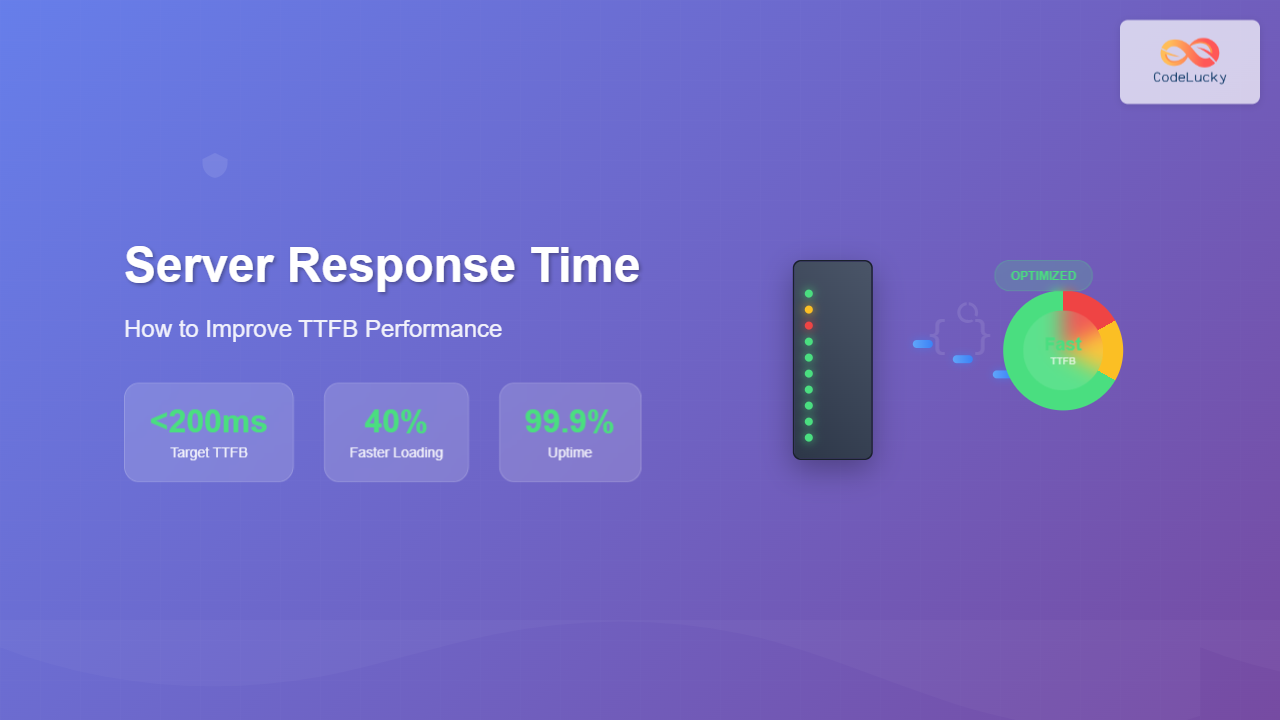
Time To First Byte (TTFB) is a critical web performance metric that measures the duration between a user’s request and the first byte of data received from the server. Poor TTFB directly impacts user experience, SEO rankings, and conversion rates. This comprehensive guide covers proven strategies to optimize your server response times.
What is TTFB (Time To First Byte)?
TTFB represents the time it takes for a browser to receive the first byte of data from a web server after making an HTTP request. It encompasses three main phases:
- DNS lookup time – Resolving domain to IP address
- Connection time – Establishing TCP connection
- Server processing time – Server generating and sending response

Why TTFB Matters for Your Website
SEO Impact
Google considers page speed as a ranking factor. Websites with TTFB under 200ms typically perform better in search results. Sites exceeding 600ms TTFB often experience:
- Lower search engine rankings
- Reduced crawl efficiency
- Poor Core Web Vitals scores
User Experience
Studies show that 40% of users abandon websites that take longer than 3 seconds to load. TTFB directly affects:
- Perceived loading speed
- Bounce rates
- Conversion rates
- User satisfaction
How to Measure TTFB
Using Browser Developer Tools
Chrome DevTools provides detailed TTFB measurements:
- Open Chrome DevTools (F12)
- Navigate to Network tab
- Reload your page
- Click on the main document request
- Check the “Waiting (TTFB)” value in the Timing tab
Command Line Tools
Use curl to measure TTFB from command line:
curl -w "@curl-format.txt" -o /dev/null -s "https://example.com"

# curl-format.txt content:
#      time_namelookup:  %{time_namelookup}s\n
#         time_connect:  %{time_connect}s\n
#      time_appconnect:  %{time_appconnect}s\n
#     time_pretransfer:  %{time_pretransfer}s\n
#        time_redirect:  %{time_redirect}s\n
#   time_starttransfer:  %{time_starttransfer}s\n
#                     ----------\n
#           time_total:  %{time_total}s\n
Online Testing Tools
Popular TTFB testing tools include:
- GTmetrix – Comprehensive performance analysis
- Pingdom – Global server response monitoring
- WebPageTest – Detailed waterfall analysis
- Google PageSpeed Insights – Core Web Vitals assessment
Server-Side Optimization Strategies
Database Query Optimization
Database queries often represent the largest bottleneck in TTFB. Implement these optimization techniques:
Query Optimization Example
-- Slow query (missing index)
SELECT * FROM users WHERE email = '[email protected]';

-- Optimized query with index
CREATE INDEX idx_users_email ON users(email);
SELECT id, name, email FROM users WHERE email = '[email protected]';
Connection Pooling
Implement database connection pooling to reduce connection overhead:
// Node.js with connection pooling
const mysql = require('mysql2');

const pool = mysql.createPool({
  host: 'localhost',
  user: 'dbuser',
  password: 'dbpass',
  database: 'mydb',
  connectionLimit: 10,
  acquireTimeout: 60000,
  timeout: 60000
});

// Reuse connections efficiently
pool.execute('SELECT * FROM users WHERE id = ?', [userId], (err, results) => {
  // Handle results
});

Application-Level Caching
Implement multiple caching layers to reduce processing time:
Redis Caching Example
# Python with Redis caching
import redis
import json
from datetime import timedelta

redis_client = redis.Redis(host='localhost', port=6379, db=0)

def get_user_data(user_id):
    cache_key = f"user:{user_id}"

    # Try cache first
    cached_data = redis_client.get(cache_key)
    if cached_data:
        return json.loads(cached_data)

    # Fallback to database
    user_data = fetch_from_database(user_id)

    # Cache for 1 hour
    redis_client.setex(
        cache_key,
        timedelta(hours=1),
        json.dumps(user_data)
    )

    return user_data
Memory Caching Strategy
Code Optimization Techniques
Lazy Loading and Efficient Algorithms
// Inefficient approach
async function getProductsWithReviews() {
    const products = await Product.findAll();

    for (let product of products) {
        product.reviews = await Review.findAll({
            where: { productId: product.id }
        });
    }

    return products;
}

// Optimized approach with eager loading
async function getProductsWithReviewsOptimized() {
    return await Product.findAll({
        include: [{
            model: Review,
            as: 'reviews'
        }]
    });
}
Asynchronous Processing
// Synchronous processing (blocks TTFB)
app.get('/user/:id', (req, res) => {
    const user = getUserSync(req.params.id);
    sendEmailSync(user.email, 'Welcome');
    updateAnalyticsSync(user.id);

    res.json(user);
});

// Asynchronous processing (faster TTFB)
app.get('/user/:id', async (req, res) => {
    const user = await getUser(req.params.id);

    // Non-blocking background tasks
    setImmediate(() => {
        sendEmail(user.email, 'Welcome');
        updateAnalytics(user.id);
    });

    res.json(user);
});
Infrastructure and Server Configuration
Web Server Optimization
Nginx Configuration
server {
    listen 80;
    server_name example.com;

    # Enable gzip compression
    gzip on;
    gzip_vary on;
    gzip_min_length 1024;
    gzip_types text/plain text/css application/json application/javascript;

    # Connection keep-alive
    keepalive_timeout 65;
    keepalive_requests 1000;

    # Buffer sizes
    client_body_buffer_size 128k;
    client_max_body_size 10m;
    client_header_buffer_size 1k;
    large_client_header_buffers 4 4k;

    # FastCGI optimizations
    location ~ \.php$ {
        fastcgi_pass 127.0.0.1:9000;
        fastcgi_buffer_size 128k;
        fastcgi_buffers 4 256k;
        fastcgi_busy_buffers_size 256k;
    }
}
Apache Optimization
# Enable compression
LoadModule deflate_module modules/mod_deflate.so

Content Delivery Network (CDN)
CDNs reduce TTFB by serving content from geographically closer servers:
CDN Implementation Example

CDN Configuration Headers
// Express.js CDN-friendly headers
app.use('/static', (req, res, next) => {
    // Cache static assets for 1 year
    res.setHeader('Cache-Control', 'public, max-age=31536000, immutable');
    res.setHeader('Expires', new Date(Date.now() + 31536000000).toUTCString());
    next();
});

// API responses with shorter cache
app.use('/api', (req, res, next) => {
    res.setHeader('Cache-Control', 'public, max-age=300'); // 5 minutes
    next();
});
Advanced TTFB Optimization Techniques
HTTP/2 and HTTP/3 Implementation
Modern HTTP protocols significantly improve TTFB through multiplexing and reduced connection overhead:
# Nginx HTTP/2 configuration
server {
    listen 443 ssl http2;
    server_name example.com;

    ssl_certificate /path/to/cert.pem;
    ssl_certificate_key /path/to/key.pem;

    # HTTP/2 server push
    location / {
        http2_push /css/critical.css;
        http2_push /js/app.js;
    }
}
Resource Preloading Strategies
Database Connection Optimization
# Django database optimization
DATABASES = {
    'default': {
        'ENGINE': 'django.db.backends.postgresql',
        'OPTIONS': {
            'MAX_CONNS': 20,
            'OPTIONS': {
                'MAX_CONNS': 20,
                'MIN_CONNS': 5,
                'server_side_binding': True,
            }
        },
        # Connection pooling
        'CONN_MAX_AGE': 600,
    }
}

# Query optimization with select_related
def get_user_posts_optimized(user_id):
    return Post.objects.select_related('author', 'category')\
                      .prefetch_related('tags')\
                      .filter(author_id=user_id)

Monitoring and Continuous Optimization
Real User Monitoring (RUM)
Implement RUM to track TTFB performance across different user segments:
// Simple TTFB monitoring
function measureTTFB() {
    const perfData = performance.getEntriesByType('navigation')[0];
    const ttfb = perfData.responseStart - perfData.requestStart;

    // Send to analytics
    gtag('event', 'TTFB', {
        'custom_parameter_ttfb': Math.round(ttfb),
        'page_location': window.location.href
    });

    return ttfb;
}

// Performance observer for detailed metrics
const observer = new PerformanceObserver((list) => {
    for (const entry of list.getEntries()) {
        if (entry.name === location.href) {
            const ttfb = entry.responseStart - entry.requestStart;

            // Log slow TTFB instances
            if (ttfb > 600) {
                console.warn('Slow TTFB detected:', ttfb + 'ms');
            }
        }
    }
});

observer.observe({ entryTypes: ['navigation'] });
Server-Side Performance Monitoring
// Express.js middleware for TTFB monitoring
const responseTime = require('response-time');

app.use(responseTime((req, res, time) => {
    // Log slow responses
    if (time > 500) {
        console.log(`Slow response: ${req.method} ${req.url} - ${time}ms`);
    }

    // Send to monitoring service
    monitoring.histogram('http.response_time', time, {
        method: req.method,
        route: req.route?.path || req.url,
        status_code: res.statusCode
    });
}));
Common TTFB Optimization Mistakes to Avoid
Over-optimization Pitfalls
- Excessive caching – Can lead to stale data issues
- Too many CDN layers – May introduce additional latency
- Premature optimization – Focus on biggest bottlenecks first
- Ignoring cache invalidation – Can serve outdated content
Configuration Errors
# Common Nginx mistakes
server {
    # DON'T: Blocking synchronous operations
    location /api {
        proxy_pass http://backend;
        # Missing buffering can hurt TTFB
        proxy_buffering off;  # Remove this line
    }

    # DO: Optimize proxy settings
    location /api {
        proxy_pass http://backend;
        proxy_buffering on;
        proxy_buffer_size 128k;
        proxy_buffers 4 256k;
        proxy_busy_buffers_size 256k;
    }
}

TTFB Optimization Checklist
Immediate Actions
- ✅ Enable gzip compression
- ✅ Implement basic caching headers
- ✅ Optimize database queries
- ✅ Enable keep-alive connections
- ✅ Configure CDN for static assets
Short-term Improvements
- 🔄 Implement Redis/Memcached
- 🔄 Optimize database indexes
- 🔄 Enable HTTP/2
- 🔄 Set up monitoring
- 🔄 Review server configuration
Long-term Strategy
- 📈 Implement microservices architecture
- 📈 Advanced caching strategies
- 📈 Global CDN deployment
- 📈 Database sharding/replication
- 📈 Edge computing implementation
Measuring Success: TTFB Benchmarks
| TTFB Range | Performance Rating | User Impact | Action Required |
|---|---|---|---|
| < 100ms | Excellent | Instant response feeling | Maintain current optimization |
| 100-200ms | Good | Fast, responsive experience | Minor optimizations |
| 200-500ms | Acceptable | Noticeable but tolerable | Implement optimizations |
| 500-1000ms | Poor | Slow, frustrating experience | Urgent optimization needed |
| > 1000ms | Critical | High bounce rate risk | Immediate action required |
Conclusion
Optimizing TTFB requires a holistic approach combining server configuration, database optimization, caching strategies, and infrastructure improvements. Start with measuring your current TTFB, identify the biggest bottlenecks, and implement optimizations systematically.
Remember that TTFB optimization is an ongoing process. Regular monitoring, testing, and incremental improvements will ensure your website maintains excellent performance as it scales. Focus on the optimizations that provide the most significant impact for your specific use case, and always measure the results to validate your improvements.
By implementing these strategies, you can achieve TTFB under 200ms, significantly improving user experience, SEO rankings, and conversion rates. The investment in TTFB optimization pays dividends through better user engagement and business outcomes.