

Serf is a powerful decentralized solution for cluster membership, failure detection, and orchestration that runs on Linux systems. Unlike traditional centralized approaches, serf uses a gossip protocol to maintain cluster state and propagate events across distributed systems efficiently.
What is Serf?
Serf is a service discovery and orchestration tool that creates a cluster of nodes using a gossip-based membership protocol. It’s lightweight, highly available, and fault-tolerant, making it ideal for modern distributed applications and microservices architectures.
Key Features of Serf
- Decentralized Architecture: No single point of failure
- Failure Detection: Automatic detection of node failures
- Event Propagation: Custom events across the cluster
- Gossip Protocol: Efficient information dissemination
- Cross-Platform: Works on Linux, Windows, and macOS
Installing Serf on Linux
Before using serf commands, you need to install it on your Linux system. Here are installation methods for different distributions:
Ubuntu/Debian Installation
# Download the latest serf binary
wget https://releases.hashicorp.com/serf/0.10.1/serf_0.10.1_linux_amd64.zip

# Extract the binary
unzip serf_0.10.1_linux_amd64.zip

# Move to system PATH
sudo mv serf /usr/local/bin/

# Verify installation
serf version
CentOS/RHEL Installation
# Using yum (for older versions)
sudo yum install wget unzip

# Download and install
wget https://releases.hashicorp.com/serf/0.10.1/serf_0.10.1_linux_amd64.zip
unzip serf_0.10.1_linux_amd64.zip
sudo mv serf /usr/local/bin/
Basic Serf Commands and Usage
Starting a Serf Agent
The serf agent is the core component that runs on each node in your cluster:
# Start serf agent with default settings
serf agent

# Start with custom node name
serf agent -node=web-server-01

# Start with specific bind address
serf agent -bind=192.168.1.100
Expected Output:
==> Starting Serf agent...
==> Starting Serf agent RPC...
    RPC Address: 127.0.0.1:7373
==> Serf agent running!
         Node name: 'web-server-01'
         Bind addr: '192.168.1.100:7946'
          RPC addr: '127.0.0.1:7373'
         Encrypted: false
          Snapshot: false
           Profile: lan
Joining a Serf Cluster
To create a cluster, nodes need to join each other:
# Join another node
serf join 192.168.1.101

# Join multiple nodes
serf join 192.168.1.101 192.168.1.102 192.168.1.103
Expected Output:
Successfully joined cluster by contacting 1 nodes.Viewing Cluster Members
Monitor cluster membership with the members command:
# List all cluster members
serf members

# Show detailed member information
serf members -detailed

# Filter members by status
serf members -status=alive
Sample Output:
web-server-01    192.168.1.100:7946    alive
web-server-02    192.168.1.101:7946    alive
db-server-01     192.168.1.102:7946    alive
cache-server-01  192.168.1.103:7946    failed
Advanced Serf Configuration
Configuration File Setup
Create a configuration file for persistent settings:
{
  "node_name": "web-server-01",
  "bind": "192.168.1.100",
  "rpc_addr": "127.0.0.1:7373",
  "encrypt_key": "your-encryption-key-here",
  "log_level": "INFO",
  "tags": {
    "role": "web",
    "datacenter": "us-east-1",
    "version": "1.0.0"
  },
  "event_handlers": [
    {
      "script": "/opt/scripts/member-join.sh"
    }
  ]
}
Start serf with configuration file:
serf agent -config-file=/etc/serf/config.jsonUsing Tags for Node Metadata
Tags provide metadata about nodes in your cluster:
# Start agent with tags
serf agent -tag role=web -tag env=production -tag region=us-west

# Update tags on running agent
serf tags -set role=database -set priority=high
View tagged members:
serf members -tag role=webEvent Handling and Custom Scripts
Creating Event Handlers
Event handlers allow you to respond to cluster events automatically:
#!/bin/bash
# /opt/scripts/member-join.sh

case "$SERF_EVENT" in
    member-join)
        echo "New member joined: $SERF_MEMBER_NAME at $(date)"
        # Add member to load balancer
        /usr/local/bin/add-to-loadbalancer.sh "$SERF_MEMBER_IP"
        ;;
    member-leave|member-failed)
        echo "Member left/failed: $SERF_MEMBER_NAME at $(date)"
        # Remove from load balancer
        /usr/local/bin/remove-from-loadbalancer.sh "$SERF_MEMBER_IP"
        ;;
esac
Sending Custom Events
Propagate custom events across the cluster:
# Send a deploy event
serf event deploy "version=2.1.0"

# Send event with payload
serf event backup-complete "{\"timestamp\": \"$(date)\", \"size\": \"500MB\"}"

# Query event responses
serf query uptime
Monitoring and Troubleshooting
Health Monitoring Commands
# Monitor cluster health
serf monitor

# View agent information
serf info

# Check specific member status
serf members -name=web-server-01
Log Analysis
Enable detailed logging for troubleshooting:
# Start with debug logging
serf agent -log-level=DEBUG

# Monitor logs in real-time
tail -f /var/log/serf/serf.log
Security and Encryption
Enabling Cluster Encryption
Secure your serf cluster with encryption:
# Generate encryption key
serf keygen

# Start agent with encryption
serf agent -encrypt="your-32-byte-key-here"
Network Security
Configure firewall rules for serf:
# Allow serf ports (TCP and UDP 7946)
sudo ufw allow 7946/tcp
sudo ufw allow 7946/udp

# Allow RPC port (TCP 7373)
sudo ufw allow 7373/tcp
Real-World Use Cases
Web Server Auto-Discovery
Automatically register web servers with a load balancer:
#!/bin/bash
# web-server-handler.sh

if [ "$SERF_EVENT" = "member-join" ] && [ "$SERF_MEMBER_TAGS_role" = "web" ]; then
    # Add to nginx upstream
    echo "server $SERF_MEMBER_IP:80;" >> /etc/nginx/conf.d/upstream.conf
    nginx -s reload
fi
Database Cluster Management
Manage database replicas dynamically:
# Query for database masters
serf query -tag role=db-master get-status

# Promote replica to master on failure
serf event promote-replica "new_master=$HOSTNAME"
Performance Optimization
Tuning Gossip Parameters
# Optimize for large clusters
serf agent -profile=wan -gossip-interval=500ms -probe-timeout=3s

# Optimize for local networks
serf agent -profile=lan -gossip-interval=200ms
Resource Management
Monitor serf resource usage:
# Check memory usage
ps aux | grep serf

# Monitor network traffic
sudo netstat -i | grep 7946
Integration with Other Tools
Docker Integration
Run serf in Docker containers:
FROM alpine:latest

RUN apk add --no-cache wget unzip
RUN wget https://releases.hashicorp.com/serf/0.10.1/serf_0.10.1_linux_amd64.zip && \
    unzip serf_0.10.1_linux_amd64.zip && \
    mv serf /usr/local/bin/

EXPOSE 7946/tcp 7946/udp 7373/tcp

CMD ["serf", "agent", "-ui"]
Kubernetes Service Discovery
Use serf as a sidecar for service discovery:
apiVersion: v1
kind: Pod
spec:
  containers:
  - name: app
    image: myapp:latest
  - name: serf
    image: serf:latest
    command: ["serf", "agent", "-join", "serf-cluster-service"]
Best Practices
Cluster Design
- Node Naming: Use descriptive, unique node names
- Network Segmentation: Separate clusters by environment
- Event Handlers: Keep scripts lightweight and idempotent
- Monitoring: Implement comprehensive logging and alerting
Troubleshooting Common Issues
Split Brain Prevention:
# Use reconnect timeout
serf agent -reconnect-timeout=72h
Network Partition Recovery:
# Force member removal
serf force-leave problematic-node
Conclusion
Serf provides a robust, decentralized approach to cluster membership and service discovery on Linux systems. Its gossip-based protocol ensures high availability and fault tolerance while maintaining simplicity in configuration and operation. By mastering serf commands and implementing proper event handling, you can build resilient distributed systems that automatically adapt to changes in your infrastructure.
The combination of automatic failure detection, custom event propagation, and seamless integration with existing tools makes serf an excellent choice for modern DevOps environments. Whether you’re managing web server clusters, database replicas, or microservices architectures, serf’s decentralized approach provides the reliability and scalability needed for production deployments.
Related Posts

Consul Linux: Complete Guide to Service Mesh and Service Discovery
Consul is a powerful service mesh and service discovery tool developed by HashiCorp that enables organizations to connect, secure, and...

Kubernetes Linux: Complete Guide to Container Orchestration Platform
Kubernetes has revolutionized how we deploy, manage, and scale containerized applications on Linux systems. As the leading container orchestration platform,...

Zookeeper Linux: Complete Guide to Centralized Service Configuration Management
Apache Zookeeper is a centralized service for maintaining configuration information, naming, providing distributed synchronization, and providing group services in distributed...

heartbeat Linux: Complete Guide to System Uptime Monitoring and High Availability
The heartbeat service in Linux is a critical component for maintaining high availability and monitoring system uptime. Originally developed as...

SaltStack Linux: Complete Guide to Intelligent IT Automation and Configuration Management
SaltStack has revolutionized the way system administrators and DevOps engineers manage infrastructure at scale. As a powerful configuration management and...
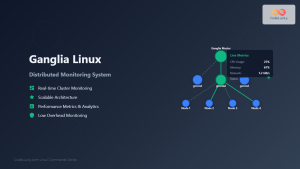
ganglia Linux: Complete Guide to Distributed Monitoring System
Ganglia is a powerful, open-source distributed monitoring system designed specifically for high-performance computing clusters, grids, and cloud infrastructures. Originally developed...

mesos Linux: Complete Guide to Distributed Systems Kernel and Cluster Management
Apache Mesos is a powerful distributed systems kernel that abstracts CPU, memory, storage, and other compute resources across machines, enabling...

Sensu Linux: Complete Monitoring Framework Guide for System Administrators
Sensu is a powerful, open-source monitoring framework designed to monitor servers, services, application health, and business KPIs. Built with modern...

Marathon Linux: Complete Guide to Container Orchestration Platform
Marathon is a powerful container orchestration platform built on top of Apache Mesos that enables you to deploy, manage, and...

nomad Linux: Complete Guide to HashiCorp’s Workload Orchestrator
What is HashiCorp Nomad? HashiCorp Nomad is a simple yet powerful workload orchestrator that enables organizations to deploy and manage...
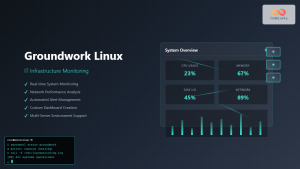
Groundwork Linux: Complete Guide to IT Infrastructure Monitoring and System Health Management
What is Groundwork Linux? Groundwork Linux is a comprehensive open-source IT infrastructure monitoring platform built specifically for Linux environments. It...

whatsup Linux: Complete Network Monitoring and System Administration Guide
whatsup is a powerful network monitoring and system administration tool for Linux that provides real-time insights into network connectivity, system...





