Introduction to Operating System Security
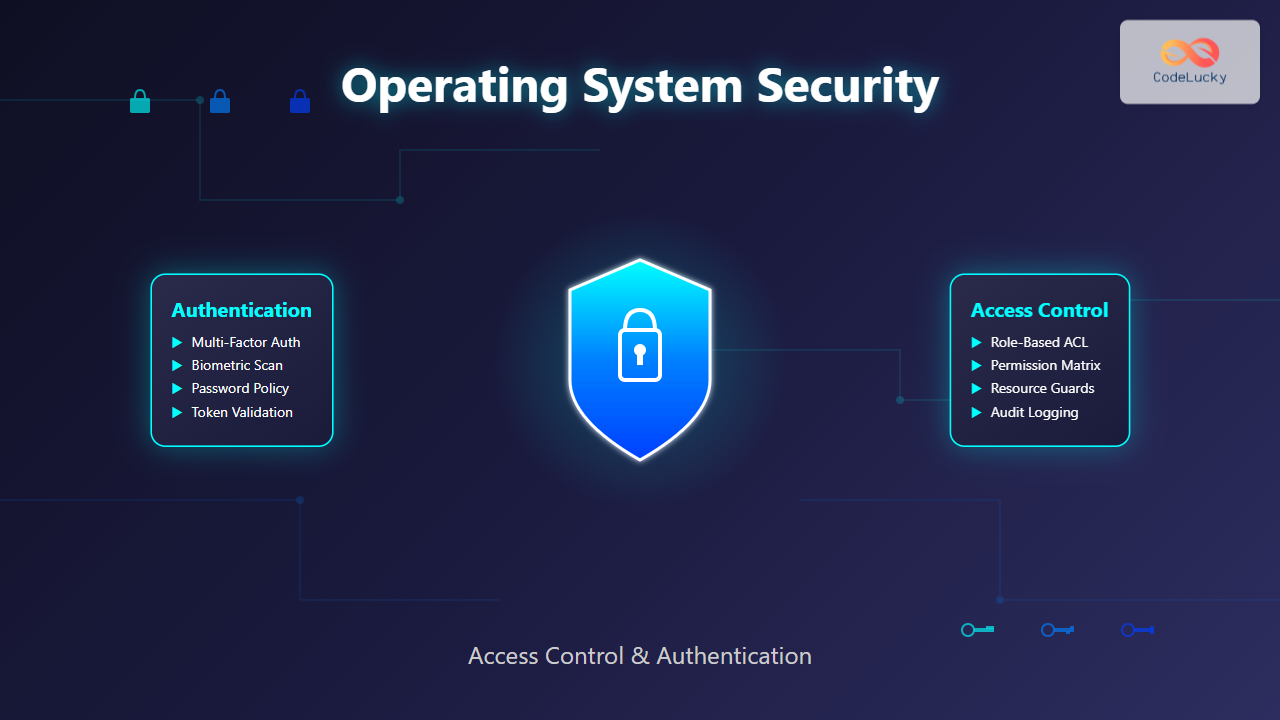
Operating system security forms the foundation of computer security, protecting system resources and user data from unauthorized access. Security in operating systems encompasses two critical components: access control and authentication. These mechanisms work together to ensure that only authorized users can access specific resources and perform permitted operations.
Modern operating systems implement sophisticated security models that balance usability with protection. Understanding these mechanisms is essential for system administrators, developers, and security professionals who need to design and maintain secure computing environments.
Understanding Authentication in Operating Systems
Authentication is the process of verifying the identity of a user or process attempting to access system resources. It answers the fundamental question: “Who are you?” Operating systems employ various authentication methods, each with distinct advantages and security implications.
Password-Based Authentication
Password authentication remains the most common method for user verification. The system stores password hashes rather than plaintext passwords, using algorithms like SHA-256 or bcrypt for secure storage.
# Example: Linux password authentication process
$ ssh user@server
Password: ********
user@server:~$ whoami
user
The authentication process involves:
- User provides credentials (username and password)
- System hashes the provided password
- System compares the hash with stored hash
- Access granted or denied based on match result

Multi-Factor Authentication (MFA)
Multi-factor authentication enhances security by requiring multiple forms of verification. The three authentication factors are:
- Something you know (password, PIN)
- Something you have (token, smartphone)
- Something you are (fingerprint, retina scan)
# Example: MFA implementation concept
class AuthenticationSystem:
    def authenticate_user(self, username, password, token):
        # Factor 1: Password verification
        if not self.verify_password(username, password):
            return False

        # Factor 2: Token verification
        if not self.verify_token(username, token):
            return False

        return True

    def verify_password(self, username, password):
        stored_hash = self.get_password_hash(username)
        return self.hash_password(password) == stored_hash

    def verify_token(self, username, token):
        expected_token = self.generate_totp(username)
        return token == expected_token
Biometric Authentication
Modern operating systems increasingly support biometric authentication methods. These systems capture unique biological characteristics and convert them into digital templates for comparison.
# Windows Hello fingerprint authentication
C:\> Get-WindowsHelloFace
Enabled              : True
Configured           : True
KeyProtection        : Software
AuthenticationPolicy : Required
Access Control Models and Mechanisms
Access control determines what authenticated users can do within the system. It answers “What are you allowed to do?” after successful authentication. Operating systems implement various access control models to manage resource permissions.
Discretionary Access Control (DAC)
Discretionary Access Control allows resource owners to determine access permissions for their resources. This model is widely used in systems like Windows and Unix-based operating systems.
# Unix/Linux DAC example
$ ls -la file.txt
-rw-r--r-- 1 user group 1024 Aug 28 15:30 file.txt

# Change permissions (owner can modify)
$ chmod 755 file.txt
$ ls -la file.txt
-rwxr-xr-x 1 user group 1024 Aug 28 15:30 file.txt
The permission structure breaks down as follows:
- Owner permissions: Read (r), Write (w), Execute (x)
- Group permissions: Read (r), Write (w), Execute (x)
- Other permissions: Read (r), Write (w), Execute (x)

Mandatory Access Control (MAC)
Mandatory Access Control enforces system-wide security policies that individual users cannot override. This model is common in high-security environments and systems like SELinux.
# SELinux MAC example
$ ls -Z /etc/passwd
-rw-r--r--. root root system_u:object_r:passwd_file_t:s0 /etc/passwd

# Check SELinux context
$ id -Z
unconfined_u:unconfined_r:unconfined_t:s0-s0:c0.c1023
MAC systems use security labels and policies to control access:
- Security levels: Confidential, Secret, Top Secret
- Categories: Compartmentalized access groups
- Bell-LaPadula model: No read up, no write down
Role-Based Access Control (RBAC)
RBAC assigns permissions to roles rather than individual users, simplifying permission management in large organizations.
-- RBAC implementation example
CREATE ROLE 'database_admin';
CREATE ROLE 'application_user';

-- Grant permissions to roles
GRANT ALL PRIVILEGES ON database.* TO 'database_admin';
GRANT SELECT, INSERT ON database.user_data TO 'application_user';

-- Assign roles to users
GRANT 'database_admin' TO '[email protected]';
GRANT 'application_user' TO '[email protected]';

Access Control Lists (ACLs)
Access Control Lists provide fine-grained permission control by specifying exactly which users or groups can perform specific operations on resources.
# Linux ACL example
$ getfacl file.txt
# file: file.txt
# owner: user
# group: group
user::rw-
user:john:r--
group::r--
group:developers:rw-
mask::rw-
other::---

# Set specific ACL permissions
$ setfacl -m user:alice:rw- file.txt
$ setfacl -m group:admins:rwx file.txt
Windows ACL Implementation
Windows implements ACLs through Security Descriptors containing Discretionary Access Control Lists (DACLs) and System Access Control Lists (SACLs).
# PowerShell ACL management
$acl = Get-Acl "C:\ImportantFile.txt"

# Add new permission
$permission = "DOMAIN\User","FullControl","Allow"
$accessRule = New-Object System.Security.AccessControl.FileSystemAccessRule $permission
$acl.SetAccessRule($accessRule)

# Apply the ACL
Set-Acl "C:\ImportantFile.txt" $acl
Security Domains and Protection Rings
Operating systems implement protection rings to separate different privilege levels and create security boundaries between system components.

Kernel vs User Mode
The separation between kernel mode and user mode provides fundamental security isolation:
- Kernel Mode (Ring 0): Full hardware access, critical system operations
- User Mode (Ring 3): Restricted access, applications run with limited privileges
// System call transition example
#include <unistd.h>
#include <sys/types.h>

int main() {
    // User mode operation
    int user_var = 10;

    // System call (transition to kernel mode)
    pid_t process_id = getpid();

    // Back to user mode
    return 0;
}
Authentication Protocols and Mechanisms
Modern operating systems support various authentication protocols for network and distributed system authentication.
Kerberos Authentication
Kerberos provides secure authentication in distributed environments using symmetric key cryptography and trusted third-party authentication.
# Kerberos authentication process
$ kinit [email protected]
Password for [email protected]:

$ klist
Ticket cache: FILE:/tmp/krb5cc_1000
Default principal: [email protected]

Valid starting       Expires              Service principal
08/28/2025 15:30:00  08/29/2025 01:30:00  krbtgt/[email protected]
LDAP Authentication
Lightweight Directory Access Protocol (LDAP) enables centralized authentication and authorization management.
# LDAP authentication example
import ldap

def authenticate_user(username, password):
    try:
        ldap_server = "ldap://company.local"
        dn = f"uid={username},ou=users,dc=company,dc=local"

        conn = ldap.initialize(ldap_server)
        conn.simple_bind_s(dn, password)

        return True
    except ldap.INVALID_CREDENTIALS:
        return False
    finally:
        conn.unbind()
Security Vulnerabilities and Mitigation
Understanding common security vulnerabilities helps in implementing effective protection strategies.
Privilege Escalation
Privilege escalation occurs when users gain higher access levels than intended. Operating systems implement various countermeasures:
- Principle of least privilege: Grant minimum necessary permissions
- User Account Control (UAC): Request elevation for privileged operations
- sudo mechanisms: Controlled privilege elevation
# Secure privilege escalation with sudo
$ sudo /etc/init.d/apache2 restart
[sudo] password for user:

# Check sudo permissions
$ sudo -l
User user may run the following commands on server:
    (root) /etc/init.d/apache2 restart
    (root) NOPASSWD: /bin/systemctl status apache2
Buffer Overflow Protection
Modern operating systems implement several buffer overflow protection mechanisms:
- Stack canaries: Detect stack buffer overflows
- Address Space Layout Randomization (ASLR): Randomize memory addresses
- Data Execution Prevention (DEP): Prevent code execution in data segments
Audit and Monitoring
Security auditing and monitoring provide visibility into system access patterns and potential security violations.
# Linux audit system
$ sudo auditctl -a always,exit -S open -F path=/etc/passwd

# View audit logs
$ sudo ausearch -f /etc/passwd
time->Thu Aug 28 15:30:00 2025
type=SYSCALL msg=audit(1724845800.123:1234): arch=c000003e syscall=2
success=yes exit=3 a0=7fff12345678 a1=0 a2=0 a3=0 items=1 ppid=1000
pid=1234 auid=1000 uid=1000 gid=1000 euid=1000 suid=1000 fsuid=1000
egid=1000 sgid=1000 fsgid=1000 tty=pts0 ses=1 comm="cat"
exe="/bin/cat" key=(null)
Windows Event Logging
Windows provides comprehensive event logging for security monitoring:
# PowerShell security event monitoring
Get-WinEvent -LogName Security | Where-Object {$_.Id -eq 4624} |
Select-Object TimeCreated, Id, LevelDisplayName, Message |
Format-Table -AutoSize

# Monitor failed logon attempts
Get-WinEvent -LogName Security | Where-Object {$_.Id -eq 4625} |
Select-Object TimeCreated, Message | Format-List

Best Practices for OS Security Implementation
Implementing robust operating system security requires following established best practices and security principles.
Defense in Depth
Defense in depth involves implementing multiple layers of security controls:
- Physical security: Secure hardware and facilities
- Network security: Firewalls and network segmentation
- Host security: Operating system hardening
- Application security: Secure coding practices
- Data security: Encryption and access controls
Regular Security Updates
Maintaining system security requires consistent updates and patch management:
# Automated security updates (Ubuntu)
$ sudo apt update && sudo apt upgrade -y

# Enable automatic security updates
$ sudo apt install unattended-upgrades
$ sudo dpkg-reconfigure -plow unattended-upgrades
Access Control Implementation Guidelines
Effective access control implementation follows these principles:
- Principle of least privilege: Grant minimum required access
- Separation of duties: Divide critical operations among multiple users
- Regular access reviews: Periodically audit and update permissions
- Strong authentication: Implement multi-factor authentication
Future of Operating System Security
Operating system security continues to evolve with emerging technologies and threat landscapes. Key developments include:
- Zero-trust architecture: Verify every access request
- Hardware-based security: Trusted Platform Modules (TPM) and secure enclaves
- AI-powered threat detection: Machine learning for anomaly detection
- Containerization security: Securing containerized environments
Understanding and implementing robust access control and authentication mechanisms forms the cornerstone of operating system security. As threats continue to evolve, security professionals must stay current with best practices and emerging technologies to protect critical system resources effectively.
The combination of strong authentication methods, well-designed access control models, and comprehensive monitoring provides a solid foundation for secure computing environments. Regular security assessments and updates ensure that protection mechanisms remain effective against evolving threats.
Related Posts
Java Security: Basic Concepts and Implementation
Java, renowned for its "write once, run anywhere" philosophy, has always placed a strong emphasis on security. In today's digital...
Mandatory Access Control: Complete Guide to MAC vs DAC Security Models
Introduction to Access Control Models Access control is the cornerstone of computer security, determining who can access what resources and...
Encryption in Operating System: Complete Guide to Data Protection Methods
Operating system encryption serves as the cornerstone of modern data protection, safeguarding sensitive information from unauthorized access, data breaches, and...
Role-based Access Control: Complete Implementation Guide for Modern Systems
Introduction to Role-based Access Control (RBAC) Role-based Access Control (RBAC) is a security paradigm that restricts system access based on...
File Permissions in Operating System: Complete Guide to Access Control Lists (ACLs)
Introduction to File Permissions and Access Control File permissions form the backbone of operating system security, controlling who can access,...
Access Control Matrix: Comprehensive Guide to Permission Management Systems
Introduction to Access Control Matrix An Access Control Matrix (ACM) is a fundamental security model used in operating systems to...
Capability-based Security: Modern Object-oriented Access Control Systems
Capability-based security represents a revolutionary approach to access control in modern operating systems, moving beyond traditional user-based permissions to implement...
Kernel in Operating System: Core Functions and Memory Management
The kernel stands as the fundamental cornerstone of any operating system, serving as the critical bridge between hardware components and...
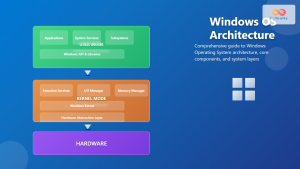
Windows Operating System: Complete Guide to Architecture and Core Components
The Windows Operating System stands as one of the most widely used operating systems globally, powering billions of devices from...
Trusted Computing Base: Security Kernel Design Fundamentals and Implementation
In the realm of operating system security, the Trusted Computing Base (TCB) represents the foundation upon which all system security...
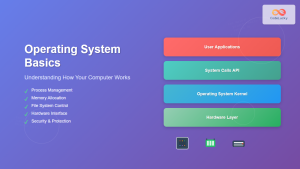
Operating System Basics: Complete Guide to What is an OS and How it Works
An operating system (OS) is the fundamental software that manages computer hardware and software resources, acting as an intermediary between...
Memory Protection: Hardware and Software Mechanisms for Secure Computing
Understanding Memory Protection in Modern Computing Memory protection is a fundamental security mechanism that prevents programs from accessing memory regions...