
Introduction
Reversing a list or iterating over it backwards is a common task in Python programming. Whether you need to process items starting from the end or simply want a reversed version of your list, Python offers multiple ways to achieve this efficiently and elegantly. This guide explains different methods to reverse a list and loop over it backwards, complete with clear examples, expected outputs, and helpful visual explanations.
Why Reverse a List or Loop Backwards?
Sometimes you want to:
- Process data starting from the last element instead of the first
- Reverse the order of elements for display or further computation
- Access elements in reverse chronological order
Understanding Python’s tools for these tasks is essential to writing clean, performant code.
1. Reversing a List in Python
You can reverse a list in Python mainly by using the reverse() method or the reversed() function, or by utilizing slicing syntax.
Using the reverse() Method
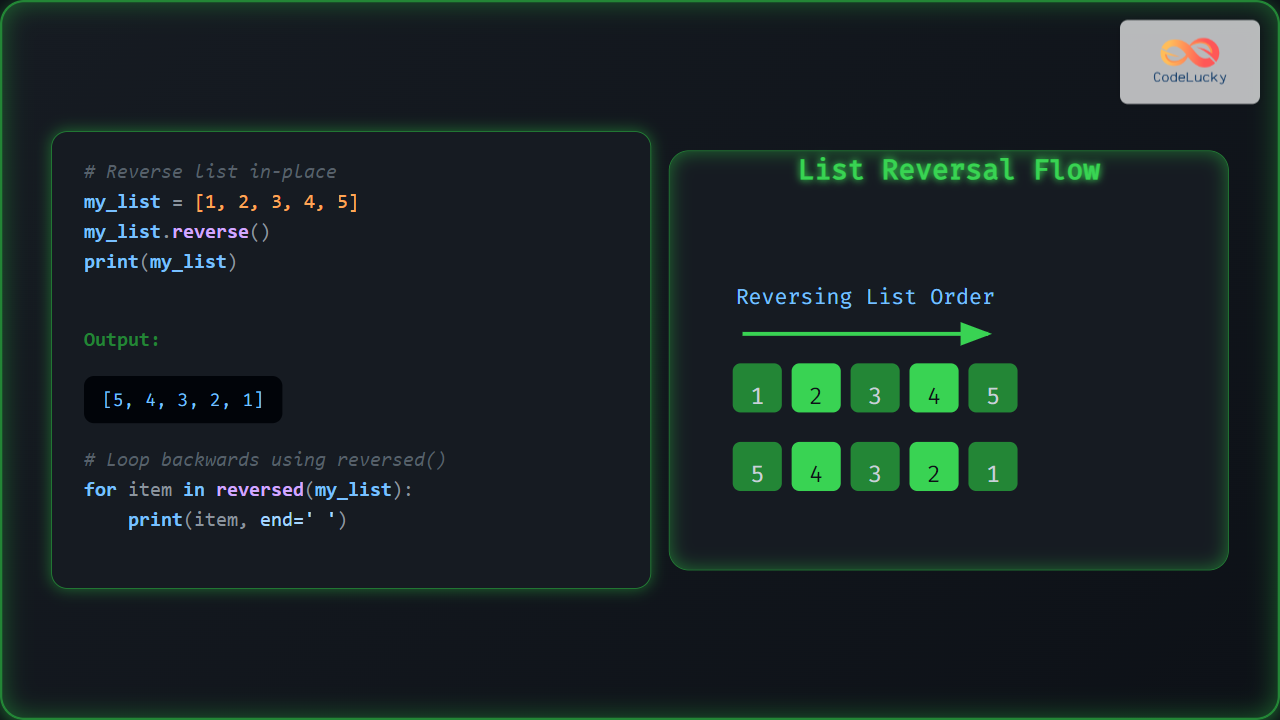
This method reverses the list in-place, meaning it modifies the original list.
my_list = [1, 2, 3, 4, 5]
my_list.reverse()
print(my_list)
Output:
[5, 4, 3, 2, 1]
Using the reversed() Function
This function returns an iterator that accesses elements in reverse order, without changing the original list.
my_list = [1, 2, 3, 4, 5]
for item in reversed(my_list):
    print(item, end=' ')
Output:
5 4 3 2 1
Using List Slicing
Slicing with [::-1] creates a new list that is a reversed copy of the original.
my_list = [1, 2, 3, 4, 5]
reversed_list = my_list[::-1]
print(reversed_list)
Output:
[5, 4, 3, 2, 1]
2. Looping Over a List Backwards
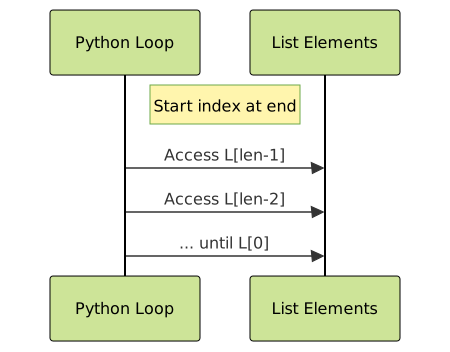
Looping backwards means you want to access elements starting from the last one and moving towards the first without necessarily modifying the original list.
Using reversed() in a Loop
The easiest and most Pythonic way to loop backwards:
my_list = ['a', 'b', 'c', 'd']
for item in reversed(my_list):
    print(item)
Output:
d
c
b
a
Using a Reverse Index Loop with range()
You can also use indices and loop backward explicitly:
my_list = ['a', 'b', 'c', 'd']
for i in range(len(my_list) - 1, -1, -1):
    print(my_list[i])
Output:
d
c
b
a
3. Comparing Methods: When to Use What?
| Method | Modifies Original List? | Returns New Object? | Best Use Case |
|---|---|---|---|
reverse() |
Yes | No | When original list should be reversed in-place |
reversed() |
No | Iterator | Looping backward without changing original |
Slicing [::-1] |
No | New reversed list | When a reversed copy of the list is needed |
4. Advanced: Looping Over Nested Lists Backwards
For nested lists, you might want to reverse at multiple levels.
matrix = [
    [1, 2, 3],
    [4, 5, 6],
    [7, 8, 9]
]

# Loop rows backwards, and each row elements backwards
for row in reversed(matrix):
    for item in reversed(row):
        print(item, end=' ')
    print()
Output:
9 8 7
6 5 4
3 2 1

5. Interactive Example
Try this code snippet in a Python environment. Modify the list and see the reversed outputs immediately.
def demonstrate_reverse_methods(lst):
    print("Original list:", lst)
    print("Using reverse():")
    temp_lst = lst.copy()
    temp_lst.reverse()
    print(temp_lst)
    print("Using reversed():")
    print(list(reversed(lst)))
    print("Using slicing [::-1]:")
    print(lst[::-1])

sample_list = ['x', 'y', 'z', 'w']
demonstrate_reverse_methods(sample_list)
Summary
Reversing a list or looping over it backwards in Python can be done through various methods depending on whether the original list should be modified or not. The reverse() method reverses in place, reversed() generates an iterator for backward looping, and slicing with ::-1 creates a new reversed list. Choosing the right method depends on your specific use case for performance and readability. Mastering these techniques helps write Python code that is concise, efficient, and easy to understand.





