
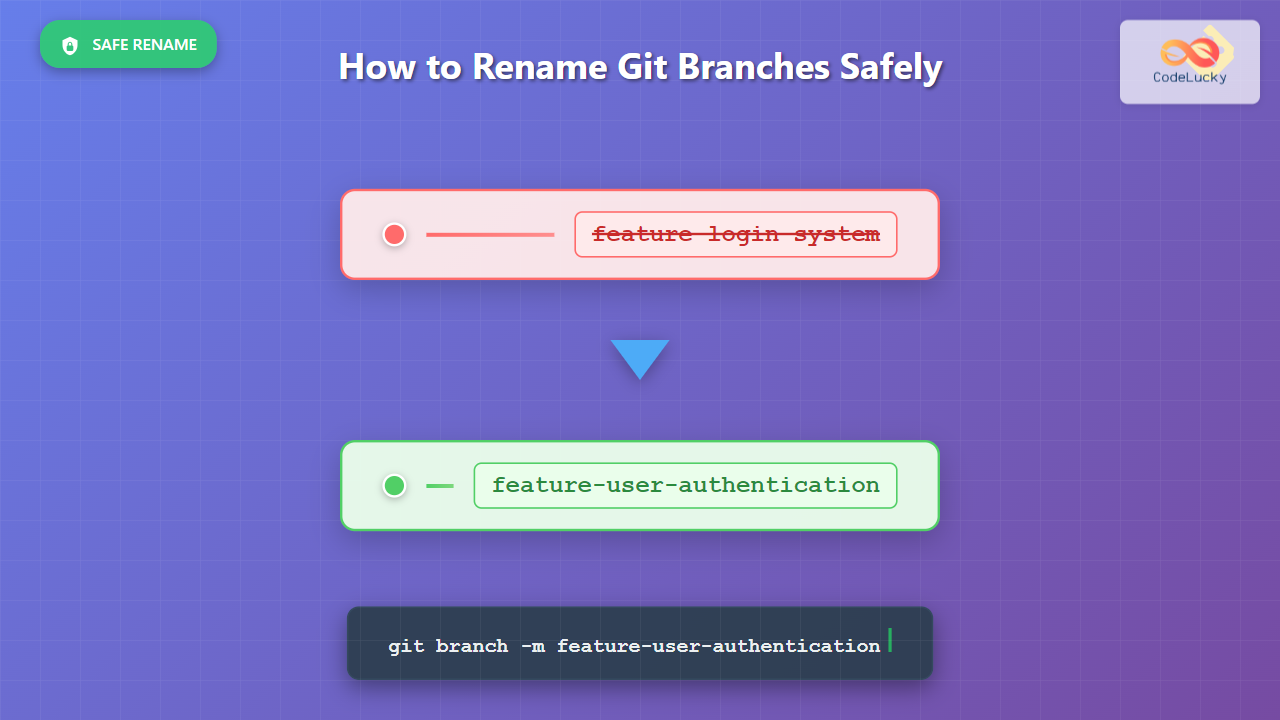
Renaming Git branches is a common task in software development, whether you’re fixing typos, following new naming conventions, or making branch names more descriptive. This comprehensive guide will walk you through the safe methods to rename local Git branches, covering various scenarios and best practices.
Understanding Git Branch Naming
Before diving into renaming techniques, it’s important to understand that Git branches are simply movable pointers to specific commits. When you rename a branch, you’re essentially creating a new pointer with a different name and removing the old one.

Method 1: Renaming the Current Branch
The most straightforward scenario is renaming the branch you’re currently working on. Git provides a simple command for this purpose.
Basic Syntax
git branch -m new-branch-nameThe -m flag stands for “move” and safely renames the current branch.
Step-by-Step Example
Let’s walk through a practical example where we rename a branch from feature-login to feature-user-authentication:
# Check current branch
git branch
* feature-login
  main
  develop

# Rename the current branch
git branch -m feature-user-authentication

# Verify the change
git branch
* feature-user-authentication
  main
  develop
Expected Output:
# Before renaming
* feature-login
  main
  develop

# After renaming
* feature-user-authentication
  main
  develop
Method 2: Renaming Any Branch (Not Currently Checked Out)
When you need to rename a branch that you’re not currently on, you’ll need to specify both the old and new names.
Basic Syntax
git branch -m old-branch-name new-branch-nameDetailed Example
# List all branches
git branch
  feature-payment
* main
  bugfix-header

# Rename 'feature-payment' to 'feature-payment-gateway'
git branch -m feature-payment feature-payment-gateway

# Verify the change
git branch
  feature-payment-gateway
* main
  bugfix-header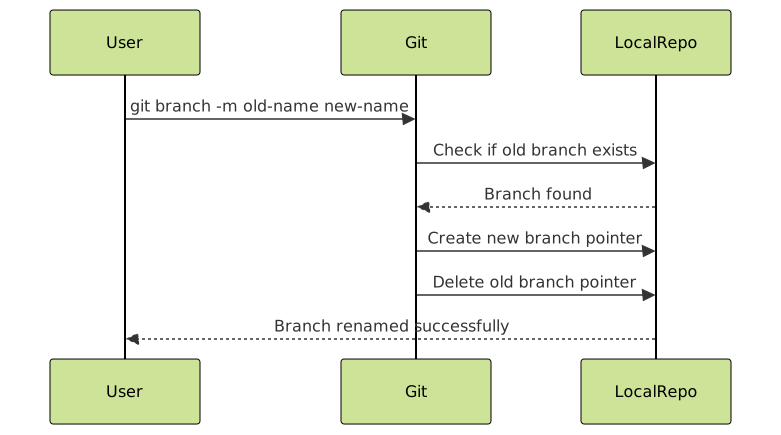
Method 3: Force Renaming (Overwriting Existing Branches)
Sometimes you might want to rename a branch to a name that already exists. Git prevents this by default, but you can force it using the -M flag.
Syntax and Warning
git branch -M new-branch-name⚠️ Warning: The -M flag will overwrite an existing branch with the same name. Use with extreme caution as this can result in data loss.
Safe Example
# Check existing branches
git branch
* feature-temp
  main
  feature-final

# This would normally fail because 'feature-final' exists
git branch -m feature-final
# Error: A branch named 'feature-final' already exists.

# Force rename (only if you're sure!)
git branch -M feature-final

# Verify
git branch
* feature-final
  main
Best Practices for Safe Branch Renaming
1. Always Check Your Current Status
Before renaming any branch, understand your current Git state:
# Check current branch and status
git status
git branch -v  # Shows branch with last commit info
2. Verify No Uncommitted Changes
# Ensure working directory is clean
git status

# If you have uncommitted changes, either commit or stash them
git add .
git commit -m "Save work before branch rename"
# OR
git stash push -m "Temporary stash before rename"
3. Update Remote Tracking (If Applicable)
If your branch was previously pushed to a remote repository, you’ll need additional steps:
# Rename local branch
git branch -m old-name new-name

# Push the new branch to remote
git push origin new-name

# Delete the old branch from remote
git push origin --delete old-name

# Set upstream for the new branch
git push --set-upstream origin new-name
Common Scenarios and Solutions
Scenario 1: Renaming Main Development Branch
When working with team conventions or migrating from master to main:
# Switch to the branch you want to rename
git checkout master

# Rename to main
git branch -m main

# Update remote (if pushing is allowed)
git push -u origin main
Scenario 2: Batch Renaming with Patterns
For multiple branches following a pattern, you can use shell scripting:
#!/bin/bash
# Rename all branches starting with 'old-prefix' to 'new-prefix'

for branch in $(git branch | grep 'old-prefix' | sed 's/*//' | sed 's/ //g'); do
    new_name=$(echo $branch | sed 's/old-prefix/new-prefix/')
    git branch -m $branch $new_name
    echo "Renamed $branch to $new_name"
done
Scenario 3: Recovering from Mistakes
If you accidentally rename a branch incorrectly, you can use Git’s reflog to recover:
# View recent branch operations
git reflog

# Find the commit hash before the rename
# Reset branch to previous state
git branch -m correct-name
git reset --hard HEAD@{n}  # where n is the reflog entry
Interactive Branch Renaming Workflow
Here’s an interactive approach for teams or complex projects:
#!/bin/bash
# Interactive branch renaming script

echo "Current branches:"
git branch

echo "Enter the branch name to rename:"
read old_branch

echo "Enter the new branch name:"
read new_branch

# Validate inputs
if [ -z "$old_branch" ] || [ -z "$new_branch" ]; then
    echo "Error: Both branch names are required"
    exit 1
fi

# Check if old branch exists
if ! git show-ref --verify --quiet refs/heads/$old_branch; then
    echo "Error: Branch '$old_branch' does not exist"
    exit 1
fi

# Perform rename
git branch -m $old_branch $new_branch
echo "Successfully renamed '$old_branch' to '$new_branch'"

# Show updated branch list
echo "Updated branches:"
git branch
Troubleshooting Common Issues
Issue 1: “Branch name already exists”
# Problem
git branch -m new-feature
# fatal: A branch named 'new-feature' already exists.

# Solution: Check existing branches first
git branch
# Choose a different name or use -M to force (carefully!)
Issue 2: “Cannot rename checked out branch”
# Problem: Trying to rename a branch you're not on
git branch -m some-branch new-name
# error: Cannot rename the current branch while not on it

# Solution: Either checkout the branch or specify both names
git checkout some-branch
git branch -m new-name
# OR
git branch -m some-branch new-name
Issue 3: Remote Tracking Issues
After renaming a branch that was tracking a remote branch:
# Check remote tracking status
git branch -vv

# Re-establish tracking if needed
git branch --set-upstream-to=origin/new-branch-name
Advanced Tips and Considerations
Branch Naming Conventions
When renaming branches, consider following established conventions:
- Feature branches:
feature/user-authentication - Bug fixes:
bugfix/header-alignment - Hotfixes:
hotfix/security-patch - Releases:
release/v2.1.0
Team Coordination
When working in teams, communicate branch renames:
# Create a commit message documenting the rename
git commit --allow-empty -m "Rename branch: old-name → new-name

Reason: [Brief explanation of why the rename was necessary]
Impact: [Any impact on team workflow]"
Automation and Hooks
Consider setting up Git hooks to enforce naming conventions:
# .git/hooks/pre-push (example)
#!/bin/bash
branch=$(git rev-parse --abbrev-ref HEAD)

if [[ ! $branch =~ ^(feature|bugfix|hotfix|release)/.+ ]]; then
    echo "Branch name '$branch' does not follow naming convention"
    echo "Use: feature/name, bugfix/name, hotfix/name, or release/name"
    exit 1
fi
Conclusion
Renaming Git branches safely is a fundamental skill for effective version control management. The key points to remember are:
- Use
git branch -mfor safe renaming - Always verify your current branch and status before renaming
- Handle remote branches separately when they exist
- Follow consistent naming conventions
- Communicate changes with your team
- Keep backups and use Git’s safety features
By following these practices and understanding the underlying concepts, you can confidently rename branches without risking your development work. Remember that Git’s design prioritizes data safety, so most operations can be undone if needed.
Practice these techniques in a test repository to build confidence before applying them to critical projects. With experience, branch renaming becomes a routine part of maintaining clean and organized Git repositories.





