
In JavaScript programming, arrays are fundamental structures used to store multiple values in a single variable. Often, the need arises to remove a specific item from an array based on its value. This article dives deep into various methods to achieve this, complete with examples, visual outputs, and diagrams to clarify the process.
Understanding JavaScript Arrays
JavaScript arrays are ordered collections of items that can be manipulated using built-in methods. Removing a specific item involves identifying it by its value and then modifying the array accordingly.
Common Ways to Remove a Specific Item from an Array
There are multiple approaches depending on whether you want to remove one or all occurrences of an item, if the array should be mutated or a new array returned.
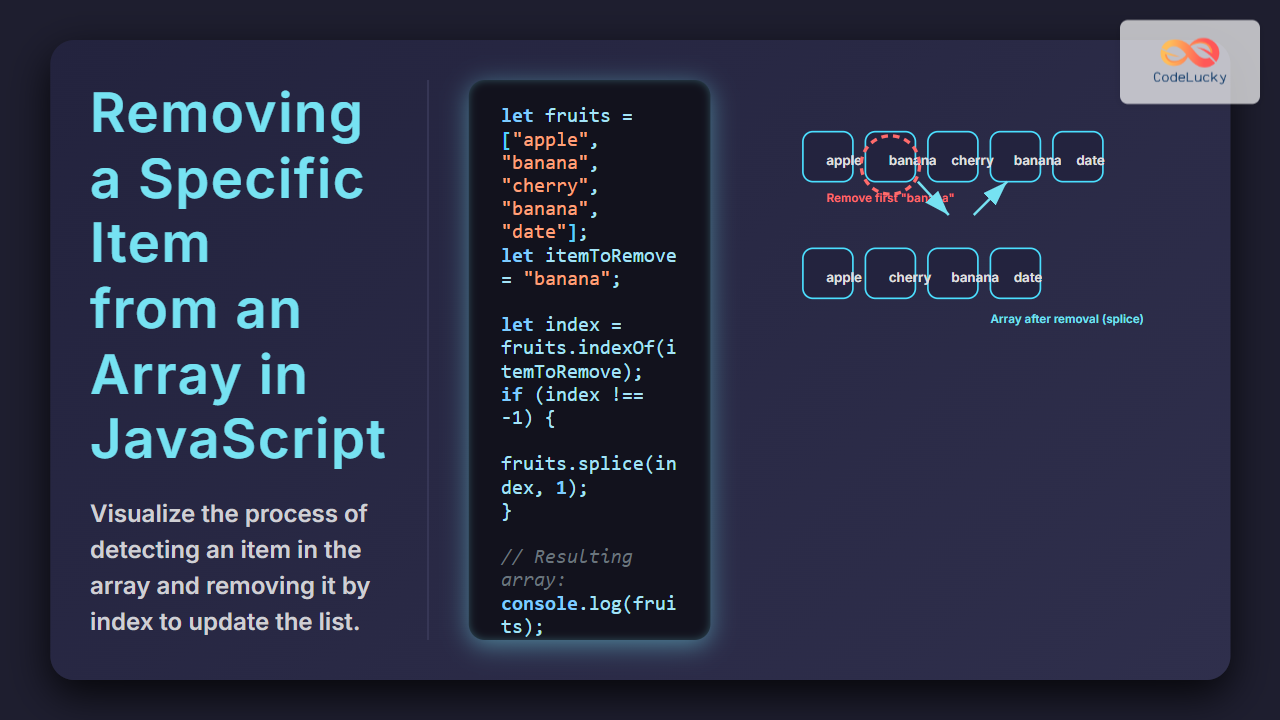
1. Using Array.prototype.indexOf() and splice()
This method removes only the first occurrence of the item.
let fruits = ["apple", "banana", "cherry", "banana", "date"];
let itemToRemove = "banana";

let index = fruits.indexOf(itemToRemove);
if (index !== -1) {
  fruits.splice(index, 1);
}

console.log(fruits);
// Output: ["apple", "cherry", "banana", "date"]
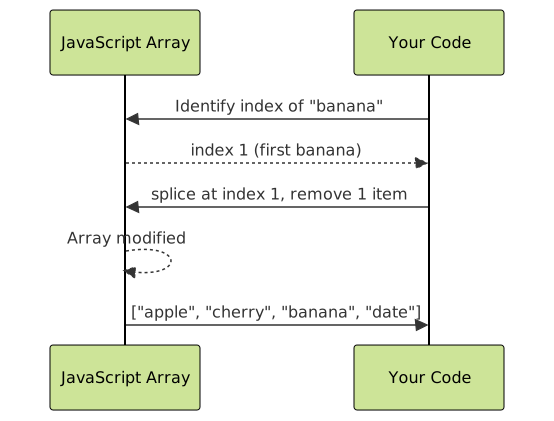
Explanation: indexOf() finds the position of the first matching item. splice() then removes it by its index, modifying the original array.
2. Using Array.prototype.filter() to Remove All Occurrences
This method creates a new array excluding all instances of the specified item, leaving the original intact.
let fruits = ["apple", "banana", "cherry", "banana", "date"];
let itemToRemove = "banana";

let filteredFruits = fruits.filter(fruit => fruit !== itemToRemove);

console.log(filteredFruits);
// Output: ["apple", "cherry", "date"]
Explanation: The filter() method returns a new array including only items that don’t match the one to be removed.
3. Removing Multiple Specific Items by Index Iteration
Remove all occurrences, modifying the original array, by iterating from the end to avoid index shifting issues.
let fruits = ["apple", "banana", "cherry", "banana", "date"];
let itemToRemove = "banana";

for (let i = fruits.length - 1; i >= 0; i--) {
  if (fruits[i] === itemToRemove) {
    fruits.splice(i, 1);
  }
}

console.log(fruits);
// Output: ["apple", "cherry", "date"]
Visualizing Array Item Removal
Interactive Example with Explanation
Below is a live demonstration to try removing an item from an array dynamically.
Example: Remove “orange” from array
let colors = ["red", "blue", "green", "orange", "yellow"];

function removeItem(arr, item) {
  let index = arr.indexOf(item);
  if (index !== -1) {
    arr.splice(index, 1);
  }
  return arr;
}

console.log("Before:", colors);
console.log("After removing 'orange':", removeItem(colors, "orange"));
Summary of Methods
| Method | Removes | Mutates Original Array? | New Array Created? | Use Case |
|---|---|---|---|---|
| indexOf() + splice() | First occurrence | Yes | No | When only first match removal needed |
| filter() | All occurrences | No | Yes | Preserve original array, remove all matches |
| Loop + splice() | All occurrences | Yes | No | Remove multiple matches, in place |

Important Notes
- If the array contains objects or complex types, equality checks with
===might fail unless referencing the exact object. - Some methods modify the original array (
splice()), while others create new arrays (filter()). - For performance with large arrays and multiple removals, prefer
filter()or loop from the end to avoid index shifting bugs.
Conclusion
Removing a specific item from a JavaScript array is a common and straightforward task once the needs are clear—whether to remove a single or multiple occurrences, and whether to mutate the original array or create a new one. Using indexOf() with splice(), filter(), and loop-based approaches covers all typical scenarios effectively.
Experiment with these methods to determine the best fit for your specific use case in JavaScript projects.





