Redundancy and failover systems are fundamental pillars of modern infrastructure designed to ensure high availability, reliability, and business continuity. In this article, readers will learn how these concepts work, why they are essential, and how to implement backup systems that actually function effectively to minimize downtime. Practical examples, diagrams, and interactive conceptual visuals will make these ideas easy to understand and implement.
What is Redundancy in Backup Systems?
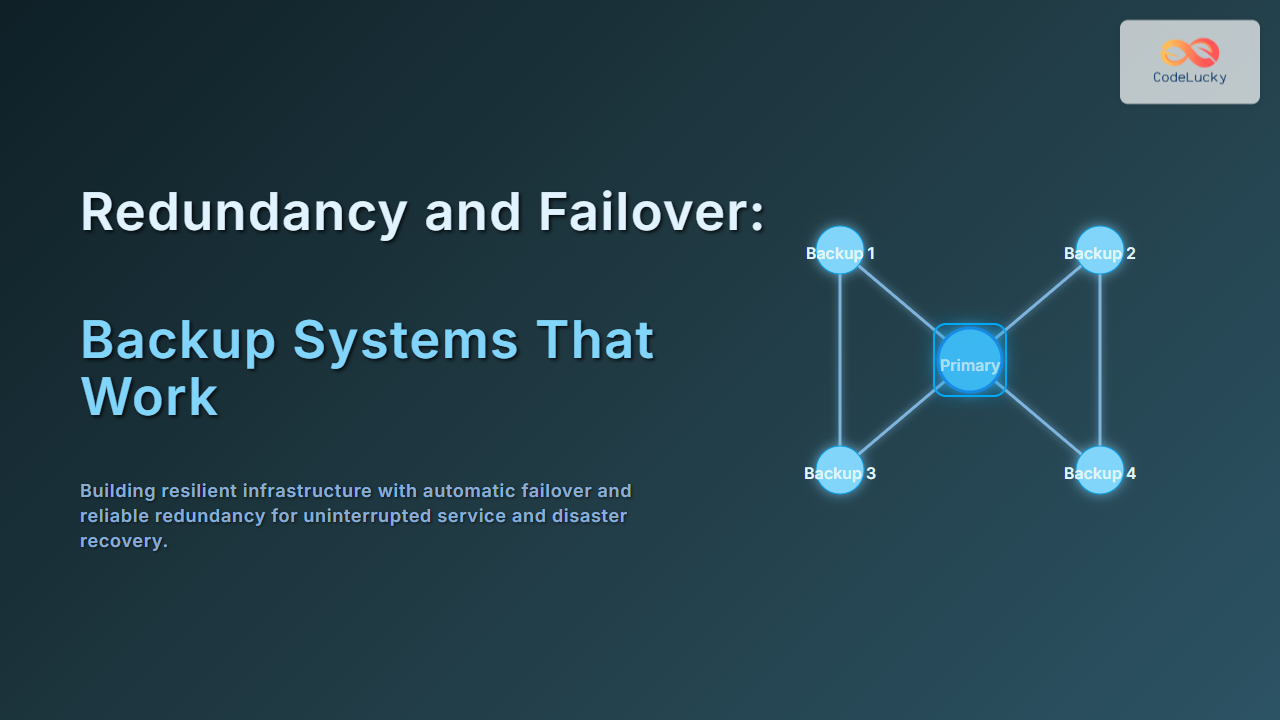
Redundancy in technology refers to the inclusion of extra components or systems that duplicate critical functions, so if one component fails, the backup can immediately take over without service interruption. Redundancy can exist at multiple layers — hardware, network, data, application, and even geographic levels.
Common examples include:
- Dual power supplies on servers
- RAID disk configurations to mirror data
- Multiple network connections via different ISPs
- Data replication across data centers
Example: Simple Server Redundancy
Imagine two identical servers holding critical web applications. If Server A fails, traffic automatically routes to Server B, so users experience no downtime.

Understanding Failover: Automatic System Switching
Failover is the technique where systems automatically switch to a redundant or standby system upon detecting a failure in the primary system. This switchover should be seamless and quick to avoid user impact.
Failover may be:
- Manual: Requires administrator intervention.
- Automatic: Triggered programmatically upon failure detection.
Interactive Concept: Failover Process Flow
Use this simple conceptual flow to understand automatic failover logic.

Types of Redundancy and Failover Systems
Systems implement redundancy and failover using different strategies depending on criticality and cost requirements:
- Active-Active: Multiple systems actively handle traffic simultaneously, sharing load and providing mutual failover support.
- Active-Passive: Primary system processes all traffic; secondary system stays idle until failover.
- Geographic Redundancy: Backup systems located in different physical regions for disaster recovery.
- Data Redundancy: Techniques like RAID, snapshots, and replication ensure data integrity and availability.
Building Backup Systems That Really Work
Simply having redundant hardware doesn’t guarantee failover success. A backup system that works involves three key components:
- Detection: Automated health checks to detect failures instantly.
- Switching: Smooth automatic handoff to backup systems with minimal delay.
- Recovery: Ability to restore the primary system and revert traffic when healthy.
For example, load balancers combined with health checks can direct traffic away from failing servers and retry primary servers once restored.
Example: Load Balancer Failover Diagram

Backup Systems in Cloud Environments
Cloud providers offer built-in redundancy and failover options like multi-AZ (Availability Zones) deployments, automated failover databases, and global load balancing. Using these services effectively requires understanding specific implementation details and ensuring regular failover tests.
- Multi-region replication: For disaster recovery spanning continents.
- Auto-scaling and health checks: Allow infrastructure to heal and scale automatically.
- Snapshot backups: Regular capture of system states for recovery.
Best Practices for Redundancy and Failover
- Monitor continuously: Use comprehensive monitoring with alerts to detect failures immediately.
- Test regularly: Perform scheduled failover exercises to verify backups.
- Document procedures: Ensure clear runbooks exist for manual intervention if needed.
- Use multiple failure domains: Power, network, and geographic separation reduce correlated failures.
- Automate recovery: Minimize human error and speed recovery times with automation.
Conclusion
Redundancy and failover are not just buzzwords but essential practices to ensure mission-critical systems stay available even under failures. Building backup systems that work requires thoughtful architecture, automation, and regular testing. By implementing active or passive failover with well-engineered redundancy, organizations minimize downtime, protect data, and maintain customer trust.
Applying these principles with real-world tools and cloud services empowers teams to build resilient infrastructures ready for any challenge.