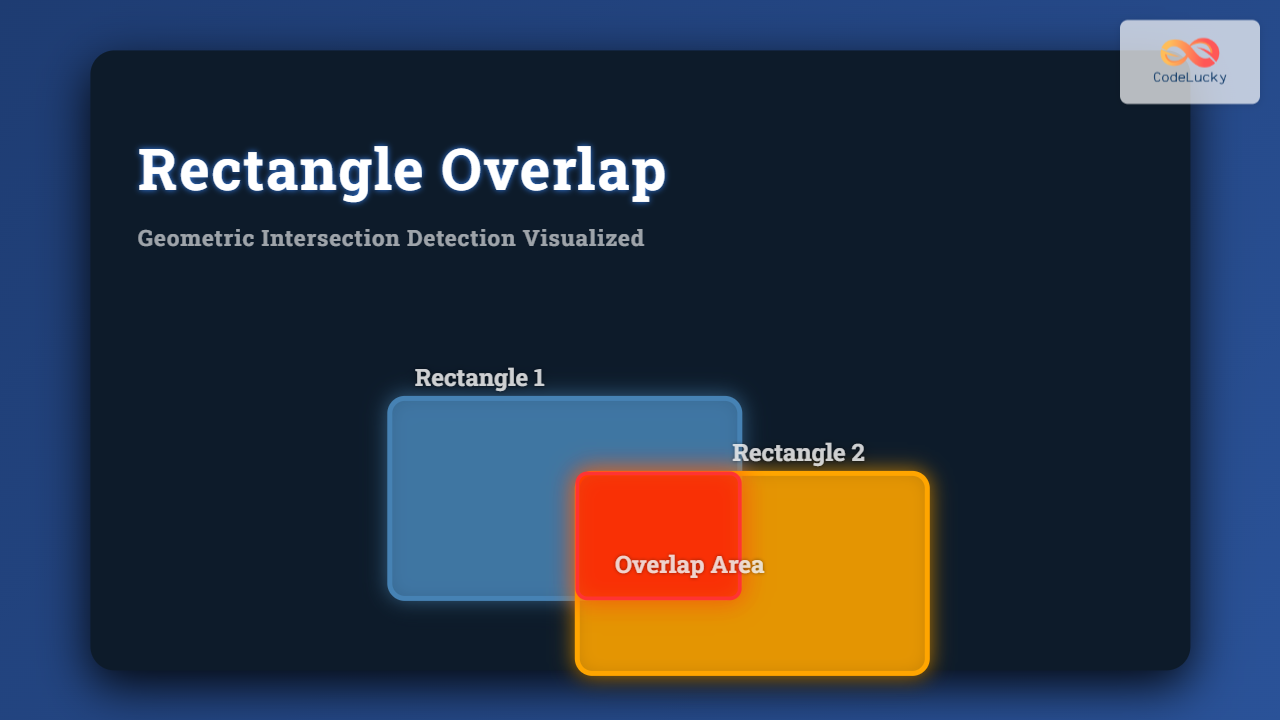
Detecting whether two rectangles overlap is a fundamental problem in computational geometry and computer algorithms, widely used in graphics, gaming, spatial databases, and UI design. This article dives deep into the Rectangle Overlap: Geometric Intersection Detection problem, explaining the concept, mathematical basis, coding techniques, and visual insights to master the topic.
What is Rectangle Overlap Detection?
Rectangle overlap detection is the process of determining if two axis-aligned rectangles share any common area in a 2D plane. Each rectangle is typically defined by its edges or coordinates, and the goal is to identify if these boundaries intersect.
Axis-Aligned Rectangles
Axis-aligned rectangle means the edges are parallel to the coordinate axes, commonly defined by opposite corners or by a bottom-left corner plus width and height.

Mathematical Condition for Overlap
Given two rectangles defined as:
- Rectangle 1: One corner at (x1, y1), opposite corner at (x2, y2)
- Rectangle 2: One corner at (x3, y3), opposite corner at (x4, y4)
where (x1, y1) is bottom-left and (x2, y2) is top-right for Rect 1, similarly for Rect 2, the rectangles do not overlap if one is completely to the left, right, above, or below the other.
The non-overlapping conditions are:
- Rectangle 1 is to the left of Rectangle 2: \(x2 \lt x3\)
- Rectangle 1 is to the right of Rectangle 2: \(x1 \gt x4\)
- Rectangle 1 is above Rectangle 2: \(y1 \gt y4\)
- Rectangle 1 is below Rectangle 2: \(y2 \lt y3\)
If none of these are true, the rectangles overlap.
Code Example in Python
Let’s implement rectangle overlap detection with clear comments and test cases.
def is_rectangle_overlap(rec1, rec2):
    """
    Checks if two axis-aligned rectangles overlap.
    rec1 and rec2 are lists or tuples of form [x1, y1, x2, y2].
    """
    # Unpack coordinates
    x1, y1, x2, y2 = rec1
    x3, y3, x4, y4 = rec2

    # Check non-overlapping conditions
    if x2 <= x3:  # rec1 is left of rec2
        return False
    if x1 >= x4:  # rec1 is right of rec2
        return False
    if y1 >= y4:  # rec1 is above rec2
        return False
    if y2 <= y3:  # rec1 is below rec2
        return False

    return True  # Rectangles overlap

# Example usage:
rect1 = [0, 0, 2, 2]
rect2 = [1, 1, 3, 3]
rect3 = [3, 3, 4, 4]

print("Overlap 1 and 2:", is_rectangle_overlap(rect1, rect2))  # True
print("Overlap 1 and 3:", is_rectangle_overlap(rect1, rect3))  # False
Visual Output Explanation
Consider rectangles rec1 and rec2 overlapping:
For rectangles rec1 and rec3 that do not intersect:
Interactive Rectangle Overlap Checker (Concept)
For interactive demonstrations, a simple web UI can allow users to input rectangle coordinates and dynamically see if they overlap, using JavaScript or Python with visualization libraries.
Example JavaScript snippet for overlap logic (concept only):
// Given two rectangles rec1 and rec2; each array [x1, y1, x2, y2]
function isRectangleOverlap(rec1, rec2) {
  const [x1, y1, x2, y2] = rec1;
  const [x3, y3, x4, y4] = rec2;

  if (x2 <= x3) return false;
  if (x1 >= x4) return false;
  if (y1 >= y4) return false;
  if (y2 <= y3) return false;

  return true;
}
Applications and Importance
Rectangle overlap detection is critical in areas such as:
- Collision detection in game development to detect sprite interactions.
- UI design for detecting overlapping elements or mouse hitboxes.
- Spatial databases for region intersection queries.
- Computer graphics for rendering and clipping algorithms.
Conclusion
This guide explains the principles behind rectangle overlap detection using simple geometric intersection conditions. With clear mathematical rules, code samples, and visual diagrams, readers can confidently implement and understand rectangle intersection detection in robotic, gaming, graphical, and application development contexts.
The approach can be extended to rotated rectangles or polygons with more advanced algorithms but checking axis-aligned rectangles covers many basic and essential cases.