
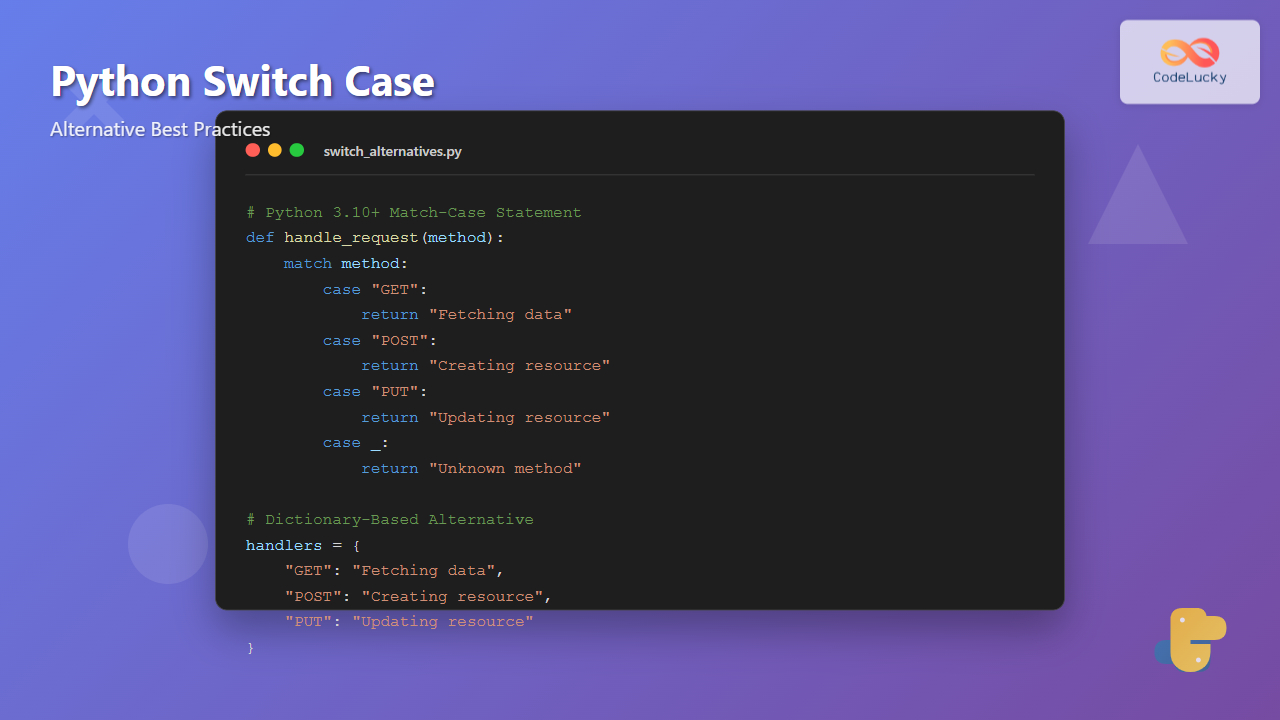
Python developers coming from languages like C++, Java, or JavaScript often wonder about Python’s equivalent to the switch-case statement. While Python didn’t have a traditional switch-case until Python 3.10, there are several elegant alternatives that can achieve the same functionality. This comprehensive guide explores all the methods, from the new match-case statement to dictionary-based approaches.
Why Python Initially Lacked Switch-Case
Python’s philosophy emphasizes simplicity and readability. The language designers believed that if-elif-else chains were sufficient for most use cases, making a separate switch statement unnecessary. However, as Python evolved and complex pattern matching became more common, the need for a more sophisticated branching mechanism became apparent.
Method 1: The New Match-Case Statement (Python 3.10+)
Python 3.10 introduced the match-case statement, which is Python’s official switch-case equivalent. It’s more powerful than traditional switch statements because it supports pattern matching.
Basic Match-Case Syntax
def handle_http_status(status_code):
    match status_code:
        case 200:
            return "OK - Request successful"
        case 404:
            return "Not Found - Resource doesn't exist"
        case 500:
            return "Internal Server Error"
        case 403:
            return "Forbidden - Access denied"
        case _:  # Default case
            return f"Unknown status code: {status_code}"

# Example usage
print(handle_http_status(200))  # Output: OK - Request successful
print(handle_http_status(999))  # Output: Unknown status code: 999
Advanced Pattern Matching
The match-case statement supports complex pattern matching beyond simple value comparison:
def process_data(data):
    match data:
        case int() if data > 100:
            return f"Large number: {data}"
        case int() if data > 0:
            return f"Positive number: {data}"
        case int() if data < 0:
            return f"Negative number: {data}"
        case str() if len(data) > 10:
            return f"Long string: {data[:10]}..."
        case str():
            return f"Short string: {data}"
        case list() if len(data) > 3:
            return f"Long list with {len(data)} items"
        case list():
            return f"Short list: {data}"
        case _:
            return "Unknown data type"

# Examples
print(process_data(150))        # Output: Large number: 150
print(process_data("Hello"))    # Output: Short string: Hello
print(process_data([1,2,3,4]))  # Output: Long list with 4 items

Method 2: Dictionary-Based Switch Alternative
Before Python 3.10, the most Pythonic approach was using dictionaries. This method is still valuable and works across all Python versions.
Simple Dictionary Mapping
def get_day_name(day_number):
    day_mapping = {
        1: "Monday",
        2: "Tuesday",
        3: "Wednesday",
        4: "Thursday",
        5: "Friday",
        6: "Saturday",
        7: "Sunday"
    }
    return day_mapping.get(day_number, "Invalid day")

# Usage
print(get_day_name(3))  # Output: Wednesday
print(get_day_name(8))  # Output: Invalid day
Dictionary with Functions
For more complex logic, you can map keys to functions:
def calculate_area(shape, **kwargs):
    def rectangle_area():
        return kwargs['length'] * kwargs['width']

    def circle_area():
        import math
        return math.pi * kwargs['radius'] ** 2

    def triangle_area():
        return 0.5 * kwargs['base'] * kwargs['height']

    def square_area():
        return kwargs['side'] ** 2

    area_calculators = {
        'rectangle': rectangle_area,
        'circle': circle_area,
        'triangle': triangle_area,
        'square': square_area
    }

    calculator = area_calculators.get(shape.lower())
    if calculator:
        return calculator()
    else:
        return "Unknown shape"

# Examples
print(calculate_area('rectangle', length=5, width=3))  # Output: 15
print(calculate_area('circle', radius=4))              # Output: 50.26...
print(calculate_area('triangle', base=6, height=4))    # Output: 12.0

Method 3: Class-Based Switch Alternative
For object-oriented approaches, you can use classes to organize switch-like behavior:
class PaymentProcessor:
    def process_payment(self, payment_type, amount):
        method_name = f"process_{payment_type.lower()}"
        method = getattr(self, method_name, self.process_unknown)
        return method(amount)

    def process_credit_card(self, amount):
        fee = amount * 0.029  # 2.9% fee
        return f"Credit card payment: ${amount:.2f} (Fee: ${fee:.2f})"

    def process_paypal(self, amount):
        fee = amount * 0.034  # 3.4% fee
        return f"PayPal payment: ${amount:.2f} (Fee: ${fee:.2f})"

    def process_bank_transfer(self, amount):
        fee = 5.00  # Flat $5 fee
        return f"Bank transfer: ${amount:.2f} (Fee: ${fee:.2f})"

    def process_unknown(self, amount):
        return f"Unknown payment method for amount: ${amount:.2f}"

# Usage
processor = PaymentProcessor()
print(processor.process_payment("credit_card", 100))
# Output: Credit card payment: $100.00 (Fee: $2.90)
print(processor.process_payment("paypal", 50))
# Output: PayPal payment: $50.00 (Fee: $1.70)
Method 4: If-Elif-Else Chain
The traditional Python approach using if-elif-else is still valid and readable for many scenarios:
def grade_to_letter(score):
    if score >= 90:
        return "A"
    elif score >= 80:
        return "B"
    elif score >= 70:
        return "C"
    elif score >= 60:
        return "D"
    else:
        return "F"

def describe_grade(letter):
    if letter == "A":
        return "Excellent work!"
    elif letter == "B":
        return "Good job!"
    elif letter == "C":
        return "Average performance"
    elif letter == "D":
        return "Needs improvement"
    elif letter == "F":
        return "Failed - requires retake"
    else:
        return "Invalid grade"

# Combined usage
score = 85
letter = grade_to_letter(score)
description = describe_grade(letter)
print(f"Score: {score} -> Grade: {letter} -> {description}")
# Output: Score: 85 -> Grade: B -> Good job!
Performance Comparison
Let’s compare the performance of different methods:
import time

def benchmark_methods():
    # Test data
    test_values = list(range(1, 1000)) * 100

    # Method 1: Dictionary
    def dict_method(value):
        mapping = {i: f"Value {i}" for i in range(1, 1000)}
        return mapping.get(value, "Unknown")

    # Method 2: If-elif chain (simplified)
    def if_elif_method(value):
        if value < 250:
            return f"Value {value}"
        elif value < 500:
            return f"Value {value}"
        elif value < 750:
            return f"Value {value}"
        else:
            return f"Value {value}"

    # Benchmark dictionary method
    start = time.time()
    for value in test_values:
        result = dict_method(value)
    dict_time = time.time() - start

    # Benchmark if-elif method
    start = time.time()
    for value in test_values:
        result = if_elif_method(value)
    if_elif_time = time.time() - start

    print(f"Dictionary method: {dict_time:.4f} seconds")
    print(f"If-elif method: {if_elif_time:.4f} seconds")
    print(f"Dictionary is {if_elif_time/dict_time:.2f}x faster")

# Note: Run this to see actual performance differences
# benchmark_methods()
Best Practices and Guidelines
When to Use Each Method
| Method | Best For | Avoid When |
|---|---|---|
| Match-Case | Complex pattern matching, Python 3.10+, type-based branching | Simple value mapping, older Python versions |
| Dictionary | Static mappings, fast lookups, data-driven logic | Complex conditions, dynamic logic |
| If-Elif | Range-based conditions, complex boolean logic | Many simple equality checks |
| Class-Based | Related functionality grouping, OOP design | Simple mappings, performance-critical code |
Code Organization Tips
# Good: Organized and maintainable
class RequestHandler:
    def __init__(self):
        self.handlers = {
            'GET': self.handle_get,
            'POST': self.handle_post,
            'PUT': self.handle_put,
            'DELETE': self.handle_delete
        }

    def handle_request(self, method, data=None):
        handler = self.handlers.get(method.upper())
        if handler:
            return handler(data)
        return self.handle_unknown_method(method)

    def handle_get(self, data):
        return "Handling GET request"

    def handle_post(self, data):
        return f"Handling POST request with data: {data}"

    def handle_put(self, data):
        return f"Handling PUT request with data: {data}"

    def handle_delete(self, data):
        return "Handling DELETE request"

    def handle_unknown_method(self, method):
        return f"Unsupported HTTP method: {method}"

# Usage
handler = RequestHandler()
print(handler.handle_request('GET'))         # Output: Handling GET request
print(handler.handle_request('POST', {'id': 1}))  # Output: Handling POST request with data: {'id': 1}
Advanced Match-Case Patterns
Python’s match-case supports sophisticated pattern matching that goes beyond traditional switch statements:
def analyze_data_structure(data):
    match data:
        # Match specific values
        case 0:
            return "Zero value"

        # Match with conditions
        case x if x > 1000:
            return f"Large number: {x}"

        # Match list patterns
        case []:
            return "Empty list"
        case [x]:
            return f"Single item list: {x}"
        case [x, y]:
            return f"Two item list: {x}, {y}"
        case [x, *rest]:
            return f"List starting with {x}, {len(rest)} more items"

        # Match dictionary patterns
        case {"name": str(name), "age": int(age)}:
            return f"Person: {name}, age {age}"
        case {"type": "error", "message": msg}:
            return f"Error occurred: {msg}"

        # Match object attributes
        case object() if hasattr(data, '__len__') and len(data) > 10:
            return f"Large collection with {len(data)} items"

        # Default case
        case _:
            return f"Unknown pattern: {type(data).__name__}"

# Examples
print(analyze_data_structure([1, 2, 3, 4, 5]))
# Output: List starting with 1, 4 more items

print(analyze_data_structure({"name": "Alice", "age": 30}))
# Output: Person: Alice, age 30

print(analyze_data_structure({"type": "error", "message": "File not found"}))
# Output: Error occurred: File not found

Error Handling in Switch Alternatives
Proper error handling is crucial when implementing switch-case alternatives:
def safe_operation_dispatcher(operation, x, y):
    def add(a, b):
        return a + b

    def subtract(a, b):
        return a - b

    def multiply(a, b):
        return a * b

    def divide(a, b):
        if b == 0:
            raise ValueError("Cannot divide by zero")
        return a / b

    operations = {
        'add': add,
        'subtract': subtract,
        'multiply': multiply,
        'divide': divide
    }

    try:
        if operation not in operations:
            raise ValueError(f"Unknown operation: {operation}")

        func = operations[operation]
        result = func(x, y)
        return {"success": True, "result": result}

    except Exception as e:
        return {"success": False, "error": str(e)}

# Examples
print(safe_operation_dispatcher('add', 5, 3))
# Output: {'success': True, 'result': 8}

print(safe_operation_dispatcher('divide', 10, 0))
# Output: {'success': False, 'error': 'Cannot divide by zero'}

print(safe_operation_dispatcher('modulo', 10, 3))
# Output: {'success': False, 'error': 'Unknown operation: modulo'}
Real-World Application: State Machine
Here’s a practical example using match-case to implement a simple state machine:
class TrafficLight:
    def __init__(self):
        self.state = "RED"
        self.timer = 0

    def update(self, action):
        match (self.state, action):
            case ("RED", "timer_expired"):
                self.state = "GREEN"
                self.timer = 30
                return "Light changed to GREEN"

            case ("GREEN", "timer_expired"):
                self.state = "YELLOW"
                self.timer = 5
                return "Light changed to YELLOW"

            case ("YELLOW", "timer_expired"):
                self.state = "RED"
                self.timer = 25
                return "Light changed to RED"

            case (current_state, "emergency"):
                self.state = "RED"
                self.timer = 60
                return f"Emergency! Changed from {current_state} to RED"

            case (current_state, "maintenance"):
                self.state = "FLASHING_YELLOW"
                self.timer = -1  # Indefinite
                return f"Maintenance mode: {current_state} -> FLASHING_YELLOW"

            case _:
                return f"Invalid action '{action}' for state '{self.state}'"

    def get_status(self):
        return f"State: {self.state}, Timer: {self.timer}s"

# Usage
traffic_light = TrafficLight()
print(traffic_light.get_status())  # Output: State: RED, Timer: 0s

print(traffic_light.update("timer_expired"))  # Output: Light changed to GREEN
print(traffic_light.get_status())  # Output: State: GREEN, Timer: 30s

print(traffic_light.update("emergency"))  # Output: Emergency! Changed from GREEN to RED

Memory and Performance Considerations
Understanding the performance characteristics of each approach helps in making informed decisions:
import sys
from functools import lru_cache

# Memory-efficient approach for large mappings
class EfficientSwitch:
    @staticmethod
    @lru_cache(maxsize=128)
    def get_response(code):
        """Cached function approach - good for repeated calls"""
        if code == 200:
            return "OK"
        elif code == 404:
            return "Not Found"
        elif code == 500:
            return "Internal Server Error"
        else:
            return "Unknown Code"

    @staticmethod
    def lazy_dict_approach(code):
        """Generate mapping only when needed"""
        def get_mapping():
            return {
                200: "OK",
                404: "Not Found",
                500: "Internal Server Error"
            }

        return get_mapping().get(code, "Unknown Code")

# Memory usage comparison
def compare_memory_usage():
    # Large static dictionary
    large_dict = {i: f"Value {i}" for i in range(10000)}
    dict_size = sys.getsizeof(large_dict)

    # Function-based approach (no upfront memory)
    def function_approach(key):
        return f"Value {key}" if 0 <= key < 10000 else "Unknown"

    func_size = sys.getsizeof(function_approach)

    print(f"Large dictionary size: {dict_size} bytes")
    print(f"Function size: {func_size} bytes")
    print(f"Dictionary uses {dict_size / func_size:.1f}x more memory")

# compare_memory_usage()
Testing Switch Alternatives
Proper testing ensures your switch alternatives work correctly:
import unittest

class TestSwitchAlternatives(unittest.TestCase):
    def setUp(self):
        self.processor = PaymentProcessor()

    def test_credit_card_processing(self):
        result = self.processor.process_payment("credit_card", 100)
        self.assertIn("Credit card payment: $100.00", result)
        self.assertIn("Fee: $2.90", result)

    def test_unknown_payment_method(self):
        result = self.processor.process_payment("bitcoin", 50)
        self.assertIn("Unknown payment method", result)

    def test_match_case_patterns(self):
        # Test various data types
        self.assertEqual(analyze_data_structure([]), "Empty list")
        self.assertEqual(analyze_data_structure([1]), "Single item list: 1")

        person_data = {"name": "John", "age": 25}
        result = analyze_data_structure(person_data)
        self.assertIn("Person: John, age 25", result)

# Example of running tests
def run_tests():
    unittest.main(argv=[''], exit=False, verbosity=2)

# Uncomment to run tests
# run_tests()
Migration from Traditional Switch Statements
If you’re migrating from languages with traditional switch statements, here’s a conversion guide:
# Traditional switch (pseudo-code)
# switch (dayOfWeek) {
#     case 1:
#     case 2:
#     case 3:
#     case 4:
#     case 5:
#         return "Weekday";
#     case 6:
#     case 7:
#         return "Weekend";
#     default:
#         return "Invalid day";
# }

# Python equivalent using match-case
def get_day_type(day_of_week):
    match day_of_week:
        case 1 | 2 | 3 | 4 | 5:  # Multiple patterns
            return "Weekday"
        case 6 | 7:
            return "Weekend"
        case _:
            return "Invalid day"

# Python equivalent using dictionary
def get_day_type_dict(day_of_week):
    day_types = {
        1: "Weekday", 2: "Weekday", 3: "Weekday", 4: "Weekday", 5: "Weekday",
        6: "Weekend", 7: "Weekend"
    }
    return day_types.get(day_of_week, "Invalid day")

# More Pythonic approach
def get_day_type_pythonic(day_of_week):
    if 1 <= day_of_week <= 5:
        return "Weekday"
    elif day_of_week in [6, 7]:
        return "Weekend"
    else:
        return "Invalid day"

# Test all approaches
for day in [1, 3, 6, 8]:
    print(f"Day {day}: {get_day_type(day)}")
Python offers multiple elegant alternatives to traditional switch-case statements. The new match-case statement provides powerful pattern matching capabilities for Python 3.10+, while dictionary-based approaches offer excellent performance for simple mappings across all Python versions. Choose the method that best fits your specific use case, considering factors like Python version compatibility, performance requirements, code maintainability, and the complexity of your branching logic.
Each approach has its strengths: match-case excels at complex pattern matching, dictionaries provide fast lookups for static mappings, if-elif chains handle range-based conditions well, and class-based approaches offer excellent organization for related functionality. By understanding these alternatives and their trade-offs, you can write more Pythonic and efficient code.
- Why Python Initially Lacked Switch-Case
- Method 1: The New Match-Case Statement (Python 3.10+)
- Method 2: Dictionary-Based Switch Alternative
- Method 3: Class-Based Switch Alternative
- Method 4: If-Elif-Else Chain
- Performance Comparison
- Best Practices and Guidelines
- Advanced Match-Case Patterns
- Error Handling in Switch Alternatives
- Real-World Application: State Machine
- Memory and Performance Considerations
- Testing Switch Alternatives
- Migration from Traditional Switch Statements





