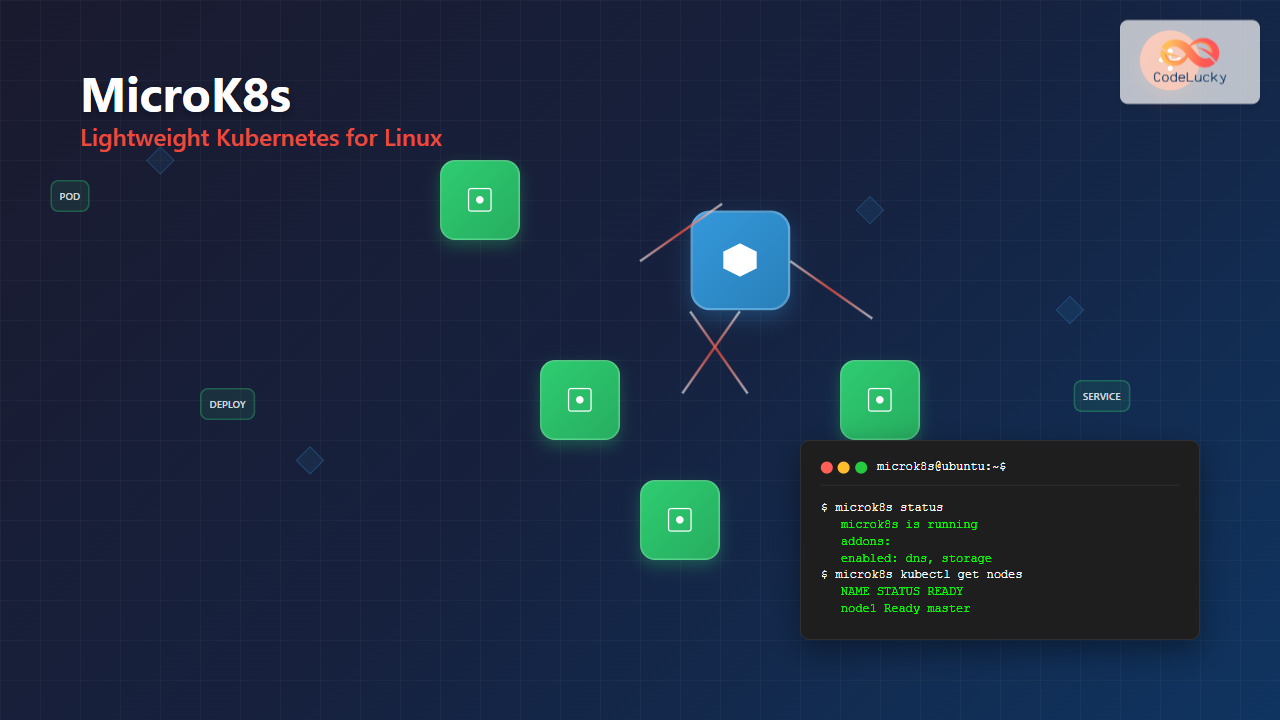
MicroK8s is Canonical’s lightweight, single-package Kubernetes distribution designed for developers, IoT, and edge computing environments. Unlike traditional Kubernetes installations that require complex multi-node setups, MicroK8s provides a fully functional Kubernetes cluster that runs locally on a single machine, making it perfect for development, testing, and learning purposes.
What is MicroK8s?
MicroK8s is a production-grade Kubernetes distribution that packages all Kubernetes components into a single snap package. It’s designed to be:
- Lightweight: Minimal resource footprint compared to full Kubernetes distributions
- Fast: Quick installation and startup times
- Secure: Automatic updates and security patches through snap packaging
- Self-healing: Built-in resilience and automatic recovery mechanisms
- Upstream pure: Uses vanilla Kubernetes without modifications
System Requirements
Before installing MicroK8s, ensure your Linux system meets these minimum requirements:
Minimum Requirements:
- Ubuntu 16.04 LTS or later (or any snap-compatible Linux distribution)
- 4GB RAM (8GB recommended for production workloads)
- 2 CPU cores (4 cores recommended)
- 20GB disk space
- Internet connectivity for initial setup
Installing MicroK8s on Linux
Installation via Snap Package
The easiest way to install MicroK8s is through the snap package manager:
# Install MicroK8s from the stable channel
sudo snap install microk8s --classic

# Check installation status
sudo snap list microk8sName Version Rev Tracking Publisher Notes microk8s v1.28.1 5438 latest canonical✓ classic
Adding User to MicroK8s Group
To avoid using sudo with every MicroK8s command, add your user to the microk8s group:
# Add current user to microk8s group
sudo usermod -a -G microk8s $USER

# Create .kube directory
mkdir -p ~/.kube

# Change group ownership
sudo chown -R $USER ~/.kube

# Reload group membership (or logout/login)
newgrp microk8s
Essential MicroK8s Commands
Cluster Management Commands
Starting and Stopping MicroK8s
# Start MicroK8s
microk8s start

# Stop MicroK8s
microk8s stop

# Check cluster status
microk8s status --wait-readymicrok8s is running
high-availability: no
datastore master nodes: 127.0.0.1:19001
datastore standby nodes: none
addons:
enabled:
ha-cluster # (core) Configure high availability on the current node
disabled:
ambassador # (community) Ambassador API Gateway and Ingress
dashboard # (core) The Kubernetes dashboard
dns # (core) CoreDNS
registry # (core) Private image registry exposed on localhost:32000
Viewing Cluster Information
# Get cluster info
microk8s kubectl cluster-info

# Check node status
microk8s kubectl get nodes

# View all pods across namespaces
microk8s kubectl get pods --all-namespaces
Add-on Management
MicroK8s includes numerous add-ons that can be enabled or disabled as needed:
# List available add-ons
microk8s status

# Enable DNS add-on (essential for most applications)
microk8s enable dns

# Enable dashboard for web UI
microk8s enable dashboard

# Enable storage for persistent volumes
microk8s enable storage

# Enable ingress controller
microk8s enable ingress

# Disable an add-on
microk8s disable dashboard
Working with kubectl
MicroK8s includes its own kubectl binary. You can either use it directly or configure your system kubectl:
# Use MicroK8s kubectl directly
microk8s kubectl get pods

# Export kubeconfig for use with system kubectl
microk8s config > ~/.kube/config

# Now you can use system kubectl
kubectl get nodes
Practical Examples and Use Cases
Example 1: Deploying a Simple Web Application
Let’s deploy an nginx web server to demonstrate MicroK8s functionality:
# Create a deployment
microk8s kubectl create deployment nginx --image=nginx

# Expose the deployment as a service
microk8s kubectl expose deployment nginx --port=80 --type=NodePort

# Check the deployment status
microk8s kubectl get deployments
microk8s kubectl get servicesNAME TYPE CLUSTER-IP EXTERNAL-IP PORT(S) AGE nginx NodePort 10.152.183.123 <none> 80:32750/TCP 1m
Access your nginx application using the node port (32750 in this example):
# Get the service URL
microk8s kubectl get service nginx
curl http://localhost:32750
Example 2: Creating a Multi-Container Pod
Create a YAML file for a multi-container pod:
# Create multi-container-pod.yaml
cat <<EOF > multi-container-pod.yaml
apiVersion: v1
kind: Pod
metadata:
  name: multi-container-pod
  labels:
    app: multi-container-example
spec:
  containers:
  - name: web-server
    image: nginx:alpine
    ports:
    - containerPort: 80
  - name: sidecar
    image: busybox
    command: ['sh', '-c', 'while true; do echo "Sidecar running: $(date)"; sleep 30; done']
EOF

# Apply the configuration
microk8s kubectl apply -f multi-container-pod.yaml

# Check pod status
microk8s kubectl get pods
microk8s kubectl describe pod multi-container-pod
Example 3: Working with Persistent Storage
Enable storage add-on and create a persistent volume claim:
# Enable storage add-on
microk8s enable storage

# Create a PVC YAML file
cat <<EOF > pvc-example.yaml
apiVersion: v1
kind: PersistentVolumeClaim
metadata:
  name: myclaim
spec:
  accessModes:
    - ReadWriteOnce
  resources:
    requests:
      storage: 1Gi
EOF

# Apply the PVC
microk8s kubectl apply -f pvc-example.yaml

# Check PVC status
microk8s kubectl get pvc
Advanced Configuration and Management
High Availability Setup
For production environments, you can set up a high-availability MicroK8s cluster:
# On the first node (master)
microk8s add-node

# This will generate a join command like:
# microk8s join 192.168.1.100:25000/92b2db237428470dc4fcfc4ebbd9dc81/2c0cb3284b05

# Run the join command on additional nodes
# microk8s join 192.168.1.100:25000/92b2db237428470dc4fcfc4ebbd9dc81/2c0cb3284b05

# Enable high availability
microk8s enable ha-cluster
Custom Registry Configuration
Enable and configure a private registry:
# Enable registry add-on
microk8s enable registry

# Tag and push an image to local registry
docker tag nginx localhost:32000/nginx
docker push localhost:32000/nginx

# Use the local image in deployments
microk8s kubectl create deployment local-nginx --image=localhost:32000/nginx
Resource Monitoring and Troubleshooting
Monitor your MicroK8s cluster resources and troubleshoot issues:
# Check resource usage
microk8s kubectl top nodes
microk8s kubectl top pods

# View system logs
microk8s kubectl logs -n kube-system <pod-name>

# Inspect cluster events
microk8s kubectl get events --sort-by=.metadata.creationTimestamp

# Debug node issues
microk8s inspect
🔧 Troubleshooting Tips:
- DNS Issues: Always enable DNS add-on for proper service discovery
- Storage Problems: Enable storage add-on before creating PVCs
- Network Connectivity: Check firewall settings if services aren’t accessible
- Resource Constraints: Monitor CPU and memory usage with
microk8s kubectl top
Configuration Files and Customization
Configuring MicroK8s Settings
MicroK8s stores its configuration in specific directories:
# Main configuration directory
ls /var/snap/microk8s/current/

# Certificates location
ls /var/snap/microk8s/current/certs/

# Add-ons directory
ls /snap/microk8s/current/actions/
Custom Add-on Installation
You can install custom add-ons or modify existing ones:
# View available add-ons
microk8s status

# Install Helm for package management
microk8s enable helm3

# Use Helm to install applications
microk8s helm3 repo add stable https://charts.helm.sh/stable
microk8s helm3 install my-release stable/mysql
Performance Optimization and Best Practices
Resource Limits and Requests
Always set resource limits for production workloads:
cat <<EOF > resource-limited-pod.yaml
apiVersion: v1
kind: Pod
metadata:
  name: resource-limited-pod
spec:
  containers:
  - name: app
    image: nginx
    resources:
      requests:
        memory: "128Mi"
        cpu: "100m"
      limits:
        memory: "256Mi"
        cpu: "200m"
EOF

microk8s kubectl apply -f resource-limited-pod.yaml
Security Considerations
Implement security best practices:
# Enable RBAC (Role-Based Access Control)
microk8s enable rbac

# Create a service account
microk8s kubectl create serviceaccount myapp-sa

# Create a role and bind it
cat <<EOF > rbac-config.yaml
apiVersion: rbac.authorization.k8s.io/v1
kind: Role
metadata:
  name: pod-reader
rules:
- apiGroups: [""]
  resources: ["pods"]
  verbs: ["get", "watch", "list"]
---
apiVersion: rbac.authorization.k8s.io/v1
kind: RoleBinding
metadata:
  name: read-pods
subjects:
- kind: ServiceAccount
  name: myapp-sa
roleRef:
  kind: Role
  name: pod-reader
  apiGroup: rbac.authorization.k8s.io
EOF

microk8s kubectl apply -f rbac-config.yaml
Migration and Backup Strategies
Backup MicroK8s Configuration
# Backup the entire MicroK8s snap
sudo snap save microk8s

# Export cluster configuration
microk8s config > microk8s-backup.yaml

# Backup application manifests
microk8s kubectl get all --all-namespaces -o yaml > cluster-backup.yaml
Upgrading MicroK8s
# Check current version
microk8s version

# Refresh to latest stable
sudo snap refresh microk8s

# Upgrade to specific channel
sudo snap refresh microk8s --channel=1.28/stable
Conclusion
MicroK8s provides an excellent entry point into the Kubernetes ecosystem while maintaining the power and flexibility of a full Kubernetes distribution. Its lightweight nature, combined with Canonical’s enterprise support, makes it ideal for development environments, edge computing, and small-scale production deployments.
The key advantages of MicroK8s include rapid deployment, minimal resource requirements, automatic updates, and a rich ecosystem of add-ons. Whether you’re learning Kubernetes concepts, developing cloud-native applications, or running production workloads on resource-constrained environments, MicroK8s offers a robust and user-friendly solution.
As you continue your Kubernetes journey with MicroK8s, remember to follow best practices for security, resource management, and monitoring to ensure optimal performance and reliability of your containerized applications.
Related Posts

Kubernetes Linux: Complete Guide to Container Orchestration Platform
Kubernetes has revolutionized how we deploy, manage, and scale containerized applications on Linux systems. As the leading container orchestration platform,...

k3s Linux: Complete Guide to Lightweight Kubernetes for Edge Computing
k3s is a highly available, certified Kubernetes distribution designed for production workloads in unattended, resource-constrained, remote locations or inside IoT...

kind Linux: Complete Guide to Running Kubernetes in Docker Containers
What is kind (Kubernetes in Docker)? kind (Kubernetes in Docker) is a powerful tool designed for running local Kubernetes clusters...
Minikube Linux: Complete Guide to Local Kubernetes Development
Minikube has revolutionized local Kubernetes development by providing developers with a lightweight, single-node Kubernetes cluster that runs directly on their...

OpenShift Linux: Complete Guide to Enterprise Kubernetes Platform Management
OpenShift represents Red Hat's enterprise-grade Kubernetes platform that revolutionizes how organizations deploy, manage, and scale containerized applications on Linux systems....
Container Operating Systems: Complete Guide to Docker and Kubernetes Platforms
Container operating systems have revolutionized how we deploy, manage, and scale applications in modern computing environments. Unlike traditional operating systems...
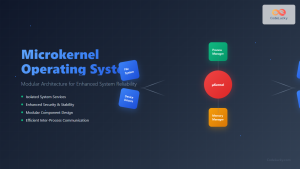
Microkernel Operating System: Modular Architecture for Enhanced System Reliability
What is a Microkernel Operating System? A microkernel operating system represents a minimalist approach to kernel design where only the...

kubectl Command Linux: Kubernetes Management Made Simple
The kubectl command is the primary command-line interface for interacting with Kubernetes clusters. This powerful tool allows administrators and developers...
Rancher Linux: Complete Container Management Platform for DevOps Teams
Rancher Linux revolutionizes container management by providing a comprehensive platform that simplifies Kubernetes orchestration, multi-cloud deployments, and enterprise-grade container operations....
docker Linux: Complete Container Platform Guide for Developers
Docker has revolutionized software development and deployment by introducing lightweight containerization technology. As a platform that enables developers to package...

CRI-O Linux: Complete Guide to Lightweight Container Runtime for Kubernetes
CRI-O (Container Runtime Interface - Open Container Initiative) is a lightweight, OCI-compliant container runtime specifically designed for Kubernetes. Unlike Docker,...
containerd Linux: Complete Guide to Industry-Standard Container Runtime
Containerd has emerged as the industry-standard container runtime, serving as the foundation for modern containerization platforms like Docker and Kubernetes....