Understanding the Max Value of Integer in Java
In Java programming, the int data type is one of the most commonly used primitive types for storing whole numbers. Knowing its maximum value is essential for programming scenarios where limits matter, such as validations, overflow checks, and resource management. This article dives deep into the concept of the max value of integers in Java, providing clear explanations, practical examples, and helpful visual aids.
What is the Integer Data Type in Java?
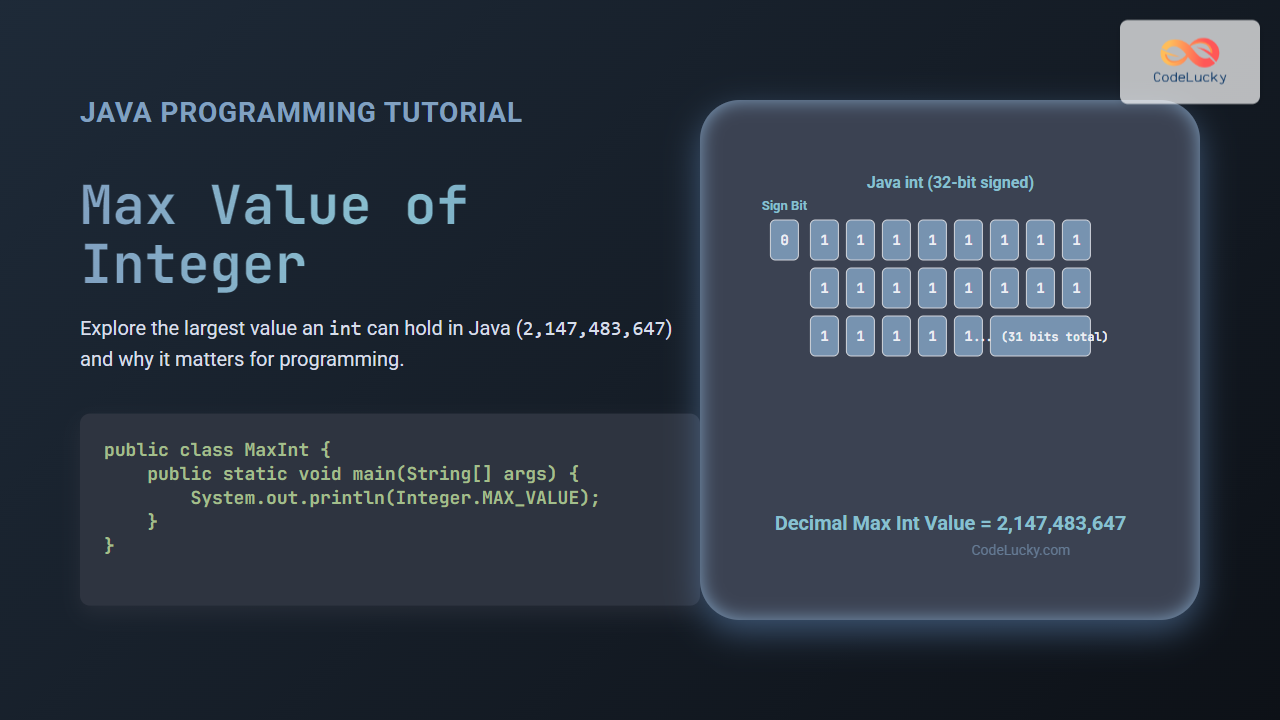
The int stands for an integer, representing a 32-bit signed two’s complement integer. It can hold both negative and positive values, including zero. The size and nature of this type result in fixed minimum and maximum value boundaries.
Maximum Value of int in Java
In Java, the Integer.MAX_VALUE constant represents the largest value an int can hold, which is:
2147483647This value is derived from the fact that int is a 32-bit signed number. One bit is reserved for the sign (positive/negative), and the remaining 31 bits are used to store the magnitude of the number.
Integer Range Explained
The range of an int in Java:
- Minimum value:
Integer.MIN_VALUE= -2,147,483,648 - Maximum value:
Integer.MAX_VALUE= 2,147,483,647
The range is calculated as -2^(31) to 2^(31)-1, due to the sign bit.
Why Is Knowing Max Integer Value Important?
Understanding the max value of integers helps in several practical coding scenarios:
- Preventing
intoverflow errors in arithmetic operations - Designing algorithms that require boundary checks
- Choosing the right data type for variables
- Debugging unexpected behaviors caused by exceeding limits
Example: Using Integer.MAX_VALUE in Code
Here is a simple Java example demonstrating how to access and print the max value of an integer:
public class MaxIntExample {
    public static void main(String[] args) {
        int maxInt = Integer.MAX_VALUE;
        System.out.println("Maximum value of int: " + maxInt);
    }
}
Output:
Maximum value of int: 2147483647Overflow Example: When int Exceeds Maximum
If you add 1 to the maximum int value, it causes an overflow and wraps around to the minimum negative value. See this example:
public class OverflowExample {
    public static void main(String[] args) {
        int maxInt = Integer.MAX_VALUE;
        int overflowed = maxInt + 1;
        System.out.println("Max int: " + maxInt);
        System.out.println("Max int + 1 (overflow): " + overflowed);
    }
}
Output:
Max int: 2147483647
Max int + 1 (overflow): -2147483648
Interactive Example: Check If Number Exceeds Max int
Here is a simple interactive console-like snippet (conceptual) to verify if a given number exceeds Integer.MAX_VALUE:
import java.util.Scanner;

public class CheckMaxInt {
    public static void main(String[] args) {
        Scanner sc = new Scanner(System.in);
        System.out.print("Enter a number: ");
        long input = sc.nextLong();

        if (input > Integer.MAX_VALUE) {
            System.out.println("The number exceeds Integer.MAX_VALUE (" + Integer.MAX_VALUE + ")");
        } else {
            System.out.println("The number is within the int range.");
        }
        sc.close();
    }
}
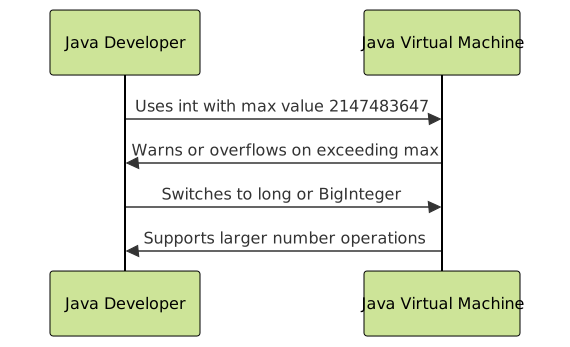
Alternatives When Integer Limit is Not Enough
When your application requires numbers larger than Integer.MAX_VALUE, consider these alternatives:
long: 64-bit signed integer with max valueLong.MAX_VALUE(~9.22 quintillion)BigInteger: A class injava.mathpackage allowing arbitrarily large integers without fixed limits
Summary of Integer Limits in Java
| Data Type | Bit Size | Minimum Value | Maximum Value |
|---|---|---|---|
| int | 32 bits | -2,147,483,648 | 2,147,483,647 |
| long | 64 bits | -9,223,372,036,854,775,808 | 9,223,372,036,854,775,807 |
Conclusion
The int maximum value in Java is a fixed boundary defined by the 32-bit signed integer range. Understanding and leveraging Integer.MAX_VALUE is vital for writing robust, error-free Java applications. For values beyond this limit, Java’s long or BigInteger classes provide powerful alternatives to handle larger numbers efficiently.
Use the provided code examples and diagrams as references to fully grasp integer limitations and overflow behavior in Java.