
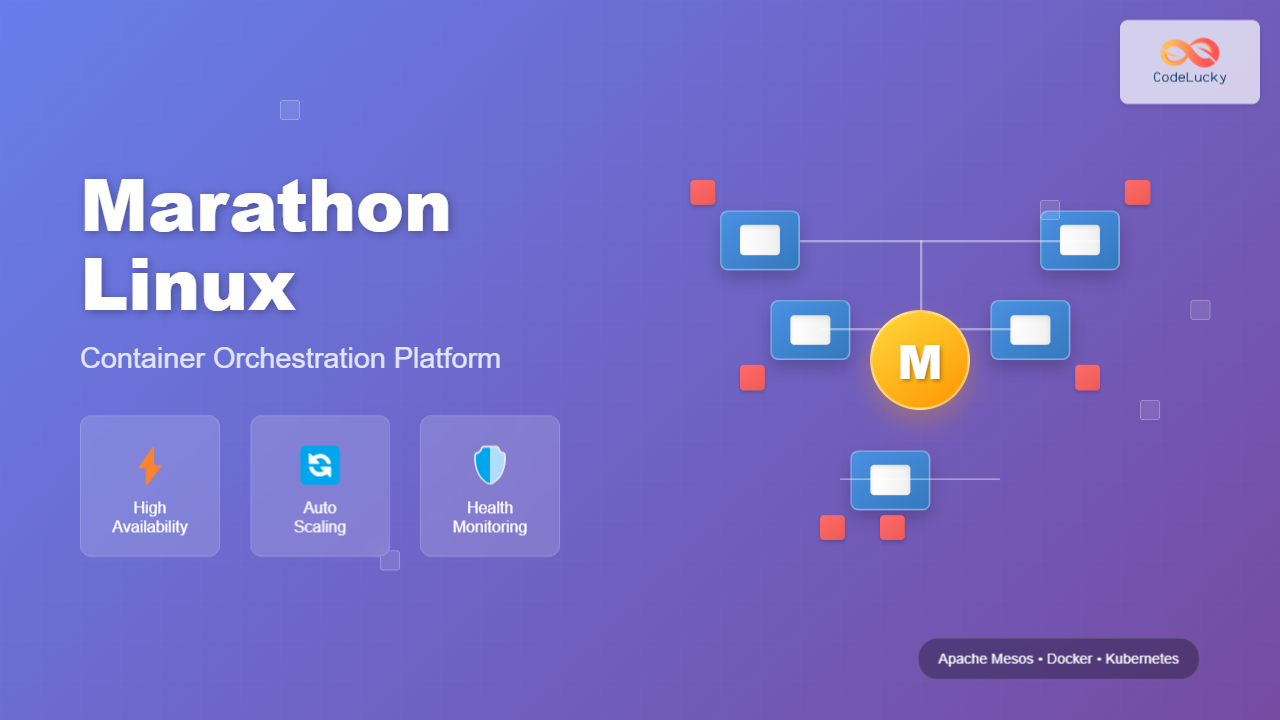
Marathon is a powerful container orchestration platform built on top of Apache Mesos that enables you to deploy, manage, and scale containerized applications across a cluster of machines. As part of the Mesosphere DC/OS ecosystem, Marathon provides high availability, service discovery, and health monitoring capabilities that make it an excellent choice for production environments.
What is Marathon Linux?
Marathon serves as a Platform-as-a-Service (PaaS) framework that runs on Apache Mesos, providing a robust foundation for deploying and managing long-running applications. It acts as an init system for the entire datacenter, ensuring your applications remain running and healthy across multiple nodes.
Key Features of Marathon
- High Availability: Automatically restarts failed applications and redistributes workloads
- Service Discovery: Built-in DNS and load balancing capabilities
- Health Checks: TCP, HTTP, and command-based health monitoring
- Rolling Deployments: Zero-downtime application updates
- Constraint-based Scheduling: Intelligent placement of applications based on resources and requirements
- REST API: Complete programmatic control over application lifecycle
Installing Marathon on Linux
Before installing Marathon, you need to have Apache Mesos and ZooKeeper running on your system. Here’s a step-by-step installation guide:
Prerequisites Installation
# Update system packages
sudo apt-get update && sudo apt-get upgrade -y

# Install Java 8 (required for Mesos and Marathon)
sudo apt-get install openjdk-8-jdk -y

# Install ZooKeeper
sudo apt-get install zookeeperd -y

# Start ZooKeeper service
sudo systemctl start zookeeper
sudo systemctl enable zookeeper
Installing Apache Mesos
# Add Mesosphere repository
sudo apt-key adv --keyserver hkp://keyserver.ubuntu.com:80 --recv E56151BF
echo "deb http://repos.mesosphere.com/ubuntu xenial main" | sudo tee /etc/apt/sources.list.d/mesosphere.list

# Update package list and install Mesos
sudo apt-get update
sudo apt-get install mesos -y

# Configure Mesos master
echo "1" | sudo tee /etc/mesos-master/quorum
echo "zk://localhost:2181/mesos" | sudo tee /etc/mesos/zk

# Start Mesos services
sudo systemctl start mesos-master
sudo systemctl start mesos-slave
sudo systemctl enable mesos-master
sudo systemctl enable mesos-slave
Installing Marathon
# Install Marathon
sudo apt-get install marathon -y

# Configure Marathon
echo "zk://localhost:2181/mesos" | sudo tee /etc/marathon/conf/master
echo "zk://localhost:2181/marathon" | sudo tee /etc/marathon/conf/zk

# Start Marathon service
sudo systemctl start marathon
sudo systemctl enable marathon
Marathon Configuration Files
Marathon uses configuration files located in /etc/marathon/conf/ directory. Here are the essential configuration options:
Basic Configuration
# /etc/marathon/conf/hostname
echo "$(hostname -f)" | sudo tee /etc/marathon/conf/hostname

# /etc/marathon/conf/http_port
echo "8080" | sudo tee /etc/marathon/conf/http_port

# /etc/marathon/conf/zk_timeout
echo "10000" | sudo tee /etc/marathon/conf/zk_timeout

# /etc/marathon/conf/task_launch_timeout
echo "300000" | sudo tee /etc/marathon/conf/task_launch_timeout
Advanced Configuration Options
# Enable authentication
echo "true" | sudo tee /etc/marathon/conf/http_credentials

# Set logging level
echo "INFO" | sudo tee /etc/marathon/conf/logging_level

# Configure event subscribers
echo "http_callback" | sudo tee /etc/marathon/conf/event_subscriber
Creating and Managing Applications
Marathon applications are defined using JSON configuration files. Here’s how to create and deploy your first application:
Simple Web Application Example
# Create application definition file
cat > simple-web-app.json << 'EOF'
{
  "id": "/web-server",
  "cmd": "python3 -m http.server 8000",
  "cpus": 0.5,
  "mem": 128,
  "instances": 2,
  "ports": [8000],
  "healthChecks": [{
    "protocol": "HTTP",
    "port": 8000,
    "path": "/",
    "intervalSeconds": 30,
    "timeoutSeconds": 10,
    "maxConsecutiveFailures": 3
  }]
}
EOF

# Deploy the application
curl -X POST http://localhost:8080/v2/apps \
  -H "Content-Type: application/json" \
  -d @simple-web-app.json
Docker Container Application
# Create Docker application definition
cat > docker-app.json << 'EOF'
{
  "id": "/nginx-app",
  "instances": 3,
  "cpus": 0.5,
  "mem": 256,
  "container": {
    "type": "DOCKER",
    "docker": {
      "image": "nginx:alpine",
      "network": "BRIDGE",
      "portMappings": [
        {
          "containerPort": 80,
          "hostPort": 0,
          "protocol": "tcp"
        }
      ]
    }
  },
  "healthChecks": [{
    "protocol": "HTTP",
    "port": 80,
    "path": "/",
    "intervalSeconds": 30,
    "timeoutSeconds": 10,
    "maxConsecutiveFailures": 3
  }],
  "labels": {
    "HAPROXY_GROUP": "external",
    "HAPROXY_0_VHOST": "nginx.marathon.localhost"
  }
}
EOF

# Deploy Docker application
curl -X POST http://localhost:8080/v2/apps \
  -H "Content-Type: application/json" \
  -d @docker-app.json
Marathon CLI Commands
Marathon provides a comprehensive REST API that can be accessed via curl commands. Here are the most commonly used operations:
Application Management Commands
# List all applications
curl -X GET http://localhost:8080/v2/apps

# Get specific application details
curl -X GET http://localhost:8080/v2/apps/web-server

# Scale application instances
curl -X PUT http://localhost:8080/v2/apps/web-server \
  -H "Content-Type: application/json" \
  -d '{"instances": 5}'

# Update application configuration
curl -X PUT http://localhost:8080/v2/apps/web-server \
  -H "Content-Type: application/json" \
  -d '{"mem": 256, "cpus": 1.0}'

# Delete application
curl -X DELETE http://localhost:8080/v2/apps/web-server
Task and Deployment Management
# List all tasks
curl -X GET http://localhost:8080/v2/tasks

# Get deployment status
curl -X GET http://localhost:8080/v2/deployments

# Cancel deployment
curl -X DELETE http://localhost:8080/v2/deployments/{deployment-id}

# Restart application
curl -X POST http://localhost:8080/v2/apps/web-server/restart
Health Checks and Monitoring
Marathon provides robust health checking mechanisms to ensure your applications remain healthy:
HTTP Health Check Example
{
  "id": "/health-check-app",
  "cmd": "python3 -m http.server 8080",
  "cpus": 0.5,
  "mem": 128,
  "instances": 2,
  "ports": [8080],
  "healthChecks": [{
    "protocol": "HTTP",
    "port": 8080,
    "path": "/health",
    "intervalSeconds": 15,
    "timeoutSeconds": 5,
    "maxConsecutiveFailures": 3,
    "gracePeriodSeconds": 120,
    "delaySeconds": 15
  }]
}
TCP Health Check Example
{
  "id": "/tcp-health-app",
  "cmd": "nc -l -p 9999",
  "cpus": 0.1,
  "mem": 64,
  "instances": 1,
  "ports": [9999],
  "healthChecks": [{
    "protocol": "TCP",
    "port": 9999,
    "intervalSeconds": 20,
    "timeoutSeconds": 10,
    "maxConsecutiveFailures": 3
  }]
}
Command-based Health Check
{
  "id": "/command-health-app",
  "cmd": "sleep 600",
  "cpus": 0.1,
  "mem": 64,
  "instances": 1,
  "healthChecks": [{
    "protocol": "COMMAND",
    "command": {
      "value": "curl -f -X GET http://localhost:8080/health"
    },
    "intervalSeconds": 30,
    "timeoutSeconds": 15,
    "maxConsecutiveFailures": 3
  }]
}
Advanced Marathon Features
Application Groups
Marathon supports organizing applications into groups for better management:
{
  "id": "/web-stack",
  "groups": [
    {
      "id": "/web-stack/frontend",
      "apps": [
        {
          "id": "/web-stack/frontend/nginx",
          "instances": 2,
          "cpus": 0.5,
          "mem": 256,
          "container": {
            "type": "DOCKER",
            "docker": {
              "image": "nginx:alpine",
              "network": "BRIDGE",
              "portMappings": [
                {
                  "containerPort": 80,
                  "hostPort": 0
                }
              ]
            }
          }
        }
      ]
    },
    {
      "id": "/web-stack/backend",
      "apps": [
        {
          "id": "/web-stack/backend/api",
          "instances": 3,
          "cpus": 1.0,
          "mem": 512,
          "cmd": "python3 app.py"
        }
      ]
    }
  ]
}
Application Dependencies
{
  "id": "/database-app",
  "instances": 1,
  "cpus": 1.0,
  "mem": 1024,
  "container": {
    "type": "DOCKER",
    "docker": {
      "image": "mysql:8.0",
      "network": "BRIDGE"
    }
  },
  "dependencies": ["/web-stack/backend/api"],
  "env": {
    "MYSQL_ROOT_PASSWORD": "secret123",
    "MYSQL_DATABASE": "myapp"
  }
}
Service Discovery and Load Balancing
Marathon integrates with various service discovery mechanisms:
Marathon-LB Integration
# Install Marathon-LB
sudo apt-get install marathon-lb -y

# Configure application for load balancing
{
  "id": "/load-balanced-app",
  "instances": 3,
  "cpus": 0.5,
  "mem": 256,
  "container": {
    "type": "DOCKER",
    "docker": {
      "image": "nginx:alpine",
      "network": "BRIDGE",
      "portMappings": [
        {
          "containerPort": 80,
          "hostPort": 0,
          "servicePort": 10001
        }
      ]
    }
  },
  "labels": {
    "HAPROXY_GROUP": "external",
    "HAPROXY_0_VHOST": "myapp.example.com",
    "HAPROXY_0_REDIRECT_TO_HTTPS": "true"
  }
}
Debugging and Troubleshooting
Common Marathon Commands for Debugging
# Check Marathon logs
sudo journalctl -u marathon -f

# View application logs
curl -X GET http://localhost:8080/v2/apps/web-server/tasks

# Get task details
curl -X GET http://localhost:8080/v2/apps/web-server/tasks/{task-id}

# Check Mesos master status
curl -X GET http://localhost:5050/master/state

# View cluster resources
curl -X GET http://localhost:8080/v2/info
Performance Monitoring
# Get application metrics
curl -X GET http://localhost:8080/metrics

# Check queue status
curl -X GET http://localhost:8080/v2/queue

# Monitor event stream
curl -X GET http://localhost:8080/v2/events
Best Practices for Marathon
Resource Management
- Always set CPU and memory limits: Prevent resource starvation
- Use health checks: Ensure application reliability
- Implement graceful shutdowns: Handle SIGTERM signals properly
- Monitor resource usage: Regular capacity planning
Security Considerations
# Enable SSL for Marathon API
echo "--ssl_keystore_path /path/to/keystore.jks" | sudo tee -a /etc/marathon/conf/ssl_keystore_path
echo "--ssl_keystore_password secret" | sudo tee -a /etc/marathon/conf/ssl_keystore_password

# Configure authentication
echo "--http_credentials user:password" | sudo tee -a /etc/marathon/conf/http_credentials
Scaling and High Availability
Multi-Master Setup
# Configure multiple Marathon instances
# On each Marathon master node:
echo "zk://node1:2181,node2:2181,node3:2181/marathon" | sudo tee /etc/marathon/conf/zk

# Set unique hostname for each node
echo "marathon-master-1.example.com" | sudo tee /etc/marathon/conf/hostname
Backup and Recovery
# Backup Marathon state from ZooKeeper
zkCli.sh -server localhost:2181 << 'EOF'
ls /marathon
get /marathon/state
quit
EOF

# Export application definitions
curl -X GET http://localhost:8080/v2/apps > marathon-apps-backup.json
Conclusion
Marathon Linux provides a robust container orchestration platform that excels in managing long-running applications across distributed systems. Its integration with Apache Mesos offers excellent resource utilization and fault tolerance capabilities. By following the examples and best practices outlined in this guide, you can successfully deploy and manage containerized applications at scale.
The platform’s REST API, health checking mechanisms, and service discovery features make it an excellent choice for production environments requiring high availability and automatic failover capabilities. Whether you’re running simple web applications or complex microservices architectures, Marathon provides the tools and flexibility needed for effective container orchestration.
Related Posts

Kubernetes Linux: Complete Guide to Container Orchestration Platform
Kubernetes has revolutionized how we deploy, manage, and scale containerized applications on Linux systems. As the leading container orchestration platform,...
mesos Linux: Complete Guide to Distributed Systems Kernel and Cluster Management
Apache Mesos is a powerful distributed systems kernel that abstracts CPU, memory, storage, and other compute resources across machines, enabling...
nomad Linux: Complete Guide to HashiCorp’s Workload Orchestrator
What is HashiCorp Nomad? HashiCorp Nomad is a simple yet powerful workload orchestrator that enables organizations to deploy and manage...
Container Operating Systems: Complete Guide to Docker and Kubernetes Platforms
Container operating systems have revolutionized how we deploy, manage, and scale applications in modern computing environments. Unlike traditional operating systems...
Cloud Operating System: Complete Guide to Virtualized Infrastructure Management
Cloud Operating Systems represent a paradigm shift in how we manage and orchestrate computing resources across distributed environments. Unlike traditional...

OpenShift Linux: Complete Guide to Enterprise Kubernetes Platform Management
OpenShift represents Red Hat's enterprise-grade Kubernetes platform that revolutionizes how organizations deploy, manage, and scale containerized applications on Linux systems....

kind Linux: Complete Guide to Running Kubernetes in Docker Containers
What is kind (Kubernetes in Docker)? kind (Kubernetes in Docker) is a powerful tool designed for running local Kubernetes clusters...
containerd Linux: Complete Guide to Industry-Standard Container Runtime
Containerd has emerged as the industry-standard container runtime, serving as the foundation for modern containerization platforms like Docker and Kubernetes....
Hyperic Linux: Complete Guide to Application Performance Monitoring and System Optimization
Hyperic is a powerful open-source application performance monitoring (APM) platform that provides comprehensive insights into your Linux systems and applications....
heartbeat Linux: Complete Guide to System Uptime Monitoring and High Availability
The heartbeat service in Linux is a critical component for maintaining high availability and monitoring system uptime. Originally developed as...

Zookeeper Linux: Complete Guide to Centralized Service Configuration Management
Apache Zookeeper is a centralized service for maintaining configuration information, naming, providing distributed synchronization, and providing group services in distributed...

Consul Linux: Complete Guide to Service Mesh and Service Discovery
Consul is a powerful service mesh and service discovery tool developed by HashiCorp that enables organizations to connect, secure, and...





