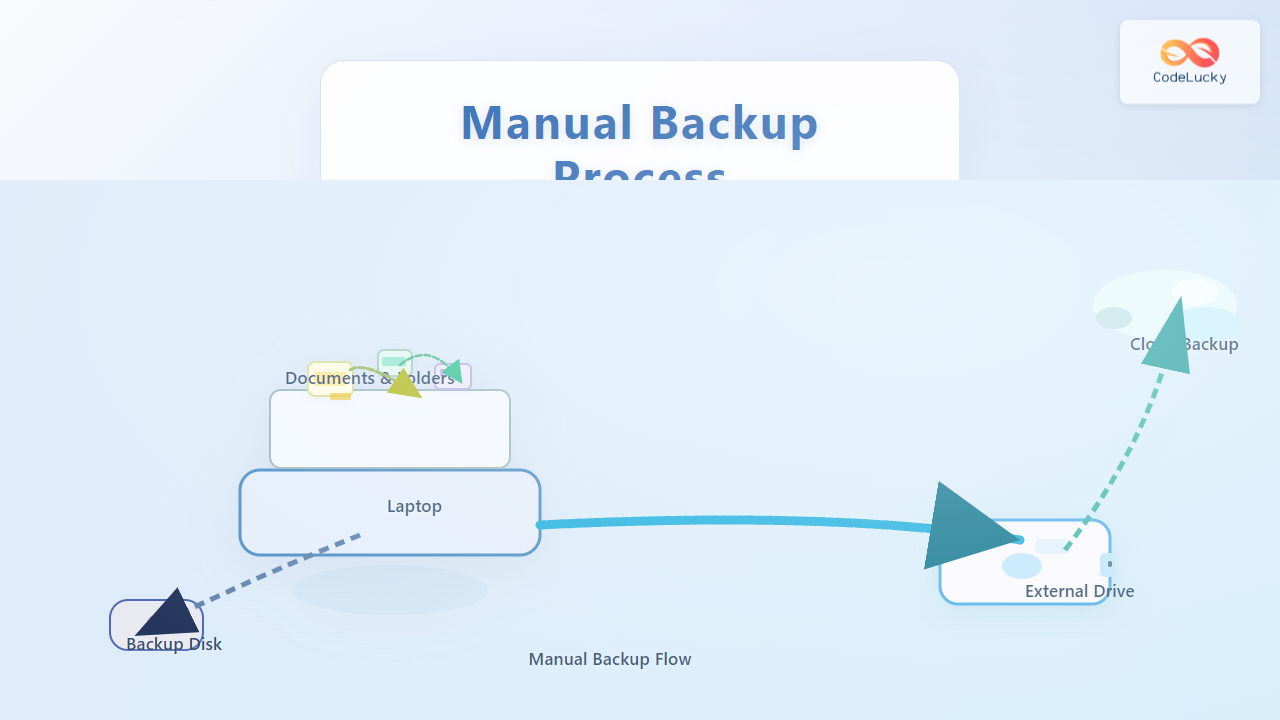
Protecting your critical data does not have to be complicated—master the art of manual backup with this hands-on, interactive guide, tailored to empower developers, sysadmins, and everyday users alike.
Why Manual Backups Matter
Automated backup solutions are powerful, but nothing replaces the hands-on assurance of a manual backup process. Manual backups guarantee you have full control over what gets backed up, when it happens, and how data is securely stored. This guide walks you through essential strategies to implement robust backups without third-party apps.
What to Back Up: Data Selection Strategies
- Website Files: HTML, CSS, JS, PHP, images, and static resources.
- Databases: MySQL, PostgreSQL, MongoDB, or SQLite data stores.
- Configuration Files:
.env,config.php, or application/yaml/json files. - Personal Documents: Critical spreadsheets, presentations, text documents.
- Email & Contacts: Exported mailbox files or address books.
Backup Process Overview
Step 1: Identify Critical Data
Start by making a list of all folders and database assets that matter—use the following interactive HTML checklist to structure your plan.
Step 2: Copying Website & Project Files
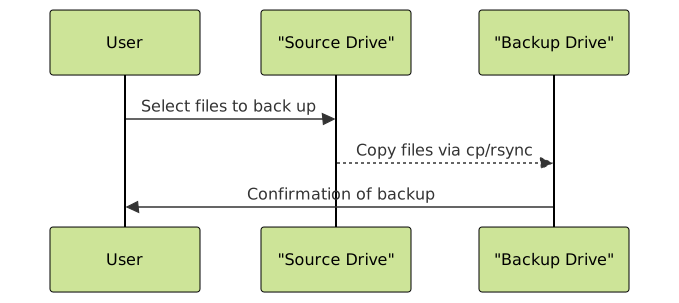
Use the cp or rsync command to copy files to your backup location. Here are command-line examples:
# Copy all website files to a backup drive
cp -a /var/www/your-site /mnt/backup/your-site-$(date +%Y%m%d)

# More efficient with rsync (preserves permissions, skips unchanged files)
rsync -a /var/www/your-site/ /mnt/backup/your-site-$(date +%Y%m%d)/
Visual: File Copy Process
Step 3: Exporting Databases
Backup your critical databases before copying their raw files. Use DBMS tools like mysqldump or pg_dump for a consistent data snapshot.
# MySQL/MariaDB
mysqldump -u root -p yourdatabase > /mnt/backup/yourdatabase-$(date +%Y%m%d).sql

# PostgreSQL
pg_dump -U postgres -F c yourdatabase > /mnt/backup/yourdatabase-$(date +%Y%m%d).dump
HTML Example: Database Export Reminder
Step 4: Verify the Backup Integrity
Never assume a backup copy is perfect. Perform these actions for assurance:
- Check file counts:
ls -laR /backup/dir | wc -lmatches source - Compare checksums:
md5sum file-a file-b(should match) - Test DB restore: Load your backup into a test database and check for errors.
- Review error logs: Review any warnings shown by cp/rsync or DB tools.
Visual: Verification Workflow

Step 5: Store Backups Securely
Where you store your backups matters as much as how you make them. Options include:
- External Hard Drives: For offline, air-gapped protection.
- Cloud Storage: Securely send backups to providers like AWS S3, Google Drive, etc.
- Network Attached Storage (NAS): For redundant on-prem storage.
# Example: Upload to AWS S3
aws s3 cp /mnt/backup/your-site-20250830.zip s3://yourbucket/backups/
Step 6: Document the Backup
Always record essential backup details for recovery and auditing:
| Backup Date | Data Included | Location | Checksum | Notes |
|---|---|---|---|---|
| 2025-08-30 | Website, DB, Config | External HDD | ba5f6b1a… | Tested, verified |
| 2025-08-23 | Website, DB | Cloud (AWS S3) | 9e81a0fc… | Auto Reminder Email Set |
Backup Documentation Process Visual

Tips for Reliable Manual Backups
- Set Calendar Reminders: Regularity prevents gaps.
- Rotate Backup Media: Alternate drives weekly.
- Encrypt Sensitive Backups: Use
gpgorzip -efor strong privacy. - Simulate Disaster Recovery: Regularly do practice restores to ensure everything is working.
- Update Documentation: Adjust as your infrastructure evolves.
Frequently Asked Questions
How often should I perform manual backups?
Can I automate some steps in a manual backup?
What if a backup file is corrupted?
Conclusion
Mastering the manual backup process ensures you have total control over your data’s safety. With the steps above, you can confidently perform, validate, and retain your own secure backups, minimizing risk of loss and maximizing peace of mind.