
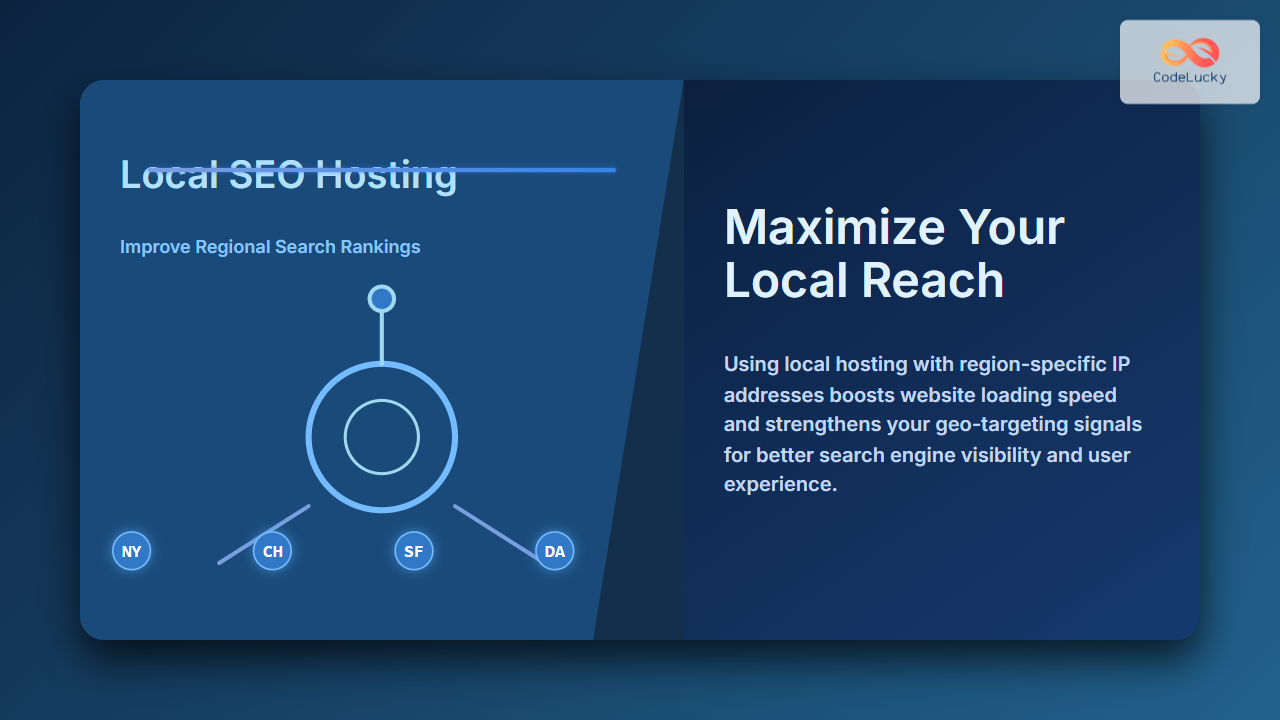
Local SEO Hosting is a pivotal strategy for businesses aiming to dominate regional search queries and draw targeted local traffic. Understanding how hosting choices impact your local search engine optimization can give your website a competitive edge in your community and marketplace. This article offers an in-depth, actionable guide to improving regional search rankings through local SEO hosting techniques.
What is Local SEO Hosting?
Local SEO hosting refers to the practice of strategically choosing web hosting services that improve your website’s performance and authority in geographic-specific search results. This can involve selecting server locations near your target market, using IP addresses from the same region, and optimizing technical hosting aspects to boost local user experience and search relevance.

Why Does Local SEO Hosting Matter?
Google and other search engines consider website loading speed and server location as key factors in ranking content for location-specific queries. A server geographically closer to your audience reduces latency, loading time, and increases the likelihood your site performs better in local searches. Additionally, hosting providers that offer local IPs can send stronger geo-signals to search engines, reinforcing your site’s association with a particular region.
Key Benefits of Local SEO Hosting
- Improved Page Speed for Local Users: Servers closer to users shorten track time, leading to faster page loads.
- Stronger Regional Geo-Targeting: Local IPs signal geographic relevance to search engines.
- Better User Experience (UX): Faster loading and localized content retention reduce bounce rates.
- Higher Trust and Credibility: Local hosting can build trust with regional visitors and search engines.
Implementing Local SEO Hosting: Step-by-Step Guide
1. Choose Hosting Providers With Local Data Centers
When selecting a hosting provider, prioritize those with data centers near or within your target geographic region. Many reputable providers offer location-specific hosting options such as city-level or country-level servers.
2. Opt for Dedicated or Local IP Addresses
Using an IP address that is associated with your target location strengthens your regional SEO signals. This helps search engines associate your site explicitly with the desired area.
3. Optimize Site Performance With CDN and Caching
Combine local hosting with a Content Delivery Network (CDN) and caching strategies for maximum speed and efficiency for users in and around your region. CDNs cache static content near the user but should complement—not replace—localized hosting.
4. Use Geo-Targeting Tools and Settings
Utilize tools such as Google Search Console’s international targeting feature to specify geographic targets clearly, paired with local hosting to reinforce the signals.
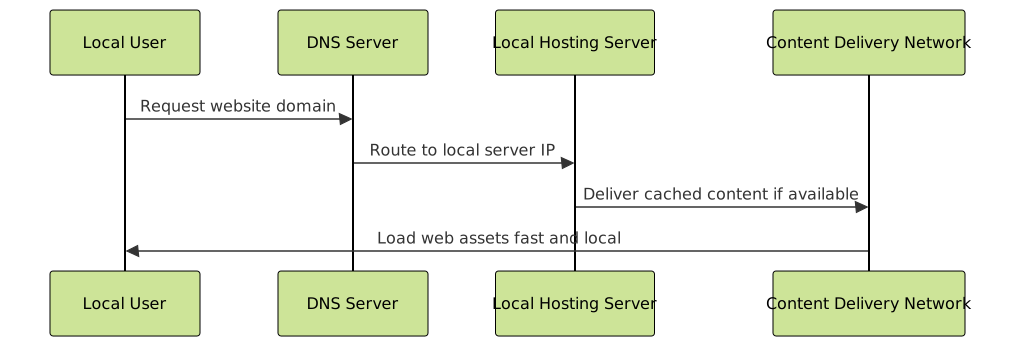
Examples Demonstrating Local SEO Hosting Impact
Example 1: Business in New York
Consider a boutique coffee shop website hosted on a server located in New York City with a local IP. Visitors from NYC see faster load times and search engines recognize the IP’s regional relevance.
Before:
- Server Location: California
- Average Load Time (NYC visitors): 3.5 seconds
- Google Ranking: #15 for "coffee shop NYC"

After:
- Server Location: New York City
- Average Load Time (NYC visitors): 1.2 seconds
- Google Ranking: #6 for "coffee shop NYC"
Example 2: Regional Law Firm
A regional law firm hosting its website on a local server in Texas with a Texas IP address combined with geo-targeting settings showed a significant increase in local search visibility, bringing in more relevant clients regionally.

Technical Tips for Integrating Local SEO Hosting
- Check Server IP Location: Use tools like IPinfo or GeoIP to verify your server’s geographic location.
- Monitor Page Speed by Region: Use Google PageSpeed Insights or GTMetrix with regional settings to track performance.
- Implement Structured Data: Use LocalBusiness schema markup to enhance local SEO beyond hosting.
- Regularly Audit Local SEO Signals: Keep an eye on NAP (Name, Address, Phone) consistency, citations, and backlinks.
Interactive Visualization: Hosting Location Impact
Below is an interactive conceptual example of how server choice affects user load time geographically. (For full interactivity, integrate with JavaScript geolocation APIs and networking checks on your site.)
// Pseudocode for user location-based load time demo:
function getUserLocation() {
  // Use browser geolocation to get user city
}

function estimateLoadTime(userCity, serverCity) {
  // Simple model: load time increases with distance
  return baseLoadTime + distance(userCity, serverCity) * latencyFactor;
}

displayLoadTimeForUser() {
  const userCity = getUserLocation();
  const serverCity = "Your Server Location";
  const loadTime = estimateLoadTime(userCity, serverCity);
  console.log(`Estimated load time for ${userCity} is ${loadTime} seconds.`);
}
Conclusion
Local SEO hosting is an essential, often overlooked factor in boosting regional search rankings. By choosing servers near your audience, using local IP addresses, and optimizing performance specifically for your geographic target, you signal relevance to search engines and users alike. Combining strong hosting strategies with complementary SEO practices yields a powerful advantage for regional digital presence.
Investing in local hosting infrastructure aligns your website’s technical foundation with your marketing goals to dominate in local searches and drive meaningful organic traffic.





