
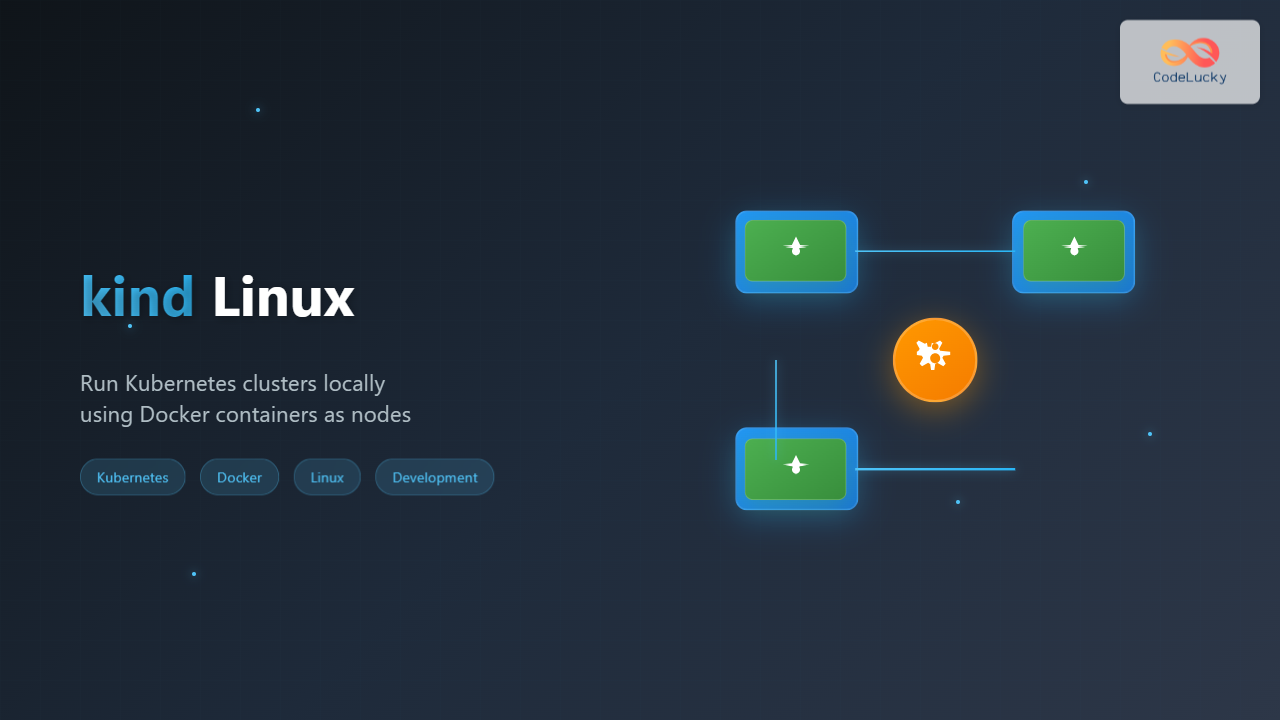
What is kind (Kubernetes in Docker)?
kind (Kubernetes in Docker) is a powerful tool designed for running local Kubernetes clusters using Docker container “nodes.” Originally developed for testing Kubernetes itself, kind has become an essential tool for developers who need a lightweight, fast, and reliable way to run Kubernetes clusters on their local Linux machines.
Unlike traditional Kubernetes installations that require virtual machines or bare metal servers, kind creates Kubernetes nodes as Docker containers, making it incredibly efficient and portable. This approach allows developers to spin up multi-node Kubernetes clusters in seconds, perfect for development, testing, and learning purposes.
Why Choose kind for Local Kubernetes Development?
Advantages of kind
- Lightning Fast: Cluster creation takes seconds instead of minutes
- Resource Efficient: Uses Docker containers instead of full VMs
- Multi-node Support: Create clusters with multiple control-plane and worker nodes
- CI/CD Friendly: Perfect for automated testing pipelines
- Version Flexibility: Test against different Kubernetes versions easily
- No Root Required: Runs in user space with proper Docker setup
Use Cases
- Local application development and testing
- Kubernetes feature experimentation
- CI/CD pipeline testing
- Kubernetes learning and tutorials
- Multi-cluster scenarios
Prerequisites and System Requirements
Before installing kind on your Linux system, ensure you have the following prerequisites:
System Requirements
- Operating System: Linux (any major distribution)
- Architecture: x86_64 or ARM64
- Memory: Minimum 2GB RAM (4GB+ recommended)
- CPU: 2+ cores recommended
- Disk Space: At least 10GB free space
Required Dependencies
- Docker: Version 20.10.5+ or compatible container runtime
- kubectl: Kubernetes command-line tool
- Go: 1.17+ (if building from source)
Installing kind on Linux
Method 1: Binary Installation (Recommended)
The easiest way to install kind is by downloading the pre-built binary:
# For x86_64 / amd64
curl -Lo ./kind https://kind.sigs.k8s.io/dl/v0.20.0/kind-linux-amd64
chmod +x ./kind
sudo mv ./kind /usr/local/bin/kind

# For ARM64
curl -Lo ./kind https://kind.sigs.k8s.io/dl/v0.20.0/kind-linux-arm64
chmod +x ./kind
sudo mv ./kind /usr/local/bin/kind
Verify the installation:
kind versionExpected Output:
kind v0.20.0 go1.20.4 linux/amd64Method 2: Package Manager Installation
Ubuntu/Debian (using apt)
# Add the official kind repository
curl -fsSL https://kind.sigs.k8s.io/dl/v0.20.0/kind-linux-amd64 -o kind
chmod +x kind
sudo mv kind /usr/local/bin/
Arch Linux (using AUR)
# Using yay AUR helper
yay -S kind-bin

# Or using paru
paru -S kind-bin
Fedora/RHEL/CentOS
# Download and install
curl -Lo ./kind https://kind.sigs.k8s.io/dl/v0.20.0/kind-linux-amd64
chmod +x ./kind
sudo mv ./kind /usr/local/bin/kind
Method 3: Go Installation
If you have Go installed, you can build kind from source:
go install sigs.k8s.io/[email protected]Installing Docker (if not already installed)
kind requires Docker to function. Here’s how to install Docker on major Linux distributions:
Ubuntu/Debian
# Update package index
sudo apt update

# Install required packages
sudo apt install -y apt-transport-https ca-certificates curl gnupg lsb-release

# Add Docker's official GPG key
curl -fsSL https://download.docker.com/linux/ubuntu/gpg | sudo gpg --dearmor -o /usr/share/keyrings/docker-archive-keyring.gpg

# Add Docker repository
echo "deb [arch=$(dpkg --print-architecture) signed-by=/usr/share/keyrings/docker-archive-keyring.gpg] https://download.docker.com/linux/ubuntu $(lsb_release -cs) stable" | sudo tee /etc/apt/sources.list.d/docker.list > /dev/null

# Install Docker
sudo apt update
sudo apt install -y docker-ce docker-ce-cli containerd.io

# Add user to docker group
sudo usermod -aG docker $USER

# Restart session or run:
newgrp docker
Fedora/RHEL/CentOS
# Install Docker
sudo dnf install -y docker

# Start and enable Docker
sudo systemctl start docker
sudo systemctl enable docker

# Add user to docker group
sudo usermod -aG docker $USER
Creating Your First kind Cluster
Basic Cluster Creation
Creating a basic single-node cluster is straightforward:
kind create clusterExpected Output:
Creating cluster "kind" ...
 ✓ Ensuring node image (kindest/node:v1.27.3) 🖼
 ✓ Preparing nodes 📦
 ✓ Writing configuration 📜
 ✓ Starting control-plane 🕹️
 ✓ Installing CNI 🔌
 ✓ Installing StorageClass 💾
Set kubectl context to "kind-kind"
You can now use your cluster with:

kubectl cluster-info --context kind-kind

Thanks for using kind! 😊
Creating a Named Cluster
You can create multiple clusters by giving them specific names:
kind create cluster --name my-clusterVerifying Cluster Status
Check if your cluster is running:
kubectl cluster-info --context kind-kindExpected Output:
Kubernetes control plane is running at https://127.0.0.1:32768
CoreDNS is running at https://127.0.0.1:32768/api/v1/namespaces/kube-system/services/kube-dns:dns/proxy

To further debug and diagnose cluster problems, use 'kubectl cluster-info dump'.
Advanced Cluster Configurations
Multi-Node Cluster
Create a configuration file for a multi-node cluster:
cat << EOF > kind-config.yaml
kind: Cluster
apiVersion: kind.x-k8s.io/v1alpha4
nodes:
- role: control-plane
- role: worker
- role: worker
- role: worker
EOF
Create the cluster using the configuration:
kind create cluster --config kind-config.yaml --name multi-nodeMulti-Control Plane Cluster
For high availability scenarios, create multiple control-plane nodes:
cat << EOF > ha-config.yaml
kind: Cluster
apiVersion: kind.x-k8s.io/v1alpha4
nodes:
- role: control-plane
- role: control-plane
- role: control-plane
- role: worker
- role: worker
EOF
kind create cluster --config ha-config.yaml --name ha-clusterCustom Kubernetes Version
Specify a particular Kubernetes version:
cat << EOF > version-config.yaml
kind: Cluster
apiVersion: kind.x-k8s.io/v1alpha4
nodes:
- role: control-plane
  image: kindest/node:v1.25.11@sha256:227fa11ce74ea76a0474eeefb84cb75d8dad1b08638371ecf0e86259b35be0c8
- role: worker
  image: kindest/node:v1.25.11@sha256:227fa11ce74ea76a0474eeefb84cb75d8dad1b08638371ecf0e86259b35be0c8
EOF
kind create cluster --config version-config.yaml --name k8s-v125Port Mapping and Ingress Configuration
Basic Port Mapping
Map ports from kind nodes to your host system:
cat << EOF > port-config.yaml
kind: Cluster
apiVersion: kind.x-k8s.io/v1alpha4
nodes:
- role: control-plane
  extraPortMappings:
  - containerPort: 80
    hostPort: 8080
    protocol: TCP
  - containerPort: 443
    hostPort: 8443
    protocol: TCP
EOF
Ingress Controller Setup
Configure kind for ingress controllers like NGINX:
cat << EOF > ingress-config.yaml
kind: Cluster
apiVersion: kind.x-k8s.io/v1alpha4
nodes:
- role: control-plane
  kubeadmConfigPatches:
  - |
    kind: InitConfiguration
    nodeRegistration:
      kubeletExtraArgs:
        node-labels: "ingress-ready=true"
  extraPortMappings:
  - containerPort: 80
    hostPort: 80
    protocol: TCP
  - containerPort: 443
    hostPort: 443
    protocol: TCP
EOF
Create the cluster and install NGINX ingress controller:
kind create cluster --config ingress-config.yaml --name ingress-cluster

# Install NGINX Ingress Controller
kubectl apply -f https://raw.githubusercontent.com/kubernetes/ingress-nginx/main/deploy/static/provider/kind/deploy.yaml

# Wait for the ingress controller to be ready
kubectl wait --namespace ingress-nginx \
  --for=condition=ready pod \
  --selector=app.kubernetes.io/component=controller \
  --timeout=90s
Essential kind Commands
Cluster Management Commands
| Command | Description | Example |
|---|---|---|
kind create cluster |
Create a new cluster | kind create cluster --name dev |
kind get clusters |
List all clusters | kind get clusters |
kind delete cluster |
Delete a cluster | kind delete cluster --name dev |
kind get nodes |
List cluster nodes | kind get nodes --name dev |
kind load |
Load images into cluster | kind load docker-image myapp:latest |
Practical Examples
List all clusters:
kind get clustersExpected Output:
kind
multi-node
ha-cluster
Get cluster nodes:
kind get nodes --name multi-nodeExpected Output:
multi-node-control-plane
multi-node-worker
multi-node-worker2
multi-node-worker3
Working with Container Images
Loading Local Images
Load a locally built Docker image into your kind cluster:
# Build your application image
docker build -t myapp:v1.0 .

# Load the image into kind cluster
kind load docker-image myapp:v1.0 --name my-cluster
Loading from Archive
Load images from a tar archive:
# Save image to archive
docker save myapp:v1.0 > myapp.tar

# Load from archive
kind load image-archive myapp.tar --name my-cluster
Verifying Loaded Images
Check if images are available in the cluster:
# Access the node container
docker exec -it my-cluster-control-plane crictl images
Troubleshooting Common Issues
Docker Permission Issues
If you encounter permission denied errors:
# Add user to docker group
sudo usermod -aG docker $USER

# Log out and log back in, or run:
newgrp docker

# Verify docker access
docker ps
Cluster Creation Failures
Common troubleshooting steps:
# Check Docker daemon status
sudo systemctl status docker

# Clean up failed clusters
kind delete cluster --name problematic-cluster

# Check available resources
docker system df
docker system prune -f
Network Issues
If pods can’t communicate:
# Check cluster networking
kubectl get pods -A
kubectl get nodes -o wide

# Restart cluster networking
kubectl delete pods -n kube-system -l k8s-app=kube-dns
Resource Constraints
Monitor and manage resources:
# Check node resources
kubectl describe nodes

# Check Docker container resources
docker stats

# Clean up unused images
docker image prune -f
Best Practices for kind Usage
Development Workflow
- Use Named Clusters: Always create clusters with descriptive names
- Configuration Files: Store cluster configurations in version control
- Image Management: Regularly clean up unused images
- Resource Monitoring: Monitor Docker and system resources
Performance Optimization
# Create a performance-optimized configuration
cat << EOF > performance-config.yaml
kind: Cluster
apiVersion: kind.x-k8s.io/v1alpha4
nodes:
- role: control-plane
  extraMounts:
  - hostPath: /tmp/etcd
    containerPath: /var/lib/etcd
    propagation: Bidirectional
- role: worker
EOF
Security Considerations
- Keep Docker and kind versions updated
- Use specific image versions instead of latest
- Regularly clean up unused clusters and images
- Don’t use kind clusters for production workloads
Integration with CI/CD Pipelines
GitHub Actions Example
name: Test with kind
on: [push, pull_request]
jobs:
  test:
    runs-on: ubuntu-latest
    steps:
    - uses: actions/checkout@v3
    - name: Create kind cluster
      uses: helm/[email protected]
      with:
        cluster_name: test
    - name: Run tests
      run: |
        kubectl cluster-info
        kubectl apply -f k8s/
        kubectl wait --for=condition=ready pod -l app=myapp --timeout=60s
GitLab CI Example
test:
  image: docker:latest
  services:
    - docker:dind
  before_script:
    - apk add --no-cache curl
    - curl -Lo ./kind https://kind.sigs.k8s.io/dl/v0.20.0/kind-linux-amd64
    - chmod +x ./kind && mv ./kind /usr/local/bin/
  script:
    - kind create cluster
    - kind get clusters
    - kubectl apply -f manifests/
Cleaning Up and Maintenance
Cluster Cleanup
# Delete specific cluster
kind delete cluster --name my-cluster

# Delete all clusters
kind get clusters | xargs -I {} kind delete cluster --name {}
System Maintenance
# Clean up Docker resources
docker system prune -f --volumes

# Remove unused images
docker image prune -a -f

# Check disk usage
docker system df
Conclusion
kind (Kubernetes in Docker) is an invaluable tool for Linux developers working with Kubernetes. Its lightweight architecture, fast cluster creation, and extensive configuration options make it perfect for local development, testing, and learning. By following the practices outlined in this guide, you can effectively leverage kind to streamline your Kubernetes development workflow.
Whether you’re building cloud-native applications, testing Kubernetes configurations, or learning container orchestration, kind provides a reliable and efficient platform that closely mirrors production Kubernetes environments while remaining resource-friendly and easy to manage.
Remember to keep your kind installation updated and regularly clean up unused clusters and images to maintain optimal system performance. With proper setup and maintenance, kind will serve as a powerful foundation for your Kubernetes development journey on Linux.
Related Posts

Kubernetes Linux: Complete Guide to Container Orchestration Platform
Kubernetes has revolutionized how we deploy, manage, and scale containerized applications on Linux systems. As the leading container orchestration platform,...
Minikube Linux: Complete Guide to Local Kubernetes Development
Minikube has revolutionized local Kubernetes development by providing developers with a lightweight, single-node Kubernetes cluster that runs directly on their...
Container Operating Systems: Complete Guide to Docker and Kubernetes Platforms
Container operating systems have revolutionized how we deploy, manage, and scale applications in modern computing environments. Unlike traditional operating systems...
docker Linux: Complete Container Platform Guide for Developers
Docker has revolutionized software development and deployment by introducing lightweight containerization technology. As a platform that enables developers to package...
containerd Linux: Complete Guide to Industry-Standard Container Runtime
Containerd has emerged as the industry-standard container runtime, serving as the foundation for modern containerization platforms like Docker and Kubernetes....

OpenShift Linux: Complete Guide to Enterprise Kubernetes Platform Management
OpenShift represents Red Hat's enterprise-grade Kubernetes platform that revolutionizes how organizations deploy, manage, and scale containerized applications on Linux systems....

k3s Linux: Complete Guide to Lightweight Kubernetes for Edge Computing
k3s is a highly available, certified Kubernetes distribution designed for production workloads in unattended, resource-constrained, remote locations or inside IoT...
MicroK8s Linux: Complete Guide to Canonical’s Lightweight Kubernetes Distribution
MicroK8s is Canonical's lightweight, single-package Kubernetes distribution designed for developers, IoT, and edge computing environments. Unlike traditional Kubernetes installations that...

CRI-O Linux: Complete Guide to Lightweight Container Runtime for Kubernetes
CRI-O (Container Runtime Interface - Open Container Initiative) is a lightweight, OCI-compliant container runtime specifically designed for Kubernetes. Unlike Docker,...
Container Virtualization: Complete Guide to OS-level Virtualization Technology
Container virtualization represents a revolutionary approach to application deployment and resource management through OS-level virtualization. Unlike traditional hardware virtualization, containers...
Rancher Linux: Complete Container Management Platform for DevOps Teams
Rancher Linux revolutionizes container management by providing a comprehensive platform that simplifies Kubernetes orchestration, multi-cloud deployments, and enterprise-grade container operations....

podman Command Linux: Complete Container Management Guide
Podman (Pod Manager) is a powerful, daemonless container engine that provides a Docker-compatible command-line interface for managing containers and pods...
- What is kind (Kubernetes in Docker)?
- Why Choose kind for Local Kubernetes Development?
- Prerequisites and System Requirements
- Installing kind on Linux
- Installing Docker (if not already installed)
- Creating Your First kind Cluster
- Advanced Cluster Configurations
- Port Mapping and Ingress Configuration
- Essential kind Commands
- Working with Container Images
- Troubleshooting Common Issues
- Best Practices for kind Usage
- Integration with CI/CD Pipelines
- Cleaning Up and Maintenance
- Conclusion





