
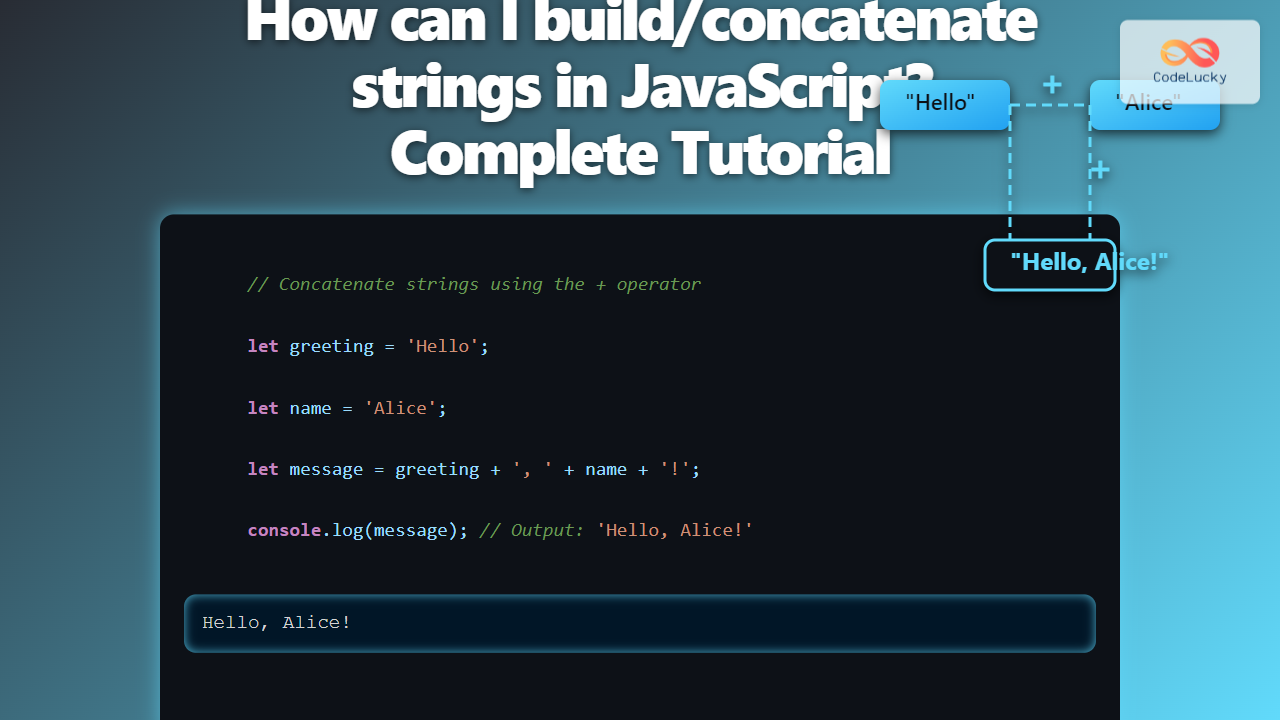
Building and concatenating strings is a fundamental task in JavaScript programming. Whether you are creating dynamic web content, crafting messages, or manipulating text data, mastering string concatenation methods will enhance your efficiency and code readability. This complete tutorial dives deep into various ways to build and join strings in JavaScript, with examples, visual diagrams, and best practices to guide you.
What is String Concatenation in JavaScript?
String concatenation is the process of joining two or more strings end-to-end to form a single string. In JavaScript, this is commonly used to assemble dynamic messages, combine variables with text, or generate HTML content dynamically.

Common Methods to Concatenate Strings
1. Using the + Operator
The simplest and most straightforward way to concatenate strings in JavaScript is using the + operator.
let greeting = "Hello";
let name = "Alice";
let message = greeting + ", " + name + "!";
console.log(message); // Output: Hello, Alice!
2. Using the += Operator
The += operator appends a string onto an existing string variable, modifying it directly.
let message = "Welcome";
message += " to CodeLucky.com";
console.log(message); // Output: Welcome to CodeLucky.com
3. Using Template Literals (Backticks)
Introduced in ES6, template literals use backticks (`) and allow embedding variables and expressions within strings with ${}. They provide cleaner syntax, especially for multiline strings.
let firstName = "John";
let lastName = "Doe";
let fullName = `${firstName} ${lastName}`;
console.log(fullName); // Output: John Doe

// Multiline example
let multiline = `This is line 1
This is line 2`;
console.log(multiline);
4. Using Array.join() Method
You can create an array of strings and join them using join(). This method is handy when you concatenate many strings or build strings programmatically.
let parts = ["Learning", "JavaScript", "is", "fun!"];
let sentence = parts.join(" ");
console.log(sentence); // Output: Learning JavaScript is fun!
5. Using String.concat() Method
The concat() method concatenates the string arguments to the calling string and returns a new string.
let s1 = "Good ";
let s2 = "Morning";
let result = s1.concat(s2);
console.log(result); // Output: Good Morning
Performance Considerations
For small to medium concatenations, the + operator or template literals are usually sufficient and readable. For building very large strings (e.g., in loops), accumulating strings via arrays and then using join() can be more efficient.
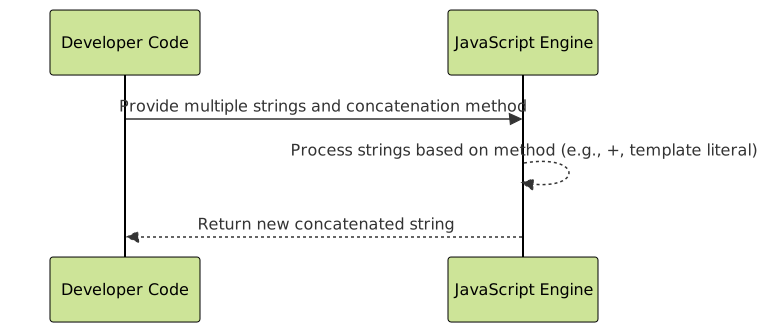
Visual Workflow of String Concatenation
Advanced Usage and Examples
Concatenating Variables and Expressions
You can embed expressions inside template literals, which is very powerful for dynamic string building.
let a = 5;
let b = 10;
console.log(`The sum of ${a} and ${b} is ${a + b}.`);
// Output: The sum of 5 and 10 is 15.
Concatenating Strings in Loops
When concatenating many strings in a loop, using an array and then joining it at the end is a common practice to optimize performance.
let fruits = ["apple", "banana", "cherry"];
let resultArray = [];
for(let fruit of fruits) {
  resultArray.push(fruit);
}
let fruitString = resultArray.join(", ");
console.log(fruitString); // Output: apple, banana, cherry
Summary Comparison: String Concatenation Methods
| Method | Syntax | Best Use Case | Support |
|---|---|---|---|
+ operator |
'a' + 'b' |
Simple, quick concatenations | All browsers |
+= operator |
str += 'addition' |
Appending to existing strings | All browsers |
| Template Literals | `Hello ${name}` |
Dynamic, multi-line strings | ES6+ browsers |
Array.join() |
arr.join(' ') |
Many strings, performance critical | All browsers |
String.concat() |
str1.concat(str2) |
Method chaining | All browsers |
Frequently Asked Questions
Can I concatenate non-string types?
Yes, JavaScript implicitly converts non-string types to strings when using the + operator or template literals.
console.log("Age: " + 30);    // "Age: 30"
console.log(`Score: ${100}`);    // "Score: 100"
What happens if one operand is not a string?
If one is a string, JavaScript converts the other operand to a string. If neither is a string, + performs numeric addition.
Are template literals faster than +?
Performance differences are usually negligible. Use template literals for readability, especially with embedded variables and multi-line strings.
Interactive Example
Try this simple interactive code snippet to concatenate strings dynamically:
Result:





