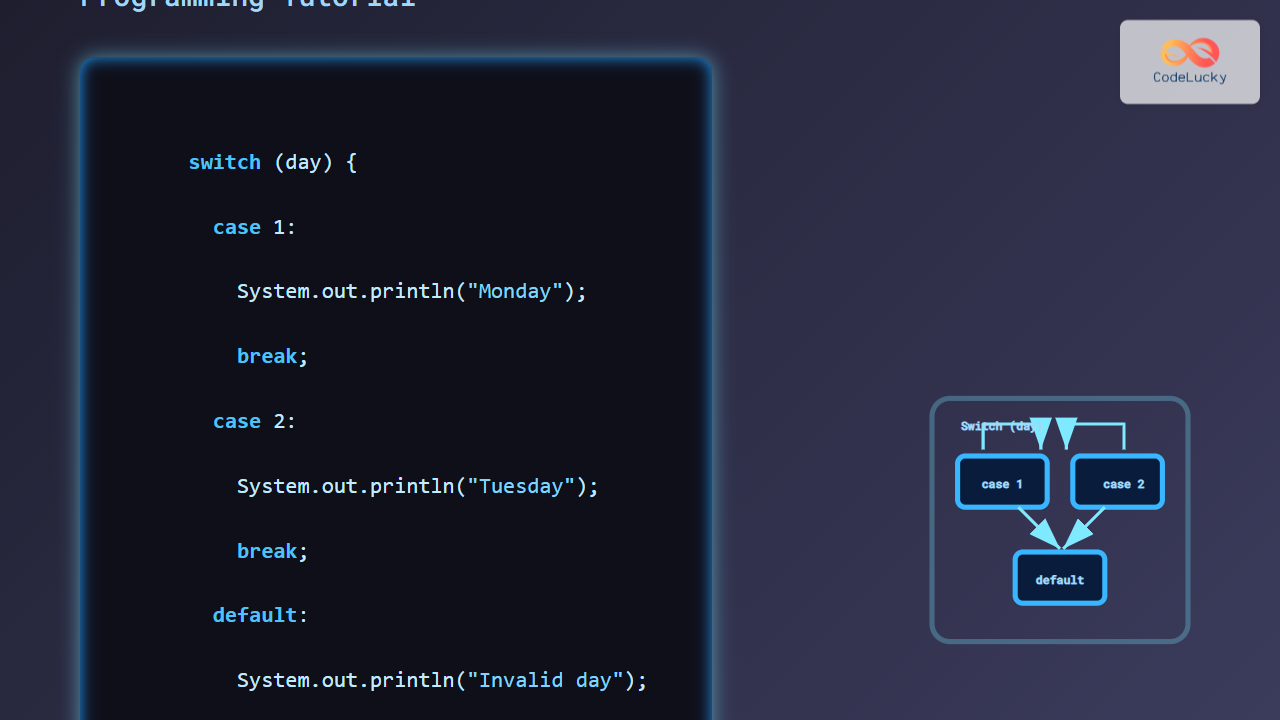
Java’s switch statement is a powerful control flow structure that enables developers to execute different code blocks based on the value of a variable. Unlike traditional if-else chains, switch offers better readability and performance, especially when dealing with multiple discrete cases. This tutorial dives deep into Java’s switch use cases, providing clear examples, output demonstrations, and visual explanations to help programmers grasp its application effectively.
What is the Java Switch Statement?
The switch statement in Java evaluates a variable once and compares its value against multiple case labels. Upon finding a matching case, it executes the associated block of code until a break statement or the end of the switch block.
Basic Syntax of Java Switch
switch (expression) {
    case value1:
        // statements
        break; // optional, but usually used
    case value2:
        // statements
        break;
    // more cases
    default:
        // default statements
}
The expression can be of types int, byte, short, char, String, and enumerations (enum), starting from Java 7 onward.
Use Case 1: Simple Day of the Week Display
This example illustrates mapping an integer input to the name of the day:
int day = 4;
switch (day) {
    case 1:
        System.out.println("Monday");
        break;
    case 2:
        System.out.println("Tuesday");
        break;
    case 3:
        System.out.println("Wednesday");
        break;
    case 4:
        System.out.println("Thursday");
        break;
    case 5:
        System.out.println("Friday");
        break;
    case 6:
        System.out.println("Saturday");
        break;
    case 7:
        System.out.println("Sunday");
        break;
    default:
        System.out.println("Invalid day");
}
Output:
ThursdayUse Case 2: Grouping Cases for Similar Actions
When multiple cases require the same code execution, they can be grouped without repetition:
char grade = 'B';
switch (grade) {
    case 'A':
    case 'B':
    case 'C':
        System.out.println("Pass");
        break;
    case 'D':
    case 'F':
        System.out.println("Fail");
        break;
    default:
        System.out.println("Invalid grade");
}
Output:
PassUse Case 3: Using Strings in Switch (Java 7+)
Java supports switching over strings, which is helpful in menu-driven programs or command handling:
String command = "start";
switch (command.toLowerCase()) {
    case "start":
        System.out.println("Starting the system...");
        break;
    case "stop":
        System.out.println("Stopping the system...");
        break;
    case "restart":
        System.out.println("Restarting the system...");
        break;
    default:
        System.out.println("Unknown command");
}
Output:
Starting the system...Use Case 4: Enum Switch for Type Safety
Switching over enums provides compile-time safety and self-documenting code:
enum Level {
    LOW, MEDIUM, HIGH
}
Level currentLevel = Level.MEDIUM;

switch (currentLevel) {
    case LOW:
        System.out.println("Low level");
        break;
    case MEDIUM:
        System.out.println("Medium level");
        break;
    case HIGH:
        System.out.println("High level");
        break;
}
Output:
Medium levelAdvanced Note: Switch Expressions in Java 14+
Java 14 introduced switch expressions that return values and support concise syntax:
int day = 3;
String dayName = switch (day) {
    case 1 -> "Monday";
    case 2 -> "Tuesday";
    case 3 -> "Wednesday";
    case 4 -> "Thursday";
    case 5 -> "Friday";
    case 6 -> "Saturday";
    case 7 -> "Sunday";
    default -> "Invalid day";
};
System.out.println(dayName);
Output: Wednesday

Best Practices for Using Switch
- Use break statements to prevent fall-through unless intentional.
- Leverage
defaultto handle unexpected values gracefully. - Prefer
enumswitches for type safety and code clarity. - Use switch expressions in Java 14+ for cleaner, more readable code.
- Avoid complex logic inside cases; keep each case focused.
Summary
The Java switch statement is an essential tool for handling multiple conditional branches efficiently. From simple discrete value matching to modern switch expressions, understanding switch enables writing clearer, maintainable, and performant code. This article covered syntax, use cases for primitive types, strings, enums, and demonstrated modern switch expressions along with visual diagrams to enhance comprehension.