In Java programming, understanding characters and their behavior in strings is critical for robust coding and data processing. While whitespace characters like spaces, tabs, and new lines are well-known, there exist invisible characters that are not regarded as whitespace. This article explores such characters, clarifies the distinction between whitespace and invisible non-whitespace characters, and provides practical Java examples to detect and handle them effectively.
What Are Invisible Characters in Java?
Invisible characters are those characters that do not produce a visible glyph on the display but exist within the string data. Common whitespace characters like the space (' '), tab ('\t'), and newline ('\n') are invisible but considered whitespace by Java’s Character class and string methods.
However, other invisible characters exist which do not count as whitespace according to Java’s Character.isWhitespace() method. These may cause unexpected behavior in string processing if not detected or managed properly.
Java Definition of Whitespace
Java’s Character.isWhitespace(char ch) method checks if a character is considered whitespace. It returns true for characters such as space, tab, newline, and other Unicode whitespace characters (e.g., U+2002 EN SPACE, U+3000 IDEOGRAPHIC SPACE).
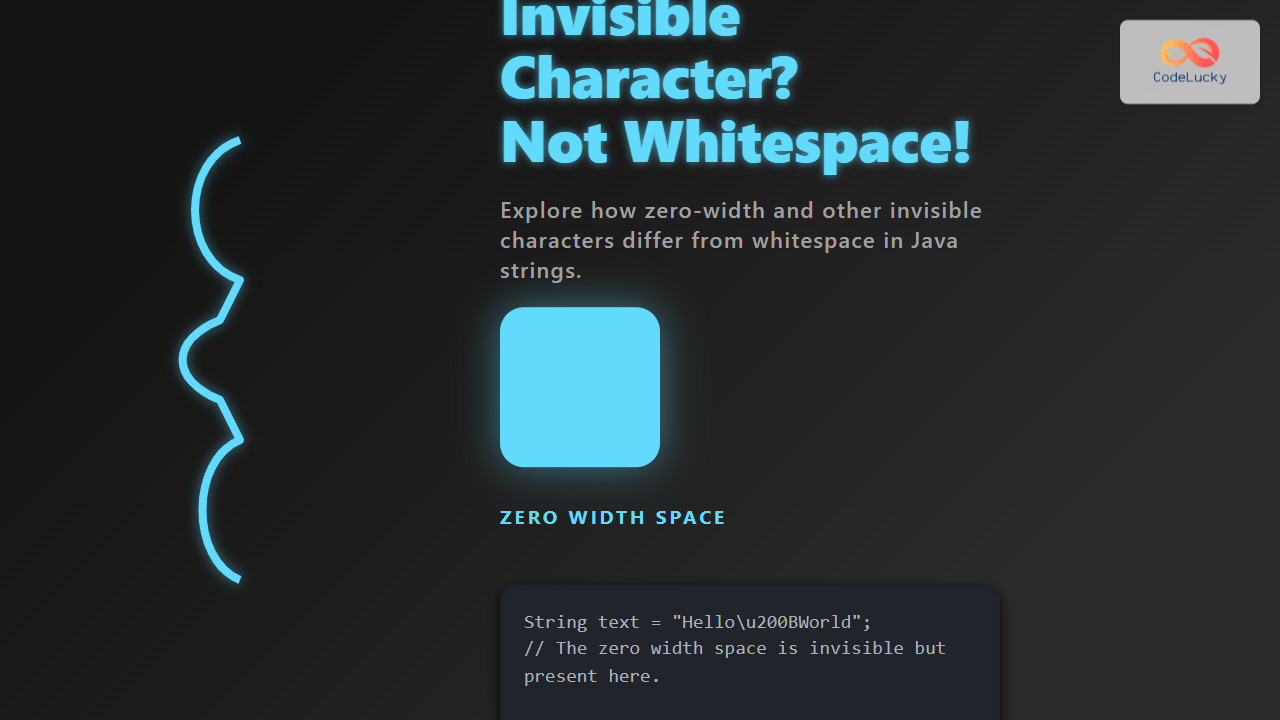
Characters that do not meet this criterion return false, even if they are invisible to the human eye, e.g., ZERO WIDTH SPACE (U+200B) or ZERO WIDTH NON-JOINER (U+200C).
Examples of Invisible Non-Whitespace Characters
- ZERO WIDTH SPACE (U+200B): Invisible and not whitespace.
- ZERO WIDTH NON-JOINER (U+200C): Invisible and not whitespace.
- ZERO WIDTH NO-BREAK SPACE (U+FEFF): Often used as BOM, invisible, not whitespace.

Detecting Invisible Non-Whitespace Characters in Java
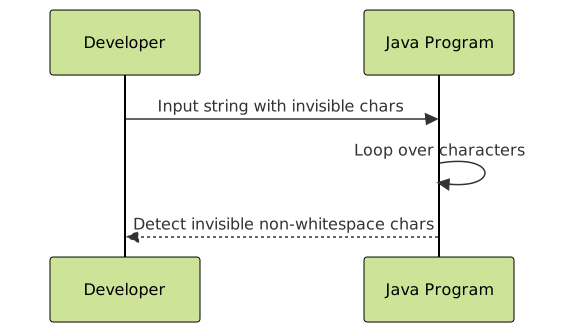
Detecting these invisible, non-whitespace characters requires explicit checking since conventional trimming and whitespace detection methods will not identify them as whitespace.
// Example: Detecting zero width space in a string
public class InvisibleCharacterCheck {
    public static void main(String[] args) {
        String text = "Hello\u200BWorld"; // Zero Width Space between Hello and World

        for (int i = 0; i < text.length(); i++) {
            char ch = text.charAt(i);
            if (!Character.isWhitespace(ch) && Character.getType(ch) == Character.FORMAT) {
                System.out.println("Invisible non-whitespace character found at index " + i + ": U+" + Integer.toHexString(ch).toUpperCase());
            }
        }
    }
}
Output:
Invisible non-whitespace character found at index 5: U+200B
Explanation
The example string contains a hidden ZERO WIDTH SPACE (U+200B) between “Hello” and “World”. The code iterates over each character, checking if it is not whitespace but belongs to the Unicode FORMAT character category, which includes invisible characters such as zero width spaces.
Why Does This Matter?
Invisible non-whitespace characters can affect string comparisons, hashing, and UI rendering. For instance, strings may look identical but behave differently when stored or compared due to these characters. Understanding their existence and handling helps prevent bugs and ensures data integrity.
Common Methods to Handle Invisible Non-Whitespace Characters
Character.getType(char ch): Identify characters of categoryFORMATorCONTROL.- Explicitly remove or replace these chars using regex patterns like
"\\u200B"for zero width spaces. - Normalize strings using
java.text.Normalizerto enforce canonical equivalence.
Interactive: Check Invisible Characters in Your Input
Below is a simple Java method you could use interactively in your applications to check for invisible non-whitespace characters:
public static boolean containsInvisibleNonWhitespace(String input) {
    for (int i = 0; i < input.length(); i++) {
        char ch = input.charAt(i);
        if (!Character.isWhitespace(ch) && Character.getType(ch) == Character.FORMAT) {
            return true; // Contains invisible non-whitespace char
        }
    }
    return false;
}
Summary
In Java, many invisible characters exist beyond the traditional whitespace set that is recognized by Character.isWhitespace(). Characters like the ZERO WIDTH SPACE are not considered whitespace but remain invisible and can affect string handling. Using methods like Character.getType() helps detect and manage these characters properly.

Understanding these distinctions is essential for developers who work extensively with string data, especially in text processing, data validation, and UI rendering contexts.