Understanding Immutability in Java
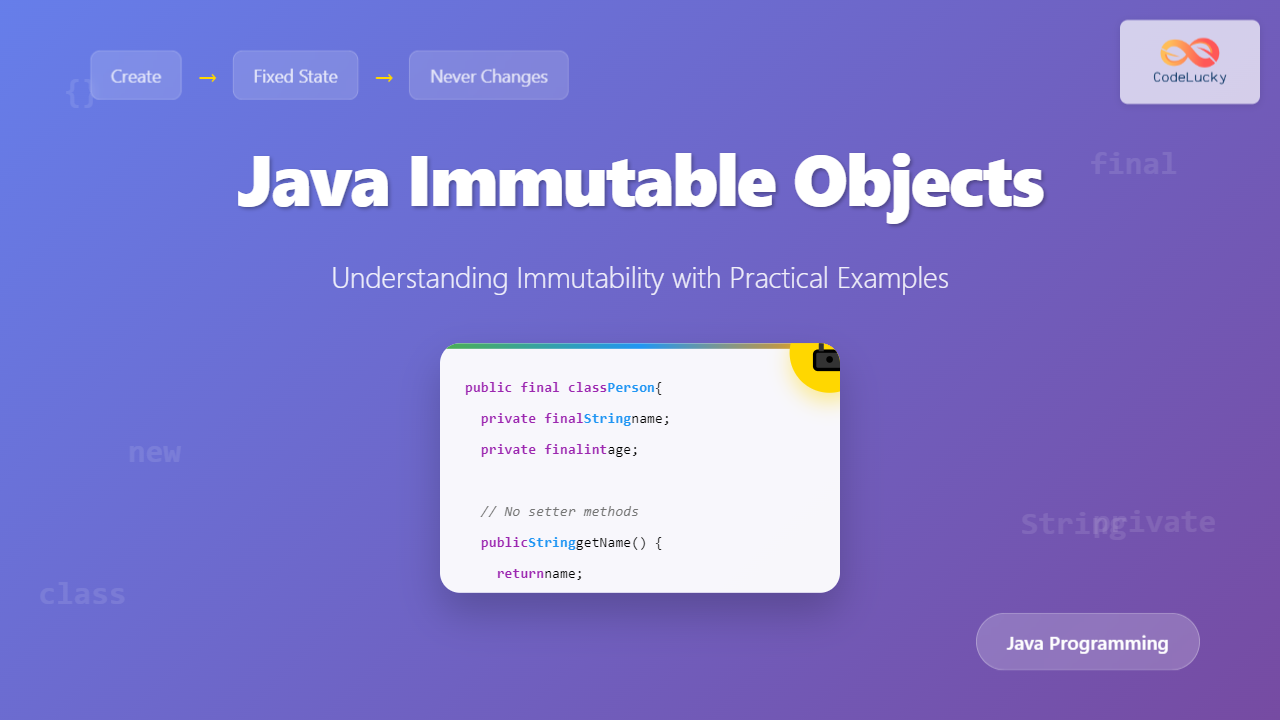
In Java programming, immutability refers to the characteristic of an object whose state cannot be modified after it has been created. Once an immutable object is instantiated, its internal data remains constant throughout its lifetime, making it a powerful concept for creating robust and thread-safe applications.
Think of immutable objects like a printed book – once published, the content cannot be altered. Similarly, immutable objects in Java maintain their state permanently, ensuring data integrity and predictable behavior.

Key Characteristics of Immutable Objects
Immutable objects in Java possess several defining characteristics that distinguish them from mutable objects:
- State preservation: Internal data cannot be changed after object creation
- No setter methods: Public methods that modify object state are not provided
- Field immutability: All fields are typically declared as final
- Defensive copying: Mutable objects referenced by immutable objects are copied to prevent external modification
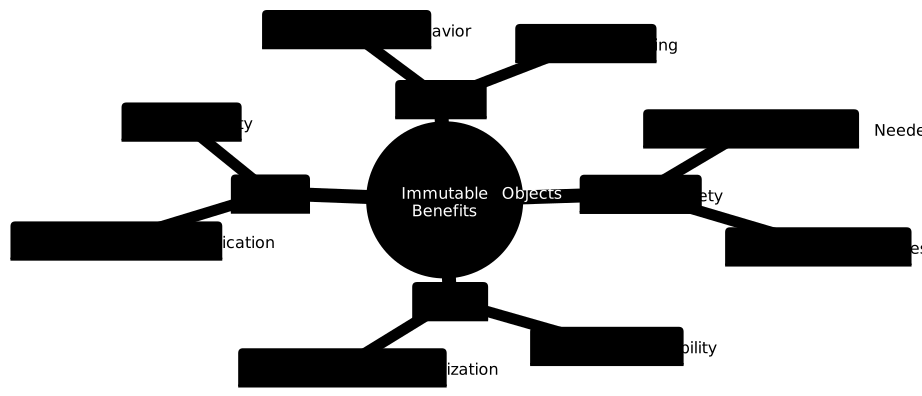
- Thread safety: Multiple threads can safely access immutable objects without synchronization
Built-in Immutable Classes in Java
Java provides several immutable classes out of the box. Understanding these examples helps grasp the concept before creating custom immutable classes.
String Class Example
public class StringImmutabilityDemo {
    public static void main(String[] args) {
        String original = "Hello";
        String modified = original.concat(" World");

        System.out.println("Original: " + original);  // Output: Hello
        System.out.println("Modified: " + modified);  // Output: Hello World

        // original remains unchanged
        System.out.println("Original after concat: " + original);  // Output: Hello
    }
}
Output:
Original: Hello
Modified: Hello World
Original after concat: Hello
Integer Wrapper Class Example
public class IntegerImmutabilityDemo {
    public static void main(String[] args) {
        Integer num1 = 100;
        Integer num2 = num1;

        // This creates a new Integer object, doesn't modify num1
        num1 = num1 + 50;

        System.out.println("num1: " + num1);  // Output: 150
        System.out.println("num2: " + num2);  // Output: 100
    }
}
Output:
num1: 150
num2: 100
Creating Custom Immutable Classes
Building your own immutable classes requires following specific design principles. Let’s explore how to create a properly immutable class step by step.

Simple Immutable Class Example
public final class Person {
    private final String name;
    private final int age;

    // Constructor to initialize all fields
    public Person(String name, int age) {
        this.name = name;
        this.age = age;
    }

    // Only getter methods, no setters
    public String getName() {
        return name;
    }

    public int getAge() {
        return age;
    }

    @Override
    public String toString() {
        return "Person{name='" + name + "', age=" + age + "}";
    }

    @Override
    public boolean equals(Object obj) {
        if (this == obj) return true;
        if (obj == null || getClass() != obj.getClass()) return false;
        Person person = (Person) obj;
        return age == person.age && Objects.equals(name, person.name);
    }

    @Override
    public int hashCode() {
        return Objects.hash(name, age);
    }
}
Testing the Immutable Person Class
public class PersonTest {
    public static void main(String[] args) {
        Person person1 = new Person("Alice", 25);
        Person person2 = new Person("Alice", 25);

        System.out.println("Person 1: " + person1);
        System.out.println("Person 2: " + person2);
        System.out.println("Are equal: " + person1.equals(person2));

        // Cannot modify person1 - no setter methods available
        // person1.setAge(30); // This would cause compilation error
    }
}
Output:
Person 1: Person{name='Alice', age=25}
Person 2: Person{name='Alice', age=25}
Are equal: true
Handling Mutable Fields in Immutable Classes
When immutable classes contain references to mutable objects, special care must be taken to maintain immutability through defensive copying.
Immutable Class with Mutable Field – Wrong Approach
// WRONG - This class is NOT truly immutable
public final class BadStudent {
    private final String name;
    private final List<String> subjects;

    public BadStudent(String name, List<String> subjects) {
        this.name = name;
        this.subjects = subjects; // Direct assignment - DANGEROUS!
    }

    public String getName() {
        return name;
    }

    public List<String> getSubjects() {
        return subjects; // Direct return - DANGEROUS!
    }
}
Correct Immutable Class with Defensive Copying
public final class Student {
    private final String name;
    private final List<String> subjects;

    public Student(String name, List<String> subjects) {
        this.name = name;
        // Defensive copying during construction
        this.subjects = new ArrayList<>(subjects);
    }

    public String getName() {
        return name;
    }

    public List<String> getSubjects() {
        // Return defensive copy to prevent external modification
        return new ArrayList<>(subjects);
    }

    @Override
    public String toString() {
        return "Student{name='" + name + "', subjects=" + subjects + "}";
    }
}
Testing Defensive Copying
public class StudentTest {
    public static void main(String[] args) {
        List<String> originalSubjects = new ArrayList<>();
        originalSubjects.add("Math");
        originalSubjects.add("Science");

        Student student = new Student("Bob", originalSubjects);
        System.out.println("Original student: " + student);

        // Attempting to modify the original list
        originalSubjects.add("History");
        System.out.println("After modifying original list: " + student);

        // Attempting to modify returned list
        List<String> returnedSubjects = student.getSubjects();
        returnedSubjects.add("Art");
        System.out.println("After modifying returned list: " + student);
    }
}
Output:
Original student: Student{name='Bob', subjects=[Math, Science]}
After modifying original list: Student{name='Bob', subjects=[Math, Science]}
After modifying returned list: Student{name='Bob', subjects=[Math, Science]}
Benefits of Immutable Objects
Thread Safety Demonstration
public class ThreadSafetyDemo {
    public static void main(String[] args) throws InterruptedException {
        final Person sharedPerson = new Person("John", 30);

        // Multiple threads accessing the same immutable object
        Thread thread1 = new Thread(() -> {
            for (int i = 0; i < 1000; i++) {
                System.out.println("Thread 1: " + sharedPerson.getName());
            }
        });

        Thread thread2 = new Thread(() -> {
            for (int i = 0; i < 1000; i++) {
                System.out.println("Thread 2: " + sharedPerson.getAge());
            }
        });

        thread1.start();
        thread2.start();

        thread1.join();
        thread2.join();

        System.out.println("Both threads completed safely!");
    }
}
Performance Considerations
String Concatenation Performance Issue
public class StringPerformanceDemo {
    public static void main(String[] args) {
        long startTime, endTime;

        // Inefficient: Multiple String objects created
        startTime = System.currentTimeMillis();
        String result1 = "";
        for (int i = 0; i < 10000; i++) {
            result1 += "a"; // Creates new String object each time
        }
        endTime = System.currentTimeMillis();
        System.out.println("String concatenation time: " + (endTime - startTime) + "ms");

        // Efficient: Using StringBuilder (mutable)
        startTime = System.currentTimeMillis();
        StringBuilder sb = new StringBuilder();
        for (int i = 0; i < 10000; i++) {
            sb.append("a");
        }
        String result2 = sb.toString();
        endTime = System.currentTimeMillis();
        System.out.println("StringBuilder time: " + (endTime - startTime) + "ms");
    }
}
Best Practices for Immutable Classes

Complex Immutable Class with Builder Pattern
public final class Address {
    private final String street;
    private final String city;
    private final String state;
    private final String zipCode;
    private final String country;

    private Address(Builder builder) {
        this.street = builder.street;
        this.city = builder.city;
        this.state = builder.state;
        this.zipCode = builder.zipCode;
        this.country = builder.country;
    }

    // Getters
    public String getStreet() { return street; }
    public String getCity() { return city; }
    public String getState() { return state; }
    public String getZipCode() { return zipCode; }
    public String getCountry() { return country; }

    // Builder Pattern
    public static class Builder {
        private String street;
        private String city;
        private String state;
        private String zipCode;
        private String country;

        public Builder street(String street) {
            this.street = street;
            return this;
        }

        public Builder city(String city) {
            this.city = city;
            return this;
        }

        public Builder state(String state) {
            this.state = state;
            return this;
        }

        public Builder zipCode(String zipCode) {
            this.zipCode = zipCode;
            return this;
        }

        public Builder country(String country) {
            this.country = country;
            return this;
        }

        public Address build() {
            return new Address(this);
        }
    }

    @Override
    public String toString() {
        return String.format("%s, %s, %s %s, %s",
                           street, city, state, zipCode, country);
    }
}
Using the Builder Pattern
public class AddressTest {
    public static void main(String[] args) {
        Address address = new Address.Builder()
                .street("123 Main St")
                .city("New York")
                .state("NY")
                .zipCode("10001")
                .country("USA")
                .build();

        System.out.println("Address: " + address);

        // Create modified version without affecting original
        Address newAddress = new Address.Builder()
                .street("456 Oak Ave")
                .city(address.getCity())
                .state(address.getState())
                .zipCode(address.getZipCode())
                .country(address.getCountry())
                .build();

        System.out.println("New Address: " + newAddress);
        System.out.println("Original unchanged: " + address);
    }
}
Output:
Address: 123 Main St, New York, NY 10001, USA
New Address: 456 Oak Ave, New York, NY 10001, USA
Original unchanged: 123 Main St, New York, NY 10001, USA
Common Pitfalls and How to Avoid Them
Pitfall 1: Forgetting to Make Class Final
// WRONG - Class can be extended
public class MutableSubclassProblem {
    private final String value;

    public MutableSubclassProblem(String value) {
        this.value = value;
    }

    public String getValue() {
        return value;
    }
}

// Subclass that breaks immutability
class MutableSubclass extends MutableSubclassProblem {
    private String mutableValue;

    public MutableSubclass(String value) {
        super(value);
        this.mutableValue = value;
    }

    @Override
    public String getValue() {
        return mutableValue; // Can return different values!
    }

    public void setValue(String value) {
        this.mutableValue = value;
    }
}
Pitfall 2: Exposing Mutable Internal State
// CORRECT approach with deep copying for nested mutable objects
public final class Department {
    private final String name;
    private final Map<String, List<String>> employeesByRole;

    public Department(String name, Map<String, List<String>> employeesByRole) {
        this.name = name;
        // Deep defensive copying
        this.employeesByRole = new HashMap<>();
        for (Map.Entry<String, List<String>> entry : employeesByRole.entrySet()) {
            this.employeesByRole.put(entry.getKey(), new ArrayList<>(entry.getValue()));
        }
    }

    public String getName() {
        return name;
    }

    public Map<String, List<String>> getEmployeesByRole() {
        // Return deep defensive copy
        Map<String, List<String>> copy = new HashMap<>();
        for (Map.Entry<String, List<String>> entry : employeesByRole.entrySet()) {
            copy.put(entry.getKey(), new ArrayList<>(entry.getValue()));
        }
        return copy;
    }
}
When to Use Immutable Objects
Immutable objects are particularly beneficial in the following scenarios:
- Multithreaded applications: Eliminate synchronization overhead and race conditions
- Caching systems: Stable hash codes make objects ideal for use as map keys
- Value objects: Represent simple data that doesn’t change over time
- API design: Provide thread-safe, predictable interfaces
- Functional programming: Support immutable data structures and pure functions
Practical Example: Cache-Friendly Immutable Key
public final class CacheKey {
    private final String userId;
    private final String resourceType;
    private final int version;
    private final int hashCode; // Cached hash code

    public CacheKey(String userId, String resourceType, int version) {
        this.userId = userId;
        this.resourceType = resourceType;
        this.version = version;
        // Calculate hash code once and cache it
        this.hashCode = Objects.hash(userId, resourceType, version);
    }

    @Override
    public int hashCode() {
        return hashCode; // O(1) hash code retrieval
    }

    @Override
    public boolean equals(Object obj) {
        if (this == obj) return true;
        if (obj == null || getClass() != obj.getClass()) return false;
        CacheKey cacheKey = (CacheKey) obj;
        return version == cacheKey.version &&
               Objects.equals(userId, cacheKey.userId) &&
               Objects.equals(resourceType, cacheKey.resourceType);
    }

    // Getters
    public String getUserId() { return userId; }
    public String getResourceType() { return resourceType; }
    public int getVersion() { return version; }
}
Conclusion
Immutability in Java represents a fundamental design principle that enhances code reliability, thread safety, and maintainability. By understanding how to create and work with immutable objects, you can build more robust applications that are easier to reason about and debug.
Key takeaways for implementing immutability in Java include making classes final, using private final fields, avoiding setter methods, implementing defensive copying for mutable references, and properly overriding equals and hashCode methods. While immutable objects may have some performance overhead due to object creation, the benefits of thread safety, predictable behavior, and simplified debugging often outweigh these costs.
Remember that immutability is not always the right choice – mutable objects are still necessary for scenarios requiring frequent state changes or performance-critical operations. The key is understanding when and how to apply immutability effectively in your Java applications.