
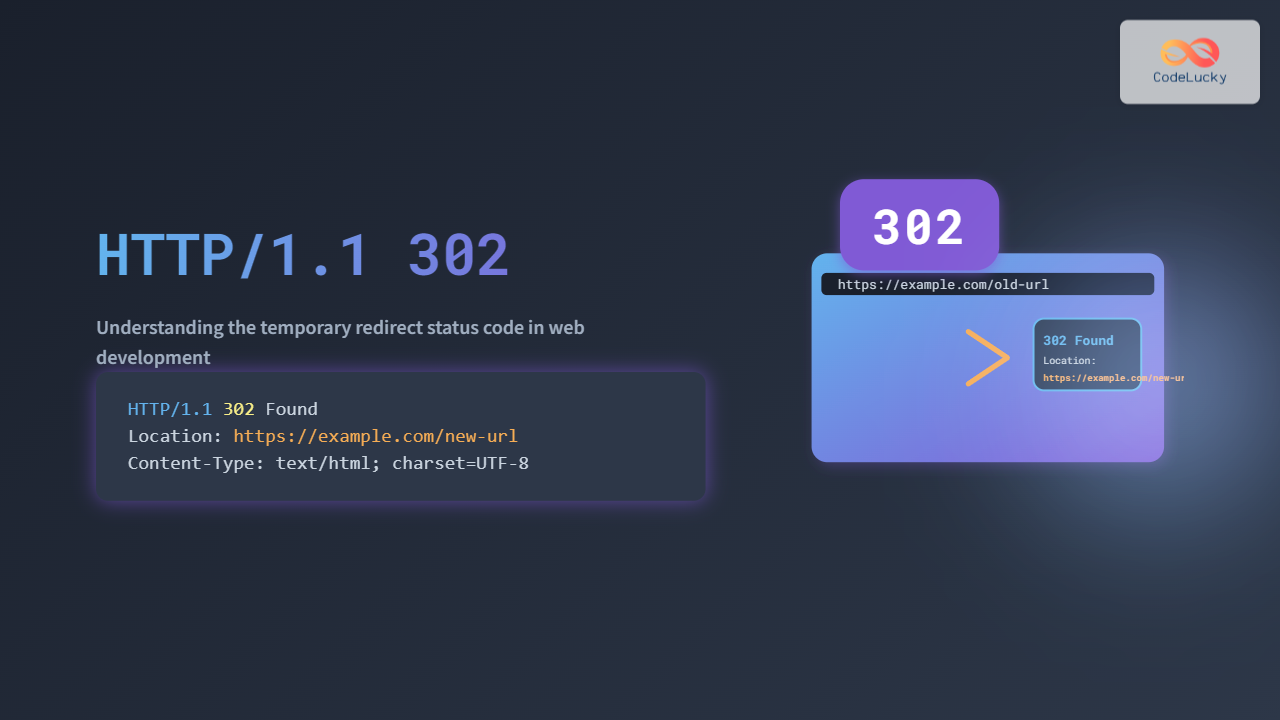
The HTTP/1.1 302 status code is fundamental for web developers who want to understand how temporary redirects work in the HTTP protocol. This guide dives deep into what HTTP 302 means exactly, how it differs from other status codes, and how developers leverage it for web navigation and application behavior control.
What is HTTP/1.1 302?
The HTTP status code 302 is part of the 3xx class of HTTP response codes, which indicate redirection. Specifically, it stands for “Found” or “Moved Temporarily.” When a client (like a web browser) sends a request to a server, a 302 response means the requested resource is temporarily located at a different URL, and the client should follow the redirection link to get the resource.
Technical Definition
According to the HTTP/1.1 RFC 7231, the 302 status code is used to indicate that the target resource resides temporarily under a different URI, which should be provided in the response’s Location header. Importantly, the original request method should not be changed when redirecting (typically a GET).

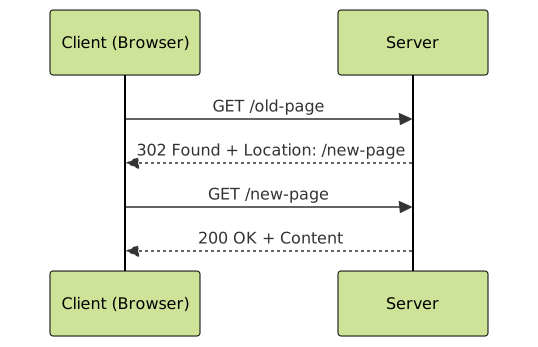
How HTTP 302 Works (Step-by-step)
- Client Request: The client requests a resource via a URL (e.g.,
GET /page1). - Server Response: The server responds with a
HTTP/1.1 302 Foundstatus and aLocationheader indicating where the client should go (e.g.,Location: /page2). - Client Redirect: The client automatically makes a second request to the URL provided in the
Locationheader. - Content Delivered: The server returns the requested content from the new URL, typically with a
200 OKstatus.
Visualizing HTTP/1.1 302 Redirect
Request & Response Flow
Examples with Browser and Curl
Example 1: Browser Redirect
When visiting http://example.com/old-page, the browser receives a 302 response with Location: /new-page. The browser automatically redirects and the URL changes to http://example.com/new-page.
HTTP/1.1 302 Found
Location: http://example.com/new-page
Content-Type: text/html
Example 2: Curl Command
Using curl to see the redirect and follow it:
curl -i http://example.com/old-page
HTTP/1.1 302 Found
Location: http://example.com/new-page

curl -L http://example.com/old-page
# This follows the redirect and displays content of /new-page
Key Differences: HTTP 302 vs Other Redirect Status Codes
| Status Code | Meaning | Use Case | Request Method |
|---|---|---|---|
| 302 Found | Temporary Redirect | Resource temporarily at different URL, do not change HTTP method | Same as original (usually GET) |
| 301 Moved Permanently | Permanent Redirect | Resource permanently moved, update bookmarks or links | Same as original |
| 307 Temporary Redirect | Temporary Redirect preserving method | Explicitly require preserving HTTP method (e.g., POST) | Same as original |
| 303 See Other | Redirect to GET method | Redirect after POST to a different resource with GET | Redirect to GET always |
Best Practices for Using HTTP 302
- Use 302 for Temporary Movements: When a resource is temporarily located elsewhere, such as during maintenance or A/B testing.
- Avoid Using 302 for Permanent Changes: Use 301 redirects for permanent URL changes to maintain SEO rankings and ensure clients update their bookmarks.
- Careful with HTTP Methods: Use 307 if you want to ensure the HTTP method remains unchanged on redirection (important for POST requests).
- SEO Impact: Search engines treat 302 redirects as temporary, so they continue to index the original URL rather than transferring link equity to the temporary URL.
Interactive Demo (Example Code)
Below is a simple interactive example using JavaScript demonstrating a simulated 302 redirect effect on button click:
<button id="redirectBtn">Go to New Page</button>
<script>
  document.getElementById('redirectBtn').addEventListener('click', () => {
    alert('Simulating HTTP 302 Redirect to /new-page');
    // Simulate redirect (in real case, server sends 302 status and location header)
    window.location.href = '/new-page';
  });
</script>
Summary
The HTTP/1.1 302 status code signals to clients that the requested resource is temporarily at another URL and they should follow the redirect provided without changing the original HTTP method. This makes it essential for cases where resources are temporarily moved or undergoing transitions. Understanding and properly implementing 302 redirects helps improve user experience and maintain clean URL management in web applications.





