
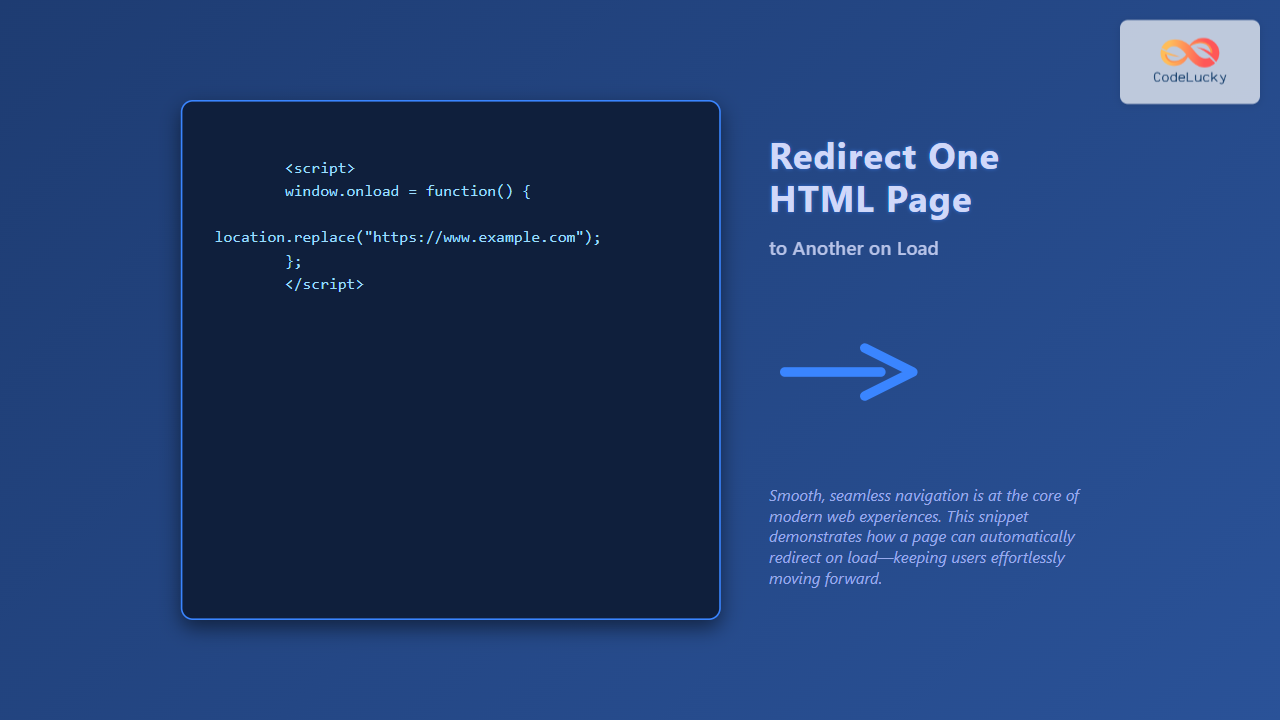
Redirecting a web page to another URL on load is a common requirement in web development. Whether you want to navigate users to a new location, handle deprecated pages, or manage access control, knowing different redirection techniques in HTML and JavaScript is essential. This detailed guide covers multiple methods to accomplish this with clear examples, explanations, and visual aids.
What is HTML Page Redirection?
HTML page redirection refers to automatically forwarding a user from one webpage to another immediately or after a short delay. This can be done either on the client side or the server side. In this article, we focus on client-side redirection methods that web developers use directly in the HTML or JavaScript code, triggered as soon as the page loads.
Why Use Page Redirection?
- Maintain user experience: Redirect old URLs to new ones seamlessly.
- Control navigation flow: Send users to login pages, splash pages, or alternate versions.
- Temporary Maintenance or Updates: Redirect visitors to status or maintenance pages.
- Domain or Structure Changes: Handle web architecture updates without broken links.
Methods to Redirect One HTML Page to Another on Load
You can achieve redirection using the following client-side techniques:
- HTML
<meta>tag refresh redirect - JavaScript
window.locationredirection - JavaScript
location.replace() - Using HTTP headers (more server-side but relevant for understanding)
1. Using HTML Meta Tag Redirect
The simplest method is to add a <meta> tag in the document’s <head> with the http-equiv="refresh" attribute, which instructs the browser to refresh or redirect after a certain number of seconds.
<!DOCTYPE html>
<html lang="en">
<head>
  <meta charset="UTF-8">
  <meta http-equiv="refresh" content="3;url=https://www.example.com">
  <title>Redirecting...</title>
</head>
<body>
  <p>You are being redirected to the new page in 3 seconds.</p>
</body>
</html>
Explanation: The content="3;url=https://www.example.com" attribute means the browser waits 3 seconds then redirects to the specified URL.
Visual Output (after 3 seconds): The current page text shows a message for 3 seconds, then the browser navigates to https://www.example.com automatically.

2. Using JavaScript window.location.href
This method uses JavaScript to set the browser’s current location URL on page load, causing an instant redirection without delay.
<!DOCTYPE html>
<html lang="en">
<head>
  <meta charset="UTF-8">
  <title>Redirecting using JavaScript</title>
  <script>
    window.onload = function() {
      window.location.href = "https://www.example.com";
    };
  </script>
</head>
<body>
  <p>Redirecting you now... If redirection doesn’t happen, <a href="https://www.example.com">click here</a>.</p>
</body>
</html>
Explanation: When the page loads, the JavaScript runs and changes the browser URL to the new one, effectively navigating away from the current page immediately.
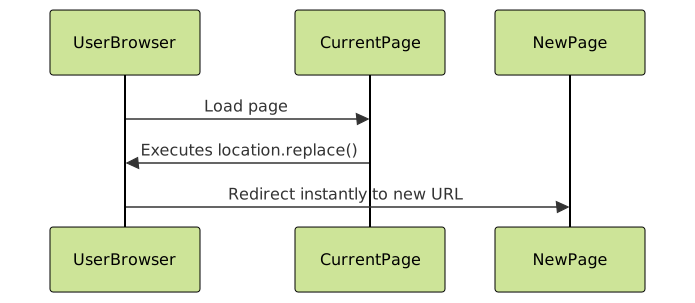
3. Using JavaScript location.replace()
This is similar to window.location.href, but it replaces the current page in the session history. This avoids users navigating back to the original page using the back button.
<!DOCTYPE html>
<html lang="en">
<head>
  <meta charset="UTF-8">
  <title>Redirect with replace</title>
  <script>
    window.onload = function() {
      location.replace("https://www.example.com");
    };
  </script>
</head>
<body>
  <p>Redirecting you now... If redirection doesn’t happen, <a href="https://www.example.com">click here</a>.</p>
</body>
</html>
Benefits: Users won’t be able to use the back button to return to the original page after this redirection.
4. Using JavaScript with Delay
You can also delay the redirection programmatically using setTimeout(), giving time for a message or animation before redirecting.
<!DOCTYPE html>
<html lang="en">
<head>
  <meta charset="UTF-8">
  <title>Delayed JS Redirect</title>
  <script>
    window.onload = function() {
      setTimeout(function() {
        window.location.href = "https://www.example.com";
      }, 5000); // 5 seconds delay
    };
  </script>
</head>
<body>
  <p>Please wait, you will be redirected in 5 seconds...</p>
</body>
</html>
This is helpful to communicate to users before redirecting, improving UX.
Comparing the Methods
Method
Redirect Timing
Uses
Back Button Behavior
Ease of Implementation
Meta tag refresh
After specified seconds
Simple redirects with delay
Back button available
Very easy
window.location.href
Immediately on load
Instant redirect
Back button available
Easy
location.replace()
Immediately on load
Redirect without history
Back button disabled
Easy
JavaScript with delay
After specified milliseconds
Notifications before redirect
Back button available
Easy
Interactive Example: Try Redirecting Yourself
Copy the below code and open it locally or in an HTML playground to test the JavaScript redirect with delay feature.
<!DOCTYPE html>
<html lang="en">
<head>
  <meta charset="UTF-8">
  <title>Interactive Redirect</title>
  <script>
    function redirectAfterDelay(url, delay) {
      document.getElementById('message').textContent = `Redirecting to ${url} in ${delay / 1000} seconds...`;
      setTimeout(function() {
        window.location.href = url;
      }, delay);
    }
  </script>
</head>
<body>
  <h3>Redirect Demo</h3>
  <p id="message">Click button to start redirection.</p>
  <button onclick="redirectAfterDelay('https://www.example.com', 4000)">Start Redirect</button>
</body>
</html>
Additional Tips and SEO Considerations
- Use server-side redirects (like HTTP 301 or 302) for SEO-friendly permanent or temporary redirections whenever possible.
- Client-side redirects like these should be used when server access is limited or for immediate UI purposes.
- Provide fallback links or messages, so users without JavaScript or meta-refresh-supporting browsers still can navigate manually.
- Avoid excessive redirects as they may slow down page load and harm user experience and SEO.
Summary
Redirecting an HTML page to another on load is straightforward using either the HTML meta refresh tag or JavaScript’s location methods. Choosing between them depends on whether you need delay, history manipulation, or simplicity. Enhancing UX with proper messages and fallback links is encouraged. This fundamental technique is essential for effective web development and maintaining smooth navigation flows.





