
HTML Canvas direction Property: Controlling Text Direction
The HTML Canvas direction property allows you to specify the text direction when rendering text on a canvas. This is particularly important when dealing with languages that read from right to left, such as Arabic or Hebrew. By controlling the direction of the text, you can ensure that your canvas text is rendered correctly for all users.
Understanding Text Direction
Text direction is the order in which characters are arranged and read within a line of text. The most common text directions are:
- Left-to-Right (LTR): Most languages, like English, read from left to right.
- Right-to-Left (RTL): Languages such as Arabic and Hebrew read from right to left.
The canvas direction property helps handle the difference between these.
Purpose of the direction Property
The primary purpose of the direction property is to enable canvas elements to properly display text in both left-to-right (LTR) and right-to-left (RTL) formats. Using the direction property ensures that the text is rendered in the correct direction, which is crucial for correct readability and layout.
Syntax of the direction Property
The direction property is set on the 2D rendering context of a canvas element. It accepts two possible string values:
ctx.direction = "ltr" | "rtl";
Where:
ctxis the 2D rendering context obtained usingcanvas.getContext('2d')."ltr"sets the text direction to left-to-right. This is the default."rtl"sets the text direction to right-to-left.
Important Details
- The
directionproperty only affects text rendered usingfillText()andstrokeText(). - It's essential to set the correct direction before rendering text on the canvas, as it impacts both the layout of the text and the cursor positioning when the text is interactive.
- The default value is
"ltr"if the property isn't specified explicitly.
Attribute Table
Here is a table summarizing the key attributes of the direction property:
| Attribute | Type | Description |
|---|---|---|
direction |
String | Specifies the direction of the text in the canvas, can be "ltr" or "rtl". |
ltr |
String | Indicates left-to-right text direction (Default). |
rtl |
String | Indicates right-to-left text direction. |
Practical Examples
Let's delve into practical examples demonstrating how to use the canvas direction property to properly render text in both left-to-right and right-to-left directions.
Example 1: Left-to-Right Text
First, let's see how standard left-to-right text is rendered. This is the default behaviour, but we'll set it explicitly for clarity.
<canvas
  id="canvasLtrText"
  width="300"
  height="100"
  style="border: 1px solid black;"
></canvas>

<script>
//<![CDATA[

  const canvas_ltr = document.getElementById("canvasLtrText");
  const ctx_ltr = canvas_ltr.getContext("2d");

  ctx_ltr.font = "20px Arial";
  ctx_ltr.direction = "ltr";
  ctx_ltr.fillText("Hello, Canvas! This is LTR text.", 10, 50);

//]]]]><![CDATA[>
</script>
In this example, we explicitly set the direction property to "ltr". However, because this is the default, the output is the same whether we include this line or not.
Example 2: Right-to-Left Text
Now, let's see how to render right-to-left text.
<canvas
  id="canvasRtlText"
  width="300"
  height="100"
  style="border: 1px solid black;"
></canvas>

<script>
//<![CDATA[

  const canvas_rtl = document.getElementById("canvasRtlText");
  const ctx_rtl = canvas_rtl.getContext("2d");

  ctx_rtl.font = "20px Arial";
  ctx_rtl.direction = "rtl";
  ctx_rtl.fillText("!סנווס ,שלום. זה טקסט RTL", 290, 50); // Hebrew text

//]]]]><![CDATA[>
</script>
Here, we set the direction property to "rtl" and render the Hebrew text. Note that the text starts on the right and progresses to the left, as expected. Also notice the starting x-coordinate for right to left text is set on the right edge.
Example 3: Mixing Directions
Let’s demonstrate how to use both LTR and RTL text within the same canvas. This requires changing the direction property as needed.
<canvas
id="canvasMixedText"
width="400"
height="150"
style="border: 1px solid black;"
></canvas>
<script>
//<![CDATA[
const canvas_mixed = document.getElementById("canvasMixedText");
const ctx_mixed = canvas_mixed.getContext("2d");
ctx_mixed.font = "20px Arial";
// LTR text
ctx_mixed.direction = "ltr";
ctx_mixed.fillText("LTR Text:", 10, 50);
// RTL text
ctx_mixed.direction = "rtl";
ctx_mixed.fillText("טקסט RTL:", 390, 50);
// Again LTR Text
ctx_mixed.direction = "ltr";
ctx_mixed.fillText("More LTR Text", 10, 100);
//]]]]><
CSS Direction Property: Complete Guide to LTR and RTL Text Direction
Introduction to CSS Direction Property The CSS direction property is a fundamental tool for controlling text flow and layout direction...
HTML Canvas textBaseline Property: Setting Text Baseline
HTML Canvas textBaseline Property: Aligning Text Vertically The textBaseline property of the HTML Canvas API is used to specify the...
CSS Style direction Property: CSS Direction
Understanding the CSS direction Property The CSS direction property specifies the text direction/writing direction. It is used to set the...
HTML dir Property: Element Text Direction
HTML dir Property: Controlling Element Text Direction The HTML dir property specifies the text direction for the content within an...
HTML Canvas font Property: Setting Font Styles
HTML Canvas font Property: Setting Font Styles The font property in the HTML Canvas API is used to specify the...
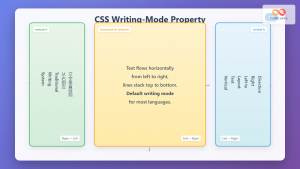
CSS Writing-Mode Property: Master Horizontal and Vertical Text Direction Control
The CSS writing-mode property is a powerful tool that controls the direction and orientation of text flow on web pages....
HTML Canvas strokeText() Method: Drawing Stroked Text
HTML Canvas strokeText() Method: Drawing Stroked Text The strokeText() method in the HTML Canvas API is used to draw outlined...
HTML Canvas fillText() Method: Drawing Filled Text
HTML Canvas fillText() Method: Drawing Filled Text on a Canvas The fillText() method in the HTML Canvas API is used...
CSS Text-Orientation Property: Complete Guide to Vertical Text Character Control
The CSS text-orientation property controls how individual characters are oriented within vertical text layouts. This powerful property becomes essential when...
HTML bdo Tag: Bidirectional Text Override Explained
HTML <bdo> Tag The <bdo> tag in HTML stands for "Bi-Directional Override". It's used to override the current text direction...
HTML Canvas strokeStyle Property: Stroking Styles
HTML Canvas strokeStyle Property: Defining Stroke Styles The strokeStyle property in the HTML Canvas API is crucial for styling the...
HTML bdo dir Property: Bidi Override Direction
HTML bdo dir Property: Bidi Override Direction The bdo (Bi-Directional Override) element in HTML, combined with the dir attribute, provides...





