
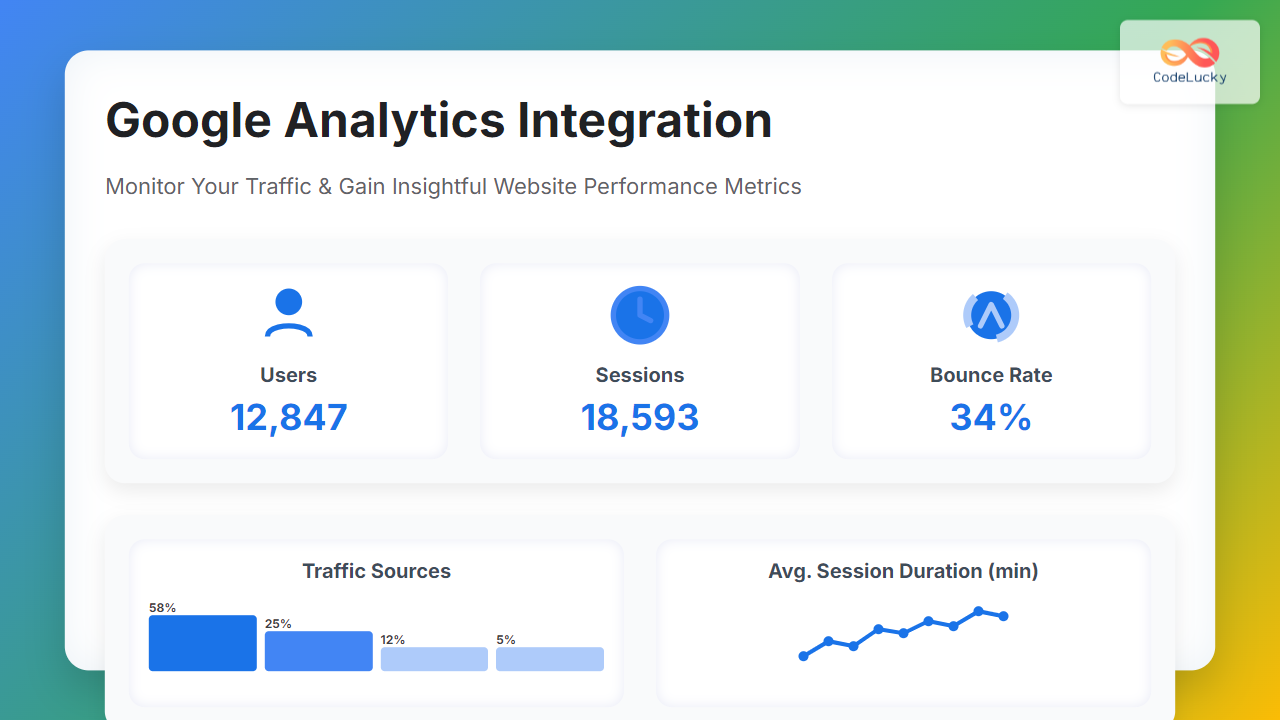
Understanding your website traffic is essential for growth and optimization. Google Analytics provides a robust solution to monitor, analyze, and report visitor data on your site. This article offers a comprehensive, SEO-friendly guide on how to integrate Google Analytics, interpret key metrics, and leverage this data to boost your online presence.
What is Google Analytics & Why Integrate It?
Google Analytics is a free web analytics service that tracks and reports website traffic. Integration enables website owners to:
- Understand user behavior and demographics
- Measure the performance of marketing campaigns
- Identify popular content and user journeys
- Make data-driven decisions to improve engagement and conversions
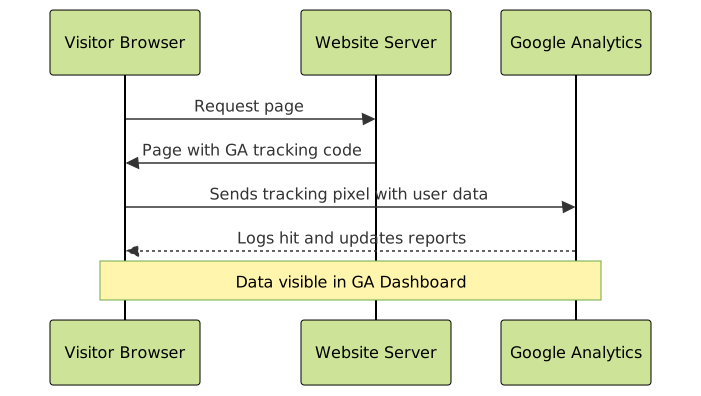
Integration means embedding a tracking code snippet on your website that sends data to Google Analytics servers for processing and visualization.
Step-by-Step Guide to Google Analytics Integration
1. Create a Google Analytics Account
Start by signing up at Google Analytics and set up a property for your website. This generates a unique Measurement ID or Tracking ID, depending on the GA version used (GA4 or Universal Analytics).
2. Adding the Tracking Code to Your Website
Once you have the Measurement ID, embed the Google Analytics global site tag (gtag.js) into the HTML of every page you want to track. Place it immediately before the </head> tag.
<!-- Global site tag (gtag.js) - Google Analytics -->
<script async src="https://www.googletagmanager.com/gtag/js?id=G-XXXXXXXXXX"></script>
<script>
  window.dataLayer = window.dataLayer || [];
  function gtag(){dataLayer.push(arguments);}
  gtag('js', new Date());

  gtag('config', 'G-XXXXXXXXXX');
</script>
Replace G-XXXXXXXXXX with your unique Measurement ID.
3. Verify Your Integration
After adding the code, verify its functionality by:
- Using the Realtime report in the Google Analytics dashboard to see live activity.
- Installing browser extensions like “Google Tag Assistant” to confirm tag firing.
Key Google Analytics Metrics to Monitor
Once integrated, focus on crucial metrics that reflect traffic and behavior:
- Users: Number of unique visitors.
- Sessions: Visits made by users (one user can have multiple sessions).
- Pageviews: Total pages viewed.
- Bounce Rate: Percentage of visitors who leave without interaction.
- Average Session Duration: Average time users spend on your site.
- Traffic Sources: Where visitors come from (organic, direct, referral, social).
Visualizing Website Traffic Flow

Example: Tracking Button Clicks with Event Tracking
Google Analytics also supports event tracking for specific user interactions beyond pageviews, such as button clicks.
Here is an example of tracking a “Subscribe” button click using JavaScript:
<button id="subscribeBtn">Subscribe</button>

<script>
  document.getElementById('subscribeBtn').addEventListener('click', function() {
    gtag('event', 'click', {
      'event_category': 'Button',
      'event_label': 'Subscribe Button',
      'value': 1
    });
  });
</script>
This event will appear in Google Analytics under the Events section, helping you understand user engagement on CTAs (Call to Actions).
Advanced Integration: Using Google Tag Manager
For more flexibility and less code editing, Google Tag Manager (GTM) can be used to deploy Google Analytics tags and other marketing tags easily via a web interface.

This decouples tracking code changes from the website codebase, allowing marketers to manage tags independently.
Tips for SEO-Friendly Google Analytics Integration
- Use Clean URLs: Avoid URL parameters when possible to keep data clean.
- Set Up Goals: Define conversion goals (signups, sales) in GA to measure success.
- Exclude Internal Traffic: Filter out your own visits to get accurate data.
- Regularly Check Data Accuracy: Periodically validate tracking code and data integrity.
Interactive Understanding: Simulate Google Analytics Data Flow
Below is a conceptual interaction flow showing how visitor data moves from your website to Google Analytics:
Conclusion
Integrating Google Analytics is fundamental for effective website management. It provides a wealth of data to understand visitor behavior, optimize user experience, and measure marketing impact. This article covered setting up the integration, key metrics, event tracking, and advanced use with Google Tag Manager, empowering developers and marketers to monitor traffic like pros.
Harnessing these insights will help drive impactful decisions that improve traffic quality and business outcomes.





