In modern software development, Git serves as the backbone version control system for managing code across multiple developers. One essential Git operation is git fetch, which allows developers to synchronize their local repository with remote repositories without immediately merging the changes. This tutorial explores how to fetch a remote branch effectively, dissecting commands, workflows, and practical examples with clear visualizations to enhance understanding.
What is git fetch?
git fetch is a Git command that updates your local copy of a remote repository by downloading the latest changes, including new branches and commits, but without merging them into your local branches. Unlike git pull, which combines fetching and merging, git fetch offers granular control for reviewing remote updates first, making it ideal for safely synchronizing branches.

Why Use git fetch to Get a Remote Branch?
- Safety: Fetch only updates remote tracking branches without impacting current work.
- Visibility: Review changes fetched before merging or rebasing.
- Selective Sync: Choose which branch to fetch rather than all updates.
How to Fetch a Specific Remote Branch
By default, git fetch downloads all branches that your local repository tracks from the remote. However, sometimes you want only a specific remote branch. Here’s the syntax:
git fetch <remote> <branch_name>where:
<remote>is usuallyorigin, the default name of the remote repository<branch_name>is the name of the branch you want to fetch
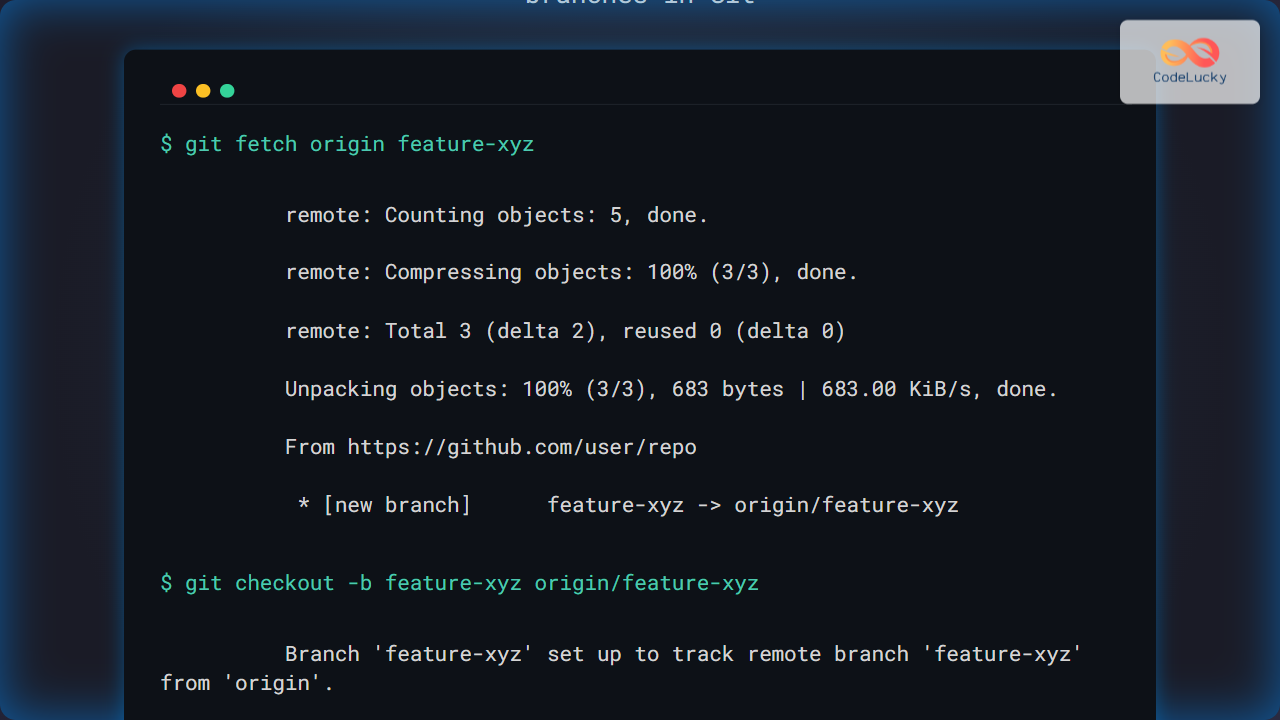
Example: Fetching a remote branch called feature-xyz
git fetch origin feature-xyzThis command fetches the updates from the remote branch origin/feature-xyz into your local repository’s remote-tracking branch origin/feature-xyz, without modifying any of your local branches yet.
Checking Remote Branches After Fetch
After fetching, you can list all remote-tracking branches by running:
git branch -rYou will see the fetched branch listed as origin/feature-xyz (if it exists in the remote repository).
How to Start Working on a Fetched Remote Branch
To start working on this remote branch locally, create a local branch that tracks it:
git checkout -b feature-xyz origin/feature-xyzThis creates and switches to a new local branch called feature-xyz that tracks the remote branch of the same name.

Example Workflow: Fetching and Syncing a Remote Branch
git fetch origin feature-xyz
git checkout -b feature-xyz origin/feature-xyz
git pull
git fetch origin feature-xyzdownloads the latest remote branch updatesgit checkout -b feature-xyz origin/feature-xyzcreates and switches to the local branch tracking the remotegit pullupdates the branch with any newer commits (fast-forward or merge)
Fetching All Remote Branches
If you want to fetch all branches from the remote repository, you can simply use:
git fetch originThis updates all remote-tracking branches without touching any of your local branches.

Useful Git Fetch Options
--prune: Removes remote-tracking branches locally if they were deleted on the remote.--all: Fetches updates from all configured remotes.--dry-run: Simulates fetch without making any changes, useful for preview.
Troubleshooting Common Issues
- Branch not found: Confirm the branch name on the remote repository before fetching.
- Permissions: Ensure you have rights to access the remote repository.
- Outdated references: Use
git fetch --pruneto sync deletions.
Summary
git fetch is an essential command when working with remote repositories, especially for fetching specific branches safely without altering local work. This tutorial covered how to fetch individual remote branches, inspect them, and switch to them locally, plus visual workflows using mermaid diagrams for clarity.
Understanding these concepts boosts your confidence in managing local and remote Git repositories, promoting clean and controlled version control.