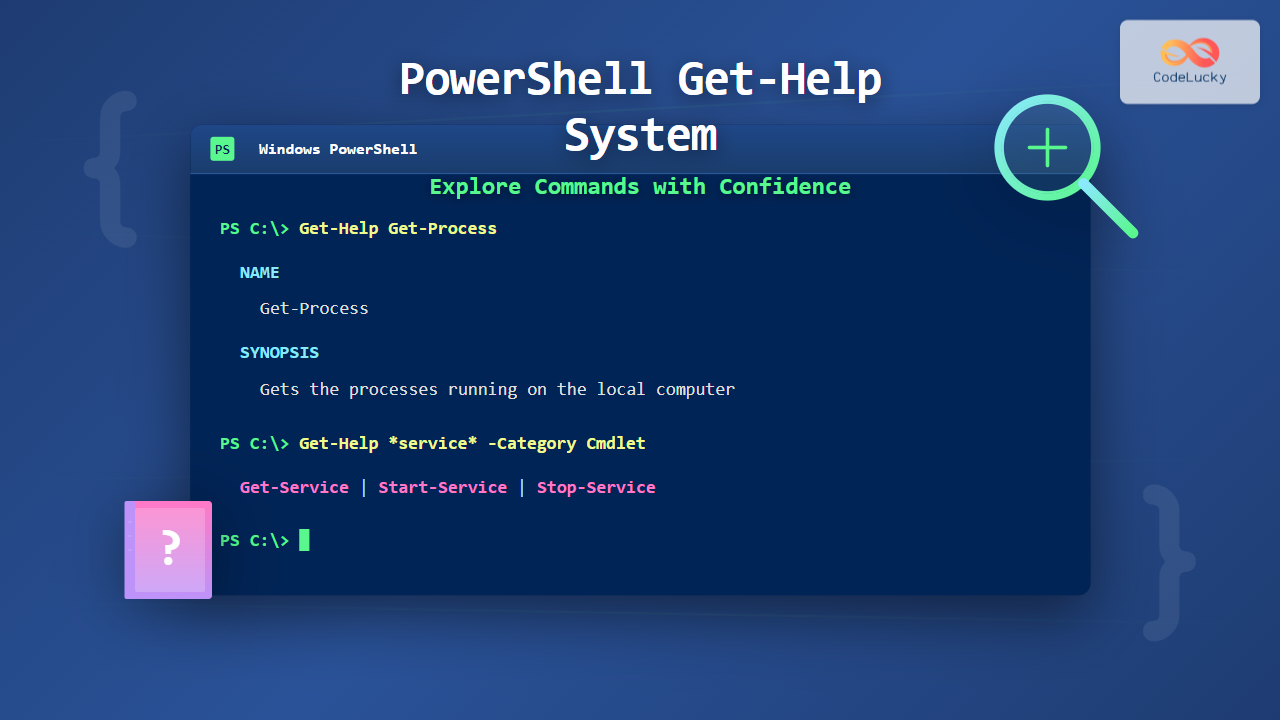
PowerShell’s Get-Help system is your built-in documentation library, providing instant access to command information, syntax, parameters, and examples. Unlike traditional command-line interfaces that require external documentation, PowerShell embeds comprehensive help directly into the shell, making it an invaluable tool for both beginners and experienced administrators.
This guide explores the Get-Help system in depth, demonstrating how to effectively discover commands, understand their usage, and leverage advanced help features to become more productive with PowerShell.
Understanding the Get-Help Cmdlet
The Get-Help cmdlet is your primary interface for accessing PowerShell documentation. It retrieves help information for cmdlets, functions, scripts, and concepts directly within your terminal.
Basic Get-Help Syntax
The simplest way to use Get-Help is to provide the name of a cmdlet:
Get-Help Get-ProcessThis displays basic information about the Get-Process cmdlet, including its synopsis, syntax, and a brief description. The output is formatted for easy reading in the console.
Get-Help Output Structure

Each help topic follows a consistent structure that makes information easy to locate. Understanding this structure helps you quickly find what you need.
Accessing Different Help Levels
Get-Help provides multiple levels of detail through various parameters, allowing you to retrieve exactly the information you need.
Detailed Help with -Detailed
The -Detailed parameter adds parameter descriptions and examples:
Get-Help Get-Service -DetailedOutput includes:
- Complete parameter descriptions with accepted values
- Code examples demonstrating common usage patterns
- Input and output type information
- Notes about command behavior
Full Help Documentation with -Full
For comprehensive information, use the -Full parameter:
Get-Help Get-EventLog -FullThis displays the complete help file, including:
- Detailed parameter descriptions with all attributes
- All available examples
- Complete input/output type information
- Technical notes and remarks
Example-Focused Help with -Examples
When you need practical demonstrations, use the -Examples parameter:
Get-Help Get-ChildItem -ExamplesExample Output:
NAME
    Get-ChildItem

SYNOPSIS
    Gets the items and child items in one or more specified locations.

    -------------------------- EXAMPLE 1 --------------------------
    Get-ChildItem -Path C:\Users

    This command gets the child items in the C:\Users directory.

    -------------------------- EXAMPLE 2 --------------------------
    Get-ChildItem -Path C:\Windows -Filter *.log -Recurse

    This command gets all .log files in the C:\Windows directory tree.
Online Help with -Online
The -Online parameter opens the web-based version of the help documentation:
Get-Help Get-Process -OnlineThis launches your default browser to Microsoft’s official documentation, which often includes additional community examples and updated information.
Discovering Commands with Get-Help
Get-Help excels at helping you find commands even when you don’t know their exact names.
Wildcard Searches
Use wildcards to find commands related to a topic:
# Find all commands related to services
Get-Help *service*

# Find commands that start with 'Get-'
Get-Help Get-*

# Find commands ending with 'Item'
Get-Help *-Item
Example Output:
Name                              Category  Module                    Synopsis
----                              --------  ------                    --------
Get-Service                       Cmdlet    Microsoft.PowerShell...   Gets the services on the computer
Restart-Service                   Cmdlet    Microsoft.PowerShell...   Stops and then starts services
Resume-Service                    Cmdlet    Microsoft.PowerShell...   Resumes suspended services
Set-Service                       Cmdlet    Microsoft.PowerShell...   Starts, stops, and suspends a service
Start-Service                     Cmdlet    Microsoft.PowerShell...   Starts one or more stopped services
Stop-Service                      Cmdlet    Microsoft.PowerShell...   Stops one or more running services
Searching by Category
Filter results by help category:
# Find all cmdlet help topics
Get-Help -Category Cmdlet

# Find all conceptual help topics (about_ topics)
Get-Help -Category HelpFile

# Find function help
Get-Help -Category Function
Parameter-Specific Help
View help for specific parameters using the -Parameter parameter:
Get-Help Get-ChildItem -Parameter RecurseOutput:
-Recurse []
    Gets the items in the specified locations and all child items of the locations.

    Required?                    false
    Position?                    named
    Default value                False
    Accept pipeline input?       False
    Accept wildcard characters?  false
Understanding About Topics
PowerShell includes conceptual help files called “about topics” that explain PowerShell concepts, features, and language elements.
Accessing About Topics
# List all about topics
Get-Help about_*

# View specific about topic
Get-Help about_Variables

# Common about topics
Get-Help about_Operators
Get-Help about_Comparison_Operators
Get-Help about_Pipelines
Get-Help about_Functions
Essential About Topics for Beginners
# Understanding PowerShell execution
Get-Help about_Execution_Policies

# Working with objects
Get-Help about_Objects

# Understanding the pipeline
Get-Help about_Pipelines

# Using parameters
Get-Help about_Parameters

# Working with modules
Get-Help about_Modules
Updating and Managing Help Content
PowerShell help files can be updated independently from PowerShell itself, ensuring you have the latest documentation.
Updating Help Files
Use Update-Help to download the latest help content:
# Update help for all modules (requires Administrator)
Update-Help

# Update help for specific module
Update-Help -Module Microsoft.PowerShell.Management

# Force update even if already current
Update-Help -Force

# Update help and show detailed progress
Update-Help -Verbose
Note: Update-Help requires an internet connection and Administrator privileges. It downloads help files from Microsoft and module publishers.
Saving Help for Offline Use
Download help files to use on computers without internet access:
# Save help to a directory
Save-Help -DestinationPath C:\PowerShellHelp

# Save help for specific modules
Save-Help -Module Microsoft.PowerShell.* -DestinationPath C:\PSHelp

# Install saved help from directory
Update-Help -SourcePath C:\PowerShellHelp
Checking Help Status
# View installed modules and their help status
Get-Module -ListAvailable | Select-Object Name, Version, HelpInfoUri
Practical Get-Help Workflows
Effective use of Get-Help follows common patterns that accelerate learning and troubleshooting.
Workflow 1: Discovering New Commands

# Step 1: Find commands related to your task
Get-Help *process*

# Step 2: Get examples for promising commands
Get-Help Get-Process -Examples

# Step 3: Check parameter details
Get-Help Get-Process -Parameter Name

# Step 4: View full documentation if needed
Get-Help Get-Process -Full
Workflow 2: Understanding Command Syntax
# View syntax overview
Get-Help Get-EventLog -Syntax

# Understand parameter sets
Get-Help Get-EventLog -Full | Select-Object -ExpandProperty Syntax

# Check specific parameter requirements
Get-Help Get-EventLog -Parameter LogName
Syntax Output Example:
Get-EventLog [-LogName]  [[-InstanceId] ] [-After ]
[-AsBaseObject] [-Before ] [-ComputerName ]
[-EntryType ] [-Index ] [-Message ]
[-Newest ] [-Source ] [-UserName ] []
Workflow 3: Learning by Example
# Get all examples for a command
Get-Help Start-Process -Examples

# Copy example and modify
$process = Start-Process notepad -PassThru

# Use help to understand what happened
Get-Help Start-Process -Parameter PassThru
Advanced Get-Help Techniques
Using Get-Help with Aliases
Get-Help works with command aliases:
# Get help for an alias
Get-Help ls

# This resolves to the actual command
Get-Help Get-ChildItem

# Find what command an alias represents
Get-Alias ls
Combining Get-Help with Other Commands
# Find all commands with a specific parameter
Get-Command | Where-Object { (Get-Help $_.Name -Parameter Recurse -ErrorAction SilentlyContinue) }

# Get help for multiple commands
'Get-Process', 'Get-Service' | ForEach-Object { Get-Help $_ -Examples }

# Export help to file
Get-Help Get-Process -Full | Out-File C:\Temp\ProcessHelp.txt
Creating Custom Help
When writing your own functions, include comment-based help:
function Get-UserInfo {
    <#
    .SYNOPSIS
    Retrieves user information from Active Directory.

    .DESCRIPTION
    The Get-UserInfo function queries Active Directory for user account details
    including display name, email, and department information.

    .PARAMETER UserName
    The username to query. Accepts pipeline input.

    .PARAMETER IncludeGroups
    Include group membership information in the output.

    .EXAMPLE
    Get-UserInfo -UserName jsmith
    Retrieves information for user jsmith.

    .EXAMPLE
    'jsmith', 'mjones' | Get-UserInfo -IncludeGroups
    Gets information for multiple users including their group memberships.

    .NOTES
    Requires Active Directory module.
    #>
    [CmdletBinding()]
    param(
        [Parameter(Mandatory=$true, ValueFromPipeline=$true)]
        [string]$UserName,

        [switch]$IncludeGroups
    )

    # Function implementation
}
Now Get-Help works with your custom function:
Get-Help Get-UserInfo -FullGet-Help Best Practices
Regular Help Updates
Schedule regular help updates to ensure current documentation:
# Create scheduled task for monthly updates
$action = New-ScheduledTaskAction -Execute 'PowerShell.exe' `
    -Argument '-NoProfile -Command "Update-Help -Force"'
$trigger = New-ScheduledTaskTrigger -Monthly -At 2am
Register-ScheduledTask -TaskName "Update PowerShell Help" `
    -Action $action -Trigger $trigger -RunLevel Highest
Command Discovery Strategy

Efficient Help Navigation
# Use -ShowWindow for GUI help viewer (Windows PowerShell)
Get-Help Get-Process -ShowWindow

# Save frequently used help to variables
$processHelp = Get-Help Get-Process -Full

# Quick parameter lookup
Get-Help Get-ChildItem -Parameter * | Format-Table Name, Type, Required
Troubleshooting Get-Help Issues
Help Not Available
If help content is missing:
# Check if help is installed
Get-Help Get-Process

# If you see only basic syntax, update help
Update-Help -Module Microsoft.PowerShell.Management -Force

# Verify module help URI
Get-Module Microsoft.PowerShell.Management | Select-Object HelpInfoUri
Update-Help Errors
Common Update-Help issues and solutions:
# Skip modules that can't be updated
Update-Help -ErrorAction SilentlyContinue

# Update specific language
Update-Help -UICulture en-US

# Check for module-specific issues
Update-Help -Module Microsoft.PowerShell.Management -Verbose
Performance Considerations
# For faster searches, limit scope
Get-Help *process* -Category Cmdlet

# Use specific module names
Get-Help Get-Process -Full

# Avoid unnecessary wildcard searches in scripts
Get-Help Integration with Learning Workflow
Integrate Get-Help into your PowerShell learning routine:
# Daily exploration: Pick a random cmdlet
Get-Command | Get-Random | ForEach-Object { Get-Help $_.Name -Examples }

# Topic-based learning: Study about topics systematically
Get-Help about_* | Select-Object Name | Sort-Object Name

# Practice with examples: Run and modify examples
Get-Help Get-Process -Examples | Select-Object -ExpandProperty Examples

# Document discoveries: Save useful help to files
Get-Help about_Pipelines -Full | Out-File ~\Documents\PS_Pipelines.txt
Comparing Get-Help with Get-Command
While Get-Help provides documentation, Get-Command reveals available commands:
# Get-Command: Find what exists
Get-Command *service*

# Get-Help: Learn how to use it
Get-Help Get-Service -Examples

# Combined workflow
Get-Command -Verb Get -Noun Service | ForEach-Object {
    Get-Help $_.Name -Parameter *
}
Conclusion
The Get-Help system transforms PowerShell from a command-line interface into a self-documenting, discoverable environment. By mastering Get-Help, you gain immediate access to comprehensive documentation, reducing the need for external resources and accelerating your PowerShell proficiency.
Key takeaways include using wildcard searches for discovery, leveraging different help levels for appropriate detail, maintaining current help files with Update-Help, and exploring about topics for conceptual understanding. Whether you’re writing your first script or troubleshooting complex automation, Get-Help serves as your constant companion in the PowerShell journey.
Make Get-Help your first stop when encountering unfamiliar commands or needing syntax clarification. This built-in documentation system ensures you always have expert guidance available, transforming every PowerShell session into a learning opportunity.
- Understanding the Get-Help Cmdlet
- Accessing Different Help Levels
- Discovering Commands with Get-Help
- Understanding About Topics
- Updating and Managing Help Content
- Practical Get-Help Workflows
- Advanced Get-Help Techniques
- Get-Help Best Practices
- Troubleshooting Get-Help Issues
- Get-Help Integration with Learning Workflow
- Comparing Get-Help with Get-Command
- Conclusion