
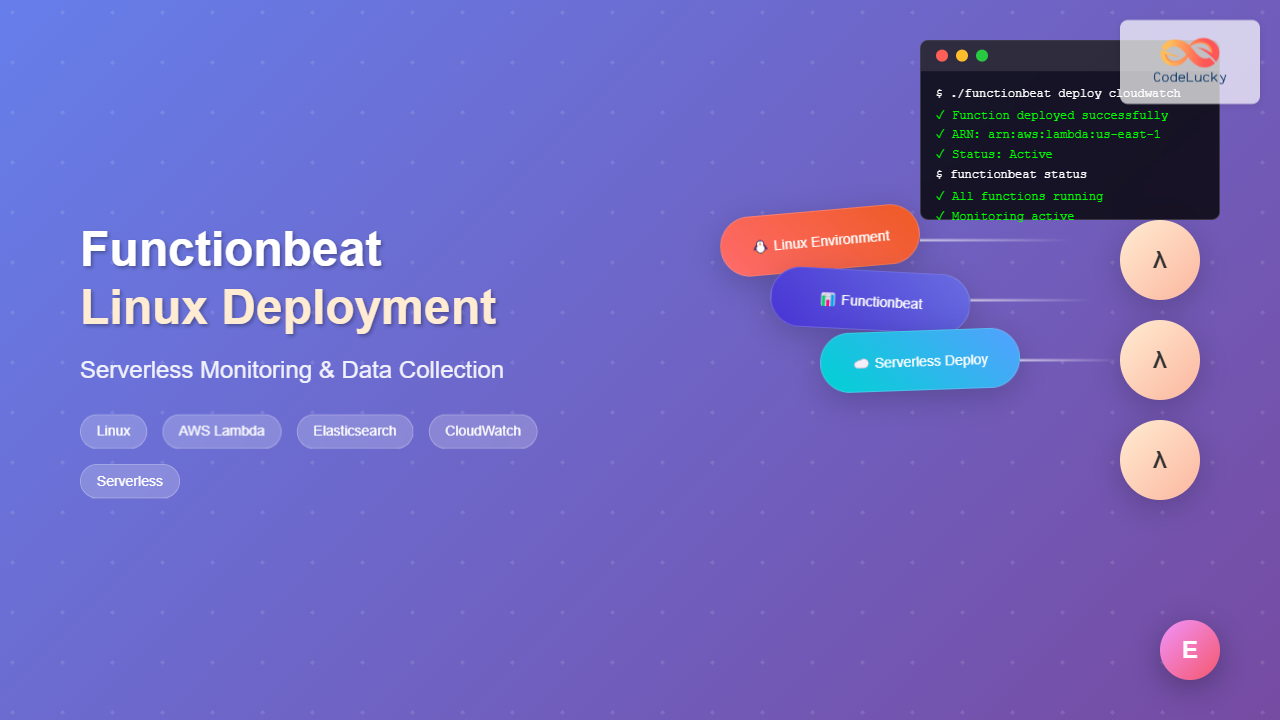
Functionbeat represents a revolutionary approach to serverless monitoring and data collection in modern cloud environments. As part of the Elastic Stack ecosystem, Functionbeat enables you to deploy lightweight data shippers as serverless functions, making it an ideal solution for monitoring cloud-native applications without the overhead of traditional server-based agents.
What is Functionbeat?
Functionbeat is a lightweight shipper designed specifically for serverless environments. Unlike traditional Beats that run on servers or containers, Functionbeat deploys as serverless functions (AWS Lambda, Azure Functions, or Google Cloud Functions) to collect and forward data to Elasticsearch or Logstash.
Key Features of Functionbeat
- Serverless Architecture: No infrastructure management required
- Cost-Effective: Pay only for execution time
- Auto-Scaling: Automatically scales with your workload
- Native Cloud Integration: Deep integration with cloud services
- Real-time Processing: Immediate data collection and forwarding
System Requirements for Linux
Before installing Functionbeat on your Linux system, ensure your environment meets these requirements:
Minimum System Requirements
Operating System: Linux (64-bit)
Memory: 512 MB RAM minimum
Disk Space: 200 MB available space
Network: Internet connectivity for deployment
Supported Linux Distributions
- Ubuntu 18.04, 20.04, 22.04
- CentOS 7, 8
- RHEL 7, 8, 9
- Amazon Linux 2
- SUSE Linux Enterprise Server
- Debian 9, 10, 11
Installing Functionbeat on Linux
Method 1: Download and Install from Elastic
# Download Functionbeat
wget https://artifacts.elastic.co/downloads/beats/functionbeat/functionbeat-8.9.0-linux-x86_64.tar.gz

# Extract the archive
tar -xzf functionbeat-8.9.0-linux-x86_64.tar.gz

# Navigate to the directory
cd functionbeat-8.9.0-linux-x86_64
Method 2: Using Package Managers
For Debian/Ubuntu Systems:
# Add Elastic repository key
wget -qO - https://artifacts.elastic.co/GPG-KEY-elasticsearch | sudo apt-key add -

# Add repository
echo "deb https://artifacts.elastic.co/packages/8.x/apt stable main" | sudo tee -a /etc/apt/sources.list.d/elastic-8.x.list

# Update package list and install
sudo apt update
sudo apt install functionbeat
For CentOS/RHEL Systems:
# Add Elastic repository
sudo rpm --import https://artifacts.elastic.co/GPG-KEY-elasticsearch

# Create repo file
cat << EOF | sudo tee /etc/yum.repos.d/elastic.repo
[elastic-8.x]
name=Elastic repository for 8.x packages
baseurl=https://artifacts.elastic.co/packages/8.x/yum
gpgcheck=1
gpgkey=https://artifacts.elastic.co/GPG-KEY-elasticsearch
enabled=1
autorefresh=1
type=rpm-md
EOF

# Install Functionbeat
sudo yum install functionbeat
Configuring Functionbeat
The main configuration file for Functionbeat is functionbeat.yml. This file defines the functions you want to deploy and their configurations.
Basic Configuration Structure
# functionbeat.yml
functionbeat.provider.aws.endpoint: "s3.amazonaws.com"
functionbeat.provider.aws.deploy_bucket: "my-functionbeat-deploy"

functionbeat.provider.aws.functions:
  - name: cloudwatch
    type: cloudwatch_logs
    description: "Lambda function for CloudWatch logs"
    trigger:
      log_group_name: /aws/lambda/my-function
    fields:
      service: my-service
      environment: production

output.elasticsearch:
  hosts: ["https://my-elasticsearch:9200"]
  username: "elastic"
  password: "changeme"
AWS Credentials Configuration
Functionbeat requires AWS credentials to deploy functions. Configure them using one of these methods:
Method 1: Environment Variables
export AWS_ACCESS_KEY_ID="your-access-key"
export AWS_SECRET_ACCESS_KEY="your-secret-key"
export AWS_DEFAULT_REGION="us-east-1"
Method 2: AWS Credentials File
# ~/.aws/credentials
[default]
aws_access_key_id = your-access-key
aws_secret_access_key = your-secret-key

# ~/.aws/config
[default]
region = us-east-1
Method 3: IAM Roles (Recommended for EC2)
When running on EC2 instances, use IAM roles for better security:
{
  "Version": "2012-10-17",
  "Statement": [
    {
      "Effect": "Allow",
      "Action": [
        "iam:CreateRole",
        "iam:DeleteRole",
        "iam:PutRolePolicy",
        "iam:DeleteRolePolicy",
        "lambda:CreateFunction",
        "lambda:DeleteFunction",
        "lambda:UpdateFunctionCode",
        "lambda:UpdateFunctionConfiguration",
        "logs:CreateLogGroup",
        "logs:DeleteLogGroup",
        "s3:CreateBucket",
        "s3:DeleteObject",
        "s3:PutObject"
      ],
      "Resource": "*"
    }
  ]
}
Deploying Functions to AWS Lambda
Step 1: Validate Configuration
./functionbeat test config
Expected Output:
Config OK
Step 2: Package Functions
./functionbeat package cloudwatch
Expected Output:
Package created: cloudwatch-8.9.0.zip
Step 3: Deploy to AWS Lambda
./functionbeat deploy cloudwatch
Expected Output:
Function 'cloudwatch' deployed successfully
ARN: arn:aws:lambda:us-east-1:123456789012:function:fnb-8-9-0-cloudwatch
Step 4: Verify Deployment
aws lambda list-functions --query 'Functions[?starts_with(FunctionName, `fnb-`)]'
Advanced Configuration Examples
CloudWatch Logs Function
functionbeat.provider.aws.functions:
  - name: cloudwatch-logs
    type: cloudwatch_logs
    description: "Process CloudWatch logs"
    memory_size: 128
    timeout: 60s
    trigger:
      log_group_name: /aws/apigateway/my-api
      filter_pattern: "[timestamp, request_id, method, path, status_code >= 400]"
    fields:
      service: api-gateway
      environment: production
    fields_under_root: true
    processors:
      - add_host_metadata:
          when.not.contains.tags: forwarded
      - decode_json_fields:
          fields: ["message"]
          target: "json"
SQS Function
functionbeat.provider.aws.functions:
  - name: sqs-processor
    type: sqs
    description: "Process SQS messages"
    memory_size: 256
    timeout: 30s
    trigger:
      event_source_arn: arn:aws:sqs:us-east-1:123456789012:my-queue
      batch_size: 10
    fields:
      service: message-processor
      environment: production
Kinesis Function
functionbeat.provider.aws.functions:
  - name: kinesis-stream
    type: kinesis
    description: "Process Kinesis stream data"
    memory_size: 512
    timeout: 120s
    trigger:
      event_source_arn: arn:aws:kinesis:us-east-1:123456789012:stream/my-stream
      starting_position: latest
      batch_size: 100
    fields:
      service: stream-processor
      environment: production
Monitoring and Troubleshooting
Viewing Function Logs
# View recent logs
aws logs tail /aws/lambda/fnb-8-9-0-cloudwatch --follow

# Search for specific patterns
aws logs filter-log-events \
  --log-group-name /aws/lambda/fnb-8-9-0-cloudwatch \
  --filter-pattern "ERROR"
Common Issues and Solutions
Issue 1: Permission Denied Errors
Error:
AccessDenied: User is not authorized to perform: lambda:CreateFunction
Solution:
# Ensure your AWS user/role has required permissions
aws iam attach-user-policy \
  --user-name your-username \
  --policy-arn arn:aws:iam::aws:policy/AWSLambdaFullAccess
Issue 2: Deployment Bucket Not Found
Error:
NoSuchBucket: The specified bucket does not exist
Solution:
# Create the deployment bucket
aws s3 mb s3://my-functionbeat-deploy
Issue 3: Function Timeout
Error:
Task timed out after 60.00 seconds
Solution:
# Increase timeout in configuration
timeout: 300s  # 5 minutes
memory_size: 512  # More memory can improve performance
Performance Optimization
Memory and Timeout Tuning
functionbeat.provider.aws.functions:
  - name: optimized-function
    type: cloudwatch_logs
    memory_size: 1024  # Higher memory for better performance
    timeout: 300s      # Adequate timeout for processing
    reserved_concurrency: 10  # Limit concurrent executions
Batch Processing Configuration
processors:
  - script:
      lang: javascript
      id: batch_processor
      source: >
        function process(event) {
          // Batch multiple events together
          if (!state.batch) {
            state.batch = [];
          }
          state.batch.push(event);

          if (state.batch.length >= 10) {
            var result = state.batch;
            state.batch = [];
            return result;
          }
          return null;
        }
Security Best Practices
IAM Role Configuration
Create a dedicated IAM role for Functionbeat with minimal required permissions:
{
  "Version": "2012-10-17",
  "Statement": [
    {
      "Effect": "Allow",
      "Action": [
        "logs:CreateLogGroup",
        "logs:CreateLogStream",
        "logs:PutLogEvents"
      ],
      "Resource": "arn:aws:logs:*:*:*"
    },
    {
      "Effect": "Allow",
      "Action": [
        "es:ESHttpPost",
        "es:ESHttpPut"
      ],
      "Resource": "arn:aws:es:*:*:domain/my-elasticsearch/*"
    }
  ]
}
Environment Variables for Sensitive Data
functionbeat.provider.aws.functions:
  - name: secure-function
    type: cloudwatch_logs
    environment_variables:
      ELASTICSEARCH_PASSWORD: "${ELASTICSEARCH_PASSWORD}"
      API_KEY: "${API_KEY}"
Integration with Elasticsearch
Basic Elasticsearch Output
output.elasticsearch:
  hosts: ["https://my-cluster.us-east-1.es.amazonaws.com:443"]
  protocol: "https"
  username: "elastic"
  password: "${ELASTICSEARCH_PASSWORD}"
  index: "functionbeat-%{[agent.version]}-%{+yyyy.MM.dd}"
  template.settings:
    index.number_of_shards: 1
    index.number_of_replicas: 0
Advanced Elasticsearch Configuration
output.elasticsearch:
  hosts: ["https://elasticsearch.example.com:9200"]
  protocol: "https"
  username: "functionbeat"
  password: "${ELASTICSEARCH_PASSWORD}"

  # Index lifecycle management
  ilm.enabled: true
  ilm.rollover_alias: "functionbeat"
  ilm.pattern: "{now/d}-000001"

  # Custom index template
  template.name: "functionbeat"
  template.pattern: "functionbeat-*"
  template.settings:
    index:
      number_of_shards: 1
      number_of_replicas: 1
      refresh_interval: "5s"

  # Pipeline processing
  pipeline: "functionbeat-pipeline"
Real-World Use Cases
Use Case 1: API Gateway Log Processing
# Configuration for processing API Gateway access logs
functionbeat.provider.aws.functions:
  - name: api-gateway-logs
    type: cloudwatch_logs
    description: "Process API Gateway access logs"
    memory_size: 256
    timeout: 60s
    trigger:
      log_group_name: /aws/apigateway/my-api
    processors:
      - dissect:
          tokenizer: '%{timestamp} %{request_id} %{method} %{path} %{status} %{response_time}'
          field: "message"
      - convert:
          fields:
            - {from: "status", to: "http.response.status_code", type: "integer"}
            - {from: "response_time", to: "http.response.time", type: "float"}
Use Case 2: Security Event Processing
# Configuration for security event processing
functionbeat.provider.aws.functions:
  - name: security-events
    type: cloudwatch_logs
    description: "Process security events from CloudTrail"
    memory_size: 512
    timeout: 120s
    trigger:
      log_group_name: /aws/cloudtrail/security-events
      filter_pattern: '{ ($.errorCode = "*Unauthorized*") || ($.errorCode = "*Forbidden*") }'
    processors:
      - decode_json_fields:
          fields: ["message"]
          target: "cloudtrail"
      - script:
          lang: javascript
          source: >
            function process(event) {
              if (event.Get("cloudtrail.errorCode")) {
                event.Put("security.threat_level", "high");
                event.Put("security.alert", true);
              }
              return event;
            }
Performance Benchmarking
Load Testing Your Functions
# Create test script
cat << 'EOF' > load_test.sh
#!/bin/bash

FUNCTION_NAME="fnb-8-9-0-cloudwatch"
LOG_GROUP="/aws/lambda/test-function"

for i in {1..100}; do
  aws logs put-log-events \
    --log-group-name $LOG_GROUP \
    --log-stream-name "test-stream-$(date +%s)" \
    --log-events timestamp=$(date +%s000),message="Test message $i" &
done

wait
echo "Load test completed"
EOF

chmod +x load_test.sh
./load_test.sh
Monitoring Performance Metrics
# Check function metrics
aws cloudwatch get-metric-statistics \
  --namespace AWS/Lambda \
  --metric-name Duration \
  --dimensions Name=FunctionName,Value=fnb-8-9-0-cloudwatch \
  --statistics Average,Maximum \
  --start-time $(date -u -d '1 hour ago' +%Y-%m-%dT%H:%M:%S) \
  --end-time $(date -u +%Y-%m-%dT%H:%M:%S) \
  --period 300
Cleanup and Management
Removing Deployed Functions
# Remove specific function
./functionbeat remove cloudwatch

# Remove all functions
./functionbeat remove --all
Updating Function Code
# Update function configuration
./functionbeat update cloudwatch

# Force update (rebuild and redeploy)
./functionbeat deploy cloudwatch --force
Conclusion
Functionbeat provides a powerful solution for serverless monitoring and data collection in cloud environments. Its seamless integration with the Elastic Stack, combined with the cost-effectiveness and scalability of serverless functions, makes it an ideal choice for modern cloud-native applications.
By following this comprehensive guide, you now have the knowledge to deploy, configure, and manage Functionbeat on Linux systems effectively. Remember to monitor your functions regularly, optimize performance based on your specific use cases, and follow security best practices to ensure a robust and secure monitoring infrastructure.
The serverless approach to monitoring offers significant advantages in terms of maintenance overhead, cost optimization, and scalability. As your infrastructure grows, Functionbeat will automatically scale to handle increased loads without requiring manual intervention, making it a future-proof solution for your monitoring needs.
Related Posts
Beats Linux: Complete Guide to Data Shippers for Elasticsearch Integration
Beats are lightweight, open-source data shippers developed by Elastic that collect different types of data from your systems and forward...
filebeat Linux: Complete Guide to Ship Log Files to Elasticsearch with Real Examples
Filebeat is a lightweight log shipper that belongs to the Elastic Stack (formerly ELK Stack) ecosystem. It's designed to monitor...
metricbeat Linux: Complete Guide to System and Service Metrics Monitoring
Metricbeat is a lightweight shipper that helps you monitor your systems and services by collecting metrics from the operating system...
auditbeat Linux: Complete Guide to Shipping Audit Data to Elasticsearch
Introduction to auditbeat auditbeat is a lightweight shipper from the Elastic Beat family that collects audit data from the Linux...
Telegraf Linux: Complete Guide to Installing and Configuring the Metrics Collection Agent
Telegraf is a powerful, plugin-driven server agent for collecting and reporting metrics from databases, systems, and IoT sensors. As part...
logstash Linux: Complete Guide to Data Processing Pipeline
What is Logstash? Logstash is a powerful, open-source data processing pipeline that ingests data from multiple sources simultaneously, transforms it,...
Winlogbeat Linux: Complete Guide to Shipping Windows Event Logs
Winlogbeat is a lightweight shipper designed to forward Windows Event Logs to Elasticsearch or Logstash. While it primarily runs on...
Prometheus Linux: Complete Monitoring and Alerting Toolkit Guide
Prometheus has revolutionized the way we monitor and alert on modern infrastructure. As an open-source monitoring toolkit originally built at...

elasticsearch Linux: Complete Guide to Search and Analytics Engine Installation and Usage
Elasticsearch is a powerful, distributed search and analytics engine built on Apache Lucene that enables real-time search, analysis, and visualization...
Kibana Linux: Complete Guide to Data Visualization Dashboard Setup and Management
Kibana is a powerful open-source data visualization and exploration tool that works seamlessly with Elasticsearch to provide interactive dashboards and...

PHP Serverless: Deploying PHP Functions to Cloud Platforms
In the ever-evolving landscape of web development, serverless architecture has emerged as a game-changing paradigm. PHP, a language traditionally associated...

Marathon Linux: Complete Guide to Container Orchestration Platform
Marathon is a powerful container orchestration platform built on top of Apache Mesos that enables you to deploy, manage, and...





