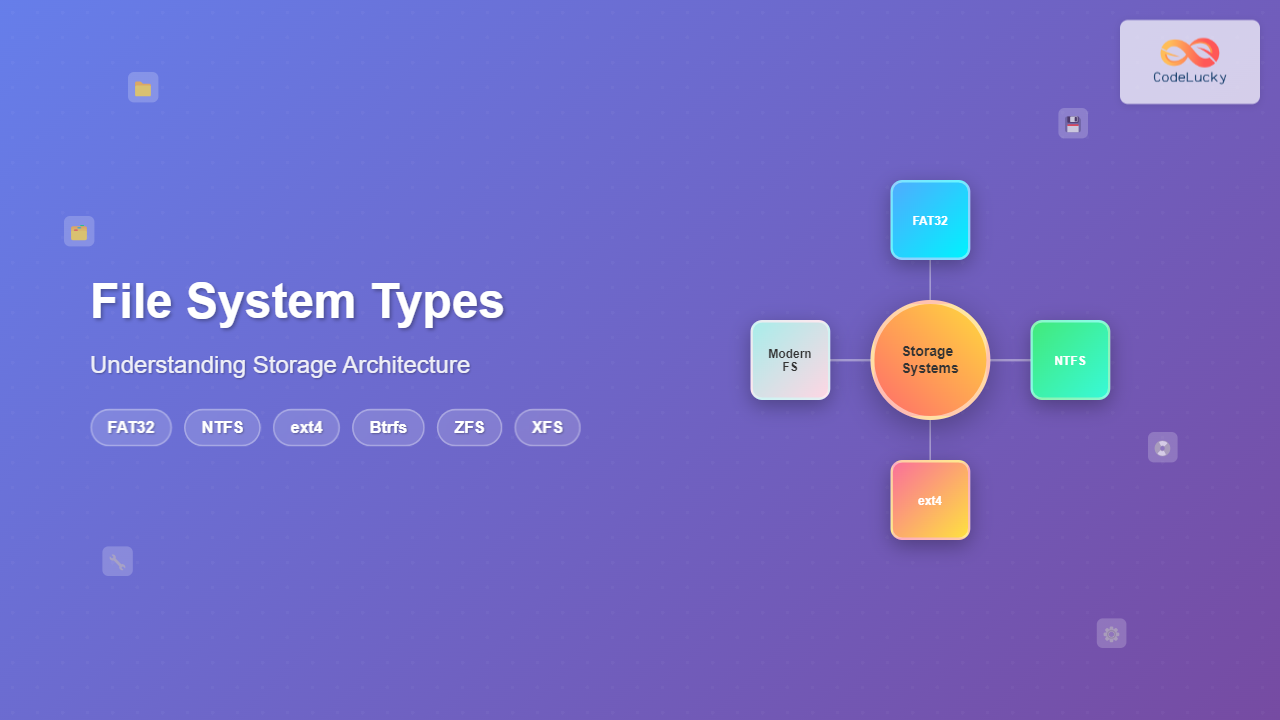
Understanding File Systems: The Foundation of Data Storage
A file system is the method and data structure that an operating system uses to control how data is stored and retrieved on storage devices. Think of it as the organizational system that determines how files are named, stored, and accessed on your hard drive, SSD, or any other storage medium.
File systems handle crucial tasks including:
- File allocation – Determining where files are physically stored
- Directory structure – Organizing files into folders and subfolders
- Metadata management – Storing file attributes like size, permissions, and timestamps
- Space management – Tracking free and used disk space
- Data integrity – Ensuring data consistency and preventing corruption

FAT32: The Universal Legacy File System
File Allocation Table 32-bit (FAT32) was introduced by Microsoft in 1996 as part of Windows 95 OSR2. Despite its age, FAT32 remains one of the most widely compatible file systems across different operating systems and devices.
FAT32 Architecture and Structure
FAT32 uses a file allocation table to keep track of file locations on the disk. This table contains entries for each cluster on the disk, creating a linked list structure that shows which clusters belong to each file.

Key Specifications of FAT32
| Feature | Specification | Limitation |
|---|---|---|
| Maximum file size | 4 GB – 1 byte | Cannot store files larger than 4GB |
| Maximum partition size | 32 GB (Windows), 2 TB (theoretical) | Windows limits formatting to 32GB |
| Cluster size | 4 KB to 32 KB | Larger clusters waste space |
| File name length | 255 characters (long names) | Case-insensitive |
| Directory entries | Unlimited | Performance degrades with many files |
Practical Example: Creating and Formatting FAT32
Here’s how to format a USB drive with FAT32 on different systems:
Windows Command Line:
# List available drives
diskpart
list disk

# Select and format the drive (replace X with drive letter)
format X: /FS:FAT32 /Q /V:MyUSB
Linux Terminal:
# Install dosfstools if needed
sudo apt install dosfstools

# Format the device (replace /dev/sdX with your device)
sudo mkfs.fat -F 32 -n "MyUSB" /dev/sdX1

# Verify the file system
sudo fsck.fat -v /dev/sdX1
Advantages and Use Cases of FAT32
- Universal compatibility – Supported by virtually all operating systems
- Low resource usage – Minimal CPU and memory requirements
- Simple structure – Easy to recover data from corrupted drives
- Portable storage – Ideal for USB drives and SD cards
Limitations of FAT32
- 4GB file size limit – Cannot store large video files or disk images
- No built-in security – No file permissions or encryption
- Fragmentation prone – Performance degrades over time
- No journaling – Susceptible to data loss during power failures
NTFS: Windows’ Advanced File System
New Technology File System (NTFS) was introduced by Microsoft in 1993 with Windows NT 3.1. NTFS is the default file system for modern Windows installations and offers significant improvements over FAT32.
NTFS Architecture and Features
NTFS uses a Master File Table (MFT) as its core database, storing metadata about every file and directory. This approach provides better performance and reliability compared to FAT32’s linked list structure.

Advanced NTFS Features
| Feature | Description | Benefit |
|---|---|---|
| Journaling | Tracks file system changes | Quick recovery from crashes |
| File Compression | Built-in compression algorithm | Saves disk space automatically |
| Encryption (EFS) | File-level encryption | Protects sensitive data |
| Hard Links | Multiple directory entries for one file | Efficient file organization |
| Alternate Data Streams | Multiple data streams per file | Store additional metadata |
| Volume Shadow Copy | Point-in-time snapshots | File version history |
NTFS Specifications
- Maximum file size: 16 TB (theoretical: 16 EB)
- Maximum volume size: 256 TB (theoretical: 16 EB)
- File name length: 255 characters
- Cluster size: 512 bytes to 64 KB
- Security: Access Control Lists (ACLs)
Working with NTFS Features
Enabling NTFS Compression:
# PowerShell - Compress a folder
compact /c /s:"C:\MyFolder" /i

# View compression status
compact /q "C:\MyFolder"

# Decompress
compact /u /s:"C:\MyFolder" /i
Setting NTFS Permissions:
# Grant full control to a user
icacls "C:\MyFolder" /grant "Username:F"

# Remove permissions
icacls "C:\MyFolder" /remove "Username"

# View current permissions
icacls "C:\MyFolder"
NTFS Advantages
- Large file support – Handles files up to 16 TB
- Advanced security – Granular permission system
- Reliability – Journaling prevents data corruption
- Performance – Efficient for large volumes
- Built-in features – Compression, encryption, quotas
NTFS Limitations
- Windows-centric – Limited support on non-Windows systems
- Complexity – Higher resource usage than simpler file systems
- Fragmentation – Still susceptible to fragmentation over time
ext4: Linux’s Robust File System
Fourth Extended File System (ext4) is the default file system for most Linux distributions. Released in 2008, ext4 is the evolution of the ext3 file system, offering improved performance, reliability, and scalability.
ext4 Architecture and Design
ext4 uses an extent-based allocation system instead of the traditional block mapping used by earlier ext file systems. This approach reduces metadata overhead and improves performance for large files.

ext4 Key Features
| Feature | Description | Advantage |
|---|---|---|
| Extents | Contiguous block allocation | Reduces fragmentation |
| Delayed Allocation | Postpones block allocation | Better allocation decisions |
| Multiblock Allocation | Allocates multiple blocks at once | Reduces fragmentation |
| Persistent Pre-allocation | Reserve space for files | Guarantees space availability |
| Barrier-based Journaling | Improved journal reliability | Better data integrity |
| Online Defragmentation | Defrag without unmounting | Minimal downtime |
ext4 Specifications
- Maximum file size: 16 TB
- Maximum volume size: 1 EB (1,048,576 TB)
- Maximum files per directory: Unlimited (practically ~10 million)
- File name length: 255 bytes
- Subdirectory depth: Unlimited
Creating and Managing ext4 File Systems
Creating an ext4 File System:
# Create ext4 file system with label
sudo mkfs.ext4 -L "MyData" /dev/sdX1

# Create with specific options
sudo mkfs.ext4 -b 4096 -E stride=32,stripe-width=64 /dev/sdX1

# Check file system
sudo fsck.ext4 -f /dev/sdX1
Tuning ext4 Performance:
# View current file system parameters
sudo dumpe2fs /dev/sdX1 | head -20

# Tune file system parameters
sudo tune2fs -o journal_data_writeback /dev/sdX1
sudo tune2fs -O ^has_journal /dev/sdX1  # Disable journaling

# Enable directory indexing for better performance
sudo tune2fs -O dir_index /dev/sdX1
Monitoring ext4 Performance:
# View file system statistics
iostat -x 1

# Check fragmentation
sudo e4defrag -c /path/to/check

# Online defragmentation
sudo e4defrag /path/to/defrag
ext4 Advantages
- Excellent performance – Optimized for modern hardware
- Backward compatibility – Can mount ext2/ext3 file systems
- Large file support – Handles very large files efficiently
- Reliable journaling – Multiple journaling modes
- Online operations – Resize, defrag without unmounting
ext4 Limitations
- Linux-specific – Limited support on other operating systems
- No built-in compression – Requires external tools
- No snapshots – No built-in snapshot functionality
Modern File Systems: The Next Generation
Btrfs: The B-tree File System
Btrfs (B-tree file system) is a modern copy-on-write file system designed to address the limitations of traditional file systems while providing advanced features for enterprise use.
Btrfs Key Features
- Snapshots and subvolumes – Instant, space-efficient backups
- Built-in RAID support – Software RAID 0, 1, 5, 6, 10
- Checksums – Data integrity verification
- Transparent compression – LZO, ZLIB, ZSTD algorithms
- Online resizing – Grow or shrink file systems
- Send/receive – Efficient backup and replication
Working with Btrfs:
# Create Btrfs file system
sudo mkfs.btrfs -L "MyBtrfs" /dev/sdX1

# Create subvolume
sudo btrfs subvolume create /mnt/mydata/home

# Create snapshot
sudo btrfs subvolume snapshot /mnt/mydata/home /mnt/mydata/home-backup

# Enable compression
sudo mount -o compress=zstd /dev/sdX1 /mnt/mydata

# Check file system usage
sudo btrfs filesystem usage /mnt/mydata
ZFS: The Enterprise-Grade File System
ZFS (Zettabyte File System) was originally developed by Sun Microsystems and is known for its robustness, scalability, and advanced features. It combines file system and volume manager functionality.
ZFS Advanced Features
- 128-bit addressing – Virtually unlimited storage capacity
- End-to-end checksums – Complete data integrity
- Self-healing – Automatic error correction
- Snapshots and clones – Instant, space-efficient copies
- Deduplication – Eliminates duplicate data blocks
- ARC caching – Adaptive replacement cache for performance
XFS: High-Performance File System
XFS is a high-performance journaling file system originally developed by Silicon Graphics. It’s designed for scalability and is excellent for large files and high-throughput environments.
XFS Characteristics
- Allocation groups – Parallel operations for better performance
- Delayed allocation – Optimizes block allocation
- Real-time subvolumes – Guaranteed bandwidth for multimedia
- Online defragmentation – Maintain performance over time
Choosing the Right File System

Decision Matrix
| Use Case | Recommended File System | Reason |
|---|---|---|
| Windows desktop/laptop | NTFS | Native support, security features |
| Linux desktop | ext4 | Mature, reliable, good performance |
| USB/portable drives | FAT32 or exFAT | Universal compatibility |
| High-performance server | XFS | Excellent large file performance |
| Data integrity critical | ZFS or Btrfs | Checksums, snapshots, self-healing |
| Enterprise storage | ZFS | Advanced features, proven reliability |
File System Performance Comparison
Performance characteristics vary significantly between file systems depending on the workload:
| Metric | FAT32 | NTFS | ext4 | Btrfs | ZFS |
|---|---|---|---|---|---|
| Small files | Good | Very Good | Excellent | Good | Good |
| Large files | Fair | Good | Excellent | Very Good | Excellent |
| Metadata ops | Fair | Good | Very Good | Good | Very Good |
| CPU usage | Low | Medium | Low-Medium | Medium-High | High |
| Memory usage | Very Low | Low-Medium | Low | Medium | High |
Future of File Systems
The evolution of file systems continues with emerging technologies:
- NVMe optimizations – File systems designed for flash storage characteristics
- Persistent memory support – Integration with Intel Optane and similar technologies
- Cloud-native file systems – Designed for distributed, cloud environments
- AI-driven optimization – Machine learning for predictive caching and allocation
- Quantum-resistant encryption – Preparing for post-quantum cryptography
Best Practices for File System Selection
When choosing a file system, consider these factors:
- Compatibility requirements – Which operating systems need access
- Performance needs – Sequential vs random access patterns
- Reliability requirements – How critical is data integrity
- Storage capacity – Current and future space needs
- Feature requirements – Compression, encryption, snapshots
- Administrative overhead – Management complexity and expertise
Understanding file systems is crucial for system administrators, developers, and power users. Each file system has its strengths and ideal use cases, and the choice often depends on balancing performance, compatibility, and feature requirements for your specific environment.
Related Posts

File System in Operating System: Complete Guide to Structure and Organization
Introduction to File Systems A file system is a fundamental component of any operating system that provides a structured way...
Windows File System: Complete NTFS Features and Implementation Guide
Introduction to NTFS File System NTFS (New Technology File System) is the default file system for modern Windows operating systems,...
File System Implementation: Boot Block, Super Block and Inodes Explained
Understanding File System Implementation File system implementation is a critical component of operating systems that manages how data is stored,...
Directory Structure: Single-level, Two-level, and Tree Structure in Operating Systems
Understanding Directory Structures in Operating Systems Directory structures are fundamental components of file systems that organize and manage files in...
sysfs Linux: Complete Guide to Understanding and Using /sys Filesystem
The sysfs filesystem is one of Linux's most powerful yet underutilized features, providing a window into the kernel's internal operations...
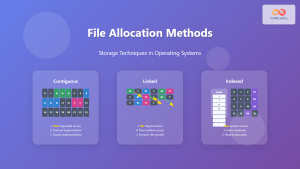
File Allocation Methods: Contiguous, Linked and Indexed Storage Techniques
Understanding File Allocation Methods in Operating Systems File allocation methods are fundamental techniques used by operating systems to organize and...
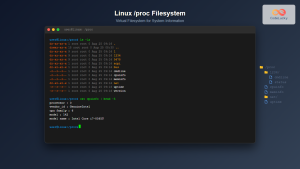
proc filesystem Linux: Complete Guide to Understanding /proc Directory Structure and Commands
What is the Linux /proc Filesystem? The /proc filesystem is a virtual filesystem in Linux that provides a window into...
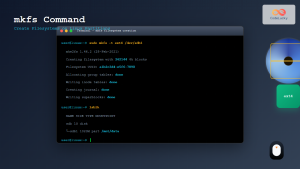
mkfs Command Linux: Complete Guide to Creating Filesystems on Partitions
The mkfs command in Linux is a fundamental tool for creating filesystems on disk partitions. Whether you're setting up a...
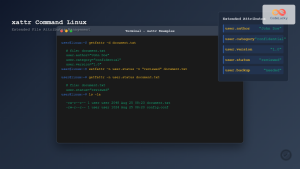
xattr Command Linux: Complete Guide to Extended File Attributes Management
Extended file attributes in Linux provide a powerful mechanism to store additional metadata beyond traditional file permissions and ownership. The...
xfs_info Command Linux: Complete Guide to Display XFS Filesystem Information
The xfs_info command is a powerful utility in Linux systems that provides comprehensive information about XFS filesystems. This command is...
tmpfs Linux: Complete Guide to Temporary Filesystem in Memory for Better Performance
tmpfs (temporary file system) is a powerful Linux feature that creates a virtual filesystem stored entirely in RAM and swap...
dumpe2fs Command Linux: Complete Guide to Display Ext2/3/4 Filesystem Information
The dumpe2fs command is a powerful Linux utility that displays detailed information about ext2, ext3, and ext4 filesystems. This essential...