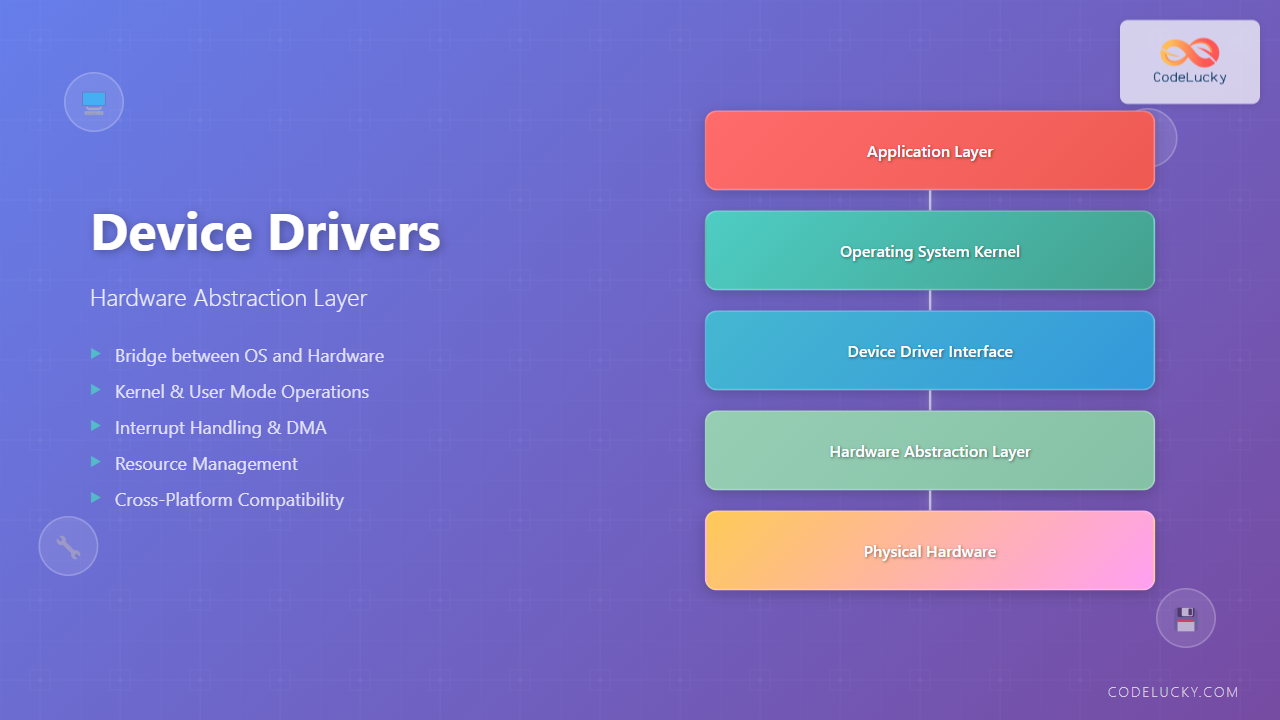
Device drivers serve as the critical bridge between your operating system and hardware components, forming what’s known as the Hardware Abstraction Layer (HAL). Understanding how device drivers work is essential for anyone involved in system programming, embedded systems development, or simply wanting to grasp how modern computers operate at a fundamental level.
What Are Device Drivers?
A device driver is a specialized software component that acts as an intermediary between the operating system kernel and hardware devices. Think of it as a translator that converts high-level operating system commands into low-level hardware-specific instructions that devices can understand and execute.

Every hardware component in your computer – from your graphics card to your USB mouse – requires a specific driver to function properly. Without drivers, the operating system would have no way to communicate with these devices.
The Hardware Abstraction Layer Concept
The Hardware Abstraction Layer (HAL) is a crucial architectural component that provides a uniform interface between the operating system and various hardware platforms. It abstracts the complexities of different hardware implementations, allowing the same operating system to run on different hardware configurations.
Key Functions of HAL:
- Hardware Independence: Enables OS to run on different hardware without modification
- Standardized Interface: Provides consistent APIs for hardware access
- Resource Management: Manages hardware resources efficiently
- Interrupt Handling: Processes hardware interrupts and signals
Types of Device Drivers
Device drivers can be classified into several categories based on their functionality and implementation:
1. Kernel Mode Drivers
These drivers operate at the highest privilege level and have direct access to system resources. They’re typically used for critical system components.
// Example: Simple kernel mode driver structure in C
#include <linux/module.h>
#include <linux/kernel.h>
#include <linux/init.h>

static int __init simple_driver_init(void)
{
    printk(KERN_INFO "Simple driver loaded\n");
    return 0;
}

static void __exit simple_driver_exit(void)
{
    printk(KERN_INFO "Simple driver unloaded\n");
}

module_init(simple_driver_init);
module_exit(simple_driver_exit);

MODULE_LICENSE("GPL");
MODULE_DESCRIPTION("A simple device driver example");
2. User Mode Drivers
These drivers run in user space with limited privileges, providing better system stability and security. They’re commonly used for printers, scanners, and other peripheral devices.
3. Virtual Drivers
These drivers don’t correspond to physical hardware but provide virtualized access to system resources or emulate hardware functionality.

Driver Architecture and Components
Modern device drivers follow a layered architecture that ensures modularity and maintainability:
Driver Stack Components:
- Function Driver: Implements the main functionality of the device
- Filter Driver: Adds additional processing capabilities
- Bus Driver: Manages communication over specific bus types
- Class Driver: Provides common functionality for device classes
Communication Between OS and Hardware
The communication process between the operating system and hardware through drivers involves several mechanisms:
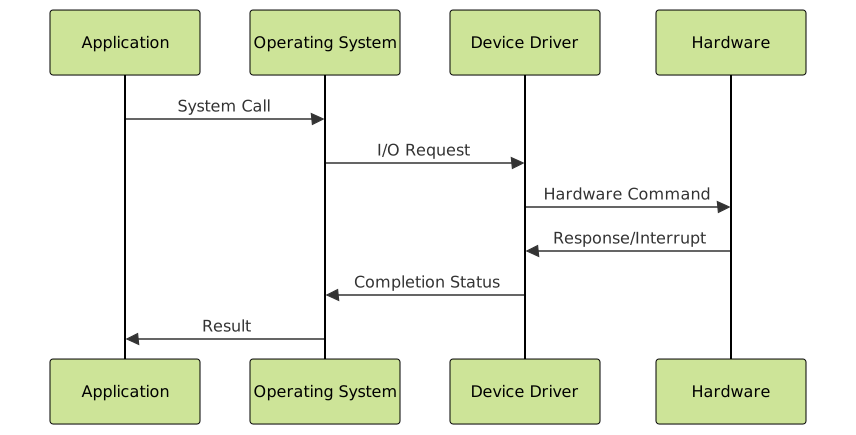
I/O Request Processing
When an application needs to access hardware, the following sequence occurs:
// Example: File I/O operation flow
1. Application calls: fopen("file.txt", "r")
2. OS translates to: CreateFile() system call
3. File system driver: Locates file on disk
4. Storage driver: Sends read command to disk controller
5. Hardware: Disk reads data and signals completion
6. Driver: Processes completion interrupt
7. OS: Returns file handle to application
Practical Examples of Device Drivers
Example 1: Graphics Driver Operation
Graphics drivers are among the most complex drivers in modern systems. Here’s how they handle a simple drawing operation:
// Pseudo-code for graphics driver operation
void draw_rectangle(int x, int y, int width, int height, color_t color)
{
    // 1. Validate parameters
    if (x < 0 || y < 0 || width <= 0 || height <= 0)
        return ERROR_INVALID_PARAMS;

    // 2. Acquire graphics memory
    graphics_buffer_t* buffer = acquire_framebuffer();

    // 3. Convert to hardware-specific format
    hw_command_t cmd = {
        .operation = DRAW_RECT,
        .x = x, .y = y,
        .width = width, .height = height,
        .color = convert_color_format(color)
    };

    // 4. Send to graphics hardware
    send_gpu_command(&cmd);

    // 5. Wait for completion
    wait_for_gpu_completion();

    // 6. Release resources
    release_framebuffer(buffer);
}
Example 2: Network Driver Implementation
Network drivers handle packet transmission and reception. Here’s a simplified example:
// Network packet transmission example
int network_send_packet(packet_t* packet)
{
    // 1. Validate packet structure
    if (!validate_packet(packet))
        return -EINVAL;

    // 2. Add hardware headers
    hw_packet_t* hw_pkt = prepare_hardware_packet(packet);

    // 3. Queue for transmission
    if (tx_queue_full()) {
        return -EBUSY;
    }

    // 4. DMA transfer to network card
    dma_transfer_to_nic(hw_pkt);

    // 5. Trigger transmission
    nic_register_write(TX_CTRL, TX_START);

    return 0;
}

// Interrupt handler for packet reception
void network_rx_interrupt_handler(void)
{
    while (packets_available()) {
        hw_packet_t* rx_pkt = get_received_packet();
        packet_t* packet = parse_hardware_packet(rx_pkt);

        // Pass to network stack
        network_stack_receive(packet);

        free_hardware_packet(rx_pkt);
    }
}
Driver Development Process
Developing device drivers requires following a structured approach:

Development Steps:
- Hardware Analysis: Study device specifications and communication protocols
- Interface Design: Define the API between driver and OS
- Implementation: Write driver code following OS-specific guidelines
- Testing: Comprehensive testing including edge cases
- Optimization: Performance tuning and resource optimization
Driver Loading and Management
Operating systems provide mechanisms to load, unload, and manage device drivers dynamically:
Linux Driver Management:
# Load a kernel module
sudo insmod my_driver.ko

# List loaded modules
lsmod | grep my_driver

# Remove a kernel module
sudo rmmod my_driver

# Check driver information
modinfo my_driver.ko

# Automatic loading on boot
echo "my_driver" >> /etc/modules
Windows Driver Management:
// Windows driver installation example
SC_HANDLE scManager = OpenSCManager(NULL, NULL, SC_MANAGER_ALL_ACCESS);
SC_HANDLE service = CreateService(
    scManager,
    "MyDriver",
    "My Device Driver",
    SERVICE_ALL_ACCESS,
    SERVICE_KERNEL_DRIVER,
    SERVICE_DEMAND_START,
    SERVICE_ERROR_NORMAL,
    "C:\\Drivers\\mydriver.sys",
    NULL, NULL, NULL, NULL, NULL
);

StartService(service, 0, NULL);
Error Handling and Debugging
Robust error handling is crucial in driver development due to their privileged access and critical role:
Common Error Handling Strategies:
// Example error handling in driver code
int device_operation(device_context_t* ctx, operation_params_t* params)
{
    int result = 0;

    // Input validation
    if (!ctx || !params) {
        log_error("Invalid parameters passed to device_operation");
        return -EINVAL;
    }

    // Resource acquisition
    if (acquire_device_lock(ctx) != 0) {
        log_warning("Failed to acquire device lock");
        return -EBUSY;
    }

    // Hardware operation
    result = perform_hardware_operation(ctx, params);
    if (result < 0) {
        log_error("Hardware operation failed: %d", result);
        goto cleanup;
    }

    // Success path
    log_debug("Device operation completed successfully");

cleanup:
    release_device_lock(ctx);
    return result;
}
Performance Optimization Techniques
Driver performance directly impacts system performance. Key optimization strategies include:
1. Interrupt Optimization
// Efficient interrupt handling
irqreturn_t device_interrupt_handler(int irq, void* dev_id)
{
    device_t* dev = (device_t*)dev_id;
    u32 status = read_device_status(dev);

    if (!(status & DEVICE_INT_PENDING))
        return IRQ_NONE;

    // Clear interrupt quickly
    write_device_status(dev, status);

    // Schedule bottom half for heavy processing
    schedule_work(&dev->work_queue);

    return IRQ_HANDLED;
}
2. DMA Optimization
// Efficient DMA buffer management
int setup_dma_buffers(device_t* dev)
{
    // Allocate coherent DMA memory
    dev->dma_buffer = dma_alloc_coherent(
        dev->device,
        BUFFER_SIZE,
        &dev->dma_handle,
        GFP_KERNEL
    );

    if (!dev->dma_buffer)
        return -ENOMEM;

    // Set up scatter-gather lists for large transfers
    init_sg_table(&dev->sg_table, MAX_SG_ENTRIES);

    return 0;
}
Security Considerations
Device drivers operate with high privileges, making security a paramount concern:
Security Best Practices:
- Input Validation: Always validate user input and parameters
- Buffer Management: Prevent buffer overflows and underflows
- Access Control: Implement proper permission checks
- Secure Communication: Use secure channels for driver updates
// Security-focused parameter validation
int secure_device_ioctl(struct file* file, unsigned int cmd, unsigned long arg)
{
    device_context_t* ctx = file->private_data;
    user_params_t user_params;

    // Validate command
    if (_IOC_TYPE(cmd) != DEVICE_IOC_MAGIC)
        return -ENOTTY;

    if (_IOC_NR(cmd) > DEVICE_IOC_MAXNR)
        return -ENOTTY;

    // Check user permissions
    if (!capable(CAP_SYS_ADMIN))
        return -EPERM;

    // Safely copy from user space
    if (copy_from_user(&user_params, (void*)arg, sizeof(user_params)))
        return -EFAULT;

    // Validate parameter ranges
    if (user_params.size > MAX_ALLOWED_SIZE)
        return -EINVAL;

    return process_secure_operation(ctx, &user_params);
}
Future of Device Drivers
The landscape of device drivers continues to evolve with emerging technologies:
Emerging Trends:
- User-Mode Drivers: Increased focus on stability through user-space drivers
- Virtualization: SR-IOV and hardware virtualization support
- AI/ML Acceleration: Specialized drivers for AI hardware
- Edge Computing: Lightweight drivers for IoT devices
- Real-Time Systems: Deterministic drivers for time-critical applications

Conclusion
Device drivers and the Hardware Abstraction Layer form the foundation of modern computing systems, enabling seamless communication between software and hardware components. Understanding their architecture, implementation, and best practices is crucial for system developers and anyone working with low-level system programming.
As technology continues to advance with AI, IoT, and edge computing, device drivers will evolve to meet new challenges while maintaining their core responsibility of bridging the gap between abstract software operations and concrete hardware implementations. The principles and practices outlined in this guide provide a solid foundation for understanding and working with device drivers in modern operating systems.
Whether you’re developing embedded systems, working on kernel modules, or simply trying to understand how your computer works at a fundamental level, mastering device driver concepts will enhance your ability to create robust, efficient, and secure software systems.
Related Posts
Input Output Systems: Complete Guide to Device Management and I/O Operations
Input/Output (I/O) systems form the critical bridge between a computer's internal processing capabilities and the external world. These systems manage...
System Calls in Operating System: Complete Guide to User-Kernel Interface
System calls serve as the fundamental bridge between user applications and the operating system kernel, enabling programs to request services...
udev Command Linux: Complete Guide to Dynamic Device Management
The udev (userspace device manager) is a crucial component of modern Linux systems that handles dynamic device management. Unlike traditional...
Monolithic Kernel: Complete Guide to Traditional Kernel Architecture
What is a Monolithic Kernel? A monolithic kernel is a traditional kernel architecture where the entire operating system runs in...
Operating System Architecture: Monolithic vs Microkernel Design Patterns
Introduction to Operating System Architecture Operating system architecture defines how the core components of an OS are organized and interact...
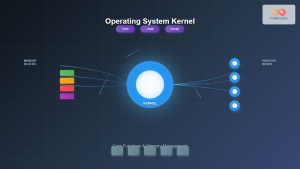
Kernel in Operating System: Core Functions and Memory Management
The kernel stands as the fundamental cornerstone of any operating system, serving as the critical bridge between hardware components and...
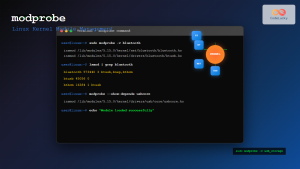
modprobe Command Linux: Complete Guide to Load and Manage Kernel Modules
The modprobe command is one of the most powerful tools in Linux system administration for managing kernel modules. Whether you're...

udevadm Command Linux: Complete Guide to Device Management and Udev Administration
The udevadm command is a powerful administrative tool in Linux systems that manages the udev device manager. It serves as...
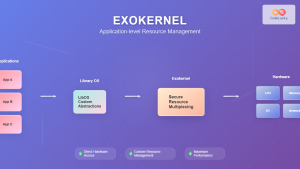
Exokernel: Application-level Resource Management Architecture in Operating Systems
Introduction to Exokernel Architecture The exokernel represents a revolutionary approach to operating system design that fundamentally challenges traditional kernel architectures....
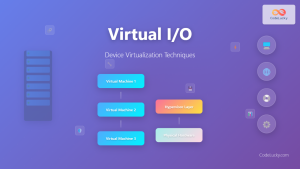
Virtual I/O: Complete Guide to Device Virtualization Techniques and Implementation
Introduction to Virtual I/O and Device Virtualization Virtual Input/Output (Virtual I/O) represents one of the most critical components in modern...
Windows Operating System: Complete Guide to Architecture and Core Components
The Windows Operating System stands as one of the most widely used operating systems globally, powering billions of devices from...
C in Embedded Systems: Basics of Embedded Programming
Embedded systems are ubiquitous in our modern world, powering everything from smart home devices to automotive control systems. At the...