
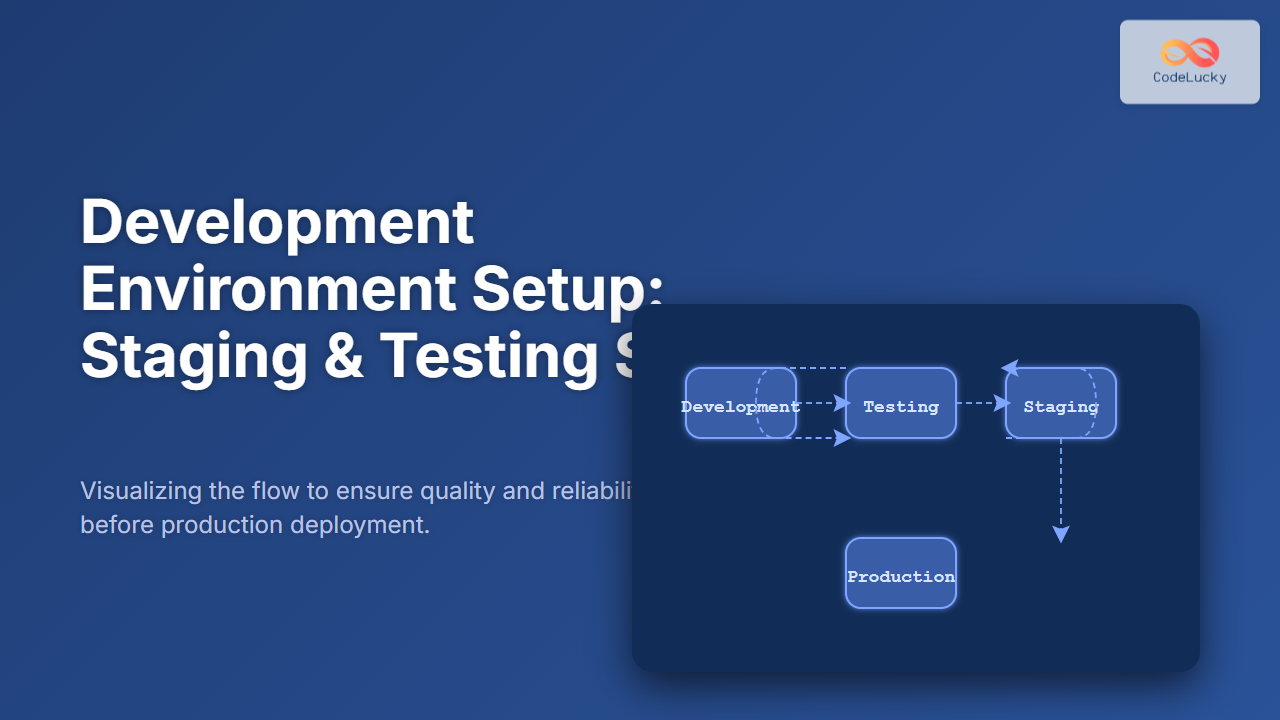
In modern software development, setting up proper staging and testing environments is crucial to ensure code quality, reduce bugs, and streamline deployment processes. This detailed guide explores best practices, examples, and diagrams to help teams establish effective development environment setups for staging and testing sites.
Why Use Staging and Testing Sites?
Staging and testing sites serve distinct but complementary roles in the software development lifecycle:
- Testing Sites are environments where developers and QA teams run automated or manual tests on new features and bug fixes. These sites often mirror development setups and allow iterative validation before moving to production.
- Staging Sites mimic the production environment as closely as possible. They are the final step before production deployment, used for user acceptance testing (UAT) and performance validation under near-real conditions.
Using these environments helps catch issues early, avoid direct production mistakes, and provide stakeholders a reliable preview of new functionality.

Setting Up a Testing Site
The testing environment should be flexible, allowing rapid iteration and debugging. Here are key steps for setup:
- Clone the Development Codebase: Use version control branches or snapshots to deploy the latest development commit.
- Isolate the Environment: Use containers (Docker) or virtual machines to replicate a lightweight environment isolated from others.
- Database Setup: Use a separate test database or dummy data sets that allow repetitive testing without risking real data.
- Automated Test Integration: Integrate CI/CD tools like Jenkins, GitHub Actions, or GitLab CI to run unit tests, integration tests, and code quality checks automatically.
Example: Docker Compose configuration snippet for a testing setup
version: '3.8'
services:
  app:
    build: .
    environment:
      - NODE_ENV=testing
    ports:
      - "3001:3000"
    depends_on:
      - db
  db:
    image: postgres:14
    environment:
      POSTGRES_USER: testuser
      POSTGRES_PASSWORD: testpass
      POSTGRES_DB: testdb
    volumes:
      - pgdata_test:/var/lib/postgresql/data
volumes:
  pgdata_test:
Setting Up a Staging Site
The staging environment should be a close mirror of production to validate release readiness. Follow these practices:
- Replicate Production Configurations: Match server software versions, environment variables, security settings, and third-party API keys (in sandbox mode).
- Deploy Production-like Data: Use anonymized or synthetic data sets mimicking real user data to test performance and functionality.
- Access Control: Restrict staging access to authorized users only to prevent accidental exposure.
- Performance & Load Testing: Use tools like JMeter or Locust on staging to simulate real user load, identifying bottlenecks before production deployment.
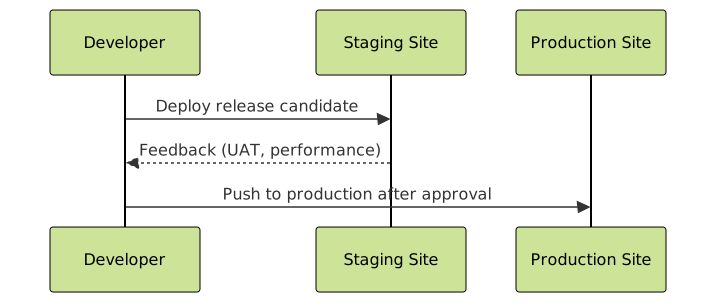
Example: Basic Staging Deployment Pipeline
Consider a simple CI/CD pipeline using GitHub Actions:
name: Staging Deployment
on:
  push:
    branches:
      - staging

jobs:
  build-and-deploy:
    runs-on: ubuntu-latest
    steps:
      - name: Checkout Code
        uses: actions/checkout@v3

      - name: Build Application
        run: npm run build

      - name: Deploy to Staging Server
        run: |
          scp -r ./build user@staging-server:/var/www/html/app
          ssh user@staging-server "systemctl restart app"
Testing & Staging Sites Best Practices
- Consistent Environment Parity: Keep staging as close as possible to production but allow testing site to be more flexible.
- Automate Deployments: Use CI/CD pipelines to reduce manual errors and speed up feedback loops.
- Logging & Monitoring: Implement centralized logging and alerting in both environments to catch errors rapidly.
- Data Privacy: Ensure any production data in staging/testing is anonymized and securely handled.
- Clear Versioning: Tag environments clearly (branch names, build versions) to track what code is running where.

Interactive Example: Simple Test Validation Flow
The following interactive example illustrates how code changes flow through testing and staging before production:
Enter your feature name to simulate deployment flow: [input box]
Summary
Setting up robust staging and testing environments is foundational to modern software development. Testing sites enable early bug detection and iteration, while staging sites serve as the pre-production checkpoint ensuring production stability. By implementing best practices and automating deployment flows, teams can achieve higher quality releases with confidence.
This article provided practical examples, configuration snippets, and visual flow diagrams to assist developers and teams in building reliable development environment setups for staging and testing sites.





