
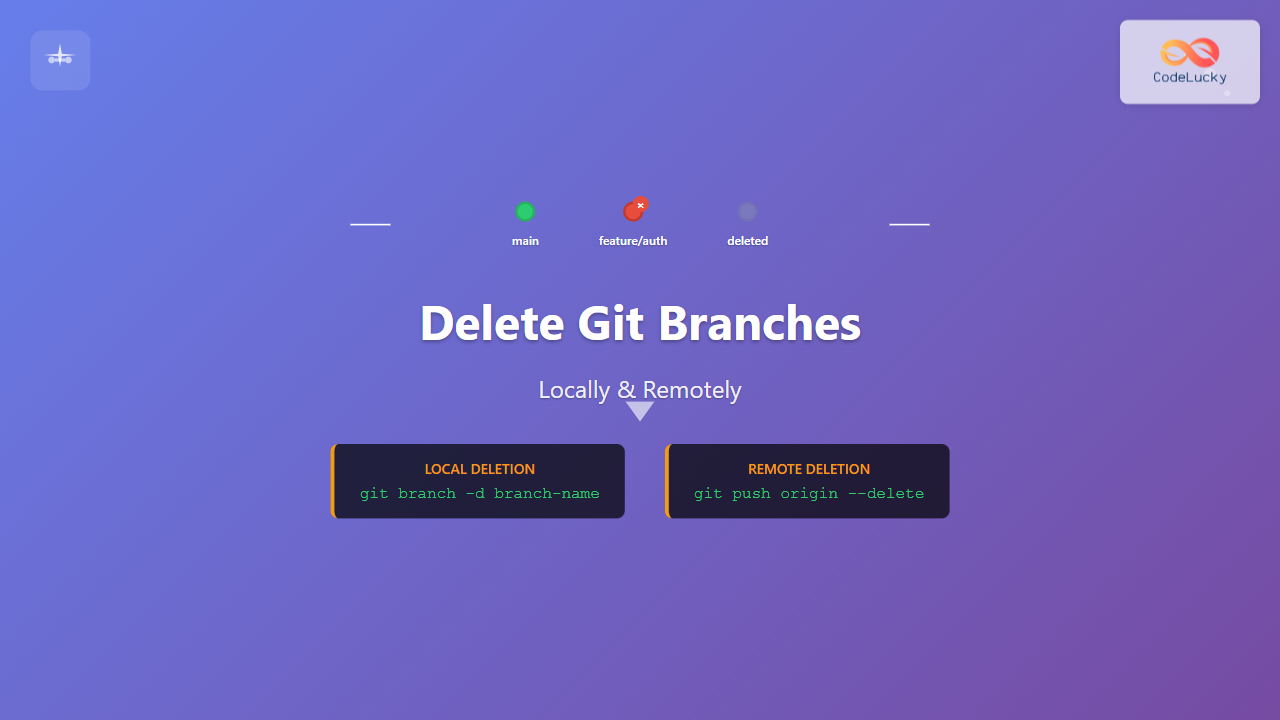
Managing Git branches effectively is crucial for maintaining a clean and organized repository. Whether you’re working on feature branches, hotfixes, or experimental code, knowing how to properly delete branches both locally and remotely is an essential skill for any developer.
In this comprehensive guide, we’ll explore various methods to delete Git branches, understand the differences between local and remote branch deletion, and learn best practices to avoid common pitfalls.
Understanding Git Branch Types
Before diving into deletion commands, it’s important to understand the different types of branches in Git:

- Local branches: Branches that exist only in your local repository
- Remote branches: Branches that exist on the remote repository (like GitHub, GitLab)
- Remote-tracking branches: Local references to remote branches (e.g., origin/main)
Deleting Local Git Branches
Safe Deletion with -d Flag
The safest way to delete a local branch is using the -d flag, which performs safety checks before deletion:
git branch -d branch-nameExample:
# Delete a feature branch that's been merged
git branch -d feature/user-authentication

# Output:
Deleted branch feature/user-authentication (was 3a2b1c4).
The -d flag will only delete the branch if:
- The branch has been fully merged into its upstream branch
- The branch has been fully merged into HEAD
Force Deletion with -D Flag
When you need to delete an unmerged branch, use the -D flag (uppercase D):
git branch -D branch-nameExample:
# Force delete an experimental branch
git branch -D experimental/new-feature

# Output:
Deleted branch experimental/new-feature (was 7f8e9a2).
⚠️ Warning: The -D flag bypasses safety checks and will delete the branch even if it contains unmerged changes that might be lost forever.
Checking Branch Status Before Deletion
Before deleting branches, it’s good practice to check which branches exist and their merge status:
# List all local branches
git branch

# List branches with merge information
git branch -v

# List merged branches
git branch --merged

# List unmerged branches
git branch --no-merged
Sample Output:
$ git branch -v
* main                    2a3b4c5 Update README
  feature/login-system    1d2e3f4 Add login validation
  hotfix/security-patch   9g8h7i6 Fix security vulnerability
  experimental/ui-redesign 5k4j3h2 Work in progress
Deleting Remote Git Branches
Using git push with –delete Flag
The most straightforward way to delete a remote branch is using the --delete flag:
git push origin --delete branch-nameExample:
# Delete remote feature branch
git push origin --delete feature/user-authentication

# Output:
To https://github.com/username/repository.git
 - [deleted]         feature/user-authentication
Using the Colon Syntax
An alternative method uses the colon syntax to push “nothing” to the remote branch:
git push origin :branch-nameExample:
# Delete remote branch using colon syntax
git push origin :feature/old-feature

# Output:
To https://github.com/username/repository.git
 - [deleted]         feature/old-feature
Cleaning Up Remote-Tracking Branches
After deleting remote branches, you should clean up local references to these deleted remote branches:
# Remove stale remote-tracking branches
git remote prune origin

# Or use the shorter version
git fetch --prune
Complete Branch Deletion Workflow
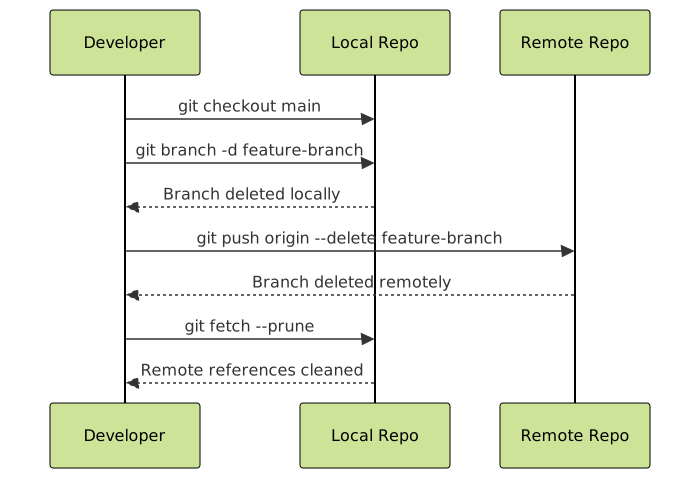
Here’s the typical workflow for completely removing a feature branch:
Step-by-Step Process
- Switch to a different branch (you can’t delete the branch you’re currently on):
git checkout main - Delete the local branch:
git branch -d feature/completed-feature - Delete the remote branch:
git push origin --delete feature/completed-feature - Clean up remote references:
git fetch --prune
Advanced Branch Deletion Scenarios
Deleting Multiple Branches
You can delete multiple local branches in a single command:
# Delete multiple local branches
git branch -d branch1 branch2 branch3

# Example
git branch -d feature/login feature/signup hotfix/typo
Deleting All Merged Branches
To delete all local branches that have been merged into the current branch:
# Delete all merged branches except main and current branch
git branch --merged | grep -v "\*\|main\|master" | xargs -n 1 git branch -d
Batch Deleting Remote Branches
For deleting multiple remote branches:
# Delete multiple remote branches
git push origin --delete branch1 branch2 branch3
Common Errors and Troubleshooting
Error: Cannot Delete Current Branch
$ git branch -d feature/current-work
error: Cannot delete branch 'feature/current-work' checked out at '/path/to/repo'
Solution: Switch to a different branch first:
git checkout main
git branch -d feature/current-work
Error: Branch Not Fully Merged
$ git branch -d feature/unfinished
error: The branch 'feature/unfinished' is not fully merged.
If you are sure you want to delete it, run 'git branch -D feature/unfinished'.
Options:
- Merge the branch first, then delete it safely
- Use force deletion if you’re certain:
git branch -D feature/unfinished
Error: Remote Branch Doesn’t Exist
$ git push origin --delete non-existent-branch
error: unable to delete 'non-existent-branch': remote ref does not exist
Solution: Check existing remote branches:
git branch -rBest Practices for Branch Deletion

Before Deleting
- Verify merge status: Check if the branch has been merged using
git branch --merged - Backup important work: If unsure, create a backup branch or tag
- Coordinate with team: Ensure other developers aren’t actively using the branch
- Check pull requests: Verify associated pull requests are closed
After Deleting
- Clean up local references: Use
git fetch --pruneregularly - Update team: Notify team members about deleted branches
- Update documentation: Remove references to deleted branches in documentation
Git Branch Deletion Cheat Sheet
| Action | Command | Description |
|---|---|---|
| List local branches | git branch |
Shows all local branches |
| List remote branches | git branch -r |
Shows all remote-tracking branches |
| Safe local delete | git branch -d branch-name |
Deletes merged branch only |
| Force local delete | git branch -D branch-name |
Deletes branch regardless of merge status |
| Delete remote branch | git push origin --delete branch-name |
Removes branch from remote repository |
| Clean remote refs | git fetch --prune |
Removes stale remote-tracking branches |
Integration with Git Workflows

Git Flow Integration
In Git Flow, branch deletion typically happens after:
- Feature branches: Deleted after merging to develop
- Release branches: Deleted after merging to main and develop
- Hotfix branches: Deleted after merging to main and develop
GitHub Flow Integration
In GitHub Flow:
- Feature branches are deleted immediately after merging pull requests
- GitHub can automatically delete branches after PR merge
- Local cleanup should be done regularly
Automating Branch Cleanup
Git Aliases for Quick Deletion
Create helpful Git aliases for common deletion tasks:
# Add to ~/.gitconfig
[alias]
    delete-branch = branch -d
    delete-remote = push origin --delete
    cleanup = !git remote prune origin && git branch --merged | grep -v '\\*\\|main\\|master' | xargs -n 1 git branch -d
Usage:
git delete-branch feature/old-feature
git delete-remote feature/old-feature
git cleanup
Shell Script for Complete Cleanup
#!/bin/bash
# cleanup-branches.sh

echo "Cleaning up merged branches..."

# Switch to main branch
git checkout main

# Delete all merged local branches (except main)
git branch --merged | grep -v "\*\|main\|master" | xargs -n 1 git branch -d

# Clean up remote references
git remote prune origin

echo "Branch cleanup complete!"
Conclusion
Proper branch management is essential for maintaining a clean and efficient Git repository. By understanding the difference between local and remote branch deletion, using the appropriate flags for safe vs. force deletion, and following best practices, you can keep your repository organized and your development workflow smooth.
Remember to always verify branch merge status before deletion, communicate with your team about branch removals, and regularly clean up stale remote references. With these skills, you’ll be able to confidently manage your Git branches and maintain a professional, organized codebase.
The key takeaways for Git branch deletion are:
- Use
-dfor safe deletion of merged branches - Use
-Dfor force deletion when necessary - Always delete remote branches with
--deleteflag - Clean up remote references with
--prune - Follow your team’s branching strategy for deletion timing
Master these techniques, and you’ll have complete control over your Git branch lifecycle, leading to better code organization and more efficient development workflows.
- Understanding Git Branch Types
- Deleting Local Git Branches
- Deleting Remote Git Branches
- Complete Branch Deletion Workflow
- Advanced Branch Deletion Scenarios
- Common Errors and Troubleshooting
- Best Practices for Branch Deletion
- Git Branch Deletion Cheat Sheet
- Integration with Git Workflows
- Automating Branch Cleanup
- Conclusion





