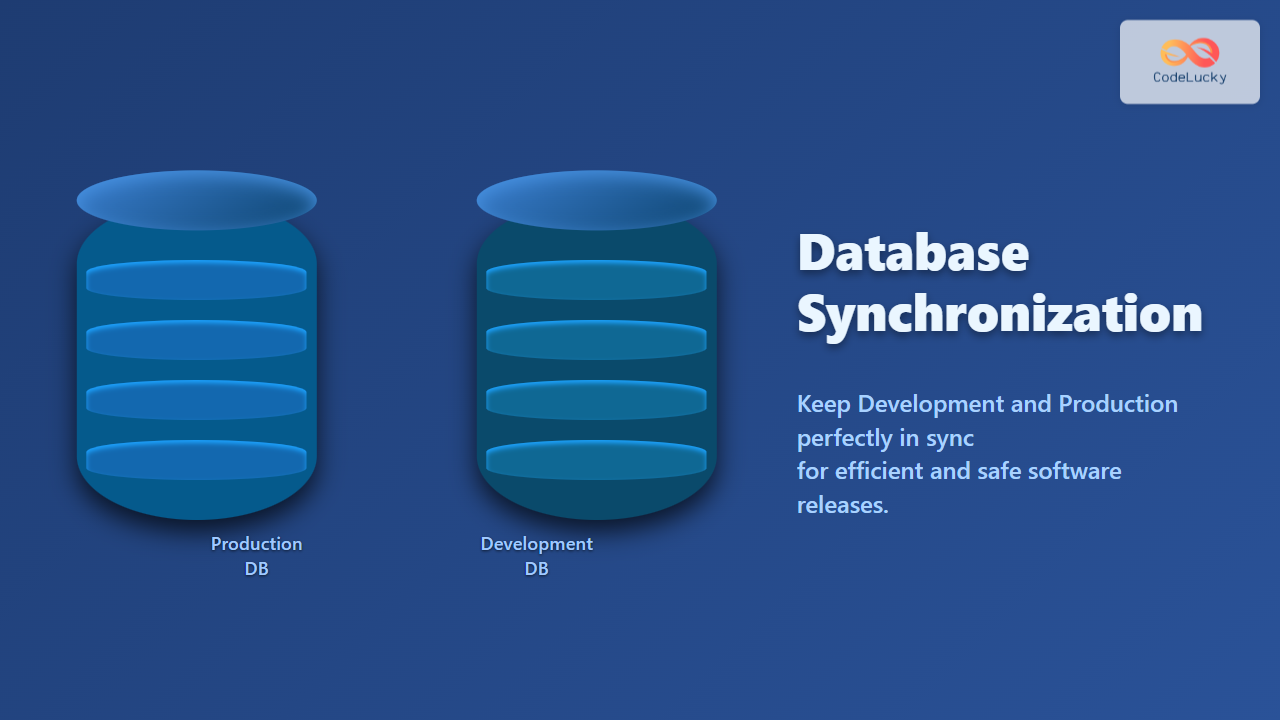
In modern software development, synchronizing databases between development and production environments is vital for ensuring data consistency, improving efficiency, and reducing risks. This article explores detailed methods, best practices, and tools to achieve database synchronization effectively and seamlessly.
What Is Database Synchronization?
Database synchronization is the process of ensuring that data between two or more databases remains consistent and up-to-date. Typically, this involves keeping the development database aligned with the production database. Synchronization can cover data, schema, or both, allowing developers to safely test and build without unexpected discrepancies.

Why Synchronize Development and Production Databases?
- Consistency: Avoid “works on my machine” scenarios by mirroring realistic data and schema changes.
- Testing Accuracy: Test against data closely resembling production for reliable bug detection.
- Collaboration: Developers stay aligned on database structure and content.
- Deployment Safety: Controlled schema updates reduce the risk of production downtime.
Challenges in Database Synchronization
- Handling schema differences between environments.
- Managing sensitive or large production data during sync.
- Coordinating sync in multi-developer or distributed setups.
- Avoiding overwriting critical production data accidentally.
Approaches to Database Synchronization
There are several methods to synchronize databases, each with pros and cons depending on project size, workflow, and database technology used.
1. Manual Backup and Restore
Export production data (using mysqldump, pg_dump, etc.) and import it into development. Useful for small-scale projects but inefficient and error-prone for frequent syncs.
-- Example mysqldump export
mysqldump -u user -p production_db > production_backup.sql
-- Import to development
mysql -u dev_user -p development_db < production_backup.sql
2. Schema Migration Tools
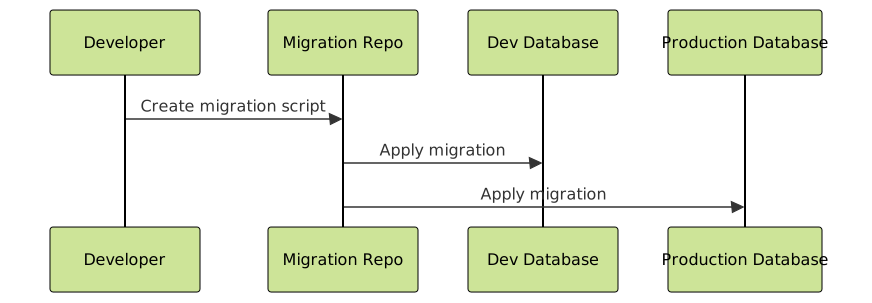
Tools like Flyway, Liquibase, or built-in ORMs migrations help synchronize schema changes via version-controlled migration files which can be run on both environments to keep the structure aligned.
3. Data Synchronization Techniques
- Subset Data Export: Safely export a limited production dataset for dev environment.
- Replication: Set up replication for near real-time sync (more common in staging or QA).
- Custom Synchronization Scripts: Write scripts to selectively sync needed data tables with conflict resolution logic.
Example: Synchronizing Schema with Flyway
Flyway uses migration scripts that you write and version to apply changes incrementally. This keeps all environments consistent.
-- V1__create_users_table.sql
CREATE TABLE users (
    id SERIAL PRIMARY KEY,
    username VARCHAR(50) NOT NULL,
    email VARCHAR(100) UNIQUE NOT NULL,
    created_at TIMESTAMP DEFAULT CURRENT_TIMESTAMP
);
Run migrations on development and production:
flyway migrate -url=jdbc:postgresql://prod_host/production_db
flyway migrate -url=jdbc:postgresql://dev_host/development_db
Example: Data Sync Script Using Python (Selective Table)
import psycopg2

def sync_table(source_conn_str, target_conn_str, table):
    src_conn = psycopg2.connect(source_conn_str)
    tgt_conn = psycopg2.connect(target_conn_str)
    src_cur = src_conn.cursor()
    tgt_cur = tgt_conn.cursor()

    # Fetch data from source
    src_cur.execute(f"SELECT * FROM {table};")
    rows = src_cur.fetchall()

    # Clear target table
    tgt_cur.execute(f"DELETE FROM {table};")

    # Insert data to target
    for row in rows:
        placeholders = ', '.join(['%s'] * len(row))
        tgt_cur.execute(f"INSERT INTO {table} VALUES ({placeholders});", row)

    tgt_conn.commit()
    src_cur.close()
    tgt_cur.close()
    src_conn.close()
    tgt_conn.close()

# Example usage:
sync_table('dbname=prod user=prod_user password=secret', 'dbname=dev user=dev_user password=secret', 'users')
Best Practices for Database Synchronization
- Backup First: Always backup databases before synchronization to prevent data loss.
- Use Version Control: Track migration scripts in version control systems like Git.
- Environment Separation: Protect sensitive production data by anonymizing or restricting sync scope.
- Automate the Process: Use CI/CD pipelines to automate migration and sync steps.
- Test Thoroughly: Run synchronization in staging environments first to avoid surprises.
Visual Workflow: Synchronization Pipeline

Interactive Example: Schema Versioning with Migration
This interactive code block below simulates applying two migration scripts in order:
-- Migration 1
CREATE TABLE products (
    id INT PRIMARY KEY,
    name VARCHAR(100) NOT NULL
);

-- Migration 2
ALTER TABLE products ADD COLUMN price DECIMAL(10,2) NOT NULL DEFAULT 0.00;
When these migrations run sequentially on dev and production, it guarantees schema consistency.
Summary
Database synchronization is a crucial task that bridges the gap between development agility and production stability. Using schema migration tools, selective data syncing, and automation, teams can keep environments aligned while minimizing risks. Implementing best practices around backup, version control, and testing elevates this process from risky manual steps to a reliable workflow.
By adopting these strategies, developers and DevOps engineers ensure smooth deployments, rapid development iterations, and consistent runtime environments.