
Understanding the CSS marginTop Property: A Comprehensive Guide
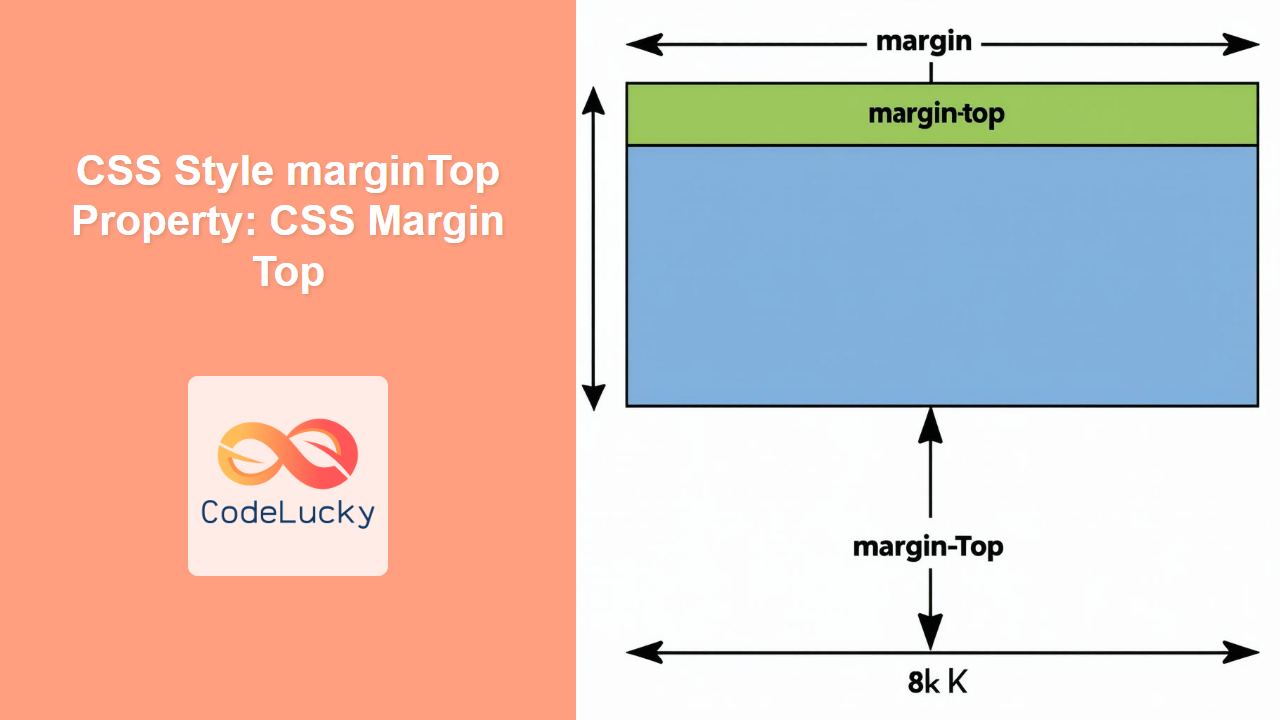
The marginTop property in CSS is used to set the top margin of an element. Margins create space around elements, outside of any defined borders. The marginTop property specifically controls the amount of space between the top of an element and the top of its nearest containing block. This article provides a detailed exploration of the marginTop property, including its syntax, possible values, and practical usage examples to help you master the art of spacing in web design.
What is the marginTop Property?
The marginTop CSS property specifies the amount of margin to apply to the top of an element. It is a fundamental tool for controlling the spacing and layout of web pages, enabling developers to create visually appealing and well-structured designs.
Purpose of the marginTop Property
The primary purpose of the marginTop property is to:
- Create visual separation between elements on a webpage.
- Control the layout and spacing of content, ensuring readability and aesthetics.
- Fine-tune the positioning of elements relative to their containers or adjacent elements.
Syntax and Values
The marginTop property is specified as one of the following:
margin-top: value;
Here’s a breakdown of the possible values:
| Value | Description |
|---|---|
| `length` | Specifies a fixed size for the margin. Allowed values include `px`, `em`, `rem`, `pt`, `cm`, etc. A positive value adds space, while a negative value can cause the element to overlap adjacent elements. |
| `auto` | The browser calculates the margin. It is often used for horizontal centering, but has special behavior in other layout modes. |
| `initial` | Sets this property to its default value. |
| `inherit` | Inherits this property from its parent element. |
Practical Examples
Let’s explore some practical examples to illustrate the usage of the marginTop property. Each example includes the necessary HTML and CSS code to demonstrate a specific use case.
Basic Usage with Pixel Values
This example demonstrates setting a fixed top margin using pixel values.
<div id="margin-top-example-1" style="border: 1px solid black; width: 200px; padding: 10px;">
  This is a div with default margin.
</div>
<div id="margin-top-example-2" style="border: 1px solid black; width: 200px; padding: 10px; margin-top: 50px;">
  This div has a margin-top of 50px.
</div>
In this example, the second div has a marginTop of 50px, creating a space of 50 pixels between it and the first div.
Using em and rem Units
This example demonstrates the use of em and rem units for setting the top margin.
<div id="margin-top-example-3" style="font-size: 16px;">
  <div id="margin-top-example-4" style="border: 1px solid black; width: 200px; padding: 10px;">
    This is a div with default margin.
  </div>
  <div id="margin-top-example-5" style="border: 1px solid black; width: 200px; padding: 10px; margin-top: 2em;">
    This div has a margin-top of 2em.
  </div>
  <div id="margin-top-example-6" style="border: 1px solid black; width: 200px; padding: 10px; margin-top: 1rem;">
    This div has a margin-top of 1rem.
  </div>
</div>
Here, 2em is relative to the font size of the element itself (which is 16px so the margin-top is 32px), while 1rem is relative to the root (html) font size.
Negative Margin Values
This example illustrates the use of negative margin values to overlap elements.
<div id="margin-top-example-7" style="border: 1px solid black; width: 200px; padding: 10px;">
  This is a div with default margin.
</div>
<div id="margin-top-example-8" style="border: 1px solid black; width: 200px; padding: 10px; margin-top: -20px;">
  This div has a margin-top of -20px.
</div>
The second div has a marginTop of -20px, causing it to move 20 pixels upwards and overlap the first div.
Using auto for Vertical Centering (Flexbox/Grid)
While margin: auto is commonly used for horizontal centering, it can also be utilized in flexbox or grid layouts for vertical centering or distributing space.
<div id="margin-top-example-9" style="display: flex; flex-direction: column; height: 200px; border: 1px solid black; width: 200px;">
  <div style="border: 1px solid black; padding: 10px;">Top</div>
  <div style="border: 1px solid black; padding: 10px; margin-top: auto;">Bottom</div>
</div>
In this flexbox example, setting margin-top: auto on the “Bottom” div pushes it to the bottom of the container, effectively using the available space between the two divs.
Inheriting Margin Top
To inherit the margin-top value from the parent element, use the inherit keyword.
<div id="margin-top-example-10" style="margin-top: 30px;">
  <div id="margin-top-example-11" style="border: 1px solid black; width: 200px; padding: 10px; margin-top: inherit;">
    This div inherits margin-top from the parent.
  </div>
</div>
In this example, the inner div inherits the margin-top value of 30px from its parent.
Real-World Applications of the marginTop Property
The marginTop property is used extensively in web development for:
- Creating Space: Adding visual separation between paragraphs, headings, and other content blocks.
- Layout Control: Fine-tuning the positioning of elements in relation to each other and their containers.
- Responsive Design: Adjusting margins based on screen size to ensure readability and aesthetics across different devices.
- Component Design: Defining consistent spacing within and around UI components to create a cohesive user interface.
Tips and Best Practices
- Consistent Units: Use consistent units (e.g.,
px,em,rem) throughout your stylesheet for predictable spacing. - Avoid Excessive Margins: Too much margin can make a layout appear disjointed. Use margins judiciously.
- Understand Margin Collapsing: Be aware that vertical margins between block-level elements can collapse, resulting in a single margin equal to the larger of the two.
- Use DevTools: Use browser developer tools to inspect and adjust margins in real-time for precise control.
Browser Support
The marginTop property is supported by all modern web browsers, ensuring consistent rendering across different platforms. ✅
Conclusion
The marginTop property is a fundamental CSS tool for controlling the vertical spacing of elements on a webpage. By understanding its syntax, values, and behavior, you can effectively manage the layout and aesthetics of your web designs. From creating visual separation to fine-tuning element positioning, mastering the marginTop property is essential for any web developer.
Related Posts

CSS Margin: Mastering Spacing in Web Design
CSS Margin: Mastering Spacing in Web Design In CSS, the margin property is fundamental for controlling the space around HTML...
CSS Style paddingTop Property: CSS Padding Top
Understanding the CSS padding-top Property The padding-top property in CSS defines the amount of space between the top edge of...
CSS Style top Property: CSS Top
Understanding the CSS top Property: A Comprehensive Guide The top property in CSS is used to specify the vertical position...
CSS Style marginLeft Property: CSS Margin Left
CSS marginLeft Property: Mastering the Left Margin The CSS marginLeft property is a fundamental tool for controlling the spacing around...
CSS borderTop Property: CSS Border Top Style Guide
Understanding the CSS borderTop Property The borderTop property in CSS is a shorthand property used to set the width, style,...
CSS marginBottom Property: CSS Margin Bottom
Understanding the CSS margin-bottom Property The margin-bottom property in CSS defines the space below an element. This margin is added...
CSS Style marginRight Property: CSS Margin Right
Understanding the CSS marginRight Property The marginRight property in CSS is used to set the right margin of an element....
CSS Style padding Property: CSS Padding
CSS Padding Property: A Comprehensive Guide The CSS padding property is a fundamental tool in web development, allowing you to...
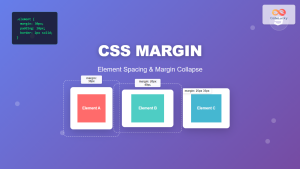
CSS Margin: Complete Guide to Element Spacing and Margin Collapse
Understanding CSS Margin: The Foundation of Element Spacing CSS margin is one of the most fundamental properties for controlling spacing...
CSS Style borderTopStyle Property: CSS Border Top Style
CSS border-top-style Property: Styling the Top Border The border-top-style property in CSS is used to set the style of the...
CSS Style height Property: CSS Height
Understanding the CSS height Property: A Comprehensive Guide The height property in CSS specifies the height of an element's content...
CSS Style paddingRight Property: CSS Padding Right
Understanding the CSS padding-right Property The padding-right property in CSS is used to set the amount of space between the...





