
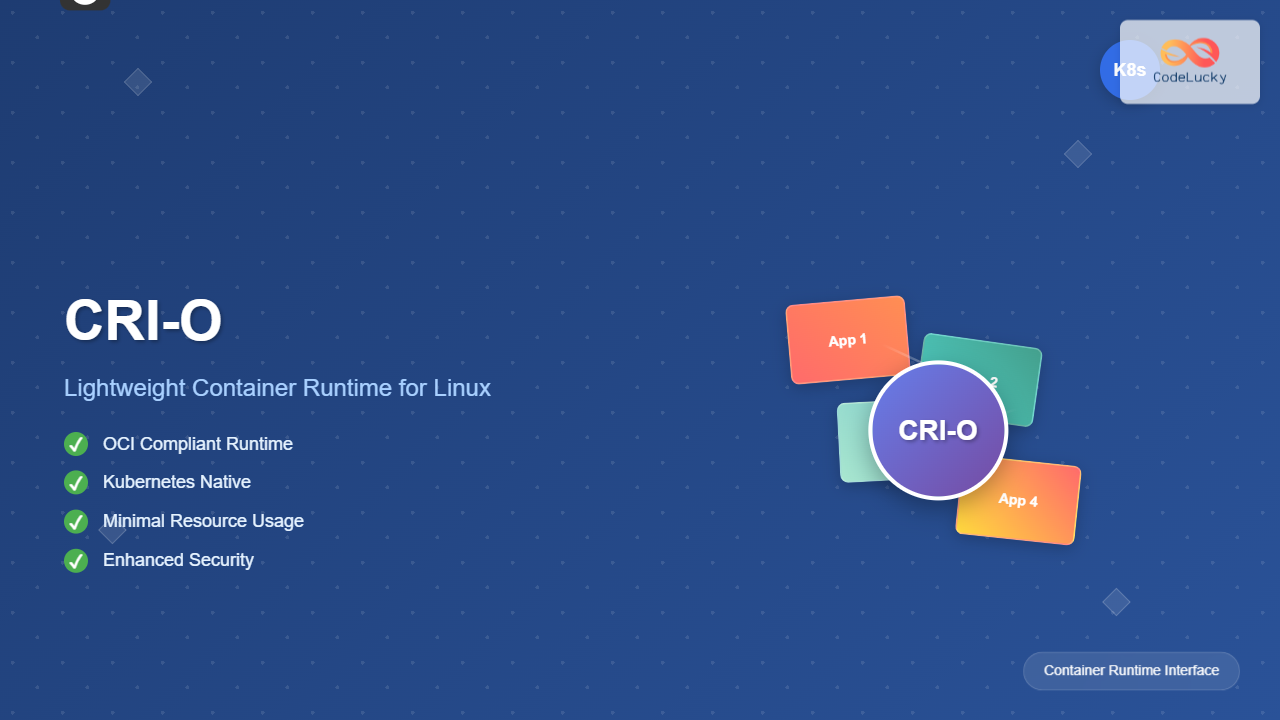
CRI-O (Container Runtime Interface – Open Container Initiative) is a lightweight, OCI-compliant container runtime specifically designed for Kubernetes. Unlike Docker, CRI-O focuses solely on running containers for Kubernetes pods, making it more streamlined and efficient for container orchestration environments.
What is CRI-O?
CRI-O is an implementation of the Kubernetes Container Runtime Interface (CRI) that enables the use of OCI-compatible runtimes. It was developed by Red Hat as an alternative to Docker for Kubernetes deployments, offering better performance and security through its minimalist approach.
Key Features of CRI-O
- OCI Compliance: Fully compatible with Open Container Initiative standards
- Kubernetes Native: Built specifically for Kubernetes container orchestration
- Lightweight: Minimal overhead compared to Docker daemon
- Security-focused: Enhanced security features and isolation
- Systemd Integration: Native integration with systemd for better process management
CRI-O vs Docker: Key Differences
| Aspect | CRI-O | Docker |
|---|---|---|
| Primary Purpose | Kubernetes-focused runtime | General-purpose container platform |
| Resource Usage | Lower memory footprint | Higher resource consumption |
| Architecture | Daemonless | Daemon-based |
| Image Management | Basic pull/push operations | Comprehensive image management |
Installing CRI-O on Linux
Prerequisites
Before installing CRI-O, ensure your system meets the following requirements:
- Linux kernel version 3.10 or higher
- systemd service manager
- Container networking plugins (CNI)
- Sufficient storage space for container images
Installation on Ubuntu/Debian
Follow these steps to install CRI-O on Ubuntu or Debian systems:
# Update package repository
sudo apt update

# Install required packages
sudo apt install -y software-properties-common curl

# Add CRI-O repository
export VERSION=1.28
echo "deb [signed-by=/usr/share/keyrings/libcontainers-archive-keyring.gpg] https://download.opensuse.org/repositories/devel:/kubic:/libcontainers:/stable/xUbuntu_22.04/ /" | sudo tee /etc/apt/sources.list.d/devel:kubic:libcontainers:stable.list

# Add repository key
curl -L https://download.opensuse.org/repositories/devel:kubic:libcontainers:stable/xUbuntu_22.04/Release.key | sudo gpg --dearmor -o /usr/share/keyrings/libcontainers-archive-keyring.gpg

# Install CRI-O
sudo apt update
sudo apt install -y cri-o cri-o-runc
Installation on RHEL/CentOS/Fedora
# Install CRI-O on RHEL/CentOS
sudo dnf install -y cri-o

# Or for older systems using yum
sudo yum install -y cri-o

# Enable and start CRI-O service
sudo systemctl enable crio
sudo systemctl start crio
Verifying Installation
After installation, verify that CRI-O is running correctly:
# Check CRI-O service status
sudo systemctl status crio

# Expected output:
● crio.service - Container Runtime Interface for OCI (CRI-O)
   Loaded: loaded (/usr/lib/systemd/system/crio.service; enabled; vendor preset: disabled)
   Active: active (running) since Tue 2025-08-26 08:15:23 IST; 2min ago
     Docs: https://github.com/cri-o/cri-o
 Main PID: 12345 (crio)
   Tasks: 11
   Memory: 45.2M
   CGroup: /system.slice/crio.service
           └─12345 /usr/bin/crio
CRI-O Configuration
Main Configuration File
CRI-O’s primary configuration file is located at /etc/crio/crio.conf. This file contains all runtime settings and options.
# View current configuration
sudo cat /etc/crio/crio.conf

# Key configuration sections:
[crio]
  storage_driver = "overlay"
  storage_option = []
  log_level = "info"

[crio.api]
  listen = "/var/run/crio/crio.sock"
  stream_address = ""
  stream_port = "0"

[crio.runtime]
  runtime = "runc"
  runtime_untrusted_workload = ""
  default_workdir = "/var/lib/crio"
Network Configuration
Configure CNI plugins for container networking:
# Create CNI configuration directory
sudo mkdir -p /etc/cni/net.d

# Create a basic bridge network configuration
sudo tee /etc/cni/net.d/10-crio-bridge.conf << EOF
{
  "cniVersion": "0.4.0",
  "name": "crio-bridge",
  "type": "bridge",
  "bridge": "cni0",
  "isGateway": true,
  "ipMasq": true,
  "ipam": {
    "type": "host-local",
    "ranges": [
      [{"subnet": "10.88.0.0/16"}]
    ],
    "routes": [
      {"dst": "0.0.0.0/0"}
    ]
  }
}
EOF
Basic CRI-O Commands and Operations
Managing Container Images
CRI-O works with OCI-compatible images. Use these commands to manage images:
# Pull an image using crictl (CRI-O client)
sudo crictl pull nginx:latest

# List available images
sudo crictl images

# Expected output:
IMAGE               TAG                 IMAGE ID            SIZE
nginx               latest              5d0da3dc9764        142MB

# Remove an image
sudo crictl rmi nginx:latest
Working with Containers
# List running containers
sudo crictl ps

# List all containers (including stopped)
sudo crictl ps -a

# Get container logs
sudo crictl logs CONTAINER_ID

# Execute commands in running container
sudo crictl exec -it CONTAINER_ID /bin/bash

# Stop a container
sudo crictl stop CONTAINER_ID

# Remove a container
sudo crictl rm CONTAINER_ID
Creating and Running Containers
Pod Configuration Example
Create a pod configuration file for testing:
# Create pod configuration
cat << EOF > test-pod.json
{
  "metadata": {
    "name": "test-pod",
    "namespace": "default"
  },
  "logDirectory": "/var/log/pods",
  "linux": {
    "cgroupParent": "kubepods-besteffort.slice:kubepods-besteffort"
  }
}
EOF

# Run the pod
POD_ID=$(sudo crictl runp test-pod.json)
echo "Pod ID: $POD_ID"
Container Configuration Example
# Create container configuration
cat << EOF > nginx-container.json
{
  "metadata": {
    "name": "nginx-container"
  },
  "image": {
    "image": "nginx:latest"
  },
  "command": [
    "nginx",
    "-g",
    "daemon off;"
  ],
  "linux": {},
  "log_path": "nginx.log"
}
EOF

# Create and start the container
CONTAINER_ID=$(sudo crictl create $POD_ID nginx-container.json test-pod.json)
sudo crictl start $CONTAINER_ID

echo "Container ID: $CONTAINER_ID"
Monitoring and Troubleshooting
Viewing Container Statistics
# Get container statistics
sudo crictl stats

# Expected output:
CONTAINER           CPU %               MEM USAGE / LIMIT   MEM %               NET I/O
abc123def456        0.50                64MiB / 2GiB       3.2                 1.2kB / 0B

# Get detailed container information
sudo crictl inspect CONTAINER_ID

# View pod information
sudo crictl inspectp POD_ID
Log Management
# View CRI-O daemon logs
sudo journalctl -u crio -f

# View container logs with timestamps
sudo crictl logs --timestamps=true CONTAINER_ID

# Get last 50 lines of logs
sudo crictl logs --tail=50 CONTAINER_ID

# Follow container logs in real-time
sudo crictl logs -f CONTAINER_ID
Security Features in CRI-O
SELinux Integration
CRI-O provides excellent SELinux support for enhanced container security:
# Check SELinux status
sestatus

# View CRI-O SELinux contexts
sudo ps -eZ | grep crio

# Expected output:
system_u:system_r:container_runtime_t:s0 12345 ? 00:00:02 crio
Seccomp Profiles
Configure custom seccomp profiles for containers:
# Create custom seccomp profile
sudo mkdir -p /var/lib/crio/seccomp

cat << EOF | sudo tee /var/lib/crio/seccomp/custom.json
{
  "defaultAction": "SCMP_ACT_ALLOW",
  "syscalls": [
    {
      "names": ["chmod", "fchmod", "fchmodat"],
      "action": "SCMP_ACT_ERRNO"
    }
  ]
}
EOF
Performance Optimization
Storage Configuration
Optimize CRI-O storage for better performance:
# Edit CRI-O configuration
sudo nano /etc/crio/crio.conf

# Optimize storage settings
[crio.image]
  default_transport = "docker://"
  global_auth_file = ""
  pause_image = "k8s.gcr.io/pause:3.2"
  pause_image_auth_file = ""
  pause_command = "/pause"

[crio.network]
  network_dir = "/etc/cni/net.d/"
  plugin_dirs = ["/usr/libexec/cni", "/usr/lib/cni"]
Resource Limits
# Configure runtime limits
[crio.runtime]
  pids_limit = 1024
  log_size_max = 52428800
  container_exits_dir = "/var/run/crio/exits"
  container_attach_socket_dir = "/var/run/crio"
Integration with Kubernetes
Configuring kubelet for CRI-O
To use CRI-O with Kubernetes, configure kubelet appropriately:
# Edit kubelet configuration
sudo nano /etc/kubernetes/kubelet/kubelet-config.yaml

# Add CRI-O socket configuration
apiVersion: kubelet.config.k8s.io/v1beta1
kind: KubeletConfiguration
containerRuntimeEndpoint: "unix:///var/run/crio/crio.sock"
imageServiceEndpoint: "unix:///var/run/crio/crio.sock"
runtimeRequestTimeout: "10m"

# Restart kubelet service
sudo systemctl restart kubelet
Common Issues and Solutions
Permission Issues
# Fix CRI-O socket permissions
sudo chmod 660 /var/run/crio/crio.sock
sudo chown root:crio /var/run/crio/crio.sock

# Add user to crio group
sudo usermod -aG crio $USER
newgrp crio
Storage Space Issues
# Check storage usage
sudo du -sh /var/lib/containers/storage/

# Clean up unused images and containers
sudo crictl rmi --prune
sudo crictl rm --all --force

# Configure automatic cleanup
echo 'log_size_max = 52428800' | sudo tee -a /etc/crio/crio.conf
Best Practices for CRI-O
Security Best Practices
- Enable SELinux: Always run CRI-O with SELinux enabled for better security
- Use least privilege: Configure containers with minimal required permissions
- Regular updates: Keep CRI-O and its dependencies updated
- Network policies: Implement proper network segmentation and policies
- Image scanning: Scan container images for vulnerabilities before deployment
Performance Best Practices
- Storage optimization: Use appropriate storage drivers for your workload
- Resource limits: Set appropriate CPU and memory limits for containers
- Log rotation: Configure proper log rotation to prevent disk space issues
- Monitoring: Implement comprehensive monitoring and alerting
- Regular cleanup: Schedule regular cleanup of unused images and containers
Migration from Docker to CRI-O
When migrating from Docker to CRI-O, follow these steps:
# 1. Stop and disable Docker
sudo systemctl stop docker
sudo systemctl disable docker

# 2. Install and configure CRI-O
sudo apt install -y cri-o

# 3. Update Kubernetes configuration
sudo sed -i 's|/var/run/dockershim.sock|/var/run/crio/crio.sock|' /var/lib/kubelet/kubeadm-flags.env

# 4. Restart kubelet
sudo systemctl restart kubelet

# 5. Verify the migration
kubectl get nodes -o wide
Conclusion
CRI-O represents a significant advancement in container runtime technology, offering a lightweight, secure, and Kubernetes-native solution for container orchestration. Its focus on OCI compliance, reduced resource consumption, and enhanced security features make it an excellent choice for production Kubernetes deployments.
The streamlined architecture of CRI-O eliminates unnecessary complexity while providing all the essential features needed for container runtime operations. By following the installation steps, configuration guidelines, and best practices outlined in this guide, you can successfully deploy and manage CRI-O in your Linux environment.
As the container ecosystem continues to evolve, CRI-O stands out as a robust, efficient alternative to traditional container runtimes, particularly for organizations looking to optimize their Kubernetes infrastructure while maintaining security and performance standards.
Related Posts
containerd Linux: Complete Guide to Industry-Standard Container Runtime
Containerd has emerged as the industry-standard container runtime, serving as the foundation for modern containerization platforms like Docker and Kubernetes....
Container Operating Systems: Complete Guide to Docker and Kubernetes Platforms
Container operating systems have revolutionized how we deploy, manage, and scale applications in modern computing environments. Unlike traditional operating systems...

Kubernetes Linux: Complete Guide to Container Orchestration Platform
Kubernetes has revolutionized how we deploy, manage, and scale containerized applications on Linux systems. As the leading container orchestration platform,...

OpenShift Linux: Complete Guide to Enterprise Kubernetes Platform Management
OpenShift represents Red Hat's enterprise-grade Kubernetes platform that revolutionizes how organizations deploy, manage, and scale containerized applications on Linux systems....

kind Linux: Complete Guide to Running Kubernetes in Docker Containers
What is kind (Kubernetes in Docker)? kind (Kubernetes in Docker) is a powerful tool designed for running local Kubernetes clusters...
docker Linux: Complete Container Platform Guide for Developers
Docker has revolutionized software development and deployment by introducing lightweight containerization technology. As a platform that enables developers to package...

podman Command Linux: Complete Container Management Guide
Podman (Pod Manager) is a powerful, daemonless container engine that provides a Docker-compatible command-line interface for managing containers and pods...
Container Virtualization: Complete Guide to OS-level Virtualization Technology
Container virtualization represents a revolutionary approach to application deployment and resource management through OS-level virtualization. Unlike traditional hardware virtualization, containers...
Marathon Linux: Complete Guide to Container Orchestration Platform
Marathon is a powerful container orchestration platform built on top of Apache Mesos that enables you to deploy, manage, and...

machinectl Command Linux: Complete Guide to Managing systemd Containers and VMs
The machinectl command is a powerful utility in Linux systems that provides comprehensive management capabilities for systemd containers and virtual...
MicroK8s Linux: Complete Guide to Canonical’s Lightweight Kubernetes Distribution
MicroK8s is Canonical's lightweight, single-package Kubernetes distribution designed for developers, IoT, and edge computing environments. Unlike traditional Kubernetes installations that...

PHP Docker: Containerizing PHP Applications
In today's fast-paced development world, containerization has become a game-changer. Docker, the leading containerization platform, has revolutionized how we develop,...





