
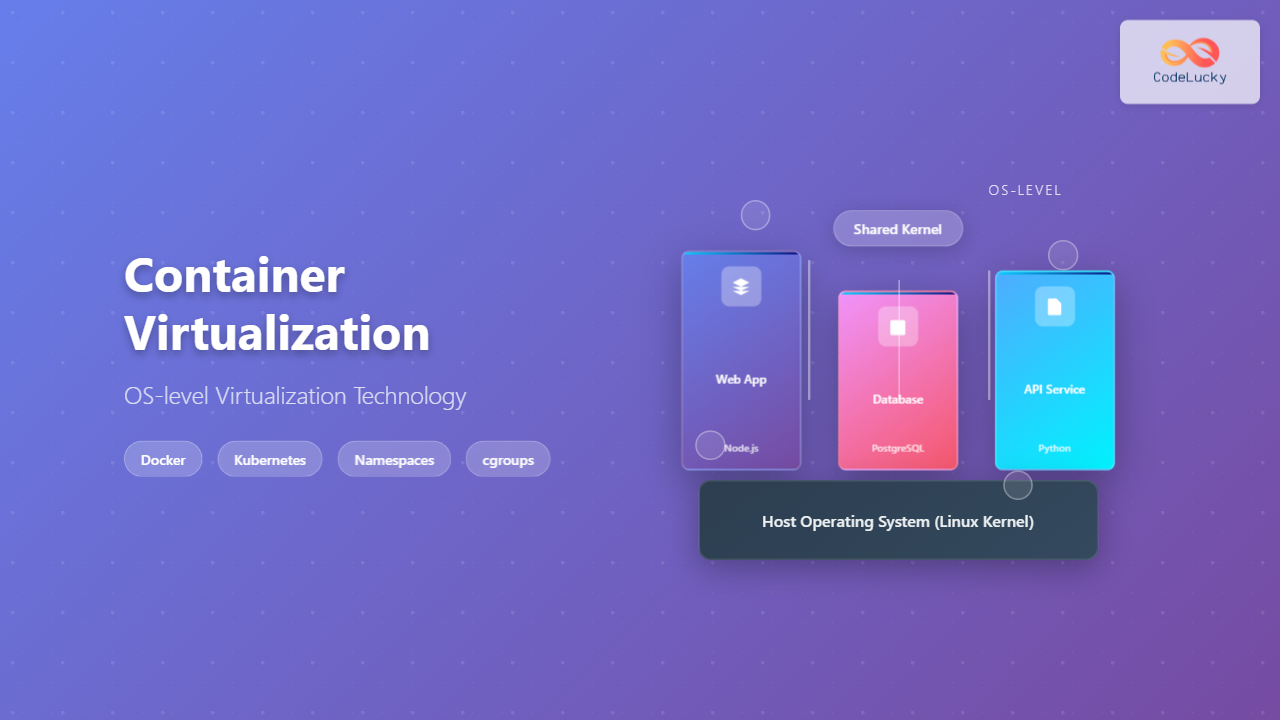
Container virtualization represents a revolutionary approach to application deployment and resource management through OS-level virtualization. Unlike traditional hardware virtualization, containers share the host operating system kernel while maintaining complete isolation between applications, offering unprecedented efficiency and portability.
Understanding Container Virtualization
Container virtualization, also known as OS-level virtualization, creates multiple isolated user-space instances on a single operating system kernel. Each container operates as an independent system while sharing the underlying OS resources, making it significantly more lightweight than traditional virtual machines.

Key Characteristics of Container Virtualization
- Kernel Sharing: All containers share the host OS kernel, eliminating the overhead of multiple operating systems
- Process Isolation: Each container runs in its own isolated process space
- Resource Efficiency: Minimal overhead compared to traditional virtualization
- Rapid Deployment: Containers start in seconds rather than minutes
- Portability: Consistent runtime environment across different platforms
Container vs Traditional Virtualization
The fundamental difference between container virtualization and traditional hardware virtualization lies in their architectural approach and resource utilization.

| Aspect | Traditional VMs | Containers |
|---|---|---|
| Resource Usage | High (Multiple OS) | Low (Shared Kernel) |
| Startup Time | Minutes | Seconds |
| Isolation Level | Complete | Process-level |
| Portability | Limited | High |
| Density | Low | High |
Core Technologies Behind Container Virtualization
Linux Namespaces
Namespaces provide process isolation by creating separate instances of global resources. Each container gets its own view of system resources without interfering with others.
# Create a new network namespace
sudo ip netns add container1

# List available namespaces
sudo ip netns list

# Execute command in specific namespace
sudo ip netns exec container1 ip addr show
Types of Linux namespaces:
- PID Namespace: Process ID isolation
- Network Namespace: Network interface isolation
- Mount Namespace: Filesystem mount point isolation
- UTS Namespace: Hostname and domain name isolation
- IPC Namespace: Inter-process communication isolation
- User Namespace: User and group ID isolation
Control Groups (cgroups)
Cgroups limit and monitor resource usage for container processes, ensuring fair resource allocation and preventing resource starvation.
# Create a new cgroup
sudo mkdir /sys/fs/cgroup/memory/mycontainer

# Set memory limit (512MB)
echo 536870912 | sudo tee /sys/fs/cgroup/memory/mycontainer/memory.limit_in_bytes

# Add process to cgroup
echo $$ | sudo tee /sys/fs/cgroup/memory/mycontainer/cgroup.procs
Union File Systems
Union file systems enable layered storage, allowing containers to share common base layers while maintaining their own writable layers.

Popular Container Technologies
Docker
Docker revolutionized container adoption by providing user-friendly tools and standardized container formats.
# Create a simple Dockerfile
cat << EOF > Dockerfile
FROM ubuntu:20.04
RUN apt-get update && apt-get install -y nginx
EXPOSE 80
CMD ["nginx", "-g", "daemon off;"]
EOF

# Build the image
docker build -t my-nginx .

# Run the container
docker run -d -p 8080:80 --name web-server my-nginx

# View running containers
docker ps
Output:
CONTAINER ID   IMAGE      COMMAND                  CREATED         STATUS         PORTS                  NAMES
a1b2c3d4e5f6   my-nginx   "nginx -g 'daemon of…"   5 seconds ago   Up 4 seconds   0.0.0.0:8080->80/tcp   web-server
Podman
Podman offers a daemonless alternative to Docker with enhanced security features and rootless container execution.
# Run container without daemon
podman run -d -p 8080:80 nginx:alpine

# Generate Kubernetes YAML
podman generate kube --service my-pod > my-service.yaml

# Run rootless container
podman run --rm -it --user 1000:1000 ubuntu:20.04 /bin/bash
LXC/LXD
LXC provides system containers that closely resemble traditional virtual machines while maintaining container efficiency.
# Create LXC container
lxc launch ubuntu:20.04 mycontainer

# Execute commands in container
lxc exec mycontainer -- apt update

# Get container information
lxc info mycontainer
Container Orchestration
Container orchestration platforms manage containerized applications at scale, handling deployment, scaling, networking, and service discovery.

Kubernetes Example
# deployment.yaml
apiVersion: apps/v1
kind: Deployment
metadata:
  name: nginx-deployment
spec:
  replicas: 3
  selector:
    matchLabels:
      app: nginx
  template:
    metadata:
      labels:
        app: nginx
    spec:
      containers:
      - name: nginx
        image: nginx:1.20
        ports:
        - containerPort: 80
---
apiVersion: v1
kind: Service
metadata:
  name: nginx-service
spec:
  selector:
    app: nginx
  ports:
  - port: 80
    targetPort: 80
  type: LoadBalancer
# Deploy the application
kubectl apply -f deployment.yaml

# Check deployment status
kubectl get deployments
kubectl get pods
kubectl get services
Container Security Considerations
Security Best Practices
- Use minimal base images: Reduce attack surface with distroless or alpine images
- Run as non-root user: Avoid privilege escalation vulnerabilities
- Implement resource limits: Prevent resource exhaustion attacks
- Regular updates: Keep base images and dependencies updated
- Secret management: Use secure secret storage solutions
# Secure Dockerfile example
FROM node:16-alpine
RUN addgroup -g 1001 -S nodejs
RUN adduser -S nextjs -u 1001

WORKDIR /app
COPY package*.json ./
RUN npm ci --only=production

COPY --chown=nextjs:nodejs . .
USER nextjs

EXPOSE 3000
CMD ["node", "server.js"]
Security Scanning
# Scan image for vulnerabilities
docker run --rm -v /var/run/docker.sock:/var/run/docker.sock \
  aquasec/trivy image nginx:latest

# Dockerfile security analysis
docker run --rm -v $(pwd):/app \
  hadolint/hadolint hadolint /app/Dockerfile
Performance Optimization
Image Optimization
# Multi-stage build for smaller images
FROM node:16 as builder
WORKDIR /app
COPY package*.json ./
RUN npm ci
COPY . .
RUN npm run build

FROM node:16-alpine
WORKDIR /app
COPY --from=builder /app/dist ./dist
COPY --from=builder /app/node_modules ./node_modules
COPY package*.json ./

USER 1001
EXPOSE 3000
CMD ["node", "dist/server.js"]
Runtime Optimization
# Set appropriate resource limits
docker run -d \
  --memory="512m" \
  --cpus="1.0" \
  --name optimized-app \
  my-app:latest

# Use health checks
docker run -d \
  --health-cmd="curl -f http://localhost:3000/health || exit 1" \
  --health-interval=30s \
  --health-timeout=10s \
  --health-retries=3 \
  my-app:latest
Monitoring and Logging
Container Metrics
# View container resource usage
docker stats

# Get detailed container information
docker inspect container_name

# View container logs
docker logs -f container_name

# Export logs with timestamps
docker logs -t --since="1h" container_name
Prometheus Monitoring
# docker-compose.yml for monitoring stack
version: '3.8'
services:
  app:
    image: my-app:latest
    ports:
      - "3000:3000"
    labels:
      - "prometheus.scrape=true"
      - "prometheus.port=3000"
      - "prometheus.path=/metrics"

  prometheus:
    image: prom/prometheus
    ports:
      - "9090:9090"
    volumes:
      - ./prometheus.yml:/etc/prometheus/prometheus.yml

  grafana:
    image: grafana/grafana
    ports:
      - "3001:3000"
    environment:
      - GF_SECURITY_ADMIN_PASSWORD=admin
Real-world Use Cases
Microservices Architecture
Containers excel in microservices deployments, enabling independent scaling and deployment of individual services.
# Microservices with Docker Compose
version: '3.8'
services:
  frontend:
    image: my-frontend:latest
    ports:
      - "80:80"
    depends_on:
      - api

  api:
    image: my-api:latest
    ports:
      - "3000:3000"
    environment:
      - DB_HOST=database
    depends_on:
      - database

  database:
    image: postgres:13
    environment:
      - POSTGRES_DB=myapp
      - POSTGRES_USER=user
      - POSTGRES_PASSWORD=password
    volumes:
      - db_data:/var/lib/postgresql/data

volumes:
  db_data:
CI/CD Integration
# GitHub Actions workflow
name: Build and Deploy
on:
  push:
    branches: [main]

jobs:
  build:
    runs-on: ubuntu-latest
    steps:
    - uses: actions/checkout@v2

    - name: Build Docker image
      run: docker build -t my-app:${{ github.sha }} .

    - name: Run tests
      run: docker run --rm my-app:${{ github.sha }} npm test

    - name: Push to registry
      run: |
        docker tag my-app:${{ github.sha }} registry.com/my-app:${{ github.sha }}
        docker push registry.com/my-app:${{ github.sha }}

    - name: Deploy to Kubernetes
      run: |
        kubectl set image deployment/my-app app=registry.com/my-app:${{ github.sha }}
Future of Container Virtualization
Container virtualization continues evolving with emerging technologies:
- WebAssembly (WASM): Ultra-lightweight runtime for containers
- Serverless Containers: Event-driven container execution
- Edge Computing: Distributed container deployments
- GPU Acceleration: Containers with specialized hardware access
- Confidential Computing: Enhanced security through hardware-based isolation
Conclusion
Container virtualization through OS-level virtualization has transformed modern software deployment and infrastructure management. By sharing the host kernel while maintaining process isolation, containers offer superior resource efficiency, rapid deployment, and consistent environments across different platforms.
The technology’s success stems from its ability to solve real-world problems: application portability, resource optimization, and scalable deployment. As organizations continue adopting cloud-native architectures, understanding container virtualization becomes essential for modern software development and operations.
Whether you’re implementing microservices, optimizing CI/CD pipelines, or building scalable applications, container virtualization provides the foundation for efficient, reliable, and maintainable software systems. The continuous evolution of container technologies ensures they’ll remain central to future computing paradigms.
Related Posts
Container Operating Systems: Complete Guide to Docker and Kubernetes Platforms
Container operating systems have revolutionized how we deploy, manage, and scale applications in modern computing environments. Unlike traditional operating systems...
docker Linux: Complete Container Platform Guide for Developers
Docker has revolutionized software development and deployment by introducing lightweight containerization technology. As a platform that enables developers to package...
Virtual Machine in Operating System: Complete Guide to Hardware Virtualization Technology
What is a Virtual Machine in Operating System? A Virtual Machine (VM) is a software-based emulation of a physical computer...
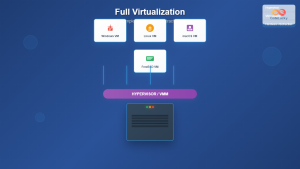
Full Virtualization: Complete Hardware Abstraction and Implementation Guide
Full virtualization represents one of the most significant breakthroughs in modern computing, enabling complete hardware abstraction that allows multiple operating...
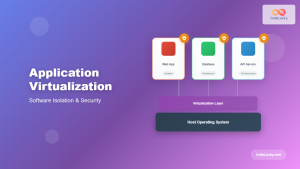
Application Virtualization: Complete Guide to Software Isolation and Virtual Environments
Application virtualization represents one of the most significant advances in modern computing, enabling organizations to run software applications in isolated...
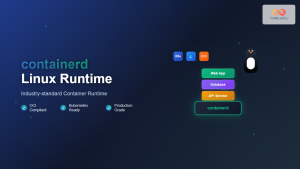
containerd Linux: Complete Guide to Industry-Standard Container Runtime
Containerd has emerged as the industry-standard container runtime, serving as the foundation for modern containerization platforms like Docker and Kubernetes....
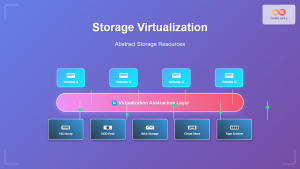
Storage Virtualization: Complete Guide to Abstract Storage Resources in Modern Computing
Storage virtualization represents one of the most critical technologies in modern computing infrastructure, enabling organizations to abstract physical storage resources...
Cloud Operating System: Complete Guide to Virtualized Infrastructure Management
Cloud Operating Systems represent a paradigm shift in how we manage and orchestrate computing resources across distributed environments. Unlike traditional...
Virtual I/O: Complete Guide to Device Virtualization Techniques and Implementation
Introduction to Virtual I/O and Device Virtualization Virtual Input/Output (Virtual I/O) represents one of the most critical components in modern...
Virtual Machine Monitor: Complete Guide to Resource Management and Isolation
A Virtual Machine Monitor (VMM), also known as a hypervisor, is a critical software layer that creates and manages virtual...

Kubernetes Linux: Complete Guide to Container Orchestration Platform
Kubernetes has revolutionized how we deploy, manage, and scale containerized applications on Linux systems. As the leading container orchestration platform,...

machinectl Command Linux: Complete Guide to Managing systemd Containers and VMs
The machinectl command is a powerful utility in Linux systems that provides comprehensive management capabilities for systemd containers and virtual...





