
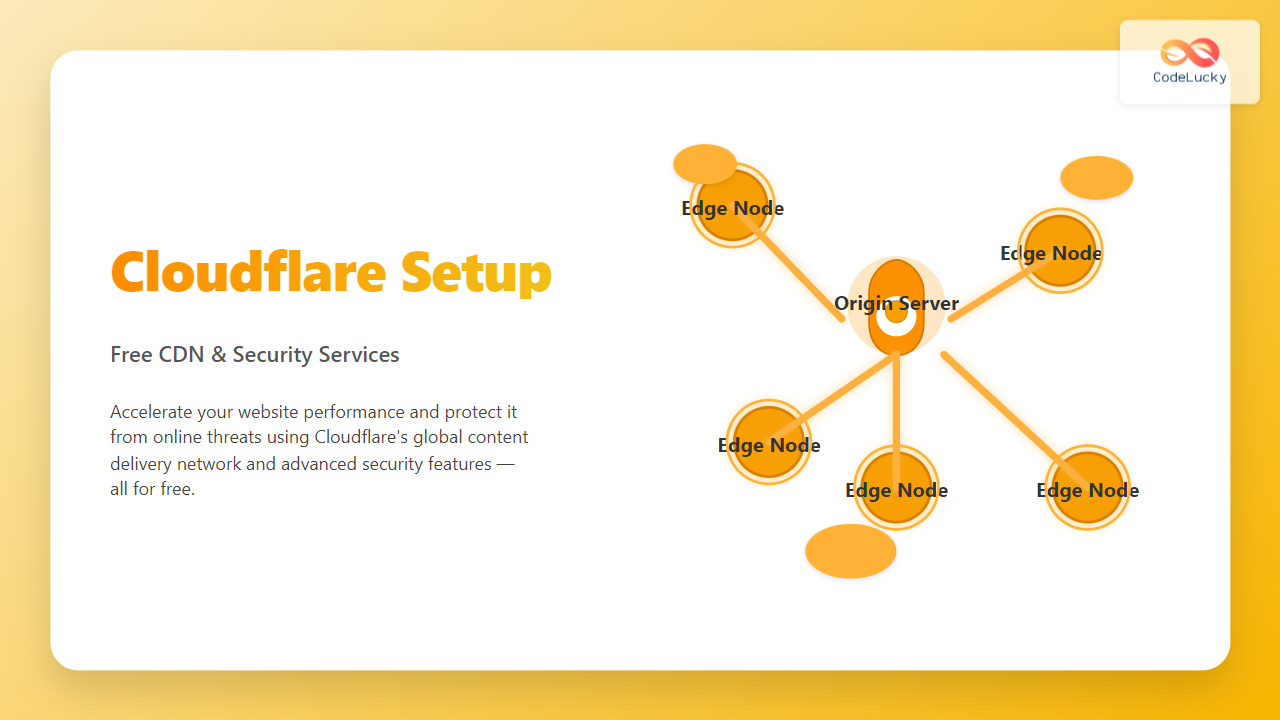
In today’s fast-paced web ecosystem, having a fast, reliable, and secure website is crucial. Cloudflare offers a powerful free CDN (Content Delivery Network) and advanced security features that help optimize site performance and protect against online threats without any cost. This article dives deep into setting up Cloudflare from scratch, understanding its key benefits, and boosting your website with examples, diagrams, and interactive concepts.
What Is Cloudflare and Why Use It?
Cloudflare is a global network service that acts as an intermediary between your website visitors and your server. It caches static content closer to visitors worldwide, accelerating load times through its CDN, and offers robust security such as DDoS mitigation, SSL, firewall rules, and bot protection. Cloudflare’s free tier provides enough features for most small to medium websites and blogs.

How Cloudflare Free CDN Works
The Cloudflare CDN caches static assets (images, CSS, JS) at servers closest to the visitor, reducing latency and bandwidth load on your origin server.
- DNS Proxy: Cloudflare acts as your DNS provider and routes traffic through its network.
- Content Caching: Popular content is kept on edge servers globally.
- Dynamic Content Optimization: Cloudflare optimizes delivery even for non-cached content.
Step-by-Step: How to Set Up Cloudflare Free CDN and Security
1. Create a Cloudflare Account
Visit cloudflare.com and sign up for a free account. Use a valid email and password.
2. Add Your Website
Enter your website domain name (e.g., example.com) in the “Add a Site” prompt. Cloudflare will scan your DNS records automatically.
3. Review DNS Records
Verify that all important DNS records (A, CNAME, MX, TXT) are imported correctly. Cloudflare proxies records with an orange cloud icon enabling CDN and protections; gray clouds mean DNS-only.
| Type | Name | Content | Cloudflare Proxy |
|---|---|---|---|
| A | @ | 192.0.2.1 | 🟠 Proxied |
| CNAME | www | example.com | 🟠 Proxied |
| MX | @ | mail.example.com | ⚪ DNS only |
4. Change Your Nameservers
Cloudflare will assign you two nameservers like eddy.ns.cloudflare.com. Update your domain registrar’s settings to point to these nameservers. This process may take minutes to hours.
5. Configure SSL/TLS Settings
In the Cloudflare dashboard, navigate to the SSL/TLS section and set the encryption mode. For most setups, use Full (strict) SSL to encrypt between Cloudflare and your server securely.
6. Optimize Performance Settings
Enable features like:
- Auto Minify for HTML, CSS, JS
- Brotli Compression for faster loads
- Rocket Loader to improve JavaScript loading
7. Activate Security Features
Cloudflare’s basic WAF (Web Application Firewall) and DDoS protections are automatically active on the free plan. You can create additional Firewall Rules using simple logic to block or challenge suspicious requests.
Example: Viewing Cloudflare Cache Status Using cURL
When you request your site via the Cloudflare URL, the HTTP headers provide cache info.
curl -I https://www.example.com
HTTP/2 200
cache-control: public, max-age=14400
cf-cache-status: HIT
server: cloudflare
cf-cache-status: HIT means content was delivered from Cloudflare’s cache, speeding up load time for your user.
Troubleshooting Common Issues
- SSL Errors: Verify SSL mode in Cloudflare matches your server’s certificate setup.
- DNS Propagation: Nameserver changes might take several hours to propagate fully.
- Page Not Updating: Purge cache in the Cloudflare dashboard or disable proxy (gray cloud) temporarily.
Benefits of Cloudflare Free Plan
| Feature | Free Plan |
|---|---|
| Global CDN | ✔️ |
| DDoS Protection | ✔️ |
| SSL Encryption | ✔️ |
| Basic Web Firewall | ✔️ |
| Image Optimization (Polish) | ❌ (Paid) |
Interactive Concept: How Cloudflare Accelerates Requests
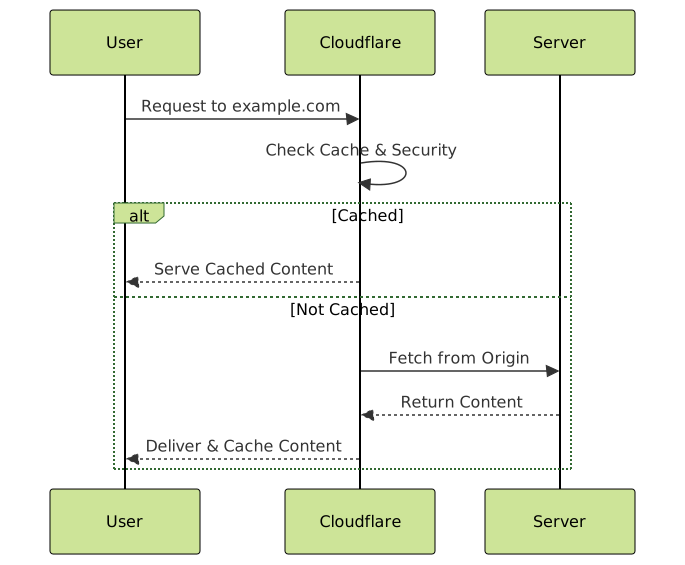
The core process Cloudflare follows to speed page delivery is:
- User sends a request
- Cloudflare checks if content is cached in the nearest data center
- If cached, directly serve content—this reduces latency
- If not cached, fetch from origin server, deliver to user, and cache for future requests

Final Tips for Using Cloudflare Efficiently
- Monitor analytics on traffic, bandwidth savings, and security events in the dashboard.
- Use Page Rules to customize caching and security per URL or path.
- Keep your website’s origin server secure as Cloudflare is an additional defense — not a replacement.
By following this detailed setup and exploration, it is possible to leverage Cloudflare’s free CDN and security services to significantly enhance website speed, reliability, and protection against common web threats — all without spending a dime.





