
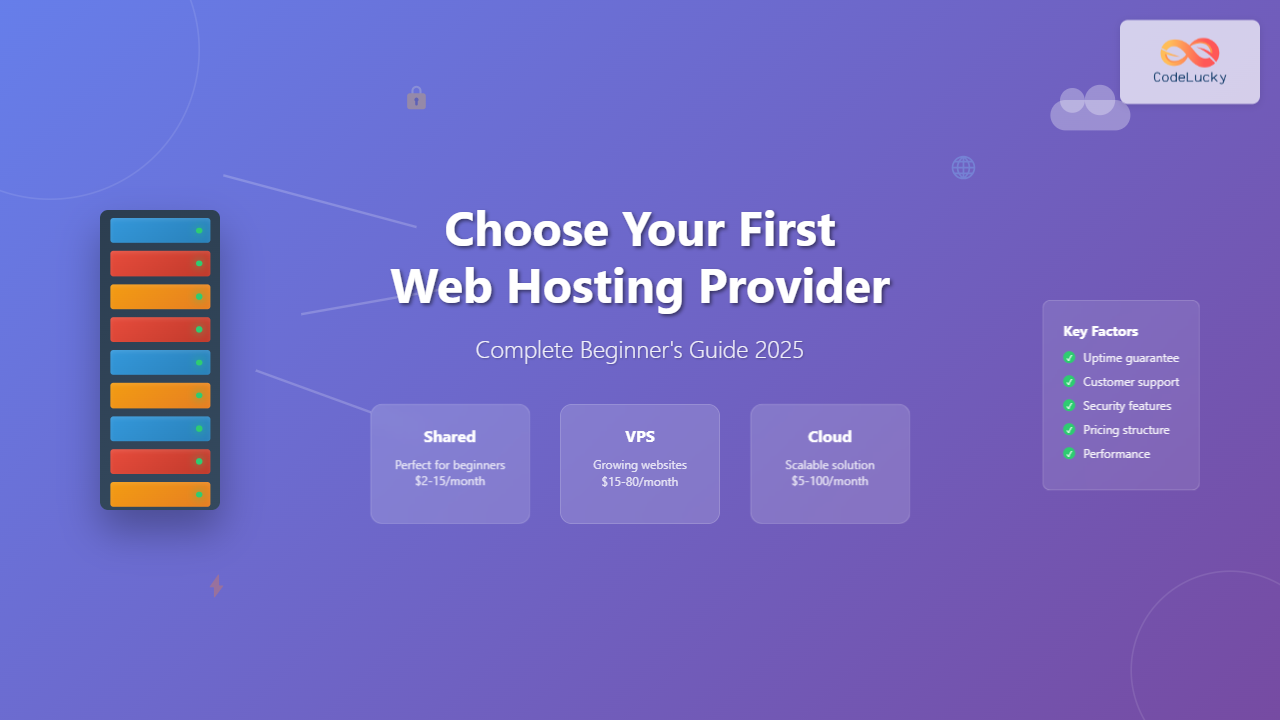
Choosing your first web hosting provider can feel overwhelming with hundreds of options available. This comprehensive guide will walk you through everything you need to know to make an informed decision that sets your website up for success.
Understanding Web Hosting Fundamentals
Web hosting is a service that allows your website to be accessible on the internet. When you purchase hosting, you’re essentially renting space on a server where your website files will be stored and served to visitors.

Think of web hosting like renting an apartment for your website. Just as you need a physical address for people to visit you, your website needs a hosting server to have an online presence.
Types of Web Hosting Explained
Shared Hosting
Best for: Beginners, small websites, blogs, and personal projects
Price range: $2-15 per month
Shared hosting is like living in an apartment building where you share resources with other tenants. Multiple websites share the same server resources including CPU, RAM, and storage space.
Pros:
- Most affordable option
- Beginner-friendly with managed features
- No technical maintenance required
- Usually includes cPanel or similar control panel
Cons:
- Limited resources and performance
- Can be affected by other websites on the server
- Less control over server configuration
- May have restrictions on traffic and storage
VPS (Virtual Private Server) Hosting
Best for: Growing websites, e-commerce sites, developers
Price range: $15-80 per month
VPS hosting is like owning a condo – you have your own dedicated space within a larger building, with guaranteed resources that won’t be affected by neighbors.

Dedicated Hosting
Best for: Large websites, high-traffic sites, enterprise applications
Price range: $80-500+ per month
Dedicated hosting is like owning your own house – you have complete control over the entire server and all its resources.
Cloud Hosting
Best for: Websites with variable traffic, scalability needs
Price range: $5-100+ per month (often pay-as-you-use)
Cloud hosting uses multiple connected servers to host your website, providing better reliability and scalability than traditional hosting methods.
Essential Features to Consider
Storage and Bandwidth
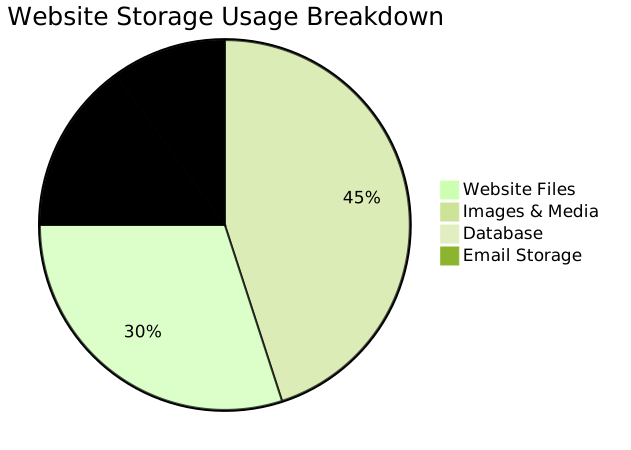
Storage: The amount of disk space for your website files, emails, and databases. For beginners, 1-10GB is usually sufficient.
Bandwidth: The amount of data that can be transferred between your website and visitors. Look for “unlimited” or at least 10GB monthly for small sites.
Uptime and Reliability
Uptime refers to how often your website is accessible to visitors. Look for providers offering:
- 99.9% uptime guarantee (less than 9 hours downtime per year)
- Redundant systems and backup power
- 24/7 server monitoring
- Service Level Agreements (SLAs)
Security Features
Essential security features include:
- SSL certificates (free Let’s Encrypt is sufficient for most sites)
- Daily backups with easy restoration
- Malware scanning and removal
- Firewall protection
- DDoS protection
- Two-factor authentication for account access
Customer Support Quality
Look for providers offering:
- 24/7 support via multiple channels (chat, phone, email)
- Knowledge base and documentation
- Video tutorials and guides
- Community forums
- Average response time under 30 minutes for critical issues
Performance Factors That Matter
Server Location and CDN
Choose servers located near your target audience for faster loading times. Many providers offer:
- Multiple data center locations
- Content Delivery Network (CDN) integration
- Automatic image optimization
- Caching technologies
Technology Stack
Ensure your hosting provider supports:
- Latest PHP versions (PHP 8.0 or higher)
- MySQL or MariaDB databases
- HTTP/2 and HTTP/3 protocols
- SSD storage for faster performance
- LiteSpeed or Nginx web servers
Pricing Structure and Hidden Costs

Understanding Promotional Pricing
Many hosting providers offer attractive introductory rates, but be aware of:
- Renewal rates: Often 2-3x higher than promotional pricing
- Contract length: Longer commitments usually offer better rates
- Money-back guarantee: Look for 30-60 day guarantees
- Free domain: Usually only for the first year
Additional Costs to Consider
| Service | Typical Cost | Necessity Level |
|---|---|---|
| Domain Registration | $10-15/year | Essential |
| Premium SSL Certificate | $50-200/year | Optional (free alternatives available) |
| Site Migration | $50-150 | Optional (often free) |
| Daily Backups | $2-10/month | Highly Recommended |
| Email Hosting | $3-8/month | Depends on needs |
Evaluating Hosting Providers
Research Methodology
When evaluating potential hosting providers:
- Read recent reviews from multiple sources (not just the provider’s testimonials)
- Check social media for real customer experiences
- Test their support by asking pre-sales questions
- Review their terms of service and acceptable use policies
- Verify their money-back guarantee terms
Red Flags to Avoid
- Unlimited everything: Nothing is truly unlimited; look for fair usage policies
- Too good to be true pricing: $1/year hosting often comes with severe limitations
- Poor website and documentation: Indicates lack of attention to detail
- Frequent server migrations: Sign of unstable infrastructure
- No clear contact information: Makes getting support difficult
Step-by-Step Selection Process
Step 1: Define Your Requirements
Before researching providers, determine:
- Website type: Blog, business site, e-commerce, portfolio
- Expected traffic: 100 visitors/month vs. 10,000+/month
- Technical expertise: Complete beginner vs. some experience
- Budget: Monthly hosting budget and one-time setup costs
- Growth plans: Will you need to scale quickly?
Step 2: Create a Comparison Chart
Compare 3-5 providers based on:
| Feature | Provider A | Provider B | Provider C |
|---|---|---|---|
| Monthly Cost (Year 1) | $3.95 | $2.99 | $4.95 |
| Renewal Cost | $7.95 | $9.99 | $8.95 |
| Storage | 50GB SSD | Unlimited | 100GB SSD |
| Uptime Guarantee | 99.9% | 99.5% | 99.9% |
| Free SSL | Yes | Yes | Yes |
| Money-back Period | 30 days | 45 days | 30 days |
Step 3: Test Customer Support
Contact each provider’s support team with a technical question to evaluate:
- Response time
- Knowledge level
- Helpfulness and patience
- Available support channels
Step 4: Start Small and Test
Choose a provider with a good money-back guarantee and:
- Start with their basic plan
- Test website loading speeds
- Monitor uptime for the first month
- Evaluate the user interface and control panel
- Test backup and restoration features
Common Beginner Mistakes to Avoid
Overbuying Resources
New website owners often purchase more than they need:
- Start with basic shared hosting
- You can always upgrade later
- Most sites need less than 5GB storage initially
- Traffic grows gradually for most websites
Ignoring Backup Policies
Not all hosting providers offer comprehensive backups:
- Verify backup frequency (daily is ideal)
- Check retention period (30 days minimum)
- Test backup restoration process
- Consider third-party backup solutions
Focusing Only on Price
The cheapest option isn’t always the best value:
- Factor in renewal rates
- Consider support quality
- Evaluate feature limitations
- Account for potential downtime costs
Migration and Setup Considerations
Migration Services
If you’re moving from another provider:
- Check if migration is included free
- Verify they can migrate your specific platform (WordPress, etc.)
- Ask about downtime during migration
- Ensure email accounts are included in migration
Getting Started Checklist
After choosing a hosting provider:
- Register your domain (or transfer existing domain)
- Set up hosting account and verify access
- Install SSL certificate (usually automatic)
- Set up email accounts if needed
- Install website platform (WordPress, etc.)
- Configure backups and test restoration
- Set up monitoring for uptime and performance
- Create strong passwords and enable 2FA
Long-term Success Strategies
Monitoring Your Hosting Performance
Regularly check:
- Website loading speed using tools like GTmetrix or Pingdom
- Uptime statistics through your hosting control panel
- Resource usage to anticipate upgrade needs
- Security scan results and backup status
Planning for Growth
As your website grows, consider:
- Traffic patterns: Monitor peak usage times
- Storage needs: Track content and media growth
- Performance requirements: Page load time expectations
- Security needs: Higher traffic attracts more attacks
When to Upgrade
Consider upgrading when you experience:
- Consistent slow loading times (>3 seconds)
- Frequent traffic-related downtime
- Storage approaching 80% capacity
- Need for more control over server configuration
- Requirement for specific software or applications
Final Recommendations
For Complete Beginners
If you’re building your first website:
- Start with reputable shared hosting
- Look for one-click WordPress installation
- Prioritize customer support quality
- Choose providers offering free site migration
- Ensure 30+ day money-back guarantee
For Growing Businesses
If you expect steady traffic growth:
- Consider managed WordPress hosting
- Look for easy scaling options
- Prioritize performance optimization features
- Ensure robust backup and security features
- Plan for email hosting needs
Choosing the right web hosting provider is a crucial decision that impacts your website’s success. Take time to research, compare options, and don’t hesitate to start with a basic plan and upgrade as your needs grow. Remember, most reputable providers offer money-back guarantees, so you can test their service risk-free.
Focus on reliability, support quality, and features that match your current needs rather than trying to future-proof everything from the start. As your website grows and you gain experience, you’ll better understand what hosting features matter most for your specific use case.





