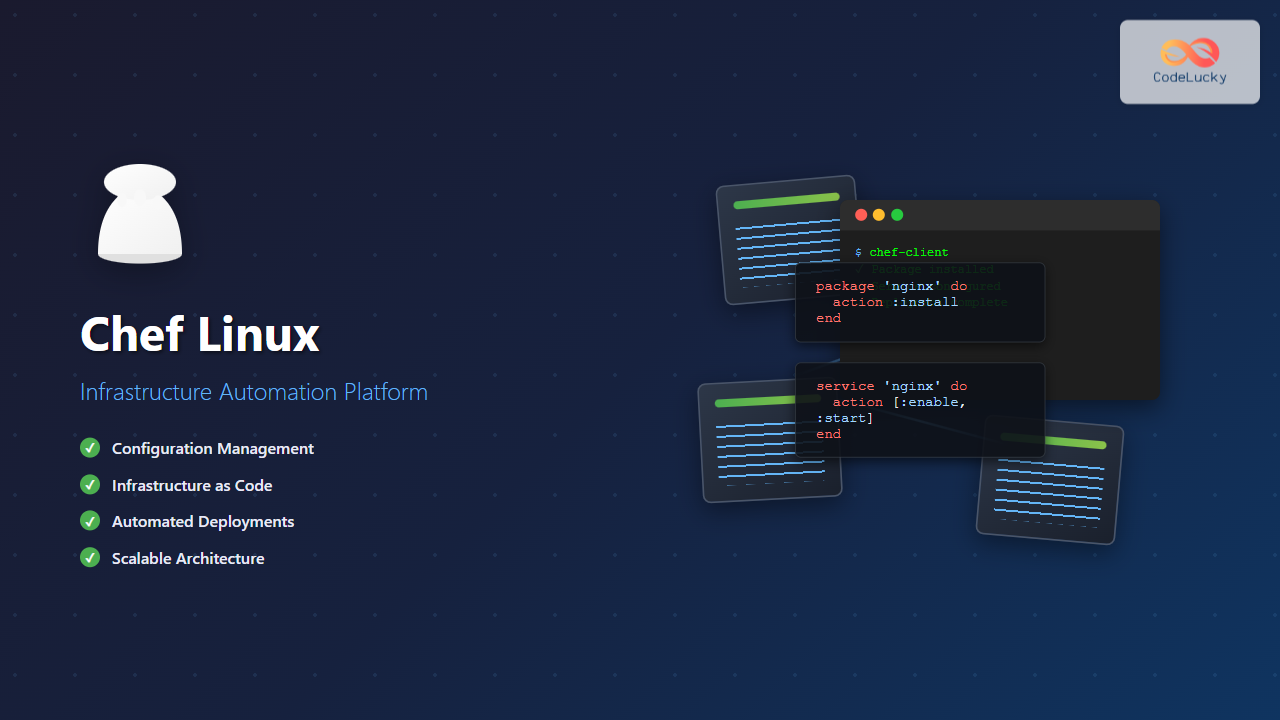
Chef is a powerful infrastructure automation platform that transforms the way organizations manage their Linux environments. As a configuration management tool, Chef enables DevOps teams to define infrastructure as code, automate deployments, and maintain consistent server configurations across complex distributed systems.
What is Chef in Linux Environment?
Chef is an open-source configuration management tool written in Ruby that uses a pure-Ruby, domain-specific language (DSL) for writing system configuration “recipes.” It follows a client-server architecture where the Chef Server acts as a central hub for configuration data, while Chef Clients (nodes) periodically check in to receive and apply configurations.
Core Components of Chef Architecture
- Chef Server: Central repository storing cookbooks, policies, and metadata
- Chef Client: Agent running on managed nodes that applies configurations
- Chef Workstation: Development environment for creating and testing cookbooks
- Cookbooks: Collections of recipes, templates, and files
- Recipes: Ruby scripts defining desired system state
- Resources: Building blocks representing system components
Installing Chef on Linux Systems
Installing Chef Workstation
Chef Workstation provides all necessary tools for cookbook development and testing:
# Download and install Chef Workstation on Ubuntu/Debian
wget https://packages.chef.io/files/stable/chef-workstation/21.10.640/ubuntu/20.04/chef-workstation_21.10.640-1_amd64.deb
sudo dpkg -i chef-workstation_21.10.640-1_amd64.deb

# For CentOS/RHEL
wget https://packages.chef.io/files/stable/chef-workstation/21.10.640/el/8/chef-workstation-21.10.640-1.el8.x86_64.rpm
sudo rpm -ivh chef-workstation-21.10.640-1.el8.x86_64.rpm

# Verify installation
chef --version
Setting Up Chef Server
For production environments, you’ll need a dedicated Chef Server:
# Download Chef Server package
wget https://packages.chef.io/files/stable/chef-server/14.14.1/ubuntu/20.04/chef-server-core_14.14.1-1_amd64.deb
sudo dpkg -i chef-server-core_14.14.1-1_amd64.deb

# Configure Chef Server
sudo chef-server-ctl reconfigure

# Create admin user
sudo chef-server-ctl user-create admin Admin User [email protected] 'password' --filename /tmp/admin.pem

# Create organization
sudo chef-server-ctl org-create myorg 'My Organization' --association_user admin --filename /tmp/myorg-validator.pem
Understanding Chef Cookbooks and Recipes
Creating Your First Cookbook
Cookbooks are the fundamental units of configuration and policy distribution in Chef:
# Generate a new cookbook
chef generate cookbook my_web_server
cd my_web_server

# Cookbook structure
tree .
.
├── Berksfile
├── CHANGELOG.md
├── LICENSE
├── Policyfile.rb
├── README.md
├── chefignore
├── kitchen.yml
├── metadata.rb
├── recipes
│   └── default.rb
├── spec
│   ├── spec_helper.rb
│   └── unit
│       └── recipes
│           └── default_spec.rb
└── test
    └── integration
        └── default
            └── default_test.rb
Writing Chef Recipes
Here’s a practical example of a recipe that installs and configures Apache web server:
# recipes/default.rb
# Install Apache package
package 'apache2' do
  action :install
end

# Create custom index.html
template '/var/www/html/index.html' do
  source 'index.html.erb'
  mode '0644'
  owner 'www-data'
  group 'www-data'
  variables(
    server_name: node['fqdn'],
    welcome_message: 'Welcome to Chef-managed Apache Server!'
  )
end

# Configure Apache virtual host
template '/etc/apache2/sites-available/000-default.conf' do
  source 'vhost.conf.erb'
  mode '0644'
  notifies :restart, 'service[apache2]', :delayed
end

# Ensure Apache service is running
service 'apache2' do
  action [:enable, :start]
  supports restart: true, reload: true
end

# Open firewall port
execute 'ufw allow 80' do
  command 'ufw allow 80/tcp'
  not_if 'ufw status | grep "80/tcp"'
end
Creating Templates
Templates use Embedded Ruby (ERB) for dynamic content generation:
# templates/index.html.erb
<!DOCTYPE html>
<html>
<head>
    <title><%= @server_name %></title>
</head>
<body>
    <h1><%= @welcome_message %></h1>
    <p>Server: <%= @server_name %></p>
    <p>Managed by Chef on <%= Time.now.strftime("%Y-%m-%d %H:%M:%S") %></p>
</body>
</html>
# templates/vhost.conf.erb
<VirtualHost *:80>
ServerName <%= @server_name %>
DocumentRoot /var/www/html
ErrorLog ${APACHE_LOG_DIR}/error.log
CustomLog ${APACHE_LOG_DIR}/access.log combined
<Directory /var/www/html>
Options Indexes FollowSymLinks
AllowOverride All
Require all granted
</Directory>
</VirtualHost>Chef Resources and Providers
Common Chef Resources
Chef provides numerous built-in resources for managing system components:
# File resource
file '/etc/motd' do
  content 'Welcome to Chef-managed server!'
  mode '0644'
  owner 'root'
  group 'root'
end

# Directory resource
directory '/opt/myapp' do
  mode '0755'
  owner 'appuser'
  group 'appgroup'
  recursive true
  action :create
end

# User resource
user 'appuser' do
  comment 'Application User'
  uid 1001
  gid 'appgroup'
  home '/home/appuser'
  shell '/bin/bash'
  action :create
end

# Group resource
group 'appgroup' do
  gid 1001
  action :create
end

# Cron resource
cron 'backup_database' do
  minute '0'
  hour '2'
  command '/opt/scripts/backup.sh'
  user 'root'
end
Package Management
Chef handles package management across different Linux distributions seamlessly:
# Install multiple packages
%w[git curl wget vim htop].each do |pkg|
  package pkg do
    action :install
  end
end

# Install specific version
package 'nginx' do
  version '1.18.0-6ubuntu14.4'
  action :install
end

# Install from specific repository
apt_repository 'docker' do
  uri 'https://download.docker.com/linux/ubuntu'
  distribution node['lsb']['codename']
  components ['stable']
  keyserver 'https://download.docker.com/linux/ubuntu/gpg'
  action :add
end

package 'docker-ce' do
  action :install
end
Node Attributes and Data Bags
Working with Node Attributes
Attributes provide a way to define settings that can vary between nodes:
# attributes/default.rb
default['myapp']['version'] = '2.1.0'
default['myapp']['port'] = 8080
default['myapp']['environment'] = 'production'
default['myapp']['database']['host'] = 'localhost'
default['myapp']['database']['port'] = 5432

# Using attributes in recipes
template '/opt/myapp/config.yml' do
  source 'config.yml.erb'
  variables(
    app_version: node['myapp']['version'],
    app_port: node['myapp']['port'],
    db_host: node['myapp']['database']['host']
  )
end
Data Bags for Sensitive Information
Data bags store global data accessible from any recipe:
# Create encrypted data bag for database credentials
knife data bag create secrets database --secret-file ~/.chef/encrypted_data_bag_secret

# data_bags/secrets/database.json (encrypted)
{
  "id": "database",
  "username": "dbuser",
  "password": "securepassword123",
  "host": "db.example.com"
}

# Using data bag in recipe
db_credentials = data_bag_item('secrets', 'database')

template '/opt/myapp/database.yml' do
  source 'database.yml.erb'
  mode '0600'
  variables(
    db_username: db_credentials['username'],
    db_password: db_credentials['password'],
    db_host: db_credentials['host']
  )
end
Testing Chef Cookbooks
Unit Testing with ChefSpec
ChefSpec provides unit testing framework for Chef cookbooks:
# spec/unit/recipes/default_spec.rb
require 'spec_helper'

describe 'my_web_server::default' do
  let(:chef_run) do
    ChefSpec::SoloRunner.new(platform: 'ubuntu', version: '20.04')
                        .converge(described_recipe)
  end

  it 'installs apache2 package' do
    expect(chef_run).to install_package('apache2')
  end

  it 'creates index.html template' do
    expect(chef_run).to create_template('/var/www/html/index.html')
      .with(mode: '0644', owner: 'www-data')
  end

  it 'starts and enables apache2 service' do
    expect(chef_run).to enable_service('apache2')
    expect(chef_run).to start_service('apache2')
  end
end

# Run tests
chef exec rspec
Integration Testing with Test Kitchen
Test Kitchen provides integration testing by spinning up virtual machines:
# kitchen.yml
---
driver:
  name: vagrant

provisioner:
  name: chef_zero
  product_name: chef
  product_version: 17

verifier:
  name: inspec

platforms:
  - name: ubuntu-20.04
  - name: centos-8

suites:
  - name: default
    run_list:
      - recipe[my_web_server::default]
    verifier:
      inspec_tests:
        - test/integration/default
# test/integration/default/default_test.rb
describe package('apache2') do
it { should be_installed }
end
describe service('apache2') do
it { should be_enabled }
it { should be_running }
end
describe port(80) do
it { should be_listening }
end
describe file('/var/www/html/index.html') do
it { should exist }
it { should contain('Welcome to Chef-managed Apache Server!') }
end
# Run integration tests
kitchen testAdvanced Chef Concepts
Custom Resources and Providers
Create reusable custom resources for complex operations:
# resources/myapp_deployment.rb
resource_name :myapp_deployment

property :app_name, String, name_property: true
property :version, String, required: true
property :source_url, String, required: true
property :install_path, String, default: '/opt'

action :deploy do
  directory "#{new_resource.install_path}/#{new_resource.app_name}" do
    recursive true
    action :create
  end

  remote_file "#{new_resource.install_path}/#{new_resource.app_name}/app-#{new_resource.version}.tar.gz" do
    source new_resource.source_url
    mode '0644'
    action :create
  end

  execute "extract_#{new_resource.app_name}" do
    command "tar -xzf app-#{new_resource.version}.tar.gz"
    cwd "#{new_resource.install_path}/#{new_resource.app_name}"
    creates "#{new_resource.install_path}/#{new_resource.app_name}/bin/app"
  end
end

# Using custom resource
myapp_deployment 'web_application' do
  version '2.1.0'
  source_url 'https://releases.example.com/app-2.1.0.tar.gz'
  install_path '/opt'
  action :deploy
end
Environment and Role Management
Organize nodes using environments and roles:
# environments/production.rb
name 'production'
description 'Production environment'
cookbook_versions 'my_web_server' => '= 1.0.0'
default_attributes(
  'myapp' => {
    'environment' => 'production',
    'database' => {
      'host' => 'prod-db.example.com',
      'pool_size' => 20
    }
  }
)

# roles/web_server.rb
name 'web_server'
description 'Web server role'
run_list 'recipe[my_web_server::default]', 'recipe[monitoring::default]'
default_attributes(
  'apache' => {
    'max_workers' => 256,
    'timeout' => 300
  }
)

# Bootstrap node with role and environment
knife bootstrap 192.168.1.100 \
  --sudo \
  --ssh-user ubuntu \
  --ssh-identity-file ~/.ssh/id_rsa \
  --node-name web01 \
  --run-list 'role[web_server]' \
  --environment production
Chef in CI/CD Pipelines
GitLab CI Integration
Integrate Chef cookbook testing and deployment in GitLab CI:
# .gitlab-ci.yml
stages:
  - lint
  - unit_test
  - integration_test
  - deploy

variables:
  CHEF_LICENSE: accept-silent

before_script:
  - apt-get update -qq && apt-get install -y -qq git curl
  - curl -L https://omnitruck.chef.io/install.sh | bash -s -- -P chef-workstation

lint:
  stage: lint
  script:
    - cookstyle .
    - foodcritic .

unit_test:
  stage: unit_test
  script:
    - chef exec rspec

integration_test:
  stage: integration_test
  script:
    - kitchen test --destroy=always
  only:
    - master

deploy_staging:
  stage: deploy
  script:
    - knife cookbook upload my_web_server
    - knife ssh "role:web_server AND chef_environment:staging" "sudo chef-client"
  only:
    - master

deploy_production:
  stage: deploy
  script:
    - knife cookbook upload my_web_server
    - knife ssh "role:web_server AND chef_environment:production" "sudo chef-client"
  when: manual
  only:
    - master
Monitoring and Troubleshooting Chef
Chef Client Logging and Debugging
Configure comprehensive logging for troubleshooting:
# /etc/chef/client.rb
log_level        :info
log_location     '/var/log/chef/client.log'
chef_server_url  'https://chef.example.com/organizations/myorg'
validation_client_name 'myorg-validator'
validation_key   '/etc/chef/validation.pem'
client_key       '/etc/chef/client.pem'
node_name        'web01.example.com'
ssl_verify_mode  :verify_peer
interval         1800
splay            300

# Enable debug logging
chef-client -l debug

# Test cookbook without applying changes
chef-client --why-run

# Run specific recipe
chef-client -o "recipe[my_web_server::default]"
Performance Monitoring
Monitor Chef runs and resource performance:
# Add to recipes for timing
ruby_block 'start_timer' do
  block do
    node.run_state['start_time'] = Time.now
  end
end

# Your resources here

ruby_block 'end_timer' do
  block do
    duration = Time.now - node.run_state['start_time']
    Chef::Log.info("Recipe execution time: #{duration} seconds")
  end
end

# Monitor resource usage
bash 'monitor_resources' do
  code <<-EOH
    echo "Memory usage during Chef run:" >> /var/log/chef/performance.log
    free -h >> /var/log/chef/performance.log
    echo "Disk usage:" >> /var/log/chef/performance.log
    df -h >> /var/log/chef/performance.log
  EOH
end
Best Practices and Security
Security Hardening
Implement security best practices in Chef configurations:
# Secure file permissions
cookbook_file '/etc/ssl/private/server.key' do
  source 'server.key'
  mode '0600'
  owner 'root'
  group 'root'
  sensitive true  # Prevents logging file contents
end

# Secure service configuration
template '/etc/ssh/sshd_config' do
  source 'sshd_config.erb'
  mode '0644'
  variables(
    permit_root_login: 'no',
    password_authentication: 'no',
    port: 2222
  )
  notifies :restart, 'service[ssh]', :delayed
end

# Firewall rules
node['firewall']['rules'].each do |rule|
  execute "ufw_#{rule['name']}" do
    command "ufw #{rule['action']} #{rule['port']}/#{rule['protocol']}"
    not_if "ufw status | grep '#{rule['port']}/#{rule['protocol']}'"
  end
end
Cookbook Versioning and Dependencies
Proper version management ensures reliable deployments:
# metadata.rb
name 'my_web_server'
maintainer 'DevOps Team'
maintainer_email '[email protected]'
license 'Apache-2.0'
description 'Installs and configures web server'
long_description IO.read(File.join(File.dirname(__FILE__), 'README.md'))
version '1.2.0'

supports 'ubuntu', '>= 18.04'
supports 'centos', '>= 7.0'

depends 'apt', '~> 7.4'
depends 'firewall', '~> 2.7'
depends 'logrotate', '~> 2.2'

# Policyfile.rb for dependency management
name 'web_server_policy'
default_source :supermarket
cookbook 'my_web_server', path: '.'
run_list 'my_web_server::default'
Conclusion
Chef Linux infrastructure automation platform provides a comprehensive solution for managing complex server environments at scale. By implementing Infrastructure as Code principles, Chef enables organizations to achieve consistent, repeatable, and auditable infrastructure deployments.
The combination of powerful DSL, extensive resource library, robust testing frameworks, and enterprise-grade security features makes Chef an ideal choice for modern DevOps practices. Whether managing a few servers or thousands of nodes across multiple environments, Chef’s flexibility and scalability ensure reliable infrastructure automation.
Success with Chef requires understanding its core concepts, following best practices for cookbook development, implementing comprehensive testing strategies, and maintaining proper security protocols. With these foundations, teams can leverage Chef to build resilient, automated infrastructure that supports rapid application delivery and operational efficiency.
Related Posts

foreman Linux: Complete Lifecycle Management for Enterprise Infrastructure
Foreman is a powerful open-source lifecycle management tool that revolutionizes how system administrators handle infrastructure provisioning, configuration management, and monitoring....
Ansible Linux: Complete Guide to IT Automation and Configuration Management
Ansible has revolutionized the way IT professionals manage infrastructure, making complex automation tasks simple and efficient. As an agentless automation...
Puppet Linux: Complete Configuration Management Guide for System Administrators
Puppet is a powerful configuration management tool that revolutionizes how system administrators manage Linux infrastructure. By automating system configuration, software...
Katello Linux: Complete Guide to Enterprise Content and Configuration Management
Introduction to Katello Linux Katello is a powerful open-source content and configuration management platform that serves as the upstream project...

SaltStack Linux: Complete Guide to Intelligent IT Automation and Configuration Management
SaltStack has revolutionized the way system administrators and DevOps engineers manage infrastructure at scale. As a powerful configuration management and...
Configuration Management: Infrastructure as Code – Complete Guide to Modern DevOps Practices
Configuration Management and Infrastructure as Code (IaC) have revolutionized how modern organizations approach infrastructure deployment and management in Agile environments....

Zookeeper Linux: Complete Guide to Centralized Service Configuration Management
Apache Zookeeper is a centralized service for maintaining configuration information, naming, providing distributed synchronization, and providing group services in distributed...
Vagrant Linux: Complete Guide to Development Environment Management
Vagrant revolutionizes development environment management by providing a consistent, reproducible way to create and manage virtual development environments. This comprehensive...
adagios Linux: Complete Guide to Web-Based Nagios Configuration Management
Managing Nagios configurations can be complex and time-consuming, especially when dealing with multiple hosts and services. adagios revolutionizes this process...
check_mk Linux: Complete Guide to Nagios-Based System Monitoring
check_mk is a powerful monitoring system built on top of Nagios that simplifies infrastructure monitoring with automated service discovery and...
herd Command Linux: Complete Guide to Managing Shepherd Services
The herd command in Linux is a powerful utility designed for managing Shepherd services, particularly in the context of Laravel...

kubectl Command Linux: Kubernetes Management Made Simple
The kubectl command is the primary command-line interface for interacting with Kubernetes clusters. This powerful tool allows administrators and developers...