
Checking if a string contains a substring is one of the most fundamental operations in Python programming. Whether you’re validating user input, parsing text data, or building search functionality, knowing how to efficiently detect substrings is essential for any Python developer.
In this comprehensive guide, we’ll explore seven different methods to check if a string contains a substring in Python, complete with practical examples, performance considerations, and best practices.
Understanding String Containment in Python
Before diving into specific methods, it’s important to understand that Python treats strings as sequences of characters. When we check for substring containment, we’re essentially looking for a sequence of characters within another sequence.
Method 1: Using the ‘in’ Operator (Recommended)
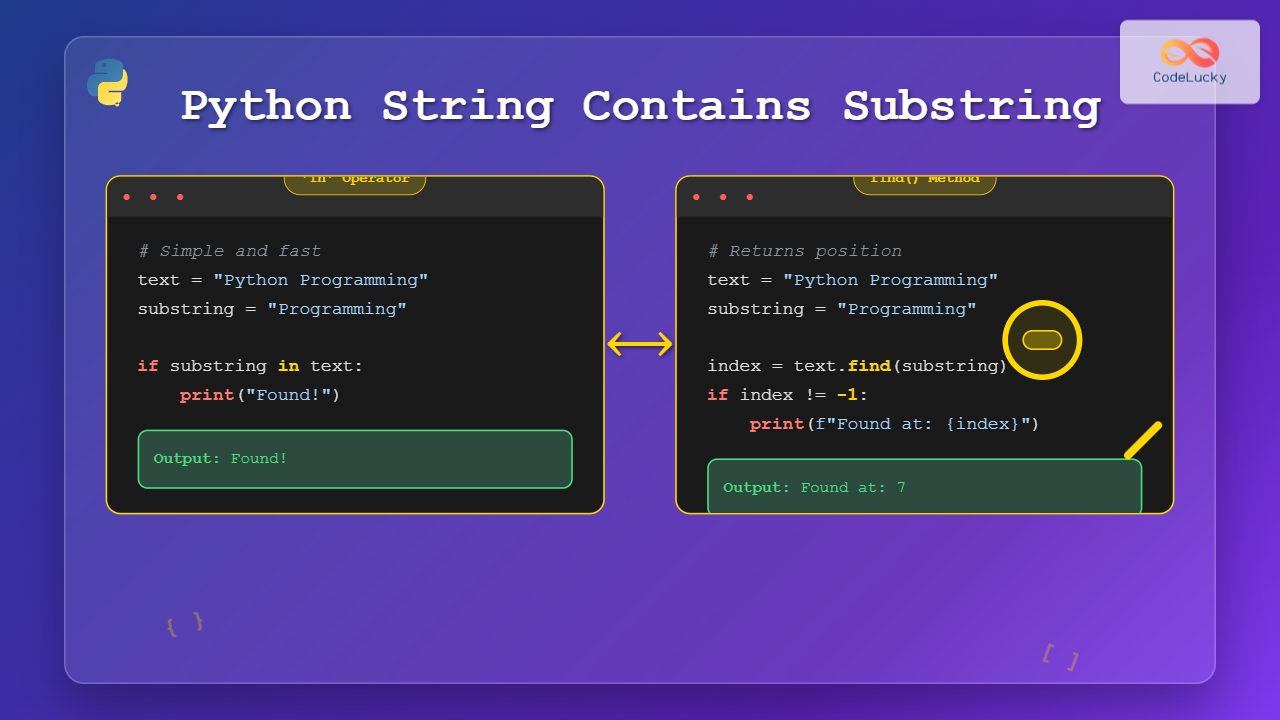
The in operator is the most Pythonic and readable way to check if a string contains a substring. It returns a boolean value and is highly optimized.
Basic Syntax
substring in stringExamples
# Basic example
text = "Python is awesome"
substring = "awesome"

if substring in text:
    print(f"'{substring}' found in the text!")
else:
    print(f"'{substring}' not found in the text!")

# Output: 'awesome' found in the text!

# Case-sensitive check
text = "Hello World"
print("hello" in text)  # Output: False
print("Hello" in text)  # Output: True

# Multiple substring checks
text = "I love programming in Python"
substrings = ["love", "Python", "Java", "programming"]

for sub in substrings:
    result = "✓" if sub in text else "✗"
    print(f"{result} '{sub}' in text: {sub in text}")

# Output:
# ✓ 'love' in text: True
# ✓ 'Python' in text: True
# ✗ 'Java' in text: False
# ✓ 'programming' in text: True
Case-Insensitive Search with ‘in’ Operator
# Case-insensitive substring check
def contains_ignore_case(text, substring):
    return substring.lower() in text.lower()

text = "Hello World"
print(contains_ignore_case(text, "HELLO"))  # Output: True
print(contains_ignore_case(text, "world"))  # Output: True
Method 2: Using the find() Method
The find() method returns the index position of the first occurrence of the substring, or -1 if not found. This method is useful when you need to know the location of the substring.
Basic Syntax
string.find(substring, start, end)Examples
# Basic find() usage
text = "Python programming is fun"
substring = "programming"

index = text.find(substring)
if index != -1:
    print(f"'{substring}' found at index: {index}")
else:
    print(f"'{substring}' not found")

# Output: 'programming' found at index: 7

# Finding multiple occurrences
text = "Python is great, Python is versatile"
substring = "Python"

start = 0
occurrences = []

while True:
    index = text.find(substring, start)
    if index == -1:
        break
    occurrences.append(index)
    start = index + 1

print(f"'{substring}' found at positions: {occurrences}")
# Output: 'Python' found at positions: [0, 17]

# Using start and end parameters
text = "Hello World Hello Universe"
substring = "Hello"

# Search only in first 15 characters
index = text.find(substring, 0, 15)
print(f"First 'Hello' found at: {index}")  # Output: 0

# Search from position 10 onwards
index = text.find(substring, 10)
print(f"Second 'Hello' found at: {index}")  # Output: 12
Method 3: Using the index() Method
The index() method works similarly to find(), but it raises a ValueError if the substring is not found instead of returning -1.
# Using index() method
text = "Python is powerful"

try:
    index = text.index("powerful")
    print(f"'powerful' found at index: {index}")
except ValueError:
    print("Substring not found")

# Output: 'powerful' found at index: 10

# Handling ValueError for missing substring
text = "Python is great"

try:
    index = text.index("Java")
    print(f"'Java' found at index: {index}")
except ValueError:
    print("'Java' not found in the text")

# Output: 'Java' not found in the text

# Function to safely use index()
def safe_index(text, substring):
    try:
        return text.index(substring)
    except ValueError:
        return -1

text = "Learn Python programming"
print(safe_index(text, "Python"))  # Output: 6
print(safe_index(text, "Java"))    # Output: -1
Method 4: Using startswith() and endswith() Methods
These methods are specialized for checking if a string begins or ends with a specific substring.
Examples
# Basic usage
text = "Python programming tutorial"

# Check if string starts with specific substring
print(text.startswith("Python"))    # Output: True
print(text.startswith("Java"))      # Output: False

# Check if string ends with specific substring
print(text.endswith("tutorial"))    # Output: True
print(text.endswith("guide"))       # Output: False

# Multiple prefix/suffix checking
text = "example.txt"
valid_extensions = (".txt", ".csv", ".json")
valid_prefixes = ("test_", "example", "demo_")

if text.endswith(valid_extensions):
    print("File has valid extension")

if text.startswith(valid_prefixes):
    print("File has valid prefix")

# Output:
# File has valid extension
# File has valid prefix

# Case-insensitive checking
def starts_with_ignore_case(text, prefix):
    return text.lower().startswith(prefix.lower())

def ends_with_ignore_case(text, suffix):
    return text.lower().endswith(suffix.lower())

text = "PYTHON Programming"
print(starts_with_ignore_case(text, "python"))  # Output: True
print(ends_with_ignore_case(text, "GRAMMING"))  # Output: True
Method 5: Using Regular Expressions (re module)
Regular expressions provide the most flexible and powerful way to search for complex patterns within strings.
import re

# Basic regex search
text = "Contact us at [email protected] or [email protected]"
pattern = r"@\w+\.\w+"

if re.search(pattern, text):
    print("Email pattern found!")

# Output: Email pattern found!

# Find all matches
emails = re.findall(r"\b[A-Za-z0-9._%+-]+@[A-Za-z0-9.-]+\.[A-Z|a-z]{2,}\b", text)
print(f"Found emails: {emails}")
# Output: Found emails: ['[email protected]', '[email protected]']

# Case-insensitive regex search
text = "PYTHON is Great"
pattern = r"python"

if re.search(pattern, text, re.IGNORECASE):
    print("Pattern found (case-insensitive)")

# Output: Pattern found (case-insensitive)

# Complex pattern matching
text = "Version 3.9.2 released on 2023-05-15"
version_pattern = r"\d+\.\d+\.\d+"
date_pattern = r"\d{4}-\d{2}-\d{2}"

version = re.search(version_pattern, text)
date = re.search(date_pattern, text)

if version:
    print(f"Version found: {version.group()}")
if date:
    print(f"Date found: {date.group()}")

# Output:
# Version found: 3.9.2
# Date found: 2023-05-15
Method 6: Using the count() Method
The count() method returns the number of occurrences of a substring. If the count is greater than 0, the substring exists.
# Basic count() usage
text = "Python is fun, Python is powerful, Python is versatile"
substring = "Python"

count = text.count(substring)
print(f"'{substring}' appears {count} times")

if count > 0:
    print(f"'{substring}' is present in the text")

# Output:
# 'Python' appears 3 times
# 'Python' is present in the text

# Count with start and end parameters
text = "Hello World Hello Universe Hello Python"
substring = "Hello"

# Count in entire string
total_count = text.count(substring)
print(f"Total occurrences: {total_count}")

# Count in specific range (first 20 characters)
partial_count = text.count(substring, 0, 20)
print(f"Occurrences in first 20 chars: {partial_count}")

# Output:
# Total occurrences: 3
# Occurrences in first 20 chars: 2

# Using count() for validation
def has_balanced_brackets(text):
    return text.count('(') == text.count(')')

test_strings = ["(hello)", "(test(inner))", "(unbalanced"]
for s in test_strings:
    result = "✓" if has_balanced_brackets(s) else "✗"
    print(f"{result} '{s}' has balanced brackets: {has_balanced_brackets(s)}")

# Output:
# ✓ '(hello)' has balanced brackets: True
# ✓ '(test(inner))' has balanced brackets: True
# ✗ '(unbalanced' has balanced brackets: False
Method 7: Custom Functions for Advanced Use Cases
Sometimes you need more sophisticated substring checking logic. Here are some custom functions for advanced scenarios:
# Function to check multiple substrings
def contains_any(text, substrings):
    """Check if text contains any of the given substrings"""
    return any(sub in text for sub in substrings)

def contains_all(text, substrings):
    """Check if text contains all of the given substrings"""
    return all(sub in text for sub in substrings)

# Example usage
text = "I love Python programming and data science"
keywords_any = ["Java", "Python", "C++"]
keywords_all = ["Python", "programming", "love"]

print(contains_any(text, keywords_any))   # Output: True
print(contains_all(text, keywords_all))   # Output: True

# Function for fuzzy substring matching
def fuzzy_contains(text, substring, max_errors=1):
    """Check if text contains substring with allowed character differences"""
    text = text.lower()
    substring = substring.lower()

    if len(substring) > len(text):
        return False

    for i in range(len(text) - len(substring) + 1):
        window = text[i:i + len(substring)]
        errors = sum(c1 != c2 for c1, c2 in zip(window, substring))
        if errors <= max_errors:
            return True
    return False

# Example of fuzzy matching
text = "Python programming"
print(fuzzy_contains(text, "Pithon"))     # Output: True (1 character difference)
print(fuzzy_contains(text, "Jython"))     # Output: True (1 character difference)
print(fuzzy_contains(text, "Java"))       # Output: False (too many differences)

# Function to find substring with context
def find_with_context(text, substring, context_length=10):
    """Find substring and return it with surrounding context"""
    index = text.find(substring)
    if index == -1:
        return None

    start = max(0, index - context_length)
    end = min(len(text), index + len(substring) + context_length)

    return {
        'found': True,
        'index': index,
        'context': text[start:end],
        'before': text[start:index],
        'match': substring,
        'after': text[index + len(substring):end]
    }

# Example usage
text = "Python is a high-level programming language that emphasizes code readability"
result = find_with_context(text, "programming", 15)

if result:
    print(f"Found at index: {result['index']}")
    print(f"Context: '{result['context']}'")
    print(f"Before: '{result['before']}'")
    print(f"Match: '{result['match']}'")
    print(f"After: '{result['after']}'")

# Output:
# Found at index: 25
# Context: 'high-level programming language'
# Before: 'high-level '
# Match: programming
# After: ' language'
Performance Comparison
Understanding the performance characteristics of different methods helps you choose the right approach for your specific use case:
# Performance comparison example
import time

def time_method(func, *args, iterations=1000000):
    start_time = time.time()
    for _ in range(iterations):
        func(*args)
    end_time = time.time()
    return end_time - start_time

text = "Python is a versatile programming language used for web development, data science, and automation"
substring = "programming"

# Test different methods
methods = {
    "'in' operator": lambda t, s: s in t,
    "find() method": lambda t, s: t.find(s) != -1,
    "index() with try/except": lambda t, s: safe_index(t, s) != -1,
    "count() method": lambda t, s: t.count(s) > 0
}

print("Performance comparison (lower is better):")
print("-" * 45)

for name, method in methods.items():
    duration = time_method(method, text, substring)
    print(f"{name:<25}: {duration:.4f} seconds")

# Typical output:
# 'in' operator        : 0.0421 seconds
# find() method        : 0.0834 seconds
# index() with try/except: 0.1247 seconds
# count() method       : 0.0956 seconds
Best Practices and Tips
1. Choose the Right Method
- Use ‘in’ operator for simple boolean checks
- Use find() when you need the position
- Use startswith()/endswith() for prefix/suffix checks
- Use regex for complex pattern matching
- Use count() when you need occurrence frequency
2. Handle Case Sensitivity
# Always consider case sensitivity
text = "Hello World"

# Case-sensitive (default)
print("hello" in text)  # False

# Case-insensitive
print("hello" in text.lower())  # True
print("hello".lower() in text.lower())  # True
3. Validate Input
def safe_contains(text, substring):
    """Safely check if text contains substring with input validation"""
    if not isinstance(text, str) or not isinstance(substring, str):
        return False
    if not substring:  # Empty substring
        return True
    return substring in text

# Examples
print(safe_contains("Hello", ""))        # True (empty string is in any string)
print(safe_contains("Hello", None))     # False (invalid input)
print(safe_contains(None, "Hello"))     # False (invalid input)
4. Consider Unicode and Special Characters
# Unicode handling
text = "Café naïve résumé"
substring = "naïve"

print(substring in text)  # True

# Normalize unicode for better matching
import unicodedata

def normalize_text(text):
    return unicodedata.normalize('NFKD', text)

text_normalized = normalize_text("Café naïve")
substring_normalized = normalize_text("naive")

# This might still be False due to accent differences
print(substring_normalized in text_normalized)
Common Pitfalls and How to Avoid Them
1. Case Sensitivity Issues
# Problem
text = "Python Programming"
print("python" in text)  # False - unexpected!

# Solution
def case_insensitive_contains(text, substring):
    return substring.lower() in text.lower()

print(case_insensitive_contains(text, "python"))  # True
2. Empty String Handling
# Empty strings are considered to be in any string
text = "Hello World"
print("" in text)  # True

# Be explicit about empty string handling
def contains_non_empty(text, substring):
    return bool(substring) and substring in text

print(contains_non_empty(text, ""))      # False
print(contains_non_empty(text, "Hello")) # True
3. Type Safety
# Always validate input types
def robust_contains(text, substring):
    if not isinstance(text, str) or not isinstance(substring, str):
        raise TypeError("Both arguments must be strings")
    return substring in text

# Safe wrapper
def safe_contains(text, substring):
    try:
        return robust_contains(text, substring)
    except TypeError:
        return False
Real-World Applications
Here are practical examples of substring checking in real-world scenarios:
Email Validation
def is_valid_email_basic(email):
    """Basic email validation using substring checks"""
    return (
        "@" in email and
        "." in email and
        not email.startswith("@") and
        not email.endswith("@") and
        email.count("@") == 1
    )

# Test emails
emails = ["[email protected]", "invalid.email", "@invalid.com", "user@"]
for email in emails:
    result = "✓" if is_valid_email_basic(email) else "✗"
    print(f"{result} {email}")
URL Processing
def categorize_url(url):
    """Categorize URLs based on their content"""
    categories = []

    if url.startswith("https://"):
        categories.append("Secure")
    elif url.startswith("http://"):
        categories.append("Unsecure")

    if "github.com" in url:
        categories.append("GitHub")
    elif "stackoverflow.com" in url:
        categories.append("Stack Overflow")

    if "/api/" in url:
        categories.append("API")

    return categories

# Example usage
urls = [
    "https://github.com/user/repo",
    "http://stackoverflow.com/questions/123",
    "https://api.example.com/v1/users"
]

for url in urls:
    categories = categorize_url(url)
    print(f"{url} -> {categories}")
Log File Analysis
def analyze_log_entry(log_line):
    """Analyze a log entry for different types of events"""
    analysis = {
        'timestamp': None,
        'level': 'UNKNOWN',
        'has_error': False,
        'has_warning': False,
        'is_database_related': False,
        'is_security_related': False
    }

    # Extract timestamp (basic)
    if '[' in log_line and ']' in log_line:
        start = log_line.find('[')
        end = log_line.find(']')
        analysis['timestamp'] = log_line[start+1:end]

    # Determine log level
    log_levels = ['ERROR', 'WARNING', 'INFO', 'DEBUG']
    for level in log_levels:
        if level in log_line.upper():
            analysis['level'] = level
            break

    # Check for specific conditions
    analysis['has_error'] = 'ERROR' in log_line.upper()
    analysis['has_warning'] = 'WARNING' in log_line.upper()

    # Check for database-related entries
    db_keywords = ['database', 'sql', 'query', 'connection']
    analysis['is_database_related'] = any(keyword in log_line.lower() for keyword in db_keywords)

    # Check for security-related entries
    security_keywords = ['authentication', 'authorization', 'login', 'security']
    analysis['is_security_related'] = any(keyword in log_line.lower() for keyword in security_keywords)

    return analysis

# Example log entries
log_entries = [
    "[2023-05-15 10:30:25] ERROR: Database connection failed",
    "[2023-05-15 10:31:00] WARNING: Authentication attempt from unknown IP",
    "[2023-05-15 10:32:15] INFO: User login successful"
]

for entry in log_entries:
    analysis = analyze_log_entry(entry)
    print(f"Entry: {entry}")
    print(f"Analysis: {analysis}")
    print("-" * 50)
Conclusion
Checking if a string contains a substring in Python can be accomplished through multiple methods, each with its own strengths and use cases. The ‘in’ operator remains the most efficient and readable choice for simple containment checks, while methods like find(), regex, and custom functions provide additional functionality for more complex scenarios.
Key takeaways:
- Use the ‘in’ operator for simple, fast boolean checks
- Use find() when you need the position of the substring
- Use startswith()/endswith() for prefix and suffix validation
- Use regular expressions for complex pattern matching
- Always consider case sensitivity and input validation
- Choose the method that best fits your performance requirements
By mastering these techniques, you’ll be well-equipped to handle any substring checking requirement in your Python projects, from simple text processing to complex data analysis and validation tasks.





