
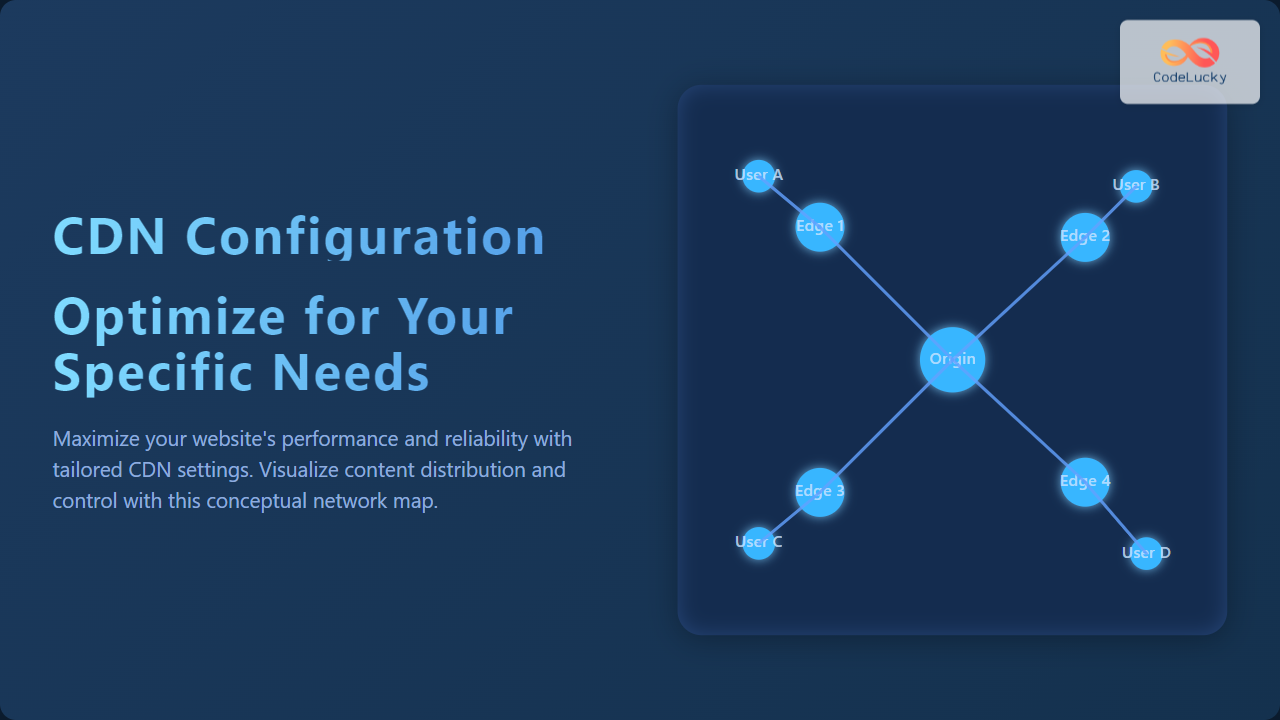
Understanding CDN Configuration: Why It Matters
Content Delivery Networks (CDNs) have become indispensable in modern web development to deliver content quickly and reliably across the globe. However, a generic CDN setup might not unlock its full potential. Customizing CDN configuration based on your specific website or app needs can optimize performance, reduce latency, and enhance user experience.
This article guides you through detailed CDN configuration strategies, illustrates key concepts visually using mermaid diagrams, and provides practical examples to help you tailor your CDN settings effectively.
Basics of CDN Configuration
A CDN is a distributed network of servers positioned around the world that caches your website’s static and dynamic content closer to your users. Key configuration elements include:
- Origin server setup: Your main content source.
- Cache policies: Rules determining what content to cache and for how long.
- SSL and security settings: Enable HTTPS, protect against attacks.
- Load balancing and failover: Distribute traffic and ensure availability.
- Geographic restrictions and routing: Customize delivery based on location.

Step 1: Setting Up Your Origin Server
The origin server hosts your original content like HTML files, images, APIs, videos, or software binaries. When configuring your CDN:
- Source origin URL: Specify the exact server or cloud bucket URL from which the CDN pulls content.
- Access control: Allow only CDN IPs to fetch content from your origin, enhancing security.
- Compression and optimization: Enable gzip or Brotli at origin for bandwidth savings.
Example of origin URL configuration:
origin: https://mywebsite.comStep 2: Crafting Cache Policies
Effective cache policies control how your CDN handles stored copies of your content, impacting speed and freshness.
- Cache duration (TTL): Define how long content is cached at the edge. Example: 1 hour for rapidly changing API data, 1 week for static images.
- Cache keys: Specify how the CDN identifies unique content variants (e.g., based on query parameters, cookies, or headers).
- Bypassing the cache: Use cache-control headers like
no-cacheorprivateto exclude certain content from caching.
Example cache-control HTTP header configuration on your origin server:
Cache-Control: public, max-age=3600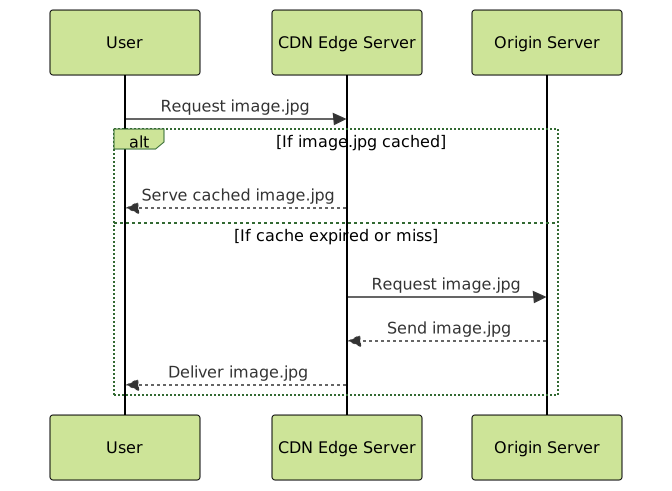
Step 3: Enabling HTTPS and Security Features
Secure communication is critical. To configure HTTPS:
- SSL/TLS management: Use CDN provider’s free TLS certificates or upload your own.
- HTTP/2 or HTTP/3: Activate newer protocols on CDN for faster connection multiplexing.
- WAF & DDoS protection: Enable firewall and attack mitigation through CDN security settings.
Example setting on popular CDN platforms:
SSL/TLS Mode: Full (strict)
HTTP/2: Enabled
WAF: On
Step 4: Load Balancing and Failover Configuration
To ensure uninterrupted service and spread the load for high traffic:
- Origin pool: Configure multiple origin servers.
- Health checks: Automatic checking of server availability and routing away from unhealthy origins.
- Failover: Automatic switching to backup origin if the primary fails.

Step 5: Geographical Routing and Restrictions
Many CDNs allow you to serve or block content based on user location:
- Geo-blocking: Restrict access to or from specific countries for regulatory or licensing reasons.
- Geo-routing: Deliver customized versions of content per region or route traffic to different origins.
Example Geo-blocking rule in CDN dashboard:
Block countries: North Korea, Iran
Allow countries: USA, Europe
Interactive Example: Simple CDN Cache Behavior Explained
The below example simulates how a CDN serves content based on cache status. To interact, imagine requests and see if content is cached or fetched from origin. This pseudocode explains the logic:
// Pseudo CDN cache behavior
let cache = {};

function requestContent(url) {
  if (cache[url] && !isExpired(cache[url].timestamp)) {
    return 'Serving from cache: ' + url;
  } else {
    let content = fetchFromOrigin(url);
    cache[url] = { data: content, timestamp: Date.now() };
    return 'Fetched from origin and cached: ' + url;
  }
}

function isExpired(timestamp) {
  let now = Date.now();
  return (now - timestamp) > 3600000; // 1 hour TTL
}
Summary: Tailor Your CDN Configuration
Optimizing CDN configuration is a balance of understanding your content type, user behavior, security needs, and infrastructure goals. Key best practices:
- Define clear cache policies tailored to content update frequency.
- Secure your CDN connections with the latest TLS protocols and WAF.
- Set up load balancing with health checks to stay resilient under load.
- Use geo-routing and restrictions to comply with legal and performance needs.
With these configurations in place, your CDN will maximize performance and reliability based on your unique requirements.





