Managing dependencies efficiently is critical for any Python development project. The requirements.txt file serves as the backbone for tracking all the external packages your project relies on, enabling easier collaboration, deployment, and environment replication. This article will guide you through automating the creation of this file seamlessly in your Python development workflow.
What is requirements.txt in Python?
The requirements.txt file is a simple text file that lists packages (libraries) and their specific versions that your Python project depends on. It allows you or other developers to install the exact same dependencies using a single command:
pip install -r requirements.txt
This uniformity is essential for consistency across different environments—whether developing locally, deploying on a server, or sharing with teammates.
Why Automate Creation of requirements.txt?
- Accuracy: Automatically generating this file avoids human errors like missing or incorrectly listed packages.
- Time-saving: No need to manually track and write dependencies every time you add a package.
- Consistency: Your project environments remain consistent across all systems.
- Reproducibility: Other developers or CI/CD pipelines can recreate the exact environment easily.
Manually Creating vs. Automatically Generating

Simple Way to Automatically Generate requirements.txt
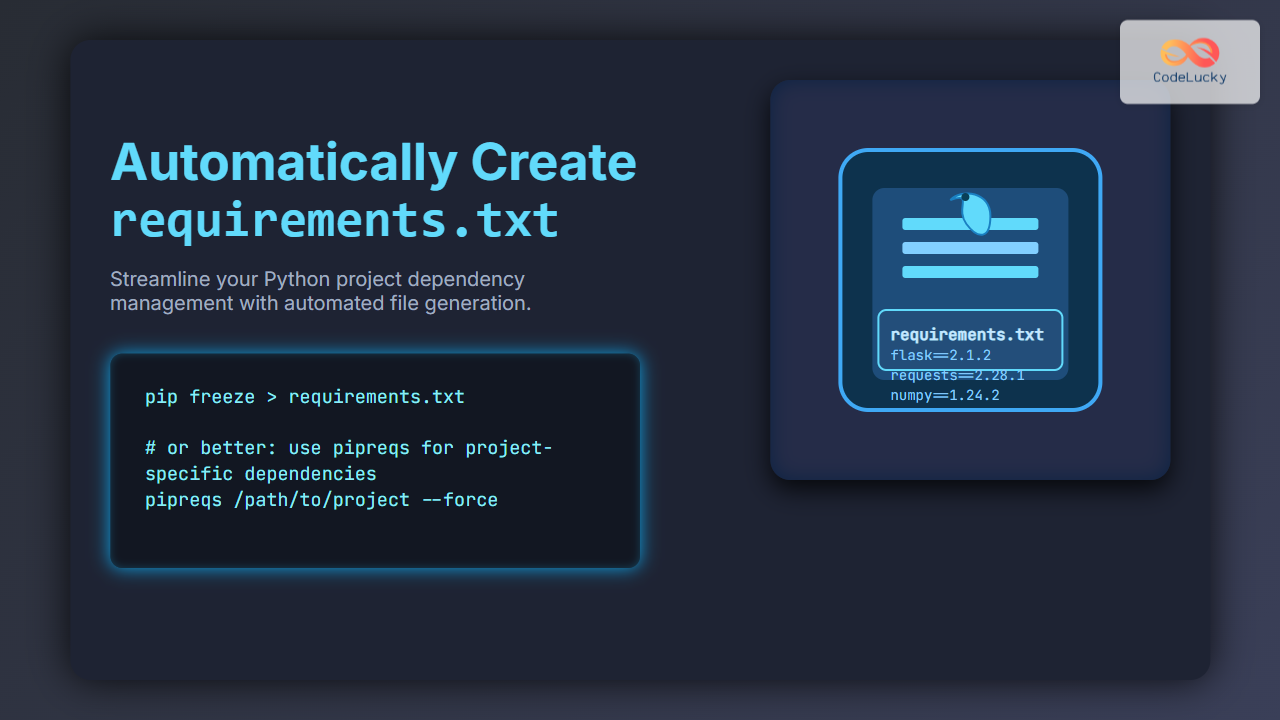
The most common tool to auto-generate this file for your current environment is pip freeze. It lists all installed packages along with their versions.
pip freeze > requirements.txt
This command captures all installed packages in your environment and writes them to requirements.txt. However, it lists everything—including packages not directly related to your project but installed globally or for other projects.
Example of requirements.txt Generated by pip freeze
flask==2.1.2
requests==2.28.1
numpy==1.24.2
Better Approach: Generating requirements.txt Based on Project Files
To avoid including unnecessary packages, tools like pipreqs scan your project source files and only include used packages in requirements.txt.
Install pipreqs
pip install pipreqs
Generate requirements.txt Automatically Using pipreqs
pipreqs /path/to/your/project
This command looks through your Python files in the project directory and writes dependencies explicitly used in your code into requirements.txt.
Example Output Using pipreqs
flask==2.1.2
requests==2.28.1
Automating requirements.txt Creation in Development Workflow
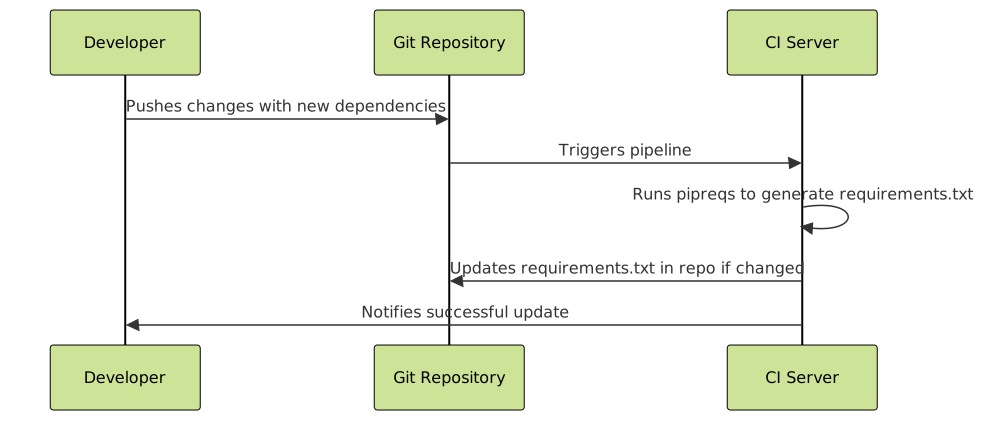
In practice, you can automate this step in your development or deployment process using simple scripts or CI/CD pipeline steps.
Sample Python Script to Automate requirements.txt
You can create a small Python script to run pipreqs programmatically and handle the file generation.
import subprocess
import sys

def generate_requirements(project_path="."):
    try:
        subprocess.run([sys.executable, "-m", "pipreqs", project_path, "--force"], check=True)
        print("requirements.txt generated successfully.")
    except subprocess.CalledProcessError as e:
        print(f"Error generating requirements.txt: {e}")

if __name__ == "__main__":
    generate_requirements()
This script executes pipreqs on the specified project directory and forces overwriting the existing requirements.txt file. You can integrate this script into your development or CI workflow.
Interactive Example: Try Generating requirements.txt Locally
If you have Python and pipreqs installed, run this command in your project folder terminal to see the automatic generation:
pipreqs . --force
Open requirements.txt afterward to verify the captured packages reflect your project’s imports only, making it clean and relevant.
Summary of Tools to Generate requirements.txt
| Method | Description | Pros | Cons |
|---|---|---|---|
pip freeze > requirements.txt |
Lists all installed packages in the current environment. | Simple; guaranteed to capture all packages. | Includes unrelated global packages; larger files. |
pipreqs |
Scans project files and creates requirements.txt with used packages only. | Clean, relevant dependencies; smaller file size. | May miss packages loaded dynamically or not imported explicitly. |
| Manual editing | Manually write and maintain the file. | Precision over dependencies. | Time-consuming; error-prone; not scalable. |
Useful Tips for Managing Your requirements.txt
- Keep your virtual environment clean and isolated for accurate package tracking.
- Regularly regenerate
requirements.txtafter adding or updating dependencies. - Use version pinning (e.g.,
package==version) for predictable builds. - Consider adding a
requirements-dev.txtfor development-only tools and libraries. - Use comments inside
requirements.txtfor clarity on specific packages if necessary.
Conclusion
Automatically creating your requirements.txt file is a key step in professional Python project management. Whether through the straightforward pip freeze command or the more targeted pipreqs tool, automating dependency tracking ensures consistency, reliability, and collaboration ease in development and deployment workflows.
Integrate these automation techniques today to maintain clean, accurate, and efficient Python project environments.