
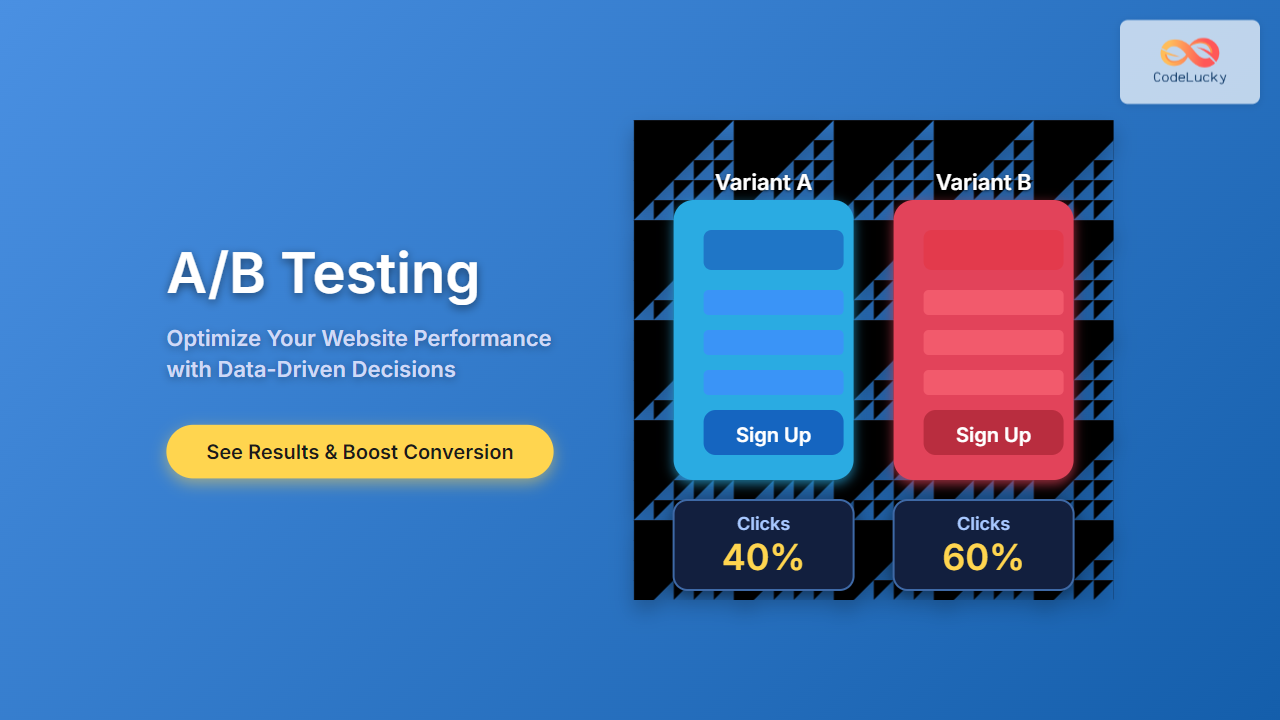
Introduction to A/B Testing
A/B testing, also known as split testing, is a powerful method used by marketers, web developers, and product teams to improve website performance by comparing two versions of a webpage or app against each other. The goal is to identify which variant performs better based on user engagement, conversions, or other key metrics.
By running controlled experiments, A/B testing removes guesswork, allowing data to drive decisions that increase the success of your website, reduce bounce rates, and boost overall user satisfaction.
Why A/B Testing is Essential for Website Optimization
Website optimization is critical in today’s competitive internet landscape. Small changes—a button color, headline phrasing, or image placement—can drastically impact user behavior. A/B testing helps you discover these winning changes scientifically rather than relying on assumptions or opinions.
- Improve Conversion Rates: Test headlines, calls to action (CTAs), and layouts to increase sign-ups, sales, or clicks.
- Reduce Bounce Rate: Identify layouts or content that keep users engaged longer.
- Enhance User Experience: Discover what resonates best with your audience to provide a better experience.
How A/B Testing Works: Step-by-Step Process
The A/B testing process involves creating two (or more) variants of a webpage and splitting user traffic to these variants to measure which performs better. Here is how it works:

Each step is crucial for ensuring that the test is valid and actionable:
- Identify Goal: Define what metric you want to improve (e.g., click-through rate, form submissions).
- Hypothesis Formation: Propose a change that could improve the goal metric.
- Create Variants: Develop two versions of the page: the original (A) and the modified (B).
- Split Traffic: Randomly direct visitors equally to one variant or the other.
- Collect Data: Gather user interaction data, typically using an A/B testing tool.
- Analyze Results: Use statistical methods to determine if there’s a significant difference.
- Implement Winner: Roll out the better-performing variant to all users.
Popular Tools for A/B Testing
There are many tools available for implementing A/B tests easily without extensive coding:
- Google Optimize: Free tool tightly integrated with Google Analytics.
- Optimizely: Enterprise-grade platform with advanced targeting.
- VWO (Visual Website Optimizer): User-friendly interface with heatmaps.
- Adobe Target: Robust tool suited for large-scale testing.
Example: Simple A/B Test to Optimize a Call-to-Action Button
Imagine you want to increase the click rate on a “Sign Up” button. You hypothesize that making the button color red instead of blue could attract more clicks.
Variant A (Control):
<button style="background-color: blue; color: white; padding: 10px 20px; border: none; cursor: pointer;">Sign Up</button>
Variant B (Test):
<button style="background-color: red; color: white; padding: 10px 20px; border: none; cursor: pointer;">Sign Up</button>
A random portion of your website visitors sees Variant A, and the other portion sees Variant B. After running the test for a statistically significant period, you analyze the click-through data.
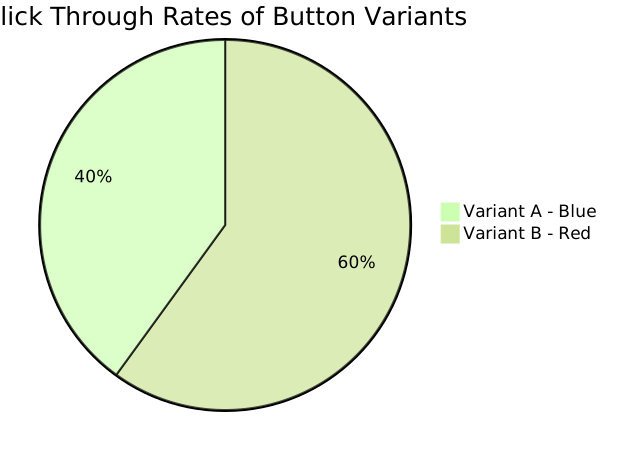
If Variant B’s 60% click rate is significantly higher than Variant A’s 40%, you implement the red button as the new standard.
Common Pitfalls to Avoid in A/B Testing
- Running Tests Too Short: Insufficient data leads to unreliable results.
- Testing Multiple Changes at Once: Confuses which change caused the effect. Test one variable at a time.
- Ignoring Statistical Significance: Use proper tools or calculators to confirm results are reliable.
- Biased Sample: Ensure traffic is randomly and evenly split to avoid skew.
Advanced A/B Testing Techniques
Beyond basic A/B tests, you can use:
- Multivariate Testing: Tests multiple elements simultaneously to find the best combination.
- Personalization Testing: Shows different variants based on user segments or behavior.
- Bandit Testing: An adaptive technique that allocates traffic dynamically based on early performance.

Interactive Element: Calculate Sample Size for Your A/B Test
Use the below simple formula or calculator logic to estimate how many visitors you need per variant for reliable results:
Sample Size = (Z² × p × (1-p)) / E²

Where:
- Z = Z-value (e.g., 1.96 for 95% confidence)
- p = baseline conversion rate (as decimal)
- E = margin of error (as decimal)
For example, if your conversion rate is 10% (0.10) and you want a 95% confidence with a 5% margin of error:
Sample Size = (1.96² × 0.10 × 0.90) / 0.05² ≈ 138
You need approximately 138 visitors per variant to detect a statistically significant difference.
Conclusion
A/B testing is an essential, data-driven approach to systematically optimize website performance. It empowers you to make informed decisions that enhance user engagement and increase conversion rates. By following best practices, avoiding common mistakes, and exploring advanced techniques, anyone can unlock the full potential of their website.
Start simple, experiment often, and iterate continuously to create websites that truly resonate with your audience and drive measurable success.





