
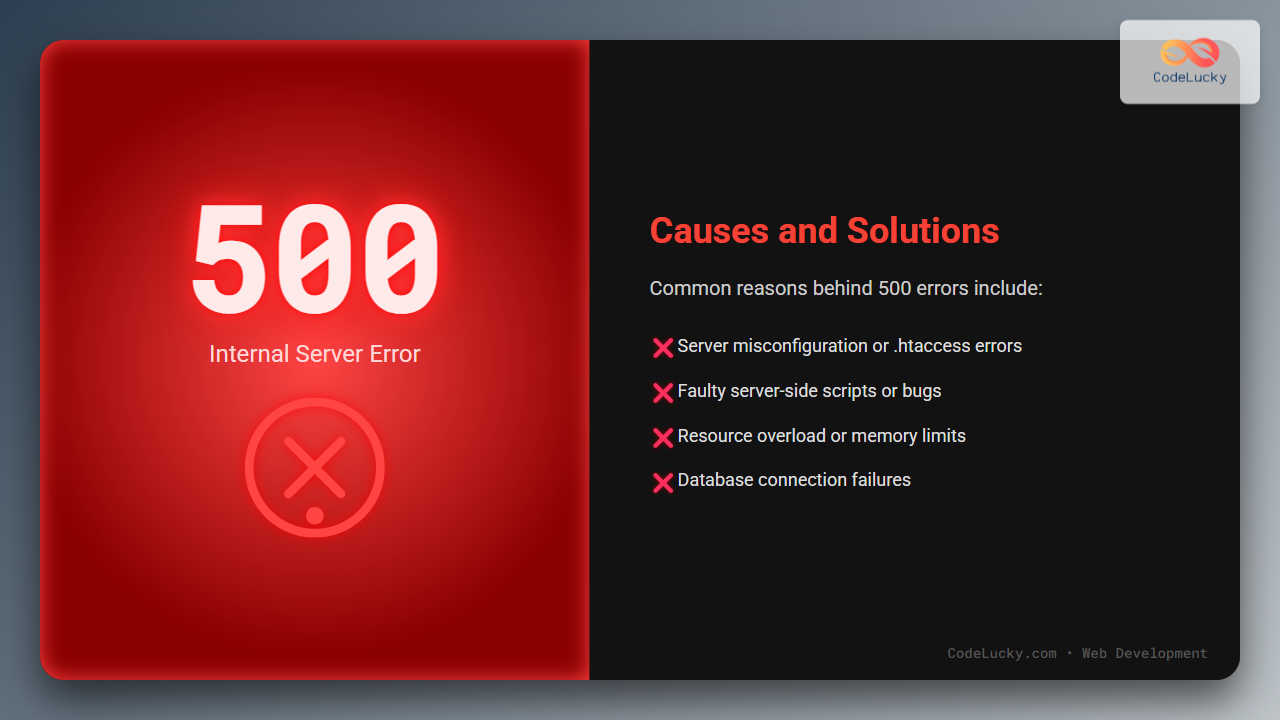
The 500 Internal Server Error is one of the most common yet ambiguous HTTP status codes encountered in web development. This error indicates that the server encountered an unexpected condition that prevented it from fulfilling the request. This comprehensive guide covers the causes, troubleshooting methods, and solutions for the 500 Internal Server Error with clear examples and visual diagrams to help developers diagnose and fix the issue effectively.
What is a 500 Internal Server Error?
The HTTP 500 Internal Server Error is a generic error message returned by a web server when it fails to execute the request successfully due to an unexpected server-side problem. Unlike specific client-side errors (4xx codes), 500 errors point to a problem on the server.

Common Causes of 500 Internal Server Error
The root causes of this error lie in the server environment or application logic. Below are the common reasons:
- Server Configuration Issues: Misconfigured .htaccess files, incorrect permissions, or bad server directives.
- Script or Code Errors: Unexpected errors in server scripts such as PHP, Python, or Node.js.
- Exhausted Server Resources: Memory limits, CPU overload, or insufficient disk space.
- Server Software Bugs: Faulty modules or middleware inside the web server or application server.
- Database Connection Failures: Unable to connect or query the database, causing script failure.
- Third-Party Service Failures: External APIs or services the server depends on responding incorrectly.
How to Identify the Cause?
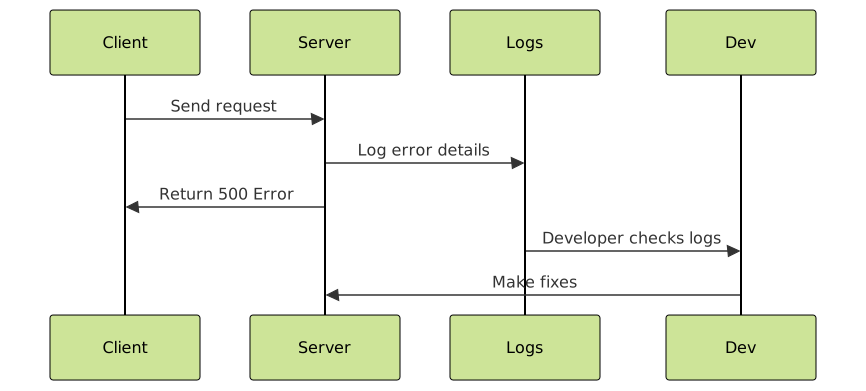
Diagnosing the 500 error requires checking server logs and isolating the problem source. Common steps include:
- Check the web server error log (Apache, Nginx, IIS).
- Enable detailed error messages for development (e.g., in PHP set
display_errors = On). - Review recent changes to server configuration or code.
- Test scripts independently to isolate breaking points.
- Check database connectivity.
Examples and Visual Outputs
Example 1: PHP Script Causing 500 Error
Consider this PHP script with a syntax error:
<?php
echo "Hello World"
?>
Missing semicolon causes a 500 Internal Server Error. Fixing it:
<?php
echo "Hello World";
?>
Output on browser:
Hello World
Example 2: Misconfigured .htaccess Causing 500 Error
Improper directive example:
RewriteEngine On
RewriteRule ^ - [L,R=502]
This will cause a 500 error because 502 is not valid in this context. Correct it to:
RewriteEngine On
RewriteRule ^ - [L,R=302]
Resulting in a proper redirect response instead of an error.
Common Solutions to Fix 500 Internal Server Error
Here are step-by-step solutions to address it:
- Check Server Logs: Examine Apache or Nginx error logs to identify the precise error.
- Debug Application Code: Look for syntax errors, infinite loops, or unhandled exceptions.
- Verify File Permissions: Ensure scripts have suitable permissions (e.g., 644 for files, 755 for directories).
- Review .htaccess Syntax: Remove or fix erroneous directives.
- Increase Server Resources: Update memory limits or upgrade server hardware if resource exhaustion occurs.
- Test Database Connection: Validate credentials and confirm database server is accessible.
- Disable Plugins/Modules: In CMS like WordPress, disable plugins to isolate conflict sources.
- Contact Hosting Provider: If unable to identify or fix, hosting support often has insights from server environment.

Interactive Debug Practice (PHP Example)
The following PHP snippet helps identify errors dynamically if enabled with display_errors on:
<?php
ini_set('display_errors', 1);
error_reporting(E_ALL);

echo 10 / 0; // This will trigger a warning and may cause server error depending on config
?>
Expected output will show a division by zero warning instead of a generic 500 error, aiding debugging.
Tips to Prevent 500 Internal Server Errors
- Always validate and test code on staging servers before deploying.
- Keep server software and CMS/plugins updated.
- Implement error handling with meaningful logging.
- Use caching and resource monitoring tools to avoid overloads.
Conclusion
The 500 Internal Server Error signals a serious issue on the server side, but with systematic debugging using logs, code checks, and configuration review, it can be resolved efficiently. Implementing best practices and preventative measures minimizes occurrence, ensuring smooth website performance.





